|

|
Processed through Paypal No account required. |








Buy our over-priced crap to help pay the bills.



|
|
Processed through Paypal No account required. |
| Files | ||||
| File Name | Rating | Downloads | ||
 |
AppNetworkCounter v1.61 AppNetworkCounter v1.61 👉 View network usage and bandwidth for every application on Windows. AppNetworkCounter is a simple Windows utility that counts and displays TCP/UDP bytes and packets sent and received by every application on your system. It shows received bytes, sent bytes, receive speed, send speed, IPv4 and IPv6 traffic totals, packet counts, and application version details such as product name, product version, file description, and company name. Features: • Displays network usage per application • Shows sent and received TCP/UDP bytes • Shows sent and received packet counts • Displays receive and send speeds • Tracks IPv4 and IPv6 traffic separately • Shows maximum and average receive/send speeds • Includes first and last activity time columns • Can group results by application name or process ID • Option to hide inactive items • Option to show a total line for all applications • Tray icon support • Export reports to text, CSV, HTML, XML, and JSON • Command-line report saving options • Portable; no installation required Supported operating systems: • Windows XP, Windows Vista, Windows 7, Windows 8, Windows 10, Windows 11 • 32-bit and 64-bit Windows supported • Administrator elevation required on Windows Vista and later Supported languages: English, Arabic, Brazilian Portuguese, Czech, Dutch, French, German, Greek, Hungarian, Italian, Japanese, Persian, Polish, Romanian, Russian, Simplified Chinese, Slovak, Spanish, Traditional Chinese, Turkish Changes: v1.61 08-23-26 Added 'Process Command-Line' column, which displays the full command-line string of every process (Only when the 'Group By' option is 'Process ID'). Added 'Keep Selected Item Visible' option. When it's turned on, the selected item always remains visible. 👉 This download is for the Windows 64bit version (very bottom of page). All other download assets are below: Other Windows: appnetworkcounter.zip (32bit) Click here to visit the author's website. |
 |
6,275 | Oct 13, 2026 Nir Sofer 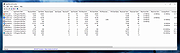 |
 |
BrowserDownloadsView v1.51 BrowserDownloadsView v1.51 👉 View and export download history from Chrome, Firefox, and compatible browsers. BrowserDownloadsView is a Windows utility that displays details of downloaded files from Chrome and Firefox web browsers, including filename, download URL, web page URL, start time, end time, download duration, download size, web browser, and more. It can load download lists from the current system, all user profiles, remote computers, external drives, or specified browser profile folders. Features: • View browser download history from Chrome, Firefox, Edge, Brave, Opera, Vivaldi, SeaMonkey, Yandex, Waterfox, Pale Moon, and other compatible browsers • Load downloads from current user, all users, remote computer, external drive, or selected profile folders • Display filename, URLs, times, duration, size, browser, profile, and other download details • Export selected or full download lists to text, CSV, tab-delimited, HTML, XML, or JSON • Calculate MD5, SHA1, SHA256, or SHA512 hashes for downloaded files • Open download URLs, source web pages, filenames, file folders, and file properties • Copy downloaded files to another folder • Filter downloads by time range • Check downloaded files with VirusTotal using SHA256 hash • Command-line options for loading sources, sorting, selecting columns, and saving reports • Portable freeware with no installation required Supported operating systems: • Windows XP, Windows Vista, Windows 7, Windows 8, Windows 10, Windows 11 • 32-bit and 64-bit systems Supported languages: English, Brazilian Portuguese, Dutch, French, German, Greek, Hungarian, Italian, Japanese, Korean, Persian, Romanian, Russian, Simplified Chinese, Slovak, Spanish, Traditional Chinese, Turkish Changes: v1.51 07-10-25 You can now choose the desired encoding (ANSI, UTF-8, UTF-16) to save the csv/xml/text/html files. (Options -> Save File Encoding ) This download is for the Windows 64bit version (very bottom of page). If you need the Windows 32bit version, download here. Click here to visit the author's website. |
|
4,760 | May 31, 2026 Nir Sofer 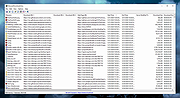 |
 |
Grayslate v0.4.0 Grayslate v0.4.0 👉 A fast, free developer scratchpad for working with code, data, text and large files. Grayslate is a free and open source, cross-platform developer scratchpad designed for the small jobs that come up while coding or working with data. Paste an API response, inspect JSON, explore a large CSV, transform or encode text, preview Markdown, work with code snippets or simply capture a quick thought. Grayslate recognizes the content you are working with and puts appropriate transformations at your fingertips. New slates are automatically given useful names and extensions, saved locally as you type and made searchable for later use. Files opened from elsewhere on your computer are only changed when you explicitly save them. All transformations run locally, with no account, cloud upload or telemetry required. Features: • Automatically recognizes pasted or opened content and suggests relevant transformations • Includes more than 80 built-in transformations for code, data and text • Recognizes more than 40 programming, markup and data languages/formats from file extensions, shebangs or content • Automatically names new slates, chooses useful file extensions and saves them locally as you type • Browse recent slates or search saved slates by name and content • Opens text and CSV files up to 200 MB • Rust-backed, virtualized CSV table handles files containing hundreds of thousands of rows while keeping scrolling responsive • JSON tools include formatting, minifying, validation, key sorting, JSON/YAML conversion, JSON-to-CSV, JSON-to-TypeScript and JSON Lines conversion • Right-click JSON keys or values to copy the JSON path, key or value • CSV-to-JSON conversion with automatic delimiter detection • Base64 and Base64URL encoding and decoding • Gzip/Base64 conversion, hexadecimal/ASCII conversion, URL encoding/decoding and HTML entity encoding/decoding • Decode JWT data without verification • Generate SHA-256, SHA-512, SHA-1, MD5 and CRC32 hashes • Text tools include upper, lower, Title, camel, snake, kebab and sPoNgE case conversions • Sort and reverse lines, reverse strings, remove duplicate ... |
|
184 | Aug 27, 2026 Shriram Ethiraj 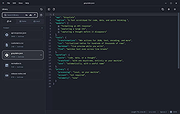 |
|
JSON Studio v1.0.0 JSON Studio v1.0.0 👉 A private, lossless desktop workspace for large JSON files. JSON Studio is a free, open source desktop application for working with large JSON files. It enables you to explore, search, query, compare, and inspect JSON, JSONL, and NDJSON files up to 500 MB entirely on your own machine. Designed for developers working with large, sensitive, or precision-critical data, JSON Studio keeps the original data intact by preserving big integers, high-precision decimals, key order, and the original source text without rounding, reordering, or reformatting. The application provides multiple ways to view and analyze JSON data, including tree, raw source, and table views. It features fast searching across keys and values, RFC 9535 JSONPath query support, structural document comparison, JSONL/NDJSON table inspection, inline image previews for supported embedded image formats, and automatic session restoration. Because it runs completely offline, there are no accounts, uploads, telemetry, analytics, or network calls, ensuring your files and settings remain private. Features: • Open JSON, JSONL, and NDJSON files up to 500 MB • Preserves big integers, high-precision decimals, key order, and original source text • Tree, raw source, and table views • Collapse and expand navigation with expand-to-depth support • Syntax highlighting, line numbers, wrapping, and parse error reporting • Fast searching with case-sensitive, whole-field, regular expression, and subtree search options • RFC 9535 JSONPath query support with history, execution timing, and result export • Structural JSON comparison with configurable array matching and optional key-order ignoring • Virtualized table view for JSONL and NDJSON files with field statistics and invalid-row highlighting • Inline preview of embedded PNG, JPEG, GIF, WebP, and SVG images • Multiple document tabs, scratch workspace, session restore, and live file reload • Fully offline operation with no uploads, analytics, telemetry, or network access Supported operating systems: • Windows • macOS • Linux Supported languages: • English Changes: v1.0.0 06-26-26 Initial release. Note: This file has two hits on VirusTotal. We have confirmed ... |
|
499 | Jun 27, 2026 Anton Liberant 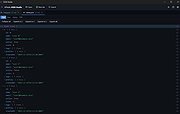 |
|
JSONedit v0.9.45 JSONedit v0.9.45 👉 A portable JSON editor with text, tree and list views. JSONedit lets you inspect and edit JSON documents as text, expandable trees or filtered lists. It requires no installation. Tools support formatting, CSV conversion, reusable snippets, Lua scripting and schema validation. You can also locate browser configuration files and edit Mozilla MOZLZ4/JSONLZ4 files. Note: Full Unicode support is unavailable. The jq filtering tool requires a separate jq executable in the application directory. Features: • Text, tree and list views. • Syntax highlighting, code folding and brace matching. • Compact or indented formatting. • Node copying, cloning, sorting and reordering. • Searching and list filtering. • Duplicate-value detection. • CSV import and export. • Reusable snippets. • Lua scripting and configurable hotkeys. • JSONPath and JMESPath queries. • JSON Patch and Merge Patch tools. • JSON Schema validation. • NDJSON viewing and export. • Mozilla MOZLZ4/JSONLZ4 support. • Browser configuration access. • External jq filtering. Supported operating systems: • Windows; specific versions: Not Found • Linux through Wine, with limitations Supported languages: English. Changes: v0.9.45 09-30-26 added File/"Open browser config" menu: lists JSON configuration files of Chromium-based browsers (Vivaldi, Opera, Chrome, Edge, Brave) and Firefox profiles saving browser configuration file: warning if browser is running (it may overwrite file on exit), warning for Chromium "Secure Preferences" (HMAC-protected values), option to remove "checksum" from Chromium "Bookmarks" added Tools/"jq filter (using external jq.exe)" window: filtering JSON with jq (https://jqlang.org/) if jq executable (jq.exe, jq-win64.exe, jq-windows-amd64.exe, jq-win32.exe or jq-windows-i386.exe) is placed in application directory; options: compact (-c), raw output (-r), sort keys (-S), slurp (-s); MRU list of filters pre-filled with basic examples MOZLZ4/JSONLZ4 files are detected also ... |
|
5,827 | Oct 05, 2026 Tomasz Ostrowski 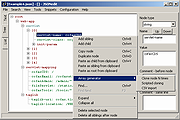 |
|
Kate v26.07.70 Kate v26.07.70 👉 Advanced multi-document text editor and source code editor for programmers. Kate is a feature-rich text editor developed by the KDE community. Designed for programmers, system administrators, and power users, it provides advanced editing capabilities including syntax highlighting, code folding, project management, powerful search and replace functions, session management, and integrated terminal access. Kate can open and edit multiple documents simultaneously using tabs and split views, making it ideal for managing large projects and working across numerous files at once. Kate supports hundreds of programming and markup languages through its extensive syntax highlighting engine and includes Language Server Protocol (LSP) integration for code completion, diagnostics, symbol navigation, and other modern development features. Its plugin architecture allows users to extend functionality with tools such as file browsers, document previews, external command execution, and Git integration. Kate is available for Linux, Windows, and macOS, providing a consistent editing experience across platforms. Features: • Multi-document and multi-window editing interface • Tabbed and split-view editing • Syntax highlighting for over 300 file formats • Code folding and bracket matching • Language Server Protocol (LSP) support • Intelligent code completion and symbol navigation • Powerful search and replace tools • Regular expression support • Session management for restoring workspaces • Project management tools • Embedded terminal window • Git integration and developer-focused plugins • Multiple cursors and selections • Vi/Vim input mode • Automatic file encoding detection • Support for local and remote file editing via network protocols • Markdown, HTML, and SVG preview support through plugins • Extensive customization options and plugin architecture Supported operating systems: • Windows 10, Windows 11 • macOS 13 Ventura or higher • Linux distributions supporting KDE Gear 26.07.70 Supported languages: Arabic, Basque, Catalan, Chinese (Simplified), Chinese (Traditional), Czech, Danish, Dutch, English, Finnish, French, Galician, German, Greek, Hebrew, Hungarian, Italian, Japanese, Korean, Norwegian Bokmεl, Polish, Portuguese, Portuguese (Brazilian), Romanian, Russian, Slovak, Slovenian, Spanish, Swedish, Turkish, Ukrainian, and many additional KDE translation languages. Changes: v26.07.70 Not provided. This download is ... |
|
2,632 | Jun 16, 2026 Kate KDE Team 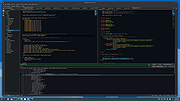 |
 |
killer-tools v2.0 killer-tools v2.0 👉 A collection of handy online tools for developers and IT pros. killer-tools is a custom fork of IT-Tools with personalized branding, deployed as a client-side web app at killertools.net. It provides a collection of online utilities for developers and IT professionals, including formatting, lookup, conversion, and other productivity-focused tools. Features: • Fully client-side web application with no data sent to external servers • Based on a customized fork of IT-Tools with tailored branding and layout • No installation or setup required, runs instantly in any modern web browser • Includes a large suite of utilities for developers, IT professionals, and power users • JSON tools including formatting, validation, and minification • Encoding and decoding tools such as Base64, URL encoding, and HTML entities • Cryptographic utilities including hash generators (MD5, SHA family) and encoders • Text manipulation tools for case conversion, trimming, and formatting • Data conversion tools for timestamps, units, numbers, and formats • UUID and random data generators for development and testing • Password and secure string generators • Network-related tools for IP lookup, subnet calculations, and related utilities • Instant processing with real-time results as you type • Clean, modern, and fast user interface designed for productivity • Responsive design that works on desktop, tablet, and mobile devices • Offline-capable once loaded in the browser (cached assets) • No tracking, telemetry, or account required to use tools • Open-source project under the GNU GPLv3 license • Easy to self-host or customize from the original source Tools and References: Killer Scripts, Exchange NDR Lookup, Group Policy Reference, M365 SKU Decoder, PowerShell Builder, SafeLink Decoder, Windows Error Codes, Windows Event Lookup, CVE Lookup, Email DNS Checker, Email Header Parser, IPv4 Address Converter, IPv4 Range Expander, IPv4 Subnet Calculator, IPv6 ULA Generator, MAC Address Lookup, Port Protocol Reference, WHOIS Checker, Basic Auth Generator, Device Information, HTML Entities, HTML WYSIWYG Editor, HTTP Status Codes, JSON Diff, JWT Parser, Keycode Info, Meta ... |
|
1,068 | Aug 09, 2026 SteveTheKiller 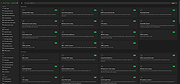 |
|
Letos v4.0.0 Letos v4.0.0 (Formerly SQLiteStudio) 👉 Free, open source cross-platform SQLite database manager with an advanced SQL editor and visual ERD designer. Letos is a free, open source SQLite database manager for creating, editing, and browsing SQLite databases. Formerly known as SQLiteStudio, Letos provides a powerful SQL editor with syntax highlighting, code formatting, query history, and intelligent code assistance. Version 4.0.0 introduces a completely new visual ERD (Entity Relationship Diagram) editor, native ARM64 builds, a Qt 6-based interface, and numerous improvements for database browsing, editing, importing, exporting, scripting, and overall workflow. It also supports encrypted SQLite databases, plugins, custom SQL functions, and portable operation without installation. Features: • Advanced SQL editor with syntax highlighting, formatting, code assistance, and query history • Visual ERD (Entity Relationship Diagram) editor for designing and reverse-engineering databases • Supports SQLCipher, WxSQLite3, and System.Data.SQLite encrypted databases • Execute queries across multiple attached databases • Custom SQL functions and aggregate functions using JavaScript, Python, or Tcl • Custom collation sequence support • Drag and drop database objects between databases • Built-in data import and export for SQL, CSV, HTML, XML, PDF, and JSON • Data population tools with random, sequence, dictionary, and script-based generators • Plugin architecture for scripting languages, import/export formats, formatters, renderers, and more • Portable edition requiring no installation • Extensive interface customization and docking options • Native ARM64 builds and signed Windows and macOS packages • High-DPI aware Qt 6 interface with scalable SVG icons • Command Palette for quick access to commands and settings • Built-in image rendering and JSON editor for data browsing Supported operating systems: • Windows 10, Windows 11 (x64, ARM64) • macOS (Intel and Apple Silicon) • Linux (x64, ARM64) Supported languages: Afrikaans, Arabic, Belarusian, Catalan, Czech, Danish, Dutch, English, Greek, Hungarian, Japanese, Korean, Norwegian, Polish, Portuguese, Romanian, Serbian, Slovak, Swedish, Turkish and additional updated translations. Changes: v4.0.0 06-23-26 Added a new visual ERD editor. Renamed the project from SQLiteStudio to Letos. Migrated the application to Qt ... |
|
2,638 | Jun 24, 2026 Pawel Salawa 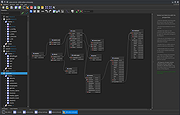 |
|
mDNSView v1.00 mDNSView v1.00 👉 Scan and view mDNS records published by devices on your local network. mDNSView is a simple Windows utility from NirSoft that displays mDNS records published by devices connected to your local network. For every discovered mDNS record, it shows the device IP address, name, record type, and record value. Features: • Displays mDNS records from devices on your local network • Shows IP address, name, record type, and record value • Supports A, AAAA, TEXT, PTR, and SRV record types • Start a scan with the toolbar button or F5 key • Export results to CSV, tab-delimited, XML, HTML5, or JSON • Copy selected records to the clipboard • Portable; no installation or extra DLL files required Supported operating systems: • Windows XP, Windows Vista, Windows 7, Windows 8, Windows 10, Windows 11 • 32-bit and 64-bit systems Supported languages: English, Dutch, French, German, Hungarian, Italian, Russian, Traditional Chinese Changes: v1.00 05-23-26 Initial release. Note: This file has multiple hits on VirusTotal because it's new and because it sniffs your network for information. We have determined these to be fair warnings but as long as you are the one using it, the file is safe. Click here to visit the author's website. |
|
532 | Jun 03, 2026 Nir Sofer 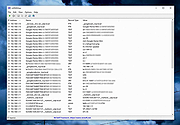 |
|
MiTeC JSON Viewer v3.2.2 MiTeC JSON Viewer v3.2.2 Full featured JSON/BSON Viewer Free to use for private, educational and non-commercial purposes. Description • Hierarchical and text preview • Text searching • Base64 encoding/decoding • Simple JSON Editor with JSON validation and formatter Supported operating systems: • Windows XP • Windows 2003 • Windows Vista • Windows 7 • Windows Server 2008 • Windows 8 • Windows 8.1 • Windows Server 2012 • Windows Server 2012 R2 • Windows 10 • Windows Server 2016 • Windows Server 2019 • Windows 11 • Windows Server 2022 Changes v3.2.2 20.1.2025 * Bug fixes Click here to visit the author's website. |
|
1,288 | May 13, 2025 MiTeC 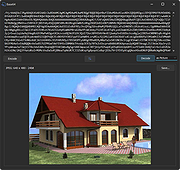 |
|
RSS Guard v5.2.3 RSS Guard v5.2.3 👉 Cross-platform open-source feed reader for RSS, ATOM, JSON and podcast feeds. RSS Guard is a lightweight yet powerful feed reader designed for reading and managing RSS, ATOM, JSON, and podcast feeds in one place. It provides a clean and organized interface that allows users to subscribe to multiple feeds, categorize them, and read articles efficiently. RSS Guard supports both local feed management and synchronization with several online services, making it suitable for users who want to keep track of news, blogs, podcasts, and other syndicated content across multiple devices. The application includes a built-in feed downloader, powerful filtering options, customizable article views, and a flexible plugin architecture. RSS Guard also features advanced feed management tools such as article labeling, filtering rules, and automatic feed updates. Its modular design and open-source nature allow for extensive customization and long-term flexibility, making it a strong choice for users who prefer a privacy-friendly alternative to cloud-based feed readers. Features: • Supports RSS, ATOM, and JSON feed formats • Built-in podcast support with episode management • Feed synchronization with supported online services • Customizable article viewer and reading layout • Powerful filtering and feed processing rules • Feed categories and organizational tools • Built-in feed downloader with automatic updates • Article labeling and tagging options • Plugin-based architecture for extended functionality • OPML import and export for feed migration • Notification system for new feed items • Open-source and privacy-focused design Supported operating systems: • Windows 10, Windows 11 • macOS • Linux Supported languages: English, Czech, German, French, Spanish, Italian, Dutch, Polish, Russian, Chinese, Japanese, Korean, Portuguese, Turkish Changes: v5.2.3 07-23-26 Added: Highlighting the Windows taskbar after feed-fetching errors can now be disabled in settings. Article and feed list titles now use available horizontal space by default. Feed fetching can now be paused or resumed from the tray icon menu. When paused and there ... |
|
5,978 | Jul 24, 2026 Martin Rotter 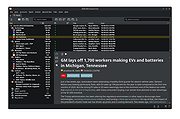 |
| Showing rows 1 to 11 of 11 | Showing Page 1 of 1 | 1 |
OlderGeeks.com Copyright (c) 2026
