|

|
Processed through Paypal No account required. |








Buy our over-priced crap to help pay the bills.



|
|
Processed through Paypal No account required. |
| Files | ||||
| File Name | Rating | Downloads | ||
 |
Eqonomize! v1.5.12 Eqonomize! v1.5.12 👉 Cross-platform personal accounting software for efficient household bookkeeping, budgeting, and financial tracking. Eqonomize! is a cross-platform personal accounting program focused on efficiency and ease of use for small households. It provides double-entry bookkeeping, support for expenses, incomes, transfers, scheduled recurring transactions, securities, loans, and budgeting. It also gives a clear overview of past and present transactions, along with charts, reports, and projected future account values. Features: • Double-entry bookkeeping for personal finances • Supports expenses, incomes, transfers, and security transactions • Includes scheduled recurring transactions with flexible recurrence options • Budgeting tools with monthly budgets and future account value prediction • Supports stocks, bonds, mutual funds, dividends, and reinvested dividends • Statistical reports with tables, line charts, bar charts, and pie charts • Transaction filtering by date, value, category, account, description, and payee or payer • Supports multiple currencies with selectable account currency and automatic updates • Imports and exports QIF files and imports CSV transaction data • Can save displayed data to HTML or CSV and charts to image formats such as PNG and JPEG Supported operating systems: • Windows 10, Windows 11 • Linux Ubuntu 16.04 or later, Debian, Ubuntu, Arch Linux Supported languages: Bulgarian, Czech, Danish, English, French, German, Hungarian, Italian, Dutch, Portuguese, Portuguese (Brazil), Romanian, Russian, Slovak, Spanish, Swedish Changes: v1.5.12 01-26-26 Add category division selection (subcategories, descriptions, payees/payers, or tags) in categories comparison chart Save tags not used by any transaction Add option to convert one or multiple expenses or incomes to transfers Allow multiple categories with the same name (in different parent categories) Show negative values in pie chart (accounts comparison excluded) Scroll to bottom when opening or updating ledger with ascending order enabled Add option to show transfer in ledger of other account Fix value axis in bar chart Fix/improve handling of various category combinations displayed separately in over time report Fix properties of existing transaction updated with default value when amount is zero Fix sorting of subcategories in ... |
 |
7,814 | Mar 10, 2026 Eqonomize Project 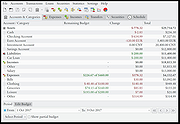 |
|
Fungible v1.6.4 Fungible v1.6.4 👉 A personal finance application that helps you track spending, budgets, and net worth with local data storage. Fungible is an open source personal finance manager that provides both a traditional terminal interface and a modern graphical desktop interface for managing your finances. It allows you to import transactions from financial institutions, categorize income and expenses, create budgets, monitor account balances, and visualize your financial health through charts and reports. Whether you prefer working from the command line or using the graphical interface, Fungible stores your financial data locally on your computer, giving you full control over your information while helping you organize day-to-day finances. Features: • Track checking, savings, credit card, investment, and other financial accounts • Import financial transactions from supported bank export formats • Categorize transactions with customizable categories • Create and monitor monthly budgets • View spending trends and financial reports • Track income, expenses, and overall net worth • Powerful transaction filtering and search tools • Local data storage for improved privacy and control • Cross-platform desktop application with Electron-based graphical interface • Open source software Supported operating systems: • Windows 10 or higher • macOS 13 Ventura or higher • Linux (64-bit distributions supported through official releases) Supported languages: • English Changes: v1.6.4 06-13-26 • Added a new Electron-based graphical user interface. • Added cross-platform desktop packaging and development release workflow. • Documented the filter panel and updated filter keys. • Fixed renderer sandbox and Plaid callback host issues. • Fixed stale result handling in GUI pattern matching. This download is for the Windows 64bit version (very bottom of page). All other download assets are below: macOS: fungible-1.6.4-mac-arm64.dmg fungible-1.6.4-mac-arm64.zip fungible-1.6.4-mac-x64.dmg fungible-1.6.4-mac-arm64.zip Linux: fungible-1.6.4-linux-amd64.deb fungible-1.6.4-linux-x86_64.AppImage Click here to visit the author's website. |
|
517 | Jun 19, 2026 Thomas Funk 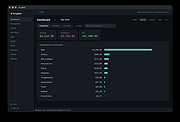 |
|
GnuCash v5.17 GnuCash v5.17 👉 Free, professional-grade personal and small-business accounting software. GnuCash is a free and open-source financial management application designed for individuals, families, and small businesses. Built on double-entry accounting principles, it provides an accurate and reliable way to track bank accounts, credit cards, investments, income, expenses, and business finances. Its familiar checkbook-style register makes entering transactions straightforward while maintaining the integrity expected from professional accounting software. Whether you're balancing your household budget, managing investment portfolios, or keeping books for a small business, GnuCash offers powerful reporting, scheduled transactions, account reconciliation, and support for importing financial data from many banks. It also includes customizable reports and graphs to help you understand your financial health over time. Features: • Double-entry accounting system • Checkbook-style transaction register • Track bank accounts, cash, credit cards, loans, and investments • Support for stocks, bonds, mutual funds, and other securities • Small business accounting with customer, vendor, invoice, bill, and tax features • Scheduled and recurring transactions • Transaction matching and reconciliation • Import QIF, OFX, and HBCI financial data • Budget creation and tracking • Detailed financial reports and graphs • Multi-currency support with exchange rate tracking • Split transactions and account hierarchies • Search and filter transactions • Export reports and financial data • Open source and actively maintained Supported operating systems: • Windows 8, Windows 10, Windows 11 • macOS 10.13 (Intel) or higher • macOS 11 (Apple Silicon) or higher • Legacy versions available below. Supported languages: Arabic, Brazilian Portuguese, Bulgarian, Catalan, Chinese (Simplified), Chinese (Traditional), Croatian, Danish, Dutch, English, Finnish, French, German, Hebrew, Hindi, Hungarian, Italian, Japanese, Latvian, Lithuanian, Marathi, Polish, Portuguese, Russian, Serbian, Spanish, Tamil, Telugu, Turkish, Ukrainian, Urdu, Chinese (Simplified Han script), Czech, Dutch, English (Australia), English (New Zealand), English (United Kingdom), German, Hungarian, Italian, Norwegian Bokmεl, Portuguese, Portuguese (Brazil), Russian, Spanish, Swedish Changes: v5.17 09-27-26 Bug 797872 - Multiple check printing results in nothing sent to print queue after first check ... |
|
7,683 | Sep 29, 2026 GnuCash Team 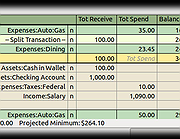 |
|
HomeBank v5.10.2 HomeBank v5.10.2 👉 Personal finance software for managing accounts, budgets, and expenses. HomeBank is a free and open-source personal accounting software designed to help users manage their finances with ease. It allows you to track income and expenses, manage multiple bank accounts, categorize transactions, and analyze your financial habits through detailed reports and charts. With a clean interface and powerful filtering tools, HomeBank makes it simple to stay on top of your budget and financial goals. HomeBank supports importing data from various formats such as CSV, QIF, and OFX, making it easy to migrate from other financial tools. It also offers automatic transaction categorization, scheduled transactions, and advanced reporting features to provide clear insights into your spending patterns. Features: • Manage multiple accounts including bank, cash, and credit cards • Track income and expenses with customizable categories • Import data from CSV, QIF, and OFX formats • Powerful filtering and search tools for transactions • Detailed reports and charts for financial analysis • Budget tracking and spending insights • Scheduled transactions and reminders • Automatic transaction categorization • Clean, user-friendly interface Supported operating systems: • Windows 7, Windows 8, Windows 10, Windows 11 • Linux Supported languages: English, French, German, Spanish, Italian, Dutch, Russian, Chinese, and others Changes: v5.10.2 06-14-26 * bugfix: #2156412 safety approve option mixup * bugfix: #2156372 currency modification date is not persisted due to extra space in code * bugfix: #2155966 main window different colours for 0.00 account balances * bugfix: #2155959 cannot inherit a locked reconciled transaction * bugfix: #2155844 quick search no longer works in account window (ledger) This download is for the Windows version (very bottom of page). Linux Debian/Ubuntu: sudo add-apt-repository ppa:mdoyen/homebank sudo apt-get update sudo apt-get install homebank Other Linux distributions: Debian: apt-get install homebank Fedora: yum install homebank OpenSUSE: yast -i homebank or zypper in homebank Arch Linux: pacman -S homebank Gentoo: emerge homebank Click here to visit the author's website. |
|
11,993 | Jul 28, 2026 Maxime Doyen 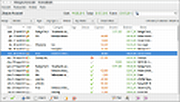 |
|
Manager Desktop Edition v26.10.7 Manager Desktop Edition v26.10.7 👉 Free accounting software for small businesses with a clean and intuitive interface. Manager Desktop Edition is a free accounting software designed for small businesses to manage their finances efficiently and professionally without the complexity of traditional accounting systems. It provides a complete double-entry accounting environment that allows users to handle everything from basic bookkeeping to advanced financial tracking, all within a streamlined and easy-to-navigate interface. Manager Desktop Edition enables users to create invoices, track payments, monitor expenses, and generate detailed financial reports such as profit and loss statements, balance sheets, and cash flow summaries. The software is designed to be accessible for beginners while still offering powerful features for more advanced users, making it suitable for freelancers, small business owners, and organizations. The desktop version operates entirely offline, storing all financial data locally on the user’s machine. This ensures privacy, security, and full control over sensitive financial information without requiring a cloud connection. It also allows businesses to continue working without internet access while maintaining full functionality. Manager Desktop Edition supports multiple currencies, making it ideal for businesses dealing with international clients or suppliers. It also includes tools for managing customers, suppliers, inventory, and taxes such as VAT or sales tax. With its modular design, users can enable only the features they need, keeping the interface clean and uncluttered. Note: Desktop edition is single-user software. Businesses requiring multi-user capabilities or remote access will use cloud edition which is not free. Features: • Full double-entry accounting system with automatic balancing of debits and credits • Create and customize invoices, quotes, receipts, and purchase orders with branding options • Track accounts receivable and accounts payable with detailed aging reports • Record income and expenses with categorization and detailed transaction histories • Generate financial statements including balance sheet, profit and loss, trial balance, and general ledger • Cash flow monitoring ... |
|
9,075 | Oct 08, 2026 NGSoftware Pty Ltd 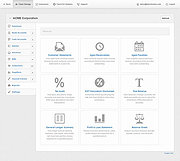 |
|
Microsoft Money Plus Home & Business Sunset v17.0.150.3817 Microsoft Money Plus Home & Business Sunset v17.0.150.3817 👉 Free offline software for managing personal finances, small-business expenses, and invoices. Microsoft Money Plus Home & Business Sunset combines personal financial management with tools for keeping track of small-business finances. Organize accounts, record income and expenses, monitor spending, manage investments, and create financial reports. The Home & Business edition also includes invoicing tools for preparing customer invoices with your business information. Money Invoice Designer lets you customize invoices with your business name, address, and logo. Financial information is organized into sections for accounts, bills, reports, and investments, helping you review household and business activity in one application. The Sunset edition was released after Microsoft discontinued the Money product line. It removes the activation requirement, allowing installation and reinstallation without contacting an activation server. You can install it as a standalone program without owning an earlier edition. Features: • Manage personal and business financial accounts. • Record income, expenses, deposits, and payments. • Organize transactions into spending categories. • Create budgets and monitor spending. • Review account balances and cash flow. • Generate financial reports. • Track investments and manually update investment prices. • Create customer invoices with Money Invoice Designer. • Customize invoices with your business name, address, and logo. • Use Insights alerts to monitor upcoming bills, spending, and cash flow. • Import OFX or QIF statement files downloaded separately from your financial institution. • Open and convert compatible files from earlier U.S. editions of Microsoft Money. • Protect Money data files with a standard Money password. • Access a local Help file. • Install and reinstall without product activation. Important information: This is discontinued software. ... |
|
111 | Oct 06, 2026 Microsoft Corp. 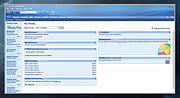 |
|
Microsoft Money Plus Sunset Deluxe v17.0.120.3817 Microsoft Money Plus Sunset Deluxe v17.0.120.3817 👉 Free personal finance management software for tracking accounts, budgets, and investments. Microsoft Money Plus Sunset Deluxe is a discontinued but still widely used personal finance application from Microsoft, released as a free version after the product line was retired. It allows users to manage bank accounts, track spending, create budgets, monitor investments, and generate detailed financial reports—all without requiring online services. This “Sunset” edition removes all online features such as automatic bank downloads and bill pay services, allowing the program to function indefinitely without activation or Microsoft services. It is especially useful for users who prefer a local, offline financial tracking solution or who need continued access to existing Money data files. Microsoft Money Plus Sunset Deluxe supports importing and working with existing Money files, providing a familiar interface for long-time users while maintaining core functionality for managing personal finances. Features: • Manage bank accounts, credit cards, and cash accounts • Track income, expenses, and spending categories • Create and monitor budgets • View financial summaries and reports • Manage investments and track portfolio performance • Import and use existing Microsoft Money data files • Offline functionality with no activation required • Simplified interface based on Microsoft Money Plus More Information: • Microsoft Money Plus Sunset Deluxe is provided as-is with no support or updates from Microsoft • All online services have been permanently removed and are not available • Designed primarily for users of earlier Microsoft Money versions needing continued access • Cannot download transactions, stock quotes, or perform online bill payments • No activation is required, and the software will not expire Supported operating systems: • Windows XP, Windows Vista, Windows 7, Windows 8, Windows 10, Windows 11 Supported languages: English Changes: v17.0.120.3817 Not Provided Click here to visit the author's website. |
|
17,991 | Jul 29, 2026 Microsoft Corp. 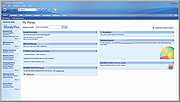 |
 |
Money Manager Ex v1.9.3 Money Manager Ex v1.9.3 👉 Free, open-source personal finance software for tracking accounts, budgets, cash flow, assets and expenses. Money Manager Ex is a free, open-source personal finance application designed to help users organize their finances with a clear and easy-to-use interface. It allows you to monitor bank accounts, credit cards, investments, assets and recurring expenses while keeping all financial information stored locally for improved privacy and control. Money Manager Ex is suitable for both beginners and advanced users who want a lightweight but powerful alternative to online financial services. The software includes budgeting tools, customizable reports, reminders, transaction scheduling and multi-account management to help track spending habits and improve financial planning. The application supports multiple currencies, encrypted databases, portable operation and import/export tools for transferring data between financial applications. Its built-in reporting engine provides charts and summaries that make it easier to analyze income, expenses and long-term financial trends. Advanced users can also create custom reports using SQL, HTML, LUA and JavaScript. Money Manager Ex stores data in an SQLite database and works entirely offline, giving users full control over their financial records without relying on cloud synchronization or subscriptions. The software is actively maintained by an open-source community and is available for Windows, macOS and Linux systems. Features: • Track checking, savings, cash, credit card, stock investment and asset accounts • Organize transactions with unlimited nested categories and tags • Schedule recurring bills, deposits and transfers with reminders • Create detailed budgets and monitor spending habits • Generate financial reports with charts, graphs and summaries • Supports multiple currencies and exchange rates • Import transactions from CSV, QIF and OFX files • Export financial data to CSV, QIF and HTML formats • Portable mode available for Windows systems • SQLite database with AES encryption support • Split transactions across multiple categories • Search and filter transaction history quickly • Reconcile bank statements and account balances • Create ... |
|
11,301 | Aug 11, 2026 Money Manager EX 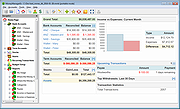 |
|
NolaPro Cloud Accounting v5.0.24859 NolaPro Cloud Accounting v5.0.24859 Free version for home-based freelancers. Simplified accounting and business management to improve efficiency and growth. NolaPro is a Business Management Solution utilizing web features to provide a complete accounting, order tracking and inventory suite. Features: • No User Restrictions • Modify it to Fit Your Business • Cost and Accrual Accounting • Updates at No Cost Changes: v5.0.24859 Changes for user e-mail signature * Added new {companyimage} parameter * * Can be sized. Example: {companyimage width="300px" height="50px"} * Added user image-upload settings for each company, to define the {companyimage} to use when that user is logged into that company Changes to calendar system * Added new setting: Events - All Companies * Added new setting: Default View Change to Email Setup's Default Reply To Address setting, so that the {webaddress} text will be replaced like the Email Signature does. Removed the drop-down list of calendars and replaced with toggle switches to allow multiple calendars to be viewed at once. Added ability to select which calendar to add an event to via drop-down in the New Event dialog. Added "For Sales Order" column to the Purchase Order Lists. Added new inventory transfer setting for Show Transfer Line Weight. Click here to visit the author's website. |
|
9,979 | Nov 22, 2025 Noguska LLC  |
| Showing rows 1 to 9 of 9 | Showing Page 1 of 1 | 1 |
OlderGeeks.com Copyright (c) 2026
