|

|
Processed through Paypal No account required. |








Buy our over-priced crap to help pay the bills.



|
|
Processed through Paypal No account required. |
| Files | ||||
| File Name | Rating | Downloads | ||
 |
Antivirus Live CD v52.0-1.5.2 Antivirus Live CD v52.0-1.5.2 👉 A 4MLinux fork including the ClamAV scanner. It's designed for users who need a lightweight live CD, which will help them to protect their computers against viruses. Ethernet, WiFi, PPP and PPPoE are supported by Antivirus Live CD to enable automatic updates of its virus signature databases. All partitions are mounted during the boot process so that they can be scanned by ClamAV. The Antivirus Live CD ISO images are fully compatible with UNetbootin, which can be used to create an easy-to-use Antivirus Live USB. Features: • Lightweight bootable antivirus rescue environment based on 4MLinux • Includes the ClamAV antivirus engine • Scans all mounted disk partitions automatically • Updates virus signature databases over the Internet • Supports Ethernet, Wi-Fi, PPP, and PPPoE network connections • Boots from CD, DVD, or USB flash drive • Fully compatible with UNetbootin for creating bootable USB media • Command-line interface optimized for malware removal and system recovery • Supports a wide range of Windows and Linux file systems • Ideal for scanning systems that cannot boot normally • Small download size with low system requirements • Includes essential Linux utilities for file management and troubleshooting Supported operating systems: • Windows XP, Windows Vista, Windows 7, Windows 8, Windows 8.1, Windows 10, Windows 11 • Linux distributions with supported file systems (btrfs, ext2, ext3, ext4, f2fs, FAT16, FAT32, HFS, HFS+, JFS, NILFS2, NTFS, ReiserFS, Reiser4, XFS) Supported languages: • English Changes: v51.0-1.5.1 02-08-26 • Updated to 4MLinux 51.0 BETA. • Updated ClamAV to v1.5.1. Click here to visit the author's website. |
 |
8,997 | Aug 06, 2026 zk1234 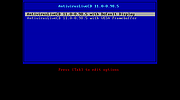 |
 |
Clippy v0.4.3 Clippy v0.4.3 👉 A retro-style local AI chat app that runs GGUF large language models on your computer. Clippy lets you run a variety of large language models locally on your computer while using a nostalgic 1990s-style interface. It supports GGUF models through llama.cpp, includes one-click installation support for select models, and is designed as both a fun homage to Microsoft Office’s classic Clippy assistant and a reference implementation for Electron-based local LLM apps. Features: • Simple, familiar, and classic chat interface for chatting with local models. • Runs a variety of GGUF large language models locally on your computer. • Uses llama.cpp and node-llama-cpp to automatically discover the most efficient runtime path, such as Metal, CUDA, or Vulkan. • Includes one-click installation support for Google Gemma3, Meta Llama 3.2, Microsoft Phi-4, and Qwen Qwen3. • Lets you load your own downloaded models. • Allows custom prompts and parameter adjustments. • Works offline and locally, with the only network request being update checks, which can be disabled. • Styled as a love letter and homage to the late, great Clippy and 1990s Microsoft visual design. • Intended as a reference implementation of @electron/llm for developers building Electron apps with local language models. Supported operating systems: • Windows • macOS (Apple Silicon), macOS (Intel) • Linux (RPM, x64), Linux (Debian, x64) Supported languages: English Changes: v0.4.3 05-08-25 We still had issues with the incorrect native binaries making it into the build, breaking Clippy for Macs with Intel processors. This should finally be fixed. We figured it out! To move the Clippy icon to another position on your desktop: Left click on the icon, hold and drag it like normal but you have to hover your cursor over a part of Clippy that doesn't show a question mark. Like this: This download is for the Windows 64bit installer version (very bottom of page). All other download assets are below: Other Windows: Clippy-win32-x64-0.4.3.zip macOS: Clippy-darwin-arm64-0.4.3.zip Clippy-darwin-x64-0.4.3.zip Linux: clippy_0.4.3_amd64.deb Clippy-0.4.3-1.x86_64.rpm Click here to visit the author's ... |
|
838 | Mar 25, 2026 Felix Rieseberg 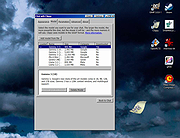 |
|
Defender of Egril v1.0.0 Defender of Egril v1.0.0 👉 Open source turn-based tower defense strategy game for Windows, Linux, macOS, and Android. Defender of Egril is an open source turn-based tower defense strategy game in which you defend the peaceful kingdom of Egril against the invading Ewhad army. Rather than relying on frantic real-time gameplay, every action is taken in turns, allowing you to carefully plan your defenses, manage resources, and develop tactics to survive increasingly difficult enemy waves. Its turn-based design makes it approachable for new players while still providing a satisfying strategic challenge. The game is completely free, works offline, and is available on multiple platforms including desktop and Android. It contains no advertisements or in-app purchases and is released as open source software, allowing the community to follow its development and contribute to the project. Features: • Turn-based tower defense gameplay • Strategic combat that rewards planning over reflexes • Defend the kingdom of Egril against invading enemy forces • Build and position defenses to stop enemy attacks • Progressive gameplay with increasingly challenging encounters • Free and open source • No advertisements or in-app purchases • Offline gameplay • Available for desktop and Android platforms Supported operating systems: • Windows 10, Windows 11 • macOS • Linux • Android 8.0 or higher Supported languages: • English, German, Spanish, French, Italian Changes: v1.0.0 06-19-26 Not provided. This download is for the Windows installer version (very bottom of page). All other download assets are below: Other Windows: DefenderOfEgril-1.0.0.msi macOS: DefenderOfEgril-1.0.0.dmg Linux: defender-of-egril_1.0.0_amd64.deb defender-of-egril-1.0.0-x86_64.AppImage defender-of-egril_1.0.0_amd64.snap de.egril.defender-1.0.0.flatpak defender-of-egril-1.0.0-1-x86_64.pkg.tar.zst defender-of-egril-debug-1.0.0-1-x86_64.pkg.tar.zst Android: de.egril.defender-production-release.apk de.egril.defender-production-release.aab Click here to visit the author's website. |
|
481 | Jun 24, 2026 Julian Egner  |
 |
Enigmak-2.0.0.zip ENIGMAK v2.0.0 👉 Offline multi-round rotor cipher tool for encrypting messages with a 68-symbol alphabet. ENIGMAK is a browser-based cipher machine inspired by the historical Enigma rotor machine, but built on a fundamentally different architecture for educational, research, and general personal use. It runs entirely offline as a single HTML file with no installation, no server, and no network requests, and the project also includes Python and JavaScript implementations. ENIGMAK supports 1 to 13 rotors with irregular key-derived stepping, up to 34 Steckerbrett character-pair swaps, 10 keyboard layouts as substitution tables, key-derived rounds, a keyed diffusion layer, nonce support, embedded message authentication, a key fingerprint, and passphrase-based key representation. The author notes that it has not undergone formal cryptanalytic review and should not be used for classified, medical, legal, financial, or life-critical communications. Features: • 68-symbol alphabet covering uppercase letters, digits, semicolon, and standard special characters • 1 to 13 rotors with irregular key-derived stepping • Up to 34 symmetric Steckerbrett character-pair swaps • Dynamic plugboard and scramble stages from unused keyboard layouts • 10 keyboard layouts used as substitution tables • Key-derived rounds from 1 to 999 • Keyed 68-position diffusion transposition layer • Optional nonce to prevent identical plaintexts from producing identical ciphertexts • Embedded message authentication checksum at a key-derived position • 4-character verbal key fingerprint • Passphrase encoding for key sharing • Live IoC display for statistical feedback • Full offline operation with no dependencies for the main cipher files • Included Python and JavaScript implementations alongside the HTML version • Electron desktop wrapper available for standalone desktop use • Supports only the 68-symbol ASCII alphabet; non-ASCII characters pass through unencrypted Supported operating systems: • Windows • macOS • Linux Supported languages: • English Changes: v2.0.0 04-03-26 Breaking Change Ciphertexts from v1.0.0 are not compatible with v2.0.0. Keys are unchanged; messages encrypted under v1.0.0 must be re-encrypted. Security Fixes (consolidated from rc.1 through rc.3.1) Position whitening layer (rc.1) - a key-derived LCG stream (seed = keySum XOR 0xC0FFEE42, ... |
 |
652 | Apr 03, 2026 Awesomem8112 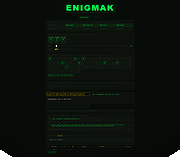 |
|
HTTrack v3.50-4 HTTrack v3.50-4 Website Copier 👉 Download entire websites to your computer for convenient offline browsing. HTTrack is a free and open-source offline browser and website copier that allows you to download a website from the Internet to a local directory. It recursively builds directories and retrieves HTML pages, images and other files while preserving the original site's relative link structure. Once downloaded, you can open the mirrored website in your regular browser and navigate from page to page as if you were viewing it online. HTTrack can also update an existing mirrored site, resume interrupted downloads and provides extensive configuration options and an integrated help system. Features • Downloads complete websites for offline browsing • Recursively retrieves HTML pages, images and other linked files • Preserves the original website's relative link structure • Browse downloaded websites using a regular web browser • Updates previously downloaded website mirrors • Resumes interrupted downloads • Extensive configuration options for controlling downloads • Integrated help system • WinHTTrack graphical interface for Windows • WebHTTrack interface for macOS, Linux, Unix and BSD • Supports modern HTTPS connections • Supports SOCKS5 and CONNECT proxies • Supports Brotli and Zstandard compression • Supports files larger than 2 GB • Supports Windows paths longer than 260 characters • Supports accented and non-Latin project names and paths • Supports WARC web archive output • Can use sitemaps as a source of URLs • Can create standalone single-file pages • Can report changes made during mirror updates Supported operating systems • Windows 7 SP1, Windows 8, Windows 8.1, Windows 10, Windows 11 • Windows XP and Windows Vista are supported by the older 3.49-2 release. • Windows systems older than Windows 2000 are supported by the older v3.49-2 release. • Windows XP and Windows Vista are supported by the older v3.33 release. • macOS ARM only • Linux, Unix, BSD. Supported languages Bulgarian, Chinese (Simplified), Chinese (Traditional), Croatian, Czech, Danish, Dutch, English, Estonian, Finnish, French, German, Greek, Hungarian, Italian, Japanese, Macedonian, ... |
|
210 | Sep 25, 2026 Xavier Roche & other contributors 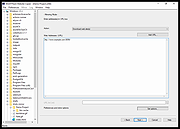 |
|
ICQ Reborn v1.5 ICQ Reborn v1.5 👉 Brings the classic ICQ experience back to life with real private messaging. ICQ Reborn is a free fan-made recreation of the classic ICQ instant messenger from the 2001–2003 era. Rebuilt from scratch as a native Windows application, it recreates the familiar compact interface, numeric UIN accounts, contact list, notification sounds and straightforward one-to-one messaging of the original while connecting to its own live private messaging server. It is not connected to the original ICQ service, so old ICQ accounts, UINs, contacts and messages cannot be recovered or transferred. New users can register directly inside the program and receive their own numeric UIN. Messages sent while a contact is offline are stored for delivery when that person returns, complete with accurate timestamps. The client also automatically reconnects when a connection is interrupted. Features: • Faithful recreation of the classic 2001–2003 ICQ client • Real messaging through the ICQ Reborn private server • Classic numeric UIN account numbers • Built-in account registration with no separate website required • Familiar ICQ-style contact list and compact interface • Authentic classic ICQ notification sounds • Online and offline status sounds • Classic "Uh-Oh" incoming-message sound • Offline messaging for contacts who are not currently connected • Accurate timestamps for messages delivered after a user returns • Automatic reconnection if the network connection drops • No separate .NET installation required Supported operating systems: • Windows 10, Windows 11 Supported languages: English Changes: v1.5 08-16-26 • Added end-to-end encryption • Added typing indicators • Added message read receipts • Added contact authorization requests • Added user search by UIN • Added user search by nickname • Added profile information • Added profile editing • Added custom status messages • Added contact groups • Added contact renaming • Added message history • Added sound settings • Added minimize to tray • Added start with Windows option • Added automatic update checking • Added connection status indicator • Added various UI improvements and bug fixes Click here to visit the author's website. |
|
213 | Aug 17, 2026 ICQ Reborn Project 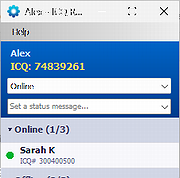 |
|
LocalSend v1.18.2 LocalSend v1.18.2 👉 Fast, private file sharing between nearby devices without the cloud. LocalSend is a free and open-source, cross-platform application for securely transferring files, folders, photos, videos, documents, text and other data between devices connected to the same local network. It provides an AirDrop-style experience that works across Windows, macOS, Linux, Android and iOS without requiring an account, an Internet connection or an external server. Devices running LocalSend automatically discover one another on the local network, allowing you to select what you want to send, choose a nearby device and begin the transfer. Data stays on your local network instead of being uploaded to a cloud service, and transfers are protected using HTTPS encryption. LocalSend can transfer any file type and is designed to take advantage of the speed of your local Wi-Fi or wired network without artificial bandwidth limits. It can also send text messages and links between devices, making it useful for quickly moving clipboard-style information from a phone to a computer or between computers. Files are saved to the receiving device's Downloads folder by default, although the destination can be changed in LocalSend's settings. Frequently used devices can be marked as favorites, and LocalSend can be configured to automatically accept transfers from trusted favorite devices. The application also includes a Share via Link feature for making selected files available through a web browser on the local network. Recent versions can receive files through links as well. No account or login is required, and LocalSend contains no advertising or tracking. Features: • Transfers files directly between nearby devices over the local network • Works across Windows, macOS, Linux, Android and iOS • No Internet connection, cloud storage or external server required • No account, registration or login required • Automatic discovery of nearby LocalSend devices • Send individual files, multiple files and folders • Supports photos, videos, documents and other file ... |
|
2,120 | Sep 29, 2026 LocalSend 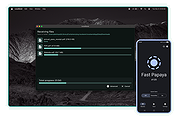 |
|
Microsoft Money Plus Home & Business Sunset v17.0.150.3817 Microsoft Money Plus Home & Business Sunset v17.0.150.3817 👉 Free offline software for managing personal finances, small-business expenses, and invoices. Microsoft Money Plus Home & Business Sunset combines personal financial management with tools for keeping track of small-business finances. Organize accounts, record income and expenses, monitor spending, manage investments, and create financial reports. The Home & Business edition also includes invoicing tools for preparing customer invoices with your business information. Money Invoice Designer lets you customize invoices with your business name, address, and logo. Financial information is organized into sections for accounts, bills, reports, and investments, helping you review household and business activity in one application. The Sunset edition was released after Microsoft discontinued the Money product line. It removes the activation requirement, allowing installation and reinstallation without contacting an activation server. You can install it as a standalone program without owning an earlier edition. Features: • Manage personal and business financial accounts. • Record income, expenses, deposits, and payments. • Organize transactions into spending categories. • Create budgets and monitor spending. • Review account balances and cash flow. • Generate financial reports. • Track investments and manually update investment prices. • Create customer invoices with Money Invoice Designer. • Customize invoices with your business name, address, and logo. • Use Insights alerts to monitor upcoming bills, spending, and cash flow. • Import OFX or QIF statement files downloaded separately from your financial institution. • Open and convert compatible files from earlier U.S. editions of Microsoft Money. • Protect Money data files with a standard Money password. • Access a local Help file. • Install and reinstall without product activation. Important information: This is discontinued software. ... |
|
97 | Oct 06, 2026 Microsoft Corp.  |
|
Microsoft Money Plus Sunset Deluxe v17.0.120.3817 Microsoft Money Plus Sunset Deluxe v17.0.120.3817 👉 Free personal finance management software for tracking accounts, budgets, and investments. Microsoft Money Plus Sunset Deluxe is a discontinued but still widely used personal finance application from Microsoft, released as a free version after the product line was retired. It allows users to manage bank accounts, track spending, create budgets, monitor investments, and generate detailed financial reports—all without requiring online services. This “Sunset” edition removes all online features such as automatic bank downloads and bill pay services, allowing the program to function indefinitely without activation or Microsoft services. It is especially useful for users who prefer a local, offline financial tracking solution or who need continued access to existing Money data files. Microsoft Money Plus Sunset Deluxe supports importing and working with existing Money files, providing a familiar interface for long-time users while maintaining core functionality for managing personal finances. Features: • Manage bank accounts, credit cards, and cash accounts • Track income, expenses, and spending categories • Create and monitor budgets • View financial summaries and reports • Manage investments and track portfolio performance • Import and use existing Microsoft Money data files • Offline functionality with no activation required • Simplified interface based on Microsoft Money Plus More Information: • Microsoft Money Plus Sunset Deluxe is provided as-is with no support or updates from Microsoft • All online services have been permanently removed and are not available • Designed primarily for users of earlier Microsoft Money versions needing continued access • Cannot download transactions, stock quotes, or perform online bill payments • No activation is required, and the software will not expire Supported operating systems: • Windows XP, Windows Vista, Windows 7, Windows 8, Windows 10, Windows 11 Supported languages: English Changes: v17.0.120.3817 Not Provided Click here to visit the author's website. |
|
17,979 | Jul 29, 2026 Microsoft Corp.  |
|
Mini Diarium v0.6.3 Mini Diarium v0.6.3 👉 An encrypted offline journal app for private daily writing. Mini Diarium is a private offline journal app designed for users who want to keep a personal diary without relying on cloud services, online accounts, or telemetry. It stores your entries locally in an encrypted SQLite database and encrypts each entry with AES-256-GCM before it is written to disk, helping keep your writing under your control. Mini Diarium is built for daily journaling with a rich text editor, auto-save, calendar navigation, writing statistics, automatic backups, and import/export tools. It can import from Mini Diary, Day One, and jrnl, and export your journal to JSON or Markdown so your data is never locked in. It also supports password-based protection and optional key file authentication for an added layer of security. Features: • Offline-only journal with no cloud, no telemetry, and no network calls • AES-256-GCM encryption for entries stored on disk • Local-first encrypted SQLite database storage • Rich text editor with bold, italic, headings, lists, spellcheck, and auto-save • Calendar navigation for quickly jumping between entry dates • Import support for Mini Diary JSON, Day One JSON and TXT, and jrnl JSON • Export support for JSON and Markdown • Automatic backups of the encrypted database • Writing statistics including word count, streaks, active days, and total entries • Optional key file authentication in addition to password-based access • Keyboard shortcuts for faster journal navigation • Open source under the MIT License Supported operating systems: • Windows • macOS • Linux Supported languages: English Changes: v0.6.3 07-27-26 This release completes the in-app navigation migration with header day controls and a ⋮ menu, adds timeline display preferences and a donation page, and fixes Linux spell check. Internally, the backend is now a three-crate open-core workspace with a sealed API faηade, and the Microsoft Store update pipeline is live. Added Website donation page: added a donation page at mini-diarium.com/donate/, reachable from ... |
|
774 | Jul 29, 2026 Francisco J. Revoredo 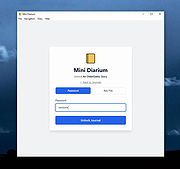 |
|
Money Manager Ex v1.9.3 Money Manager Ex v1.9.3 👉 Free, open-source personal finance software for tracking accounts, budgets, cash flow, assets and expenses. Money Manager Ex is a free, open-source personal finance application designed to help users organize their finances with a clear and easy-to-use interface. It allows you to monitor bank accounts, credit cards, investments, assets and recurring expenses while keeping all financial information stored locally for improved privacy and control. Money Manager Ex is suitable for both beginners and advanced users who want a lightweight but powerful alternative to online financial services. The software includes budgeting tools, customizable reports, reminders, transaction scheduling and multi-account management to help track spending habits and improve financial planning. The application supports multiple currencies, encrypted databases, portable operation and import/export tools for transferring data between financial applications. Its built-in reporting engine provides charts and summaries that make it easier to analyze income, expenses and long-term financial trends. Advanced users can also create custom reports using SQL, HTML, LUA and JavaScript. Money Manager Ex stores data in an SQLite database and works entirely offline, giving users full control over their financial records without relying on cloud synchronization or subscriptions. The software is actively maintained by an open-source community and is available for Windows, macOS and Linux systems. Features: • Track checking, savings, cash, credit card, stock investment and asset accounts • Organize transactions with unlimited nested categories and tags • Schedule recurring bills, deposits and transfers with reminders • Create detailed budgets and monitor spending habits • Generate financial reports with charts, graphs and summaries • Supports multiple currencies and exchange rates • Import transactions from CSV, QIF and OFX files • Export financial data to CSV, QIF and HTML formats • Portable mode available for Windows systems • SQLite database with AES encryption support • Split transactions across multiple categories • Search and filter transaction history quickly • Reconcile bank statements and account balances • Create ... |
|
11,301 | Aug 11, 2026 Money Manager EX 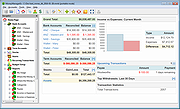 |
|
No Bloat PDF v1.5.0 No Bloat PDF v1.5.0 👉 A tiny, fast and private PDF viewer with no ads, accounts or telemetry. No Bloat PDF is a lightweight, open-source PDF viewer designed to do one thing well: open and read PDF files without the advertising, cloud services, accounts, launchers and other extras found in many modern PDF readers. The complete installer is only about 4.6 MB, yet the program provides tabbed viewing, document search, thumbnails, bookmarks, zooming, rotation and printing. It uses Mozilla's pdf.js rendering engine inside a small native application shell and is designed to open documents quickly without a splash screen or sign-in process. Privacy is a major part of the design. No Bloat PDF makes zero network calls, includes no telemetry and requires no account. PDF documents remain entirely on your computer. Multiple documents can be kept open as tabs in a single window, and the program remembers your position in previously viewed files. Dark mode follows the operating system while leaving the actual PDF pages in their original colors. Features: • Small 4.6 MB installer • Fast PDF opening with no launcher or splash screen • Built on Mozilla's pdf.js PDF rendering engine • Multiple PDF documents open as tabs in a single window • Full-text document search • Page thumbnail navigation • Document outline and bookmark navigation • Zoom controls for easier reading • Page rotation • Remembers your position in each PDF • High-resolution PDF printing directly from the viewer • Drag-and-drop support for opening PDF files • Can be configured as the system's default PDF viewer • Dark mode follows the operating system setting • PDF documents remain true-color when dark mode is enabled • Zero telemetry • Zero network calls • No user account or sign-in required • No cloud services • No advertising or upsells • Documents never leave your computer • Free to use • Open-source software released under the MIT license • Combine multiple PDFs and images into a single ... |
|
313 | Sep 09, 2026 Brian Galvan 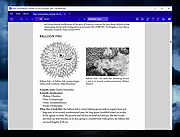 |
 |
OpenPdfEdit v1.0.2 OpenPdfEdit v1.0.2 👉 View, edit, annotate, and organize PDF files on your computer. OpenPdfEdit is a free, open-source PDF editor for macOS and Windows. It lets you view PDFs, edit text and images, add annotations, redact content, fill and sign forms, reorganize pages, merge or split documents, and compare files. Documents are opened, edited, and saved on your computer rather than uploaded to a server. OCR and watermarking are available as optional paid tools. Features: • View and navigate PDF documents • Edit text and images in PDF files • Add annotations and markups • Redact sensitive content • Fill forms and place saved signatures • Reorder, rotate, and remove pages • Merge, split, and compare PDF files • Save and work with documents locally; files are not uploaded • Optional paid tools for OCR and watermarking Supported operating systems: macOS 10.13 or later (Apple silicon and Intel), Windows 10 64-bit, Windows 11 64-bit Supported languages: English, German, Spanish, Japanese, Korean, Portuguese, Chinese (Simplified), Chinese (Traditional) Changes: v1.0.2 10-12-26 Added the first Windows build. The Mac build now supports Intel Macs as well as Apple silicon. Saved signatures can be placed by tapping the page. Ticked form checkboxes retain their on-state when saved. Flattening now includes form fields without a drawn appearance. 👉 This download is for the Windows version (very bottom of page). All other download assets are below: Other Windows: OpenPdfEdit Installer.exe (Microsoft Store Installer) macOS: OpenPdfEdit_1.0.2_universal.dmg Chrome Edge Extension: openpdfedit-extension-1.0.1-chrome-edge.zip Click here to visit the author's website. |
|
26 | Oct 15, 2026 OpenPdfEdit  |
|
Overcaption v0.4.0 Overcaption v0.4.0 👉 A free, private subtitle studio for transcribing, editing, translating and adding captions to videos. Overcaption is a desktop subtitle and captioning application that can transcribe video and audio, edit and retime subtitles, translate captions and export finished subtitles or burn them directly into video. Its core processing runs locally on your computer, so videos do not need to be uploaded to an online service. The free version has no time limit, requires no account and produces watermark-free output. Overcaption combines automatic speech recognition with a subtitle editor featuring waveform-based timing, a frame filmstrip and live checks for reading speed and line length. It can work with video, audio-only recordings and standalone subtitle files. Features: • Automatic on-device transcription with word-level timing • Works completely offline for its core transcription, editing and translation features • Keeps video and audio files on your computer instead of uploading them to a web service • No account required • No time limit on the free version • No watermark on exported video • Built-in subtitle editor • Waveform-based subtitle retiming • Frame filmstrip for visual timing reference • Inline subtitle text editing • Instant find and replace • Keyboard-oriented editing workflow • Live reading-speed checks • Live subtitle line-length checks • Grammar-aware subtitle line breaking for supported languages • Dedicated word segmentation for Chinese, Japanese, Burmese, Cantonese, Khmer, Lao and Thai • Local subtitle translation using models from Mozilla and Google • Side-by-side translation editing • Imports and exports SRT subtitle files • Imports and exports VTT subtitle files • Supports plain-text subtitle content • Opens SRT and VTT files without requiring an accompanying video • Hardware-accelerated subtitle burn-in • Free subtitle burn-in at resolutions up to 1080p • Burned subtitles match the editor preview • Supports vertical, square and widescreen video • Handles audio-only files such as podcasts, recordings and voice notes • Includes titles, lower thirds, name straps and animated callouts • No telemetry unless the user opts in • GPU acceleration ... |
|
274 | Aug 28, 2026 Overcaption  |
|
Pelton v2026.3.2 Pelton v2026.3.2 👉 A privacy-focused open-source email client that keeps your mail under your control. Pelton is a free, open-source desktop email client designed around privacy, speed, and simplicity. Instead of routing your email through third-party services, Pelton connects directly to your existing IMAP and SMTP accounts while storing your data locally in an SQLite database. There is no telemetry, no tracking, and no cloud service standing between you and your email. Built with a modern interface and a keyboard-friendly workflow, Pelton offers fast local searching, offline access, scheduled sending, message snoozing, built-in document previews, customizable themes, and portable configuration backups. Everything runs locally, making it equally suitable for everyday email users and privacy-conscious professionals who want complete control over their communications. Features: • Fast local search using a local SQLite database for instant results, even with large mailboxes. • Cross-platform support for Windows, macOS, and Linux. • Zero telemetry with no tracking or crash reporting. • Connects directly to standard IMAP and SMTP mail providers. • Stores email locally while remaining synchronized with your existing mail provider. • Download messages for offline reading by pinning messages or selecting a date range. • Immediate synchronization using IMAP IDLE for prompt delivery of new mail. • Native desktop notifications for Windows, macOS, and Linux. • Built-in previewer for PDFs, images, and text files. • Snooze messages to return unread at a scheduled time. • Schedule outgoing messages with Send Later. • Export accounts, preferences, and layouts into a portable configuration file. • Eight colored message flags stored locally or synchronized using IMAP keywords. • Extensive customization including themes, layouts, display density, and custom CSS. • Import themes safely with selective importing and automatic removal of remote references. Supported operating systems: • Windows 10, Windows 11 • macOS 13 Ventura or higher (Intel and Apple Silicon) • Linux x86-64 (Debian/Ubuntu, Fedora, and other modern distributions) Supported languages: English, German, French, Dutch, Spanish, Polish Changes: v2026.3.2 08-01-26 • Added ... |
|
256 | Aug 05, 2026 Arne K. 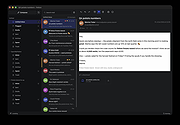 |
|
PhotoSuite v0.9.7 PhotoSuite v0.9.7 👉 A desktop image editor for layered photo editing, digital artwork, and native PSD files. PhotoSuite is a desktop image editor built around a familiar Photoshop-style workspace. It uses PSD as its native document format, preserving layers, masks, blending modes, text, vector paths, and other document data when opening and saving files. It also supports PSB for large documents. The editor brings photo retouching, painting, vector drawing, typography, filters, and document layout into one workspace. You can work with layers and masks, make selections, paint or repair parts of an image, add text and shapes, and revisit earlier work through the History palette. Smart Objects and Smart Filters provide options for editing without permanently changing the original layer. PhotoSuite runs locally as a desktop application. According to the developer, it requires no cloud account and collects no telemetry. Features: • Open, edit, and save layered PSD documents as a native format • Work with PSB files for large documents • Create raster layers, vector layers, layer groups, clipping masks, and layer masks • Use blending modes and layer styles such as Drop Shadow, Inner Shadow, glows, overlays, Bevel & Emboss, and Stroke • Edit with Smart Objects and Smart Filter stacks • Save different document arrangements with layer comps • Make selections with Marquee, Lasso, and Magic Wand tools • Paint and retouch with Brush, Clone Stamp, Healing Brush, Eraser, Blur, Sharpen, Dodge, and Burn tools • Crop images and apply gradients • Draw paths and shapes with the Pen and shape tools • Add text with support for text along a path, text warp, ligatures, and kerning • Pan, zoom, and rotate the canvas; use rulers, guides, and a pixel grid • Revisit edits with the History palette and snapshots • Apply filters, use Liquify, and make lens corrections • Open and export formats including PNG, APNG, JPEG, WebP, AVIF, TIFF, GIF, BMP, TGA, SVG, and ... |
|
110 | Sep 24, 2026 eolix  |
|
Pindrop v1.18.0 Pindrop v1.18.0 👉 Private, open-source Mac dictation from your menu bar. Pindrop is a native macOS menu bar dictation application that provides fast, private, and fully local speech-to-text transcription. Using WhisperKit and Apple’s on-device speech technologies, Pindrop keeps your recordings and transcriptions on your Mac while allowing you to dictate text anywhere with customizable hotkeys, clipboard integration, and direct text insertion. Designed for privacy-conscious users, writers, developers, students, and professionals, Pindrop supports multiple transcription engines, AI-assisted cleanup tools, searchable transcription history, and note organization features. The lightweight menu bar design keeps dictation accessible without interrupting your workflow. Features: • Fully local and private speech-to-text transcription • Native macOS menu bar interface • Powered by WhisperKit and Apple Speech frameworks • Optional Parakeet transcription engine support • Push-to-talk and toggle recording hotkeys • Automatic clipboard copying and direct text insertion • Searchable transcription and recording history • Export transcripts to JSON, CSV, and TXT formats • Built-in notes system with tags and pinned items • AI-assisted transcript cleanup and enhancement • Custom word replacement dictionary support • Multiple AI model sizes for speed or accuracy • Floating recording indicators and audio controls • Optional OpenAI-compatible API integrations • Automatic update support via Sparkle Supported operating systems: • macOS Sonoma 14.0 or Higher Supported languages: English Changes: v1.18.0 04-20-26 Added built-in Apple Speech transcription support. Added embedded MCP server support and configuration settings. Improved AI enhancement presets and transcript cleanup behavior. Added release notes display within update notifications. Improved live transcription handling for tentative and committed text. Updated floating recording indicators and default visual styling. Fixed locale switching and improved language name display. Improved Dock icon rendering and app icon behavior. Enhanced release automation and development tooling. Click here to visit the author's website. |
|
734 | Jun 10, 2026 Chris Watson 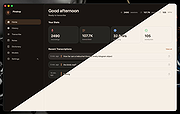 |
|
Refloow Photo Studio v1.1.0 Refloow Photo Studio v1.1.0 👉 A free, open source, privacy-focused photo editor with local AI background removal, filters, cropping, layering, text and image adjustments. Refloow Photo Studio is a free and open source desktop photo editor designed to provide professional-looking results without complicated workflows, accounts, subscriptions, advertisements, watermarks or data collection. All image processing runs locally on your computer, including its AI-powered background removal. The editor provides more than 40 built-in filters along with cropping, mirroring, brightness, contrast, saturation and warmth adjustments. Images can be dragged onto the canvas as layers to build compositions, while an undo and redo history lets you move backward or forward through up to 15 editing actions. Text can also be added to images, resized and positioned as layers. The workspace supports zooming and panning for easier navigation while editing. Features: • Free and open source photo editor • All image processing is performed locally • No accounts or logins required • No subscriptions • No advertisements • No watermarks • No data collection • One-click AI-powered background removal • AI background removal runs locally using the U-2-Netp model • More than 40 built-in professional filters • Crop images • Mirror images • Adjust brightness, contrast, saturation and warmth • Add text to images with imported fonts and customizable colors • Resize and position text as layers • Overlay multiple images to create compositions • Drag-and-drop support • Layer management for arranging compositions • Workspace zooming with the scroll wheel • Workspace panning with the middle mouse button • Undo and redo history for up to 15 actions • High-quality WYSIWYG image exporting Supported operating systems: • Windows 10 64-bit, Windows 11 64-bit • macOS Intel, macOS Apple Silicon • Linux Ubuntu, Linux Debian • Linux distributions capable of running the supplied AppImage Supported languages: English Changes: v1.1.0 06-23-26 • Added the ability to add custom text directly to compositions using imported fonts and customizable text colors. • Added full workspace zooming, panning and canvas movement. • Added smart crop ... |
|
111 | Sep 08, 2026 Veljko Vuckovic  |
|
SmartTextCrypter v1.03 SmartTextCrypter v1.03 👉 A tiny portable tool for password-encrypting text before sending it through messaging apps, email or SMS. SmartTextCrypter is a free, portable Windows utility designed to encrypt text messages with a password before they are sent through services such as WhatsApp, Telegram, email or SMS. The recipient pastes the encrypted text into SmartTextCrypter and enters the same password to decrypt and read the original message. Everything is processed locally on your computer without uploading your text to a cloud service or server. The program uses the author's proprietary multi-layer encryption method consisting of password-based key generation, XOR encryption, position-dependent mixing, bit rotation and a checksum for detecting errors or incorrect passwords. It supports Unicode text, including Asian, Cyrillic and Arabic characters. SmartTextCrypter requires no installation and can be run directly from a USB drive, external drive or ordinary folder without creating registry entries. Features: • Password-based encryption and decryption of text • Send encrypted text through WhatsApp, Telegram, email, SMS and other services • Proprietary multi-layer encryption using XOR, positional mixing and bit rotation • Generates a 32-byte key from your password • Checksum detects errors and incorrect passwords • Unicode support for Asian, Cyrillic, Arabic and other characters • Completely local operation with no cloud service or server uploads • Portable and requires no installation • Can run directly from a USB drive, external drive or any folder • Does not create registry entries • Low CPU usage • Adjustable text sizes for improved readability • Free for private use Supported operating systems: • Windows XP, Windows Vista, Windows 7, Windows 8, Windows 8.1, Windows 10, Windows 11, Windows Server 2012-2025 • 32-bit and 64-bit Windows Supported languages: German, English, Italian, Chinese-Traditional, Dutch, Russian, Japanese, Korean, Spanish, Portuguese, Malay Changes: v1.03 08-26-26 • SmartTextCrypter language file update • Minor fine-tuning in SmartTextCrypter for all Windows operating systems. Click here to visit the author's website. |
|
169 | Sep 03, 2026 Nenad Hrg 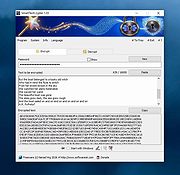 |
|
The Baronet Mark IV v0.301 The Baronet Mark IV v0.301 👉 Play chess against a custom-built computer opponent, learn the game, and review your games offline. The Baronet is a free desktop chess program for playing, learning, and studying chess on Windows and macOS. It opens ready for a game, with the board, clocks, move list, opening name, position evaluation, and game graph arranged together. You can play against the computer at a strength suited to you, play another person at the same computer, or watch two computer players compete. The computer opponent was developed specifically for The Baronet. Its own chess engine and neural network are included with the program, along with an opening book and endgame tablebases for positions with up to four pieces. At full strength, the developer reports a rating above 2700 in blitz games on Lichess as of September 2026. The engine can also play matches against other UCI or CECP engines through CuteChess CLI. After a game, The Baronet can review the moves and explain where the game changed course. Each move receives one of ten classifications, from Brilliant and Great to Inaccuracy, Mistake, and Blunder. Comments describe the move and suggest a better alternative, with three levels of detail for different experience levels. The review includes accuracy summaries, an evaluation graph, a move list, and options to show the recommended move or play through the best line. The review tools can also be used with games played elsewhere. Open a PGN or FEN file, choose a game from a multi-game PGN, or paste game or position text into the review or analysis board. Save an annotated game as PGN to keep the move classifications and comments for use in another chess program or website. Beginners can work through 46 short lessons arranged in six courses, followed by a complete game against the computer. ... |
|
33 | Oct 13, 2026 David Thoiron  |
|
UninstallView v1.52 UninstallView v1.52 👉 View, manage, and uninstall installed Windows software with advanced details. UninstallView is a lightweight portable utility that displays detailed information about every installed application on your Windows system in a single, easy-to-read table. It gathers uninstall information from the Windows Registry and supplements it with additional details such as installation folder, uninstall command, registry location, install date, publisher, version, and more. It can also display Microsoft Store apps, making it a more comprehensive alternative to the standard Windows Apps & Features interface. UninstallView supports scanning the local computer, remote computers on your network, external drives, offline Windows installations, and shadow copies. It also supports standard and quiet uninstall operations when available, making it especially useful for technicians and advanced users. Lists can be sorted, filtered, searched, and exported in multiple formats for documentation or inventory purposes. Features: • Displays all installed desktop applications in a single table • Optionally displays installed Microsoft Store apps • Shows detailed uninstall information including registry entries and uninstall strings • Supports local computers, remote computers, external drives, and offline Windows installations • Quiet uninstall support when provided by the application's installer • View software installed for all users or individual user profiles • Sort, search, filter, and customize displayed columns • Export lists to TXT, CSV, HTML, XML, and other formats • Portable application requiring no installation • Save all displayed items to a file • Supports command-line operation for automation and scripting Supported operating systems: • Windows XP, Windows Vista, Windows 7, Windows 8, Windows 8.1, Windows 10, Windows 11 (32-bit and 64-bit) Supported languages: Arabic, Basque, Bulgarian, Catalan, Chinese Simplified, Chinese Traditional, Croatian, Czech, Danish, Dutch, English, Finnish, French, German, Greek, Hebrew, Hungarian, Italian, Japanese, Korean, Norwegian, Persian, Polish, Portuguese, Portuguese (Brazil), Romanian, Russian, Slovak, Slovenian, Spanish, Swedish, Thai, Turkish, Ukrainian, Vietnamese Changes: v1.52 06-23-26 Added the 'Save All Items' option (Shift+Ctrl+S). This download is for the Windows 64bit version ... |
|
6,683 | Jun 30, 2026 Nir Sofer 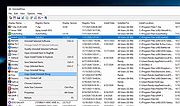 |
|
Vorn v1.0.3 Vorn v1.0.3 👉 Fast, private, crash-safe backup program with advanced features. Vorn is a modern local-first backup application designed to securely protect files without relying on cloud services, subscriptions, accounts, or telemetry. Instead of uploading data to external servers, Vorn stores everything inside a local vault controlled entirely by the user. The software uses content-addressable storage powered by BLAKE3 hashing, allowing duplicate data to be stored only once even across multiple backup sessions. This greatly reduces storage usage while improving backup efficiency. Vorn was built with reliability and data integrity in mind. It uses atomic writes, write-ahead logging, resumable operations, and integrity verification to help prevent corruption during crashes or unexpected shutdowns. Large files are automatically divided into chunks, making backups more resilient and easier to resume if interrupted. Optional gzip compression can reduce storage requirements further while maintaining compatibility with the portable vault format. The application features a clean desktop interface with dark and light themes, portable executables, and cross-platform support for Windows, macOS, and Linux systems. Since the backup vault is self-contained and self-describing, users can move backups between systems or restore files to different locations without depending on proprietary cloud infrastructure. Vorn is designed for users who want complete control of their backups while maintaining speed, privacy, and simplicity. Features: • Local-first backup architecture with no cloud dependency • Fully offline operation with no accounts or telemetry • Content-addressable storage using fast BLAKE3 hashing • Automatic deduplication across all backup sessions • Stores identical file content only once to save disk space • Chunked storage engine for efficient handling of large files • Resumable backup operations after interruptions or crashes • Atomic write protection for safer backup transactions • Write-ahead logging to improve recovery reliability • Self-describing portable vault format • Integrity verification to detect damaged or missing data • Optional gzip compression for reduced storage usage • Smart pruning system for reclaiming unused ... |
|
536 | May 29, 2026 Leonardo Ciaccio  |
|
Windows Defender Offline 32bit Windows Defender Offline 32bit What is Windows Defender Offline? Sometimes, malicious and other potentially unwanted software, including rootkits, try to install themselves on your PC. This can happen when you connect to the Internet or install some programs from a CD, DVD, or other media. Once on your PC, this software might run immediately, or it might run at unexpected times. Windows Defender Offline can help remove such hard to find malicious and potentially unwanted programs using definitions that recognize threats. Definitions are files that provide an encyclopedia of potential software threats. Because new threats appear daily, it's important to always have the most up-to-date definitions installed in Windows Defender Offline. Armed with definition files, Windows Defender Offline can detect malicious and potentially unwanted software, and then notify you of the risks. To use Windows Defender Offline, you need to follow four basic steps: 1) Download Windows Defender Offline and create a CD, DVD, or USB flash drive. 2) Restart your PC using the Windows Defender Offline media. 3) Scan your PC for malicious and other potentially unwanted software. 4) Remove any malware that is found from your PC. Windows Defender Offline will walk you through the details of these four steps when you're using the tool. If you've been prompted in Microsoft Security Essentials or Windows Defender to download and run Windows Defender Offline, it's important that you do so, to make sure that your data and your PC isn't compromised. To get started, find a blank CD, DVD, or USB flash drive with at least 250 MB of free space and then download and run the tool—the tool will help you create the removable media. Note We recommend that you download Windows Defender Offline and create the CD, DVD, or USB flash drive on a PC ... |
|
6,983 | Nov 29, 2019 Microsoft 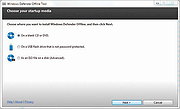 |
|
Windows Defender Offline 64bit Windows Defender Offline 64bit What is Windows Defender Offline? Sometimes, malicious and other potentially unwanted software, including rootkits, try to install themselves on your PC. This can happen when you connect to the Internet or install some programs from a CD, DVD, or other media. Once on your PC, this software might run immediately, or it might run at unexpected times. Windows Defender Offline can help remove such hard to find malicious and potentially unwanted programs using definitions that recognize threats. Definitions are files that provide an encyclopedia of potential software threats. Because new threats appear daily, it's important to always have the most up-to-date definitions installed in Windows Defender Offline. Armed with definition files, Windows Defender Offline can detect malicious and potentially unwanted software, and then notify you of the risks. To use Windows Defender Offline, you need to follow four basic steps: 1) Download Windows Defender Offline and create a CD, DVD, or USB flash drive. 2) Restart your PC using the Windows Defender Offline media. 3) Scan your PC for malicious and other potentially unwanted software. 4) Remove any malware that is found from your PC. Windows Defender Offline will walk you through the details of these four steps when you're using the tool. If you've been prompted in Microsoft Security Essentials or Windows Defender to download and run Windows Defender Offline, it's important that you do so, to make sure that your data and your PC isn't compromised. To get started, find a blank CD, DVD, or USB flash drive with at least 250 MB of free space and then download and run the tool—the tool will help you create the removable media. Note We recommend that you download Windows Defender Offline and create the CD, DVD, or USB flash drive on a PC ... |
|
7,132 | Nov 29, 2019 Microsoft |
|
WordWeb Free v10.61 WordWeb Free v10.61 Comprehensive offline English dictionary and thesaurus for Windows. WordWeb Free is a powerful offline English dictionary and thesaurus that provides fast definitions, synonyms, related words, and pronunciation guidance directly from your desktop. It integrates seamlessly with almost any Windows program, allowing you to look up words instantly with a simple keyboard shortcut. WordWeb Free works without an internet connection, making it ideal for writers, students, and professionals who need quick and reliable word references. It includes a full dictionary and thesaurus for American, British, Canadian, Australian, Indian, and global English, along with usage examples and related words to help you better understand context and meaning. WordWeb Free also supports clickable links between words, so you can easily explore related terms and expand your vocabulary efficiently. Features: • Fast offline English dictionary and thesaurus • Full dictionary and thesaurus for American, British, Canadian, Australian, Indian, and global English • Extensive definitions and synonyms • Usage examples and related words • One-click lookup from almost any Windows program • Keyboard shortcut integration • Pronunciation guidance • Hyperlinked word navigation • Optional additional dictionaries and word lists Supported operating systems: • Windows 10, Windows 11 Supported languages: English (American, British, Canadian, Australian, Indian, Global) Changes: v10.61 03-10-26 Hundreds of new words, senses and derived forms Revisions and updates to many senses Added Copy menu item to copy definitions and examples Click here to visit the author's website. |
|
10,630 | Mar 13, 2026 Antony Lewis 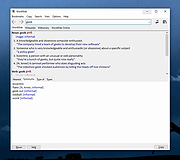 |
|
WSUS Offline Update Community Edition v12.6.1 WSUS Offline Update Community Edition v12.6.1 A community-driven fork of WSUS Offline Update. The open source project formerly known as "c't offline update" or "DIY Service Pack" (published at "The H"), later dubbed "WSUS Offline Update" (and maintained by its original author, Torsten Wittrock), is now be continued by the Community. Using "WSUS Offline Update Community Edition", you can update any computer running Microsoft Windows and Office safely, quickly and without an Internet connection. Requirements: Windows 7, 8, 8.1, 10 (Windows 11 version is currently being developed), Server up to 2019. Click here to visit the author's website. |
|
2,681 | Aug 05, 2022 Torsten Wittrock 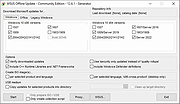 |
|
WSUS Offline Update v12.0 WSUS Offline Update v12.0 Using WSUS Offline Update, you can update any computer running Microsoft Windows safely, quickly and without an Internet connection. Modifications in version 12.0 - Support removed for Windows 7 and Server 2008(R2) since Microsoft discontinued support for it on January 14th, 2020 - Support removed for Microsoft Security Essentials, Windows 7 Defender, Service Packs, Remote Desktop Client and Silverlight (download switches /includemsse and /excludesp, update switches /instmsse, /instmssl and /updatetsc) - Support removed for Windows 10 version 1703 since Microsoft discontinued support for it on October 8th, 2019 - Split Windows 10 download into version specific parts - Included complete rewrite of the Linux scripts version 1.19 (Special thanks to H. Buhrmester) - March 2020 updates added to 'security only' lists for Windows 8.1 and Server 2012 / 2012 R2 (x86/x64) systems - Included improved XSLT filter for the determination of dynamic Office updates by Product Id rather than ProductFamily Id (Special thanks to H. Buhrmester) - Replaced superseded November 2019 Servicing stack update (kb4523200) by March 2020 Servicing stack update (kb4540721) for Windows 10 Version 1507 (Thanks to "aker") - Replaced superseded November 2019 Servicing stack update (kb4520724) by March 2020 Servicing stack update (kb4540723) for Windows 10 Version 1607 and Windows Server 2016 (Thanks to "aker") - Replaced superseded November 2019 Servicing stack update (kb4523202) by March 2020 Servicing stack update (kb4541731) for Windows 10 Version 1709 (Thanks to "aker") - Replaced superseded November 2019 Servicing stack update (kb4523203) by March 2020 Servicing stack update (kb4540724) for Windows 10 Version 1803 (Thanks to "aker") - Replaced superseded November 2019 Servicing stack update (kb4523204) by March 2020 Servicing stack update (kb4539571) for Windows 10 Version 1809 and Windows Server 2019 (Thanks to "aker") - Replaced superseded February 2020 Servicing stack update (kb4538674) by March 2020 Servicing stack update (kb4541338) for Windows 10 Version 1903 and 1909 (Thanks ... |
|
10,838 | Jun 22, 2021 Torsten Wittrock 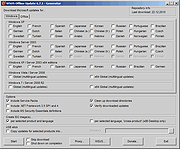 |
|
Youtube Downloader HD v5.9.9.14 Youtube Downloader HD v5.9.9.14 👉 Download YouTube videos and convert them to HD video formats. Youtube Downloader HD is a simple tool designed to download videos from YouTube and convert them into high-quality video files that can be played locally on your computer or other devices. It focuses on easy downloading and converting of HD content while keeping the interface straightforward and lightweight. Youtube Downloader HD allows users to paste a YouTube video link, select the desired output format, and download the video directly to their computer. The program supports several video formats and resolutions, including HD options, making it useful for users who want to watch YouTube content offline or store videos locally for later viewing. The program is designed to be easy for beginners while still offering useful format choices for more advanced users. It can automatically detect the video URL from the clipboard and provides quick conversion to formats compatible with PCs, media players, and mobile devices. Features: • Download videos directly from YouTube using a simple URL paste • Supports high-definition video downloads • Convert downloaded videos to AVI or MP4 formats • Choose different video quality levels including HD • Automatically detects video URLs copied to the clipboard • Simple and lightweight interface designed for quick downloads Supported operating systems: • Windows 7, Windows 8, Windows 10, Windows 11 Supported languages: English Changes: v5.9.9.14 07-06-26 Another download improvement Note: This file has two hits on VirusTotal. We have confirmed these to be false positives. The file is safe. This download is for the Windows 10/11 version (very bottom of page). If you need the Windows 7/8 version, download here. Click here to visit the author's website. |
|
6,974 | Jul 08, 2026 YoutubeDownloaderHD.com 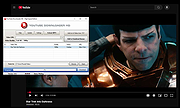 |
| Showing rows 1 to 28 of 28 | Showing Page 1 of 1 | 1 |
OlderGeeks.com Copyright (c) 2026
