|

|
Processed through Paypal No account required. |








Buy our over-priced crap to help pay the bills.



|
|
Processed through Paypal No account required. |
| File - Download FolderFresh v2.0.0 | ||||||||
| Description | ||||||||
|
Always scroll to the bottom of the page for the main download link. We don't believe in fake/misleading download buttons and tricks. The link is always in the same place. FolderFresh v2.0.0 A small, free tool that organizes messy folders automatically. FolderFresh sorts files into simple categories such as Documents, Images, Videos, Audio, Archives, Code, and Other. Nothing is deleted, and the process can be reversed at any time. FolderFresh is a powerful, rule-based file automation engine that intelligently organises, manages, and processes your files in real-time. It's a full-featured automation tool for power users, developers, and anyone who needs advanced file management with complete control over their folder workflows. 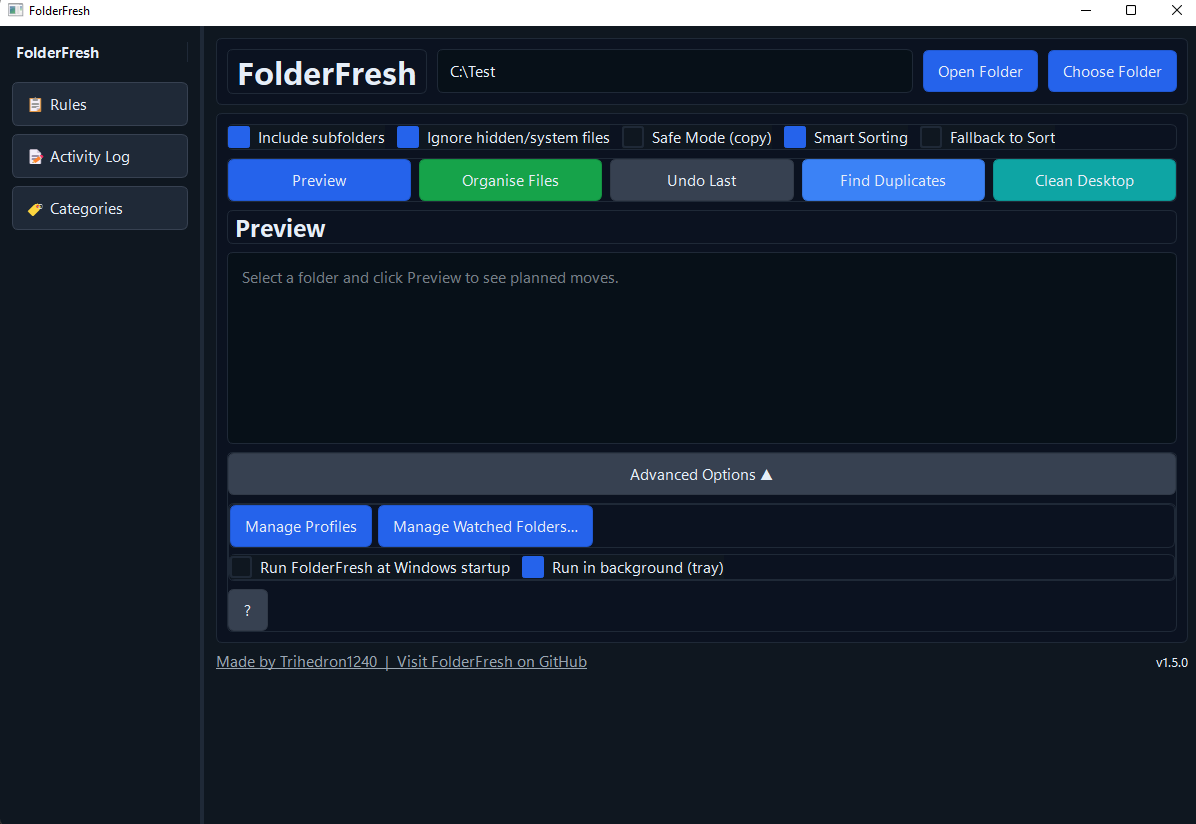 Features: Rule-Based Automation Engine: • Create custom rules with flexible conditions and actions • Match by: filename patterns, file size, creation/modification date, path, metadata, checksums • Act with: move, copy, rename, delete (with confirmation), archive, tag • Priority execution: rules run in order; first match wins • Test mode: preview rule effects before applying to real files • Profile-specific rules: different automation for different workflows Smart Category Sorting (Fallback): • Auto-organises files when rules don't match (can be disabled) • Detects: screenshots, camera roll, messaging media, assignments, invoices, backups, edited media, project assets • Fully customizable category names and file extensions • Sorts into: Documents, Images, Videos, Audio, Archives, Code, and more Real-Time File Watching: • Auto-sort files as they're created or modified • Multiple folders with independent automation profiles • Safe writing: waits for files to finish writing before processing • Cloud-safe: works with OneDrive, Google Drive, Dropbox • Pause/Resume: temporarily stop watching without losing configuration Safety & Control: • Preview Mode: see planned moves before applying • Undo History: revert file operations within the same session (currently limited, will be enhanced in future) • Safe Mode: copy files instead of moving (for category sorting) Additional Tools: • Duplicate Finder: identify duplicate files using fast hashing • Rule Simulator: test rules on sample files before applying • Activity Log: detailed automation history for debugging • Desktop Cleaner: one-click cleanup of desktop • System Tray Mode: minimize while maintaining background automation Supported operating systems: Windows 10 or 11 Changes: v2.0.0 12-03-25 Major Release: Complete File Automation Platform Version 2.0.0 represents a fundamental transformation of FolderFresh from a folder cleaner into a comprehensive file automation platform with a modern UI, powerful rule engine, and multi-profile support. New Features Complete UI Redesign: customtkinter → PySide6 Migrated entire UI framework from customtkinter to PySide6 (Qt) Modern, cohesive dark theme with consistent design tokens Improved responsive layouts and better component library Enhanced visual feedback and user experience Advanced Rule Engine Create powerful, reusable automation rules with multiple conditions and actions Multi-condition matching: file name (patterns), size, date, path, metadata, content, checksums, tags, color labels Flexible actions: move, copy, rename, delete (with confirmation), archive, extract, run commands, create folders, tag files Priority-based execution: rules execute in order; first matching rule wins Dry-run/Test mode: preview rule effects before applying to real files Per-profile rules: assign different rules to different folders Rules with no conditions: create always-execute rules based on action matching Hazel-style condition builder: intuitive dynamic UI for building rule conditions Tier-1 and Tier-2 automation: comprehensive set of conditions and actions for advanced workflows Profile System with Per-Folder Mapping Create multiple automation profiles (e.g., "Downloads", "Photography", "Development") Assign specific profiles to watched folders for independent automation Each folder gets its own rules, categories, and behaviors Switch profiles without stopping auto-sync Auto-assign active profile to new watched folders Profile duplication for quick setup of similar workflows Real-Time Auto-Sync with Multi-Folder Support Watch multiple folders simultaneously with independent profiles Intelligent file state detection: waits for files to finish writing before processing Pause/resume functionality without losing state Cloud-safe: works with OneDrive, Google Drive, Dropbox Auto-tidy toggle with system tray integration Safe desktop cleaning with one-click organization Smart Category Sorting (Fallback) Auto-detect and sort files into intelligent categories when rules don't match Built-in category detection: screenshots, camera roll, messaging media, assignments, invoices, backups, edited media, project assets Fully customizable category names and file extensions Category manager UI for easy customization Fallback toggle: enable/disable fallback to sorting when no rules match Category override system for per-folder customization Enhanced Safety & Control Preview Mode: see planned moves before applying Delete with confirmation: safe deletion requiring explicit user confirmation Undo History: revert file operations within the same session (limited undo depth) Safe Mode: copy files instead of moving (toggle per-profile) Dry-run toggle: test rules and sorting without modifying files System Tray Integration Minimize to system tray while maintaining background automation Quick toggles for auto-tidy and other automation settings System tray menu updates and status notifications Additional Tools & Features Duplicate Finder: identify duplicate files using fast hashing Activity Log: detailed automation history for debugging and monitoring Rule Simulator/Editor: comprehensive UI for building and testing rules Watched Folders Manager: UI for managing monitored folders and their profiles Settings Window: centralized configuration management Help & Documentation: built-in help viewer Bug Fixes & Stability Rule Engine Fixes Fixed action parameter validation to recognize param-free actions Fixed rename/move/copy collision handling Fixed Archive and Extract action parameter mapping Fixed CreateFolder action path normalization Fixed rule loading to handle both 'args' and 'parameters' keys for backward compatibility Fixed critical rule loading bug: handle display names vs camelCase condition types Fixed condition editor to use parameter_name from schema instead of label text Fixed parameter mapping for Tier-2 conditions (Color Is, Metadata Contains, Metadata Field Equals) Registered missing conditions: DatePatternCondition, ContentContainsCondition, HasTag, ColorLabel actions Path Normalization & Windows Support Comprehensive path normalization for Windows compatibility with case variations Normalize path parameters after quote stripping in conditions and actions Strip quotes from path parameters in conditions and actions Fixed WatcherManager path matching using .resolve() Fixed folder unwatching with normalized path matching UI & Configuration Fixed Settings window to read directly from disk, not memory cache Fixed profile selection and category loading across all windows Added live refresh to Settings window on show Fixed CategoryManager to only modify category fields, not entire profile Refactored ProfileManager to read/write purely from disk (no memory cache) Fixed category override format mismatch in preview/organize Added comprehensive whitespace elimination for cohesive UI Watcher & Auto-Sync Fixes Fixed watcher to properly respect assigned profile (not active profile) Fixed watcher should_ignore method to handle both old and new category override formats Added debug logging to watcher manager for troubleshooting Fixed tray mode auto-tidy toggle Fixed tray initialization and menu updates on Windows Fixed paused folder state in auto-tidy watcher Button & State Persistence Fixed button state persistence for advanced section visibility Save startup and tray_mode button states to profile settings Fixed tray_mode state to load from global config instead of profile Fixed tray button responsiveness with thread-safe queue Fixed buttons to save to active profile instead of selected profile Profile & Category Management Fixed duplicate profile clearing rules from original profile Fixed ProfileManager not refreshing when profile is created/duplicated Fixed profile merge to transform category_overrides to expected format Fixed category issues with proper data synchronization ONE SOURCE OF TRUTH for setting active profile and updating profile settings Fixed auto-assign of active profile to new watched folders Added reorganization of files when watched folder profile is changed Delete & Undo Operations Fixed delete-to-trash undo by recording temp_backup and filtering metadata-only operations Fixed undo failures for delete-to-trash operations Fixed clean desktop to work like choose folder Made clean desktop use rules for organization Fixed clean_desktop execute_organize call missing required arguments Removed folder cleanup from organise and undo operations (separate cleanup function) Added delete_empty_folders function to cleanup after organise and undo Minor Fixes Fixed typo in application.py Fixed emission logic for profile updates Fixed UI to load straight from .json Minor fixes to tag conditions Suppress Windows system sound alerts for dialog boxes Technical Improvements Code Architecture Massive rule engine rewrite with modular conditions and actions Comprehensive test coverage for rule engine and UI components Added public methods for window management and state synchronization Improved error handling with sound suppression for dialogs Added comprehensive logging for debugging and monitoring Performance & Efficiency Optimized file state detection to reduce race conditions Thread-safe queue for tray button responsiveness Efficient duplicate file detection using fast hashing Dry-run mode for non-destructive testing Migration Notes UI Framework: Complete migration from customtkinter to PySide6 - all UI components redesigned Configuration Format: Enhanced profile and rule formats - backward compatibility maintained where possible License Change: Versions 2.0.0+ are under GPL-3.0 (versions prior to 1.4.0 remain MIT) 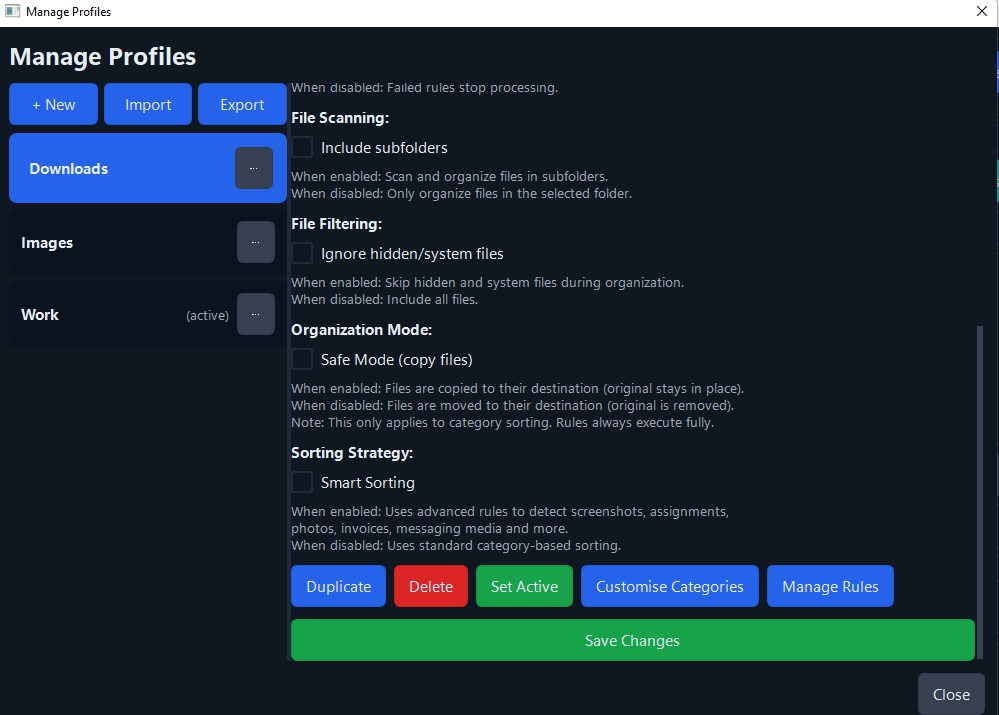 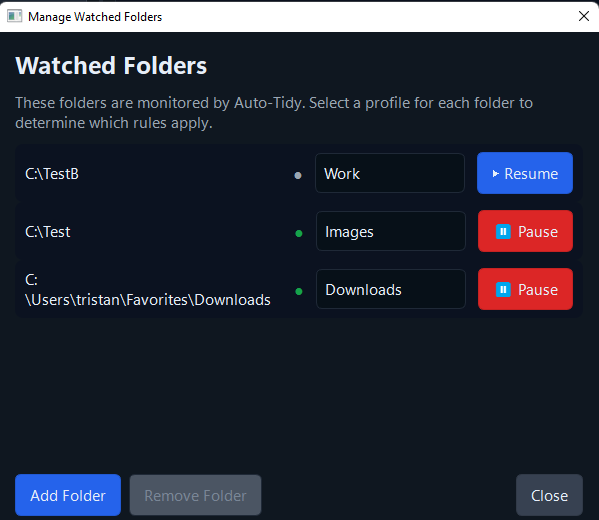 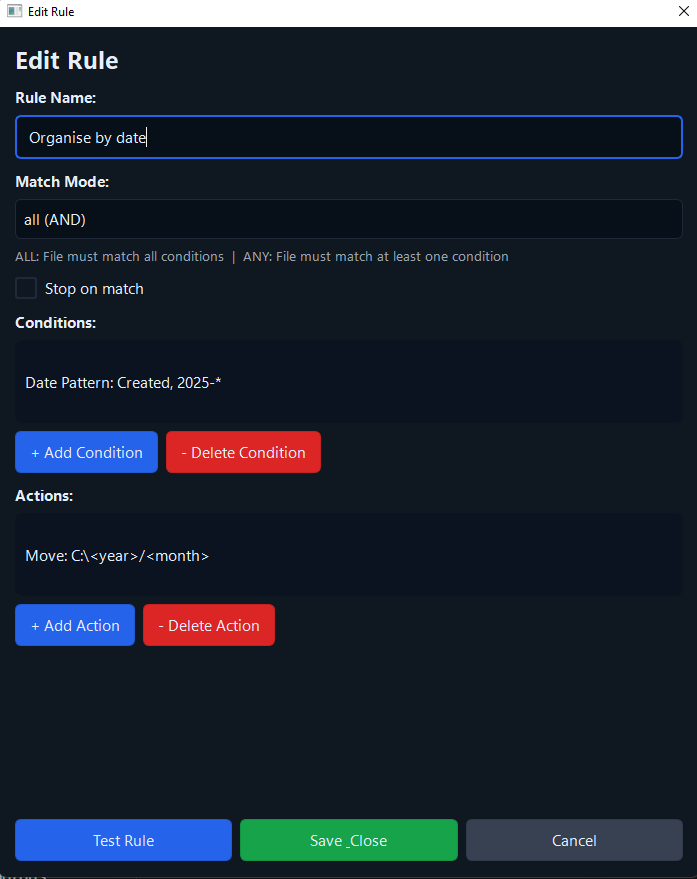 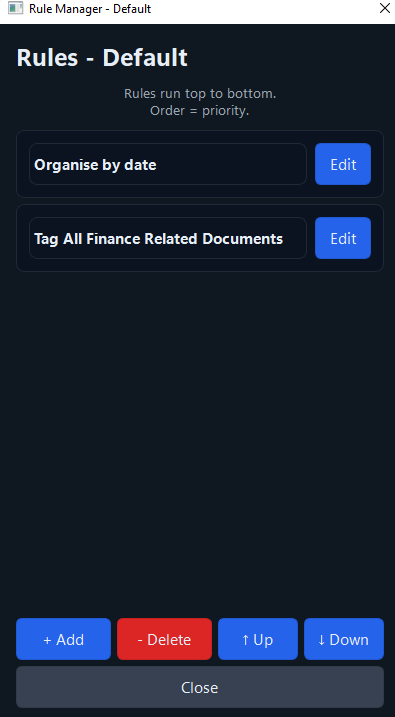 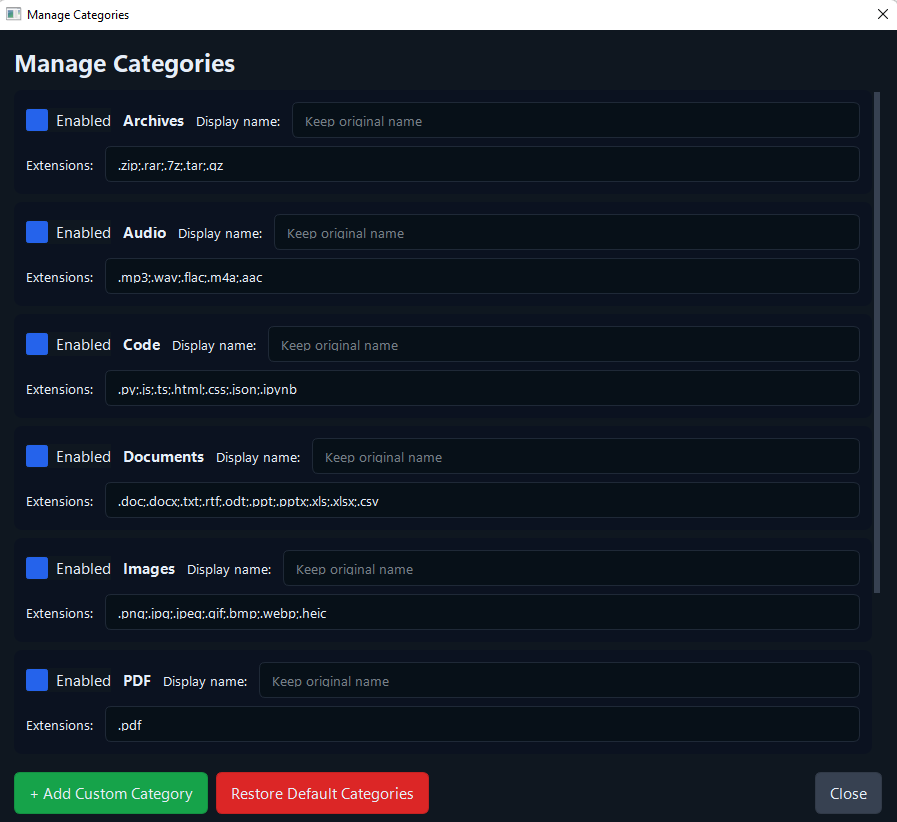 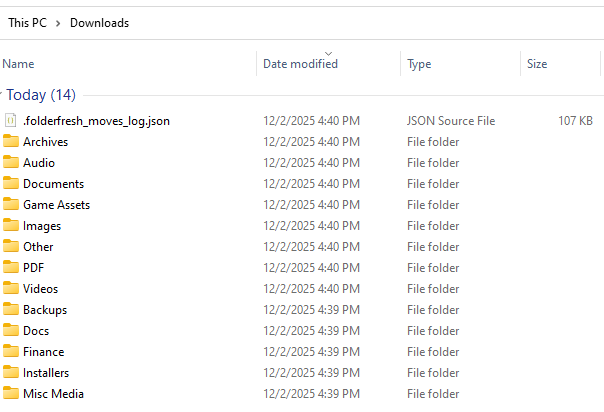 Click here to visit the author's website. Continue below for the main download link. |
||||||||
| Downloads | Views | Developer | Last Update | Version | Size | Type | Rank | |
| 709 | 2,810 | Tristan Neale | Dec 03, 2025 - 13:27 | 2.0.0 | 322.78MB | ZIP |  , out of 16 Votes. , out of 16 Votes. |
|
| File Tags | ||||||||
| FolderFresh v2.0.0 | ||||||||
Click to Rate File Share it on Twitter → Tweet
|


