|

|
Processed through Paypal No account required. |








Buy our over-priced crap to help pay the bills.



|
|
Processed through Paypal No account required. |
| Files | ||||
| File Name | Rating | Downloads | ||
 |
Check Browsers' LNK v2.2.0.34 Check Browsers' LNK v2.2.0.34 Check Browsers' LNK checks usual (*.LNK) and the Internet (*.URL) shortcuts to detect harmful links aimed to show undesirable ads in browsers. Usage: 1) Disable temporarily your antivirus. 2) Run the file. 3) Wait the completing of the work…* After scanning, the folder “LOG” will be opened near the program and the report Check_Browsers_LNK.log that is to be placed in the theme of helping you. Some prefixes description: >>> - shortcuts recommended to be cured. When drag & drop the log to program ClearLNK, they will be cured automatically. - (minus) - shortcuts that will be excluded from the list of ClearLNK program handling. If you need to cure some of them, just copy line to the main window of ClearLNK and press 'Cure'. !!! – files needed special attention The developers: - Pol’shyn Stanislav (Alex Dragokas) - regist Translations maded by: English: Ganna Khatser. French: Fr33tux (fr33tux.org). German: Natalia Ishyna. |
 |
6,189 | Nov 13, 2019 Alex Dragokas  |
 |
Check Disk v1.7 Check Disk v1.7 A GUI for the chkdsk command for searching and repairing disk errors. With Check Disk, you can select either standard or full tests. The full test additionally performs a sector check. It is capable of finding bad sectors on your disk and marking them as such. The program works both with hard disks (including SCSI and RAID) and removable media. Supported operating systems: Windows 2000, XP, Vista, 7, 8, 10, 11 Server 2016+ Supported languages: English, German, Hebrew, Czech, Spanish, French, Italien, Polish, Japan, Slovak, Chinese, Finish, Brazilian Portuguese, Norwegian, Russia and Dutch. Notes: • You must right-click on the .exe file and Run as Administrator. • The abort button does not work. This download is for the Windows 64bit version (very bottom of page). If you need the 32bit version, download here. Click here to visit the author's website. |
|
5,690 | Jan 20, 2026 Dirk Paehl 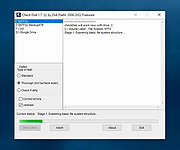 |
|
FakeDriveCheck v4.77 FakeDriveCheck v4.77 👉 Checks USB flash drives and MicroSD cards to see if they are fake, corrupted, or OK. FakeDriveCheck verifies whether a USB flash drive or MicroSD card is fake, corrupted, or functioning properly. It is designed to help identify storage devices that falsely report a larger capacity than they actually have, which can lead to silent data loss once the real memory is full. FakeDriveCheck works without destroying existing files on the drive, supports hot plugging, and does not require unplugging and reconnecting the device during verification. Features: • Verifies whether a USB flash drive or MicroSD card is fake, corrupted, or OK • Existing files are not destroyed during verification • Super fast verification • No unplugging and plugging required • Detects USB drives inserted after the program has already started • Free to use • Anonymous download • No hidden downloads, uploads or updates • No setup required (Click To Run) Supported operating systems: • Windows 10, Windows 11 Supported languages: • English, German Changes: v4.77 08-06-26 New Features FileProtection, upgraded dashboard with new features: Desktop Icon FileProtection, protects files from being modified or deleted. FileLocker, completely locks down files from being read renamed or deleted. Set or clear the unprotection password. ClassicMenu, new switch called 'Supermouse'. If on, a single click with the mouse's thumb button will close down an open window. Sounds stupid, is cool, try it! Uninstall has simplified dialogs and is easily accessible from all dashboards. Fixed Bugs Filenames with symbols like 🚲 or 🎜 have not been created correctly. Restoring the running Windows® could fail. The problem has been related to certain third party antivirus providers. It has been of no concern if Windows® was ... |
|
1,446 | Aug 14, 2026 Reuschtools 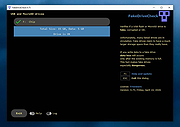 |
|
Portforward Check v1.1.2 Portforward Check v1.1.2 GUI app for Windows to correctly check if port is open/accessible, separately for TCP and UDP. Use 7-Zip to unzip this file. Click here to visit the author's website. |
|
2,198 | Sep 13, 2023 setsumi 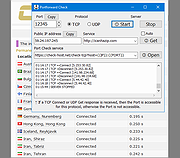 |
|
Windows 11 Requirements Check Tool v1.4.0 Windows 11 Requirements Check Tool v1.4.0 A free tool to see if your PC meets the requirements to run Windows 11. In addition it checks if your PC can support (gaming) features like AutoHDR and DirectStorage. Runs on Windows 8.1, Windows 10 or Windows 11. Supports 32-bit and 64-bit systems, including Windows on ARM. This tool is a standalone Win32 application written in C++. It does not install anything and spawns no additional processes. Requirement Checks The tool performs the following checks as specified in this document from Microsoft: System Type – Shows whether your PC contains an x86, x64 or ARM-processor. In addition it shows if your operating system is 32-bit or 64-bit. This item turns red if your processor does not support 64-bit instructions and registers, also known as long mode. Windows – Shows the version of Windows you are running. This item checks if your version of Windows can be upgraded to Windows 11. Processor – Shows the processor in your computer. This item checks if your processor has at least 2 cores and runs at 1 GHz or higher. In addition, this item also checks if your processor supports the following features and instructions: PAE (Physical Address Extension) is a processor feature that enables x86 and x86-64 processors to access more than 4 GB of physical memory on capable versions of Windows. NX (No-eXecute) is a processor feature that allows memory pages to be marked as non-executable. The feature enables the processor to help protect against malicious code exploits and is an integral part of hardware-enforced Data Execution Prevention (DEP). If not supported, check your BIOS whether "Data Execution Prevention," "XD," "Execute Disable," or "NX" is disabled. DEP is a Windows feature since 2004 (Windows XP SP2). SSE4.1 (Streaming SIMD Extensions 4.1) ... |
|
3,150 | Feb 01, 2022 ByteJams.com  |
| Showing rows 1 to 5 of 5 | Showing Page 1 of 1 | 1 |
OlderGeeks.com Copyright (c) 2026
