|

|
Processed through Paypal No account required. |








Buy our over-priced crap to help pay the bills.



|
|
Processed through Paypal No account required. |
| Files | ||||
| File Name | Rating | Downloads | ||
 |
AppControl v1.3.0.335b AppControl v1.3.0.335b 👉 Historical Task Manager with powerful application control, privacy monitoring, and system insights. AppControl is a free Windows system monitoring and application management utility developed by Jon Hundley and the AppControl team. Rather than only showing what your computer is doing right now, AppControl continuously records system activity for up to 72 hours, allowing you to review past CPU, GPU, memory, disk, temperature, and application activity to identify exactly what happened when your PC slowed down, overheated, or behaved unexpectedly. AppControl also extends far beyond the capabilities of the standard Windows Task Manager by providing detailed information about running processes, historical hardware usage, application launches, privacy events, and system activity. It can alert you when new or unsigned applications run, when software accesses your webcam, microphone, or location, and allows you to permanently disable unwanted applications or block entire publishers with custom rules. Built-in plain-language descriptions explain what Windows processes and executables actually do, making it easier to understand what's happening on your PC without searching the web Features: • Historical CPU, GPU, memory, disk, and temperature monitoring • Review up to 72 hours of recorded system activity • Timeline graphs with click-and-drag zoom • Monitor application launches, updates, and system events • Alerts for new, unusual, or unsigned applications • Privacy alerts for webcam, microphone, and location access • Permanently disable unwanted applications • Block entire software publishers • Plain-language descriptions of running processes and executables • Command-line monitoring tool for Windows Terminal, PowerShell, and Command Prompt • Automatic light and dark theme support • Custom notification options • Search and investigate running applications quickly Supported operating systems: • Windows 10 • Windows 11 Supported languages: English, German, Spanish, Japanese, French, Polish, Russian, Dutch, Serbian (Cyrillic), Italian, Turkish, Chinese Changes: v1.3.0.335b 05-14-26 Added range selection and zooming on timeline graphs. Added a command-line monitoring tool for Windows Terminal, PowerShell, and Command Prompt. Added an automatic theme that matches Windows light or dark mode. Added ... |
 |
821 | Jun 27, 2026 Jon Hundley and Team 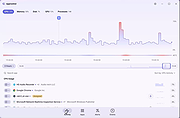 |
 |
BES – Battle Encoder Shirasι v1.8.0.39 BES – Battle Encoder Shirasι v1.8.0.39 👉 Limit CPU usage of individual processes to improve system responsiveness and reduce game stuttering. BES – Battle Encoder Shirasι is a lightweight, portable open-source utility that allows you to throttle the CPU usage of individual processes. Instead of allowing a program to consume 100% of your processor time, BES can reduce its CPU usage to a user-defined percentage, making it easier to use other applications while demanding tasks continue running in the background. Originally created as a simple CPU-limiting tool, BES has become popular with gamers and power users for reducing stuttering, preventing certain games from monopolizing CPU resources, and improving responsiveness on older or lower-core-count systems. It requires no installation, stores its settings locally, and can be run directly from any folder or USB drive. Features: • Limit CPU usage for individual processes • Adjustable throttling percentage • Portable with no installation required • Monitor and manage multiple target processes • Watch processes and automatically reapply limits • Command-line support for automation • Optional background image customization • Low resource usage • Open source under the GNU GPL v2 license • Useful for reducing game stutters and improving multitasking Supported operating systems: • Windows XP, Windows Vista, Windows 7, Windows 8, Windows 8.1, Windows 10, Windows 11 Supported languages: • English, French, Japanese, Finnish, Chinese, Russian, German Changes: v1.8.0.39 03-30-25 • Increased the maximum number of watched targets from 8 to 32. Click here to visit the author's website. |
|
4,952 | Jun 26, 2026 mion 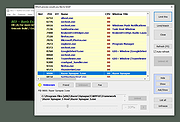 |
|
Blender Benchmark v3.3.0 Blender Benchmark v3.3.0 👉 Benchmark your CPU and GPU performance using official Blender rendering workloads. Blender Benchmark is the official benchmarking utility from the Blender Foundation for measuring CPU and GPU rendering performance using real Blender scenes. It allows you to compare your system against hundreds of thousands of publicly submitted benchmark results through the Blender Open Data platform. The benchmark supports multiple Blender versions and render backends, making it useful for evaluating hardware upgrades, testing system stability, comparing driver performance, and validating overclocking results. Anonymous benchmark submissions help improve Blender development while giving users a reliable way to compare performance across a wide variety of hardware configurations. Features: • Official benchmark from the Blender Foundation. • Tests CPU and GPU rendering performance using real Blender scenes. • Supports multiple Blender versions for comparison testing. • Choose individual benchmark scenes or run the complete suite. • Supports CPU and GPU render devices where available. • Measures performance using Blender's Cycles rendering engine. • Upload benchmark results anonymously to Blender Open Data. • Compare results with hundreds of thousands of publicly submitted systems. • View detailed hardware rankings and performance statistics online. • Can be run offline using downloadable benchmark scripts and scenes. • Uses only free and open source software with public-domain benchmark content. Supported operating systems: • Windows 7, Windows 8, Windows 10, Windows 11 • macOS • Linux Supported languages: • English Changes: v3.3.0 03-10-26 Support for the latest Intel GPUs has been added using oneAPI. This download is for the Windows version (very bottom of page). All other download assets are below: Other Windows: benchmark-launcher-cli-3.3.0-windows.zip (Command Line Interface) macOS: benchmark-launcher-3.3.0-macos.dmg benchmark-launcher-cli-3.3.0-macos.zip (Command Line Interface) Linux: benchmark-launcher-3.3.0-linux.tar.gz benchmark-launcher-cli-3.3.0-linux.tar.gz (Command Line Interface) Click here to visit the author's website. |
|
3,369 | Jun 18, 2026 Blender Foundation 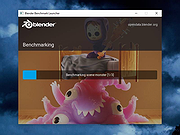 |
|
BootRacer v9.55 BootRacer v9.55 👉 Measure Windows boot speed and identify startup programs that slow your PC. BootRacer is a free utility for non-commercial use that accurately measures how long Windows takes to boot and helps identify startup programs that increase boot time. Unlike a simple stopwatch, it measures the actual Windows startup process while excluding password entry time, providing a more realistic view of system performance. BootRacer records each boot, tracks changes over time, and lets you compare results to determine whether your system is speeding up or slowing down. BootRacer also includes startup management tools that allow you to review, disable, delay, reorder, or customize startup applications so Windows can become usable more quickly. It displays detailed timing information for the boot process and startup programs, provides boot history with graphs and statistics, and can notify you when Windows has completely finished loading background services so you know when your computer is truly ready for use. Additional features such as service optimization and advanced system tweaks are available in the Premium edition. Features: • Measures true Windows boot time without including password entry delays • Monitors every boot and keeps a detailed boot history • Displays boot performance graphs and statistics • Identifies startup applications that slow Windows • Disable, delay, reorder, or customize startup programs • Shows the time consumed by individual startup applications • Compares current boot times with previous boots • Writes boot information to the Windows Event Log • Includes boot completion notifications when Windows is fully ready • Lightweight with minimal system resource usage • Free for personal, non-commercial use Supported operating systems: • Windows 2000, Windows XP, Windows Server 2003, Windows Vista, Windows 7, Windows 8, Windows 8.1, Windows 10, Windows 11 (32-bit and 64-bit) Supported languages: • English, Brazilian Portuguese, French, German, Hungarian, Italian, Japanese, Korean, Polish, Russian, Turkish, Ukrainian Changes: v9.55.2026.519 05-19-25 Fixed the timing race condition bug affecting applications launched from ... |
|
6,459 | Jun 26, 2026 Greatis Software 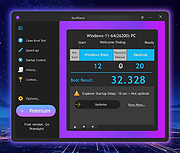 |
|
CPUSetter v1.7.1 CPUSetter v1.7.1 👉 Control CPU cores, hyperthreading, and process CPU usage on macOS. CPUSetter is a macOS utility that lets you control how your Mac's processor resources are used. It can enable or disable CPU cores and hyperthreading on supported processors, apply separate settings for battery and AC power, and limit the CPU usage of individual processes. CPUSetter also includes a process manager for adjusting process priority, viewing running applications, terminating processes, and monitoring system performance with built-in CPU, memory, disk, and network graphs. Administrator privileges are required for hardware-related changes, and a privileged helper tool is installed during first launch. Features: • Enable or disable physical and logical CPU cores • Enable or disable hyperthreading on supported processors • Apply separate CPU settings for battery and AC power • Limit the maximum CPU usage of individual processes • Change process priority (nice value) • Enable or disable throttling of low-priority processes • View and manage all running processes • Terminate running processes • Reveal process executables in Finder • Bring applications to the foreground • Display live CPU, memory, disk, and network performance graphs • Optionally apply saved settings automatically at system startup Supported operating systems: • macOS Big Sur 11.5 or higher Supported languages: English Changes: v1.7.1 12-16-25 • Requires macOS Big Sur (11.5) or later • Updated to Sparkle 2.7.0 • Fixed CPU sampling for hyperthreaded hosts In this screenshot, the Handbrake process has been limited to a maximum of 100% CPU usage (i.e. 1 whole core from the 4 available) and also reduced to a priority of 19. It is constrained as can be seen by it requesting more CPU resource than it is allowed to use. Click here to visit the author's website. |
|
3,537 | Jun 23, 2026 Bryan Christianson 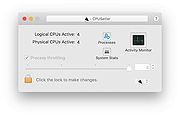 |
|
CrystalDiskMark v9.0.3 CrystalDiskMark v9.0.3 👉 Simple and reliable disk benchmark software. CrystalDiskMark is a lightweight disk benchmark utility designed to quickly measure the sequential and random read and write performance of hard drives, SSDs, NVMe drives, USB flash drives, and other storage devices. It provides clear and easy to understand results, making it ideal for comparing drive speeds or verifying storage performance after installation or upgrades. CrystalDiskMark supports multiple test modes and customizable settings, allowing users to adjust test size, number of passes, and measurement units. The interface is straightforward, with large buttons and clear output columns for sequential and random read and write speeds. It is widely used by enthusiasts, reviewers, and everyday users who want accurate storage performance results without unnecessary complexity. Features: • Measures sequential and random read and write performance • Supports HDD, SSD, NVMe, and USB storage devices • Multiple test sizes and pass counts • Customizable test profiles and settings • Displays results in MB/s, IOPS, and latency • Simple and easy to use interface Supported operating systems: • Windows 8.1, Windows 10, Windows 11 Supported languages: English, Japanese, Chinese (Simplified), Chinese (Traditional), Korean, French, German, Italian, Spanish, Portuguese, Russian, Polish, Hungarian Changes: v9.0.3 05-24-26 Improved: Security of DLL loading process Click here to visit the author's website. |
|
6,723 | Jun 27, 2026 Crystal Dew World 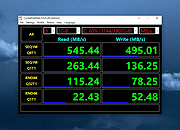 |
|
Disk Benchmark NVME SSD v1.1.0 Disk Benchmark NVME SSD v1.1.0 👉 A free portable tool for benchmarking storage read and write performance directly inside any selected folder. Disk Benchmark NVME SSD is a free, portable Windows benchmarking utility designed to measure sequential read and write performance using the actual folder where your files are stored. Rather than requiring you to select a physical drive, it lets you choose a specific folder or path and tests storage performance there. This makes it useful for testing NVMe and SATA SSDs, hard drives, USB storage and compatible network paths. The program performs a focused SEQ1M Q8T1 sequential benchmark using 1 MiB operations, allows you to configure the number of passes and test size, and generates an HTML report containing system, path and performance information. Temporary benchmark data is automatically removed when testing is complete, with cleanup handling included for interrupted sessions. It requires no installation and can be run directly as a portable application. Features: • Measures sequential read and write storage performance • Uses 1 MiB sequential operations • Focused SEQ1M Q8T1 benchmark • Tests a selected folder or path rather than requiring physical drive selection • Configurable benchmark pass count • Configurable test size • Displays read results and benchmark progress while testing • Reports the best completed benchmark result • Generates an HTML report after each completed test • Reports path, system and performance information • Works with NVMe SSDs, SATA SSDs, hard drives and USB storage • Can benchmark compatible network paths • Automatically removes temporary test data after completion • Includes recovery cleanup for interrupted benchmark sessions • Completely portable with no installation required Supported operating systems: • Windows 10, Windows 11 Supported languages: English Changes: v1.1.0 08-23-26 Not provided. Note: This file has one hit on VirusTotal. We have confirmed this to be a false positive. The file is safe. Click here to visit the author's website. |
|
212 | Aug 23, 2026 Cristoforo Bonissone 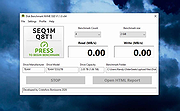 |
|
DNS Hop v2.4 DNS Hop v2.4 👉 Benchmark and compare DNS providers to find the fastest and most reliable DNS for your network. DNS Hop is an open-source Windows utility designed to test and compare the performance of DNS services from multiple providers. By benchmarking thousands of available DNS endpoints, it helps users determine which DNS servers provide the fastest and most reliable performance for their specific network conditions. DNS Hop simplifies what can otherwise be a confusing process. Instead of manually trying different DNS providers and guessing which one performs best, the program runs automated tests against a large list of DNS servers and ranks them based on response time and reliability. Results are presented in an easy-to-read leaderboard, allowing users to quickly identify the best options. The application also provides recommendations based on the test results. Users can choose to manually apply these DNS settings or let DNS Hop configure them directly from within the program. This makes it easy to optimize DNS performance and potentially improve browsing speed and reliability. DNS Hop also allows exporting benchmark results for further analysis or record-keeping. Data can be exported as CSV or JSON files, and the performance chart can be copied as an image for sharing or documentation. Features: • Benchmarks thousands of DNS providers to measure performance • Ranks DNS servers by speed and reliability • Displays results in a clear leaderboard format • Provides recommendations for primary and secondary DNS servers • Allows direct DNS configuration from within the application • Export benchmark results as CSV or JSON files • Copy performance charts as PNG images • Lightweight open-source utility for DNS testing and optimization Supported operating systems: • Windows 10, Windows 11 Supported languages: English, German, French, Russian and Simplified Chinese, auto-detected from your OS UI language on first launch. Changes: v2.4 06-20-26 New resolvers and encrypted protocols NordVPN (Nord Threat Protection) public encrypted DNS, in three ... |
|
793 | Jul 20, 2026 center2055 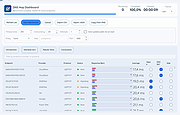 |
|
Drive Speedometer 1.1.0 Drive Speedometer 1.1.0 Drive Speedometer is a program I made to help monitor the current read and writes speeds of your hard drives. Benefits include: When your system is running slow yet your CPU usage and memory usage are fine, it is normally the hard drive being maxed out. Now you will be able to keep an eye on the hard drive performance. When a drive is slowly dying it will run slower and slower. Being aware of what your normal drive speeds are and seeing those speed drop over time is a great indicator it is time to replace the drive. Being a performance nut myself I like knowing what my system is doing. When I have a program doing some work and appears to be hung up I can see if it is still reading or writing to the drive. This way I know the program isn't hung up and is still working. The program uses the Windows performance counters to pull the information. If you have disabled your performance counters I have included a reg file in the setup to enable them again. Run the reg file and reboot. Your performance counters will be working again. I have also included some pre made bar fill graphics. Including some to use when running the monitor in compact mode. You can of course make your own as well. |
 |
10,088 | Jan 08, 2013 PcWinTech |
|
Feex v0.19.12 Feex v0.19.12 👉 A free Windows utility for monitoring, diagnosing, understanding and maintaining your PC. Feex is a free Windows system utility that combines PC monitoring, diagnostics and maintenance tools in a single application. It provides real-time information about CPU, GPU, memory, disks and other system activity while helping identify applications and processes that may be consuming excessive resources. Feex goes beyond basic system monitoring by keeping useful historical information about your computer. It can analyze startup programs, monitor boot speed over time and help identify common Windows problems and changes that may be affecting performance. Detailed hardware and system information is available to help you understand the components and configuration of your PC. Built-in maintenance tools can help clean caches and unnecessary files, locate duplicate files and perform Windows maintenance and performance tasks. When Feex proposes meaningful changes to the system, it explains what will be affected and asks for approval before proceeding. Privacy is an important part of Feex's design. System understanding and history are stored locally on the PC, and the program can continue operating without an Internet connection. File discovery uses metadata such as filenames, types, sizes and dates rather than reading the contents of documents, emails or chats. Feex does not collect passwords or browsing history, capture the screen, log keystrokes, record audio or video, or inspect the contents of network traffic. It is not intended to replace antivirus software and can be used alongside Windows Defender or other security software. Features: • Monitors CPU, GPU, RAM, disk and overall system activity • Identifies resource-heavy applications and processes • Analyzes programs configured to run at startup • Monitors boot speed and maintains boot history • Provides detailed hardware and system information • Detects common Windows issues • Cleans caches and unnecessary files • Detects duplicate files • Provides Windows maintenance and performance tools • Keeps historical information about system behavior • ... |
|
393 | Sep 04, 2026 Feex 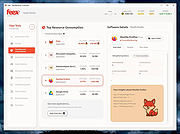 |
|
Fixyfier v9.4.3 Fixyfier v9.4.3 👉 Free all-in-one Windows repair and optimization tool. Fixyfier is a free Windows utility designed to help users repair, clean, and optimize their system using a collection of built-in tools and automated fixes. It provides quick access to common maintenance tasks and troubleshooting options in a simple interface, making it useful for resolving everyday Windows issues and improving overall system performance. Features: • One-click automated repair routines for common Windows issues • System file repair tools including SFC and DISM integration • Network troubleshooting and reset tools (Winsock, IP stack, DNS flush) • Windows Update repair and reset functionality • Temporary file cleanup and system junk removal • Performance optimization tools to improve responsiveness • Access to essential Windows utilities and administrative tools • Registry-related repair and cleanup options • Privacy and system configuration tweaks • Quick-launch shortcuts for advanced repair commands • Organized interface grouping tools by category for easy navigation • Designed for both novice users and advanced technicians Supported operating systems: Windows 10 (version 17763.0 or higher), Windows 11 Supported languages: English, Spanish, Spanish (Latin America and the Caribbean), French, German, Portuguese (Brazil), Portuguese (Portugal), Italian, Dutch, Russian, Chinese (Simplified), Chinese (Traditional), Japanese, Korean, Arabic, Hindi, Greek, Turkish, Polish, Swedish, Norwegian, Danish, Finnish, Czech, Hungarian, Bulgarian, Romanian, Ukrainian, Serbian, Croatian, Albanian, Vietnamese, Thai, Indonesian, Filipino, Bengali, Persian, Swahili, Hebrew. Changes: v9.4.3 10-04-26 - Block Ads & Telemetry now lets you choose what it turns off: a tick for each group, all ticked to begin with, with Select All, and the list of commands shows exactly what will run for what is ticked. - The Dashboard no longer shows a Run a Check-up button beside its tabs; the System Check-up tab is right there. - The Back to Top button now uses the app's own colors in both themes. - Added Fixyfier's name and copyright to the details of Fixyfier.exe, so Task Manager and the file's Properties show Fixyfier rather ... |
|
3,419 | Oct 14, 2026 Aris Vardakas 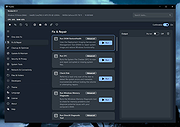 |
|
FurMark 2 v2.10.2 FurMark 2 v2.10.2 OpenGL and Vulkan GPU stress test and graphics benchmark. FurMark 2 is the next-generation edition of the legendary GPU stress testing and benchmarking utility from Geeks3D. Designed for gamers, overclockers, system builders and hardware enthusiasts, FurMark 2 pushes graphics cards to their thermal and performance limits using demanding OpenGL and Vulkan rendering workloads. It is commonly used to test cooling performance, verify GPU stability, identify overheating issues, detect graphical artifacts, and benchmark overall graphics performance. Unlike the original FurMark 1, FurMark 2 introduces a redesigned engine with modern rendering technologies, Vulkan support, improved compatibility with current GPUs, and enhanced benchmarking capabilities. The software can run intensive fullscreen or windowed stress tests while displaying real-time GPU information including temperatures, clocks, usage, fan speeds, and performance statistics. FurMark 2 also includes benchmark presets for quick comparisons, customizable testing modes, anti-aliasing options, artifact scanning, and command-line support for automation and advanced diagnostics. Whether you are validating a fresh GPU installation, testing overclock stability, troubleshooting crashes, or simply comparing benchmark scores with other systems online, FurMark 2 provides a fast and reliable solution for GPU performance analysis. Features: • Advanced OpenGL and Vulkan GPU stress testing • Designed to heavily load GPUs for thermal and stability testing • Modern rendering engine optimized for current graphics hardware • Built-in benchmark presets for quick performance comparisons • Custom benchmark modes with adjustable resolution and anti-aliasing • Real-time GPU monitoring during testing sessions • Displays GPU temperature, clocks, fan speed, usage and performance data • Artifact scanner helps detect rendering errors and unstable overclocks • Supports fullscreen and windowed testing modes • Online benchmark score submission and comparison support • Useful for validating overclocking and cooling system performance • Command-line options for scripting and automated testing • Compatible with many NVIDIA, AMD and Intel graphics cards • Includes GPU information and hardware identification tools • Lightweight interface with quick access to common ... |
|
2,155 | Jun 05, 2026 Geeks3D 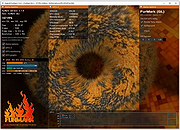 |
|
Novabench v6.0.3 Novabench v6.0.3 👉 Free PC benchmarking and hardware performance testing utility. Novabench is a free benchmarking program that allows you to quickly test and evaluate your computer’s overall performance. It measures CPU, GPU, RAM, and storage speeds using a simple interface designed for both casual users and technicians. The free version provides a complete system benchmark score along with detailed hardware information and comparison tools to help identify performance bottlenecks or hardware problems. Novabench can be useful for checking system stability after upgrades, comparing hardware performance against similar systems, troubleshooting slow computers, and monitoring the effects of overclocking or driver updates. Benchmark results can also be uploaded online to compare your PC with other systems using the Novabench database. Features: • Free CPU, GPU, RAM, and disk benchmarking • Generates an overall system performance score • Quick benchmark testing with minimal setup required • Displays detailed hardware and system information • Compare benchmark results with other systems online • Useful for testing gaming PCs, laptops, and workstations • Helps identify hardware bottlenecks and slow components • Portable benchmark results that can be shared online • Lightweight interface suitable for beginners and technicians • Supports stress testing and stability verification tools • Includes temperature and hardware monitoring support • Can help verify system improvements after upgrades or repairs Supported operating systems: • Windows 10, Windows 11 • macOS 11 Big Sur or higher • Linux distributions supporting modern x86-64 hardware Supported languages: • English Changes: v6.0.3 06-09-26 • Improved benchmark reliability and scoring consistency • Updated hardware detection and compatibility support • General bug fixes and stability improvements This download is for the Windows installer version (very bottom of page). All other download assets are below: Other Windows: novabench-arm64.exe macOS: novabench.dmg Linux: novabench-x64.deb novabench-arm64.deb novabench-x64.rpm novabench-arm64.rpm Click here to visit the author's website. |
|
7,802 | Jun 09, 2026 Novawave Inc. 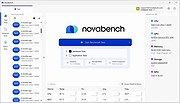 |
|
O&O DeskInfo v2.0.1033 O&O DeskInfo v2.0.1033 👉 Portable desktop system monitor that displays real-time hardware and network information directly on your desktop. O&O DeskInfo displays essential system information such as CPU usage, memory consumption, drive activity, network connections, battery status, and more directly on the Windows desktop in real time. The portable freeware utility allows users to monitor system activity without opening additional tools or menus. It also supports customizable layouts, colors, transparency, fonts, and multi-monitor positioning. O&O DeskInfo can quickly copy system details to the clipboard for troubleshooting and support purposes and includes warnings for unknown USB device connections. Features: • Real-time display of CPU, memory, drive, and network activity • Portable application with no installation required • Customizable desktop display position, colors, fonts, and transparency • Performance charts for CPU, memory, and network monitoring • Battery status display support for compatible systems • Detection of virtual machines • Profile editor with customizable columns and sortable categories • Clear distinction between local, removable, and network drives • Clipboard export for quick support and troubleshooting • Multi-monitor support • Warning notifications for unknown USB device connections • Adjustable update speeds and display modes • Tray icon integration with quick access functions • Automatic startup option with Windows Supported operating systems: • Windows 10 • Windows 11 Supported languages: • English, German, French Changes: v2.0.1033 01-28-26 • NEW: New performance charts for CPU, memory and network • NEW: Battery status display, if supported by the system • NEW: Detection of virtual machines • NEW: Greater flexibility in the profile editor with freely selectable columns and re-sortable categories • NEW: Improved customization options for the size of performance charts • NEW: Unified controls for a more consistent and clearer user interface • NEW: Extended documentation • NEW: Clearer distinction between local, removable and network drives • CHANGED: Performance charts react faster and more smoothly to display setting changes • CHANGED: Charts make better use of available space and appear overall clearer • CHANGED: Reduced visual duplication for a calmer display • ... |
|
3,674 | May 24, 2026 O&O Software GmbH 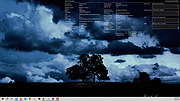 |
|
Performance Monitor 4.1.3 Performance Monitor 4.1.3 Performance Monitor is a small program that shows you the CPU, Memory, Disk and Network utilization under Windows NT platforms (2000, XP, Vista, Win 7, etc...). It's composed by four fully configurable small graphs and it can work in the tray area also. The windows are fully anchorable. PerfMon can become transparent and permits you to forward left-mouse clicks so you can place it anywhere. You can also change the program priority (saving CPU work) and its size (for big monitor resolutions ;-)) Usage: • Right click for options • Drag a single panel to move it • Drag a single panel with the CTRL Key down to move all attached panels History Version 4.1.3 • Added the ability to restore icons if Windows Explorer crashes |
|
6,033 | Jan 16, 2017 Lorenzi Davide  |
|
Process Governor v1.3.1 Process Governor v1.3.1 👉 Automate Windows process and service priority, I/O priority, and CPU affinity rules. Process Governor is a free Python-based Windows utility that automates the management of processes and services by applying user-defined rules for priority, I/O priority, and CPU core affinity. It can be used to fine-tune system responsiveness, control how selected programs use CPU cores, and automatically apply preferred settings to matching processes or services. Features: • Adjust process and service priorities • Control I/O priorities for better resource management • Set CPU core affinity for selected processes • Create rules for processes by name, path, or command line • Create rules for Windows services by service name • Supports wildcards in process and service rules • Optional force mode for continuous rule application • Optional delay before applying rules • View running process details including PID, executable path, service name, and command line • Search, sort, and filter process and service lists • System tray menu with access to settings, config file, log file, updates, startup option, and quit • Open file locations, file properties, and service properties from the process list • Undo, redo, hotkeys, and inline rule editing • Error highlighting for invalid rule entries • Optional auto-start with Windows Supported operating systems: • Windows 10 • Windows 11 Supported languages: English Changes: v1.3.1 04-19-25 Bug Fixes Fixed error messages: Resolved occasional error messages in the garbage collection process. Click here to visit the author's website. |
|
1,028 | Jun 15, 2026 System X - Files 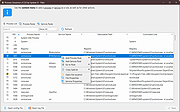 |
|
Speed-Up NVMe v1.0 Speed-Up NVMe v1.0 👉 Increase NVMe drive performance in Windows 11 up to 80%. Speed-Up NVMe is a portable utility that enables Microsoft’s newer native NVMe storage driver on supported Windows 11 systems by applying the required registry entries automatically. According to the developer, this can improve IOPS performance by up to 80% and reduce CPU cycles by about 45% on supported setups. The program also includes the registry files it applies, so you can review or revert the changes more easily. It is intended for supported Windows 11 consumer versions with the required updates installed, and the author notes that Windows 10 compatibility is not confirmed. Features: • Enables Microsoft’s newer native NVMe storage driver on supported Windows 11 systems • Portable utility with one-click apply and revert capability • Includes the registry entries used by the program in the Reg folder • Can improve NVMe SSD IOPS performance on supported systems • May reduce CPU usage during supported storage workloads • Helps expose NVMe devices under Storage Controllers instead of standard device handling after reboot • Useful for workloads such as database operations, file server metadata work, Hyper-V, virtualization, and large AI or machine learning dataset processing Supported operating systems: • Windows 11 24H2, Windows 11 25H2 • Windows Server 2025 Supported languages: English Changes: v1.0 12-29-25 Not Provided How to Use: 1) Download the Speed-Up NVMe ZIP file and extract it to any folder. 2) Right-click the executable and select Run as Administrator. 3) Click Enable NVMe Optimization (or equivalent option). 4) Restart Windows to apply the changes. To revert: 1) Run the tool again as Administrator. 2) Choose Restore Default Settings. 3) Restart Windows to apply the changes. Note: This tool modifies Windows registry settings to enable an undocumented NVMe driver. Use only on Windows 11 and at your own risk. Click here to visit the author's website. |
|
986 | Mar 24, 2026 Sordum.org 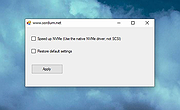 |
|
Tweaking.com - Advanced System Tweaker v2.0.0 ==Official Mirror== Tweaking.com - Advanced System Tweaker v2.0.0 Tweaking.com - Advanced System Tweaker is a central hub for any kind of tweak or anything else that can be done via registry files, commands and vbscript files. The add-ons in the program allow it to grow and handle just about anything. The program has a direct link to search and find the growing list of add-ons. The program comes with 37+ add-ons already installed. Using the program is easy. Browse through the installed add-ons and runs the one you want. For a 1 click solution you can use Simple System Tweaker Unlike Simple System Tweaker, Advanced System Tweaker is add-on supported. So it has unlimited possibility. You also only run 1 tweak at a time. Changelog: v2.0.0 Major program change. In the previous versions you could only run 1 tweak at a time. Now you can select the tweaks you want first and then apply them all at once. Multiple code changes and some minor bug fixes. Added frame containers and lines to the add on creator for tweaks. v1.2.0 Fixed menu to backup and restore the registry not working. Updated the Optimize Registry (Compress) to use Tweaking.com - Registry Compressor. |
|
10,387 | Dec 21, 2013 Tweaking.com |
|
WhySoSlow Free Home Edition v1.61 WhySoSlow Free Home Edition v1.61 👉 Analyze system performance and identify why your computer is running slowly. WhySoSlow Free Home Edition is a diagnostic utility designed to help users quickly determine the causes of poor system performance. It analyzes your computer in real time and provides insights into issues such as CPU throttling, memory bottlenecks, disk performance problems, and other hardware or software limitations that may be slowing down your system. The program performs a series of checks and presents easy-to-understand results, making it useful for both casual users and more advanced troubleshooting scenarios. It helps pinpoint whether performance issues are caused by hardware limitations, thermal throttling, insufficient RAM, or background processes. Features: • Real-time system performance analysis • Detects CPU speed issues and throttling • Identifies memory and disk bottlenecks • Measures system responsiveness and load • Provides detailed system diagnostics and benchmarks • Helps pinpoint hardware or software causes of slowdowns • Simple interface with clear performance indicators Supported operating systems: • Windows 11, Windows 10 (x86 and x64), Windows 8.1 (x86 and x64), Windows 8 (x86 and x64), Windows 7 (x86 and x64) • Windows 2022 Server, Windows 2016 Server (x86 and x64), Windows 2012 Server (x86 and x64) Supported languages: English Changes: v1.61 10-22-20 Bug Fixed: "this version of WhySoSlow is not compatible with your operating system version" On certain systems, WhySoSlow could display a message "this version of WhySoSlow is not compatible with your operating system version". This has been fixed. Click here to visit the author's website. |
|
4,855 | Mar 24, 2026 Resplendence Software 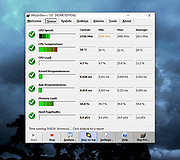 |
|
Winhance v26.06.12 Winhance v26.06.12 👉 Enhance, debloat, and customize Windows with powerful system tweaks. Winhance is a Windows optimization and customization tool designed to help users debloat, fine-tune, and enhance their Windows experience. It provides a structured interface to adjust privacy settings, remove unwanted apps, optimize performance, and configure various system components in a safe and organized way. Winhance simplifies advanced Windows configuration by grouping hundreds of commonly used tweaks, optimizations, and customization options into an intuitive interface. It can remove unnecessary Windows components, improve privacy, adjust gaming and performance settings, install or remove software, customize Explorer and the Start menu, and generate reusable configuration files for deploying the same settings across multiple computers. Winhance is open source and supports both installed and portable operation. Features: • Remove preinstalled Windows apps, optional features, and unwanted components • Apply privacy, security, gaming, and performance optimizations • Customize the taskbar, Start menu, Explorer, desktop, and Windows appearance • Install or uninstall popular third-party software from a built-in catalog • Configure Windows services, power settings, networking, and system behavior • Create reusable Winhance configuration files and unattended Windows deployment files • Review and track applied changes with a built-in change history log • Available as both an installed and portable application • Open source with support for Windows 10 and Windows 11 Supported operating systems: • Windows 10 x64 (22H2), Windows 11 (23H2, 24H2, 25H2) Supported languages: Arabic, Bulgarian, Chinese (Simplified), Chinese (Traditional), Croatian, Czech, Danish, Dutch, English, Finnish, French, German, Greek, Hebrew, Hungarian, Italian, Japanese, Korean, Norwegian Bokmεl, Polish, Portuguese (Brazil), Portuguese (Portugal), Romanian, Russian, Serbian, Slovak, Spanish, Turkish, Ukrainian Changes: v26.06.12 06-12-26 • Added Builder Mode for creating Winhance configuration files and autounattend.xml files without modifying the current PC • Added a Sponsors & Supporters page and a Change History log that records all applied settings and app installations/removals • Added Hebrew language support, bringing the total to 29 supported languages • Added new Explorer ... |
|
1,098 | Jun 29, 2026 Marco du Plessis 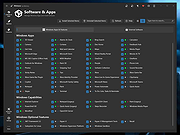 |
| Showing rows 1 to 20 of 20 | Showing Page 1 of 1 | 1 |
OlderGeeks.com Copyright (c) 2026
