|

|
Processed through Paypal No account required. |








Buy our over-priced crap to help pay the bills.



|
|
Processed through Paypal No account required. |
| File - Download Temp_Cleaner GUI v8.0 | ||||||||
| Description | ||||||||
|
A plea... Deanna and I have been running this site since 2008 and lately we're seeing a big increase in users (and cost) but a decline in percentage of users who donate. Our ad-free and junkware-free download site only works if everyone chips in to offset the revenue that ads on other sites bring in. Please donate at the bottom of the page. Every little bit helps. Thank you so much. Sincerely, your Older Geeks: Randy and Deanna Always scroll to the bottom of the page for the main download link. We don't believe in fake/misleading download buttons and tricks. The link is always in the same place. Temp_Cleaner GUI v8.0 A very powerful and easy to use application to free up disk space in Windows. 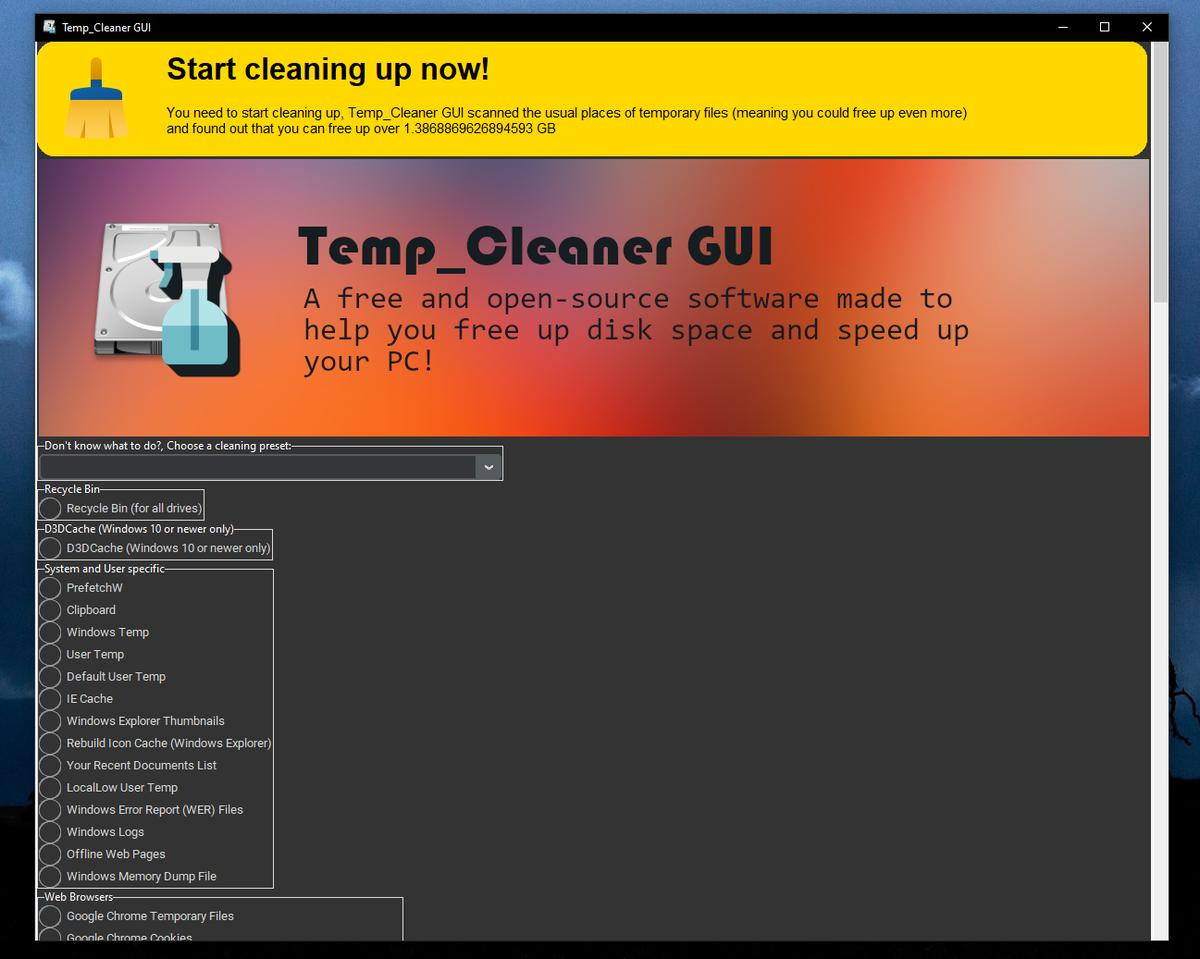 Features and Information Free and Open-Source Being a Free and Open-Source product gives you the freedom to share the program and use it for both personal and commercial purposes. Easy to use As you probably hinted, All you have to do is just checking the areas you want to clean and click the "Start Cleaning" button Supports vast majority of Windows Versions Compatibility is our top priority, That's why Temp_Cleaner GUI supports the vast majority of Windows Desktop Versions Safely cleans up your PC Temp_Cleaner GUI is made in a way that it doesn't negatively affect the performance and stability of your PC or any programs in it. Trusted by many websites and users Temp_Cleaner GUI is trusted by many popular Software Listing Websites such as OlderGeeks.com and thousands of users worldwide Cleans what other cleaners can't Temp_Cleaner GUI has a lot of cleaning options that aren't available in most popular PC cleaners. It respects your privacy Temp_Cleaner GUI doesn't collect anything about you (not even error reports or optional diagnostic data). Provides an Updater Program (Introduced in v5.6-stable) You no longer have to bother going to this website just to check if there is an update available, We will inform you immediately when there is an update, Just be sure to enable Automatic Update Check in Settings. Has an active 24/7 support community Temp_Cleaner GUI has it's own dedicated Support Discord Server (Click here to join) Changes v8.0 This is one of the biggest updates ever released to this program, It added all the major changes to the functionality and usability it needed since a lot of time! Since this release is divided into 3 commits, I will list the changelog based on each commit. First commit: 508101b Add a keybind to the Enter button in WiFi ADB connection instructions window to press the Continue button. Fixed the bug when Temp_Cleaner GUI's Windows.Old cleaner doesn't delete (or even detect) Windows.old folders in System drive. Added the Memory dump file cleaner (that file is created whenever a Windows BSOD (Blue Screen of Death) occurs (ntoskrnl shows the collection status as a percentage on the BSOD screen: 100% Complete as a White text on the bottom of the QR Code). Added the option to specify a custom full path for the Windows Memory Dump file to use in the cleaning function. Added hover shrink effect to the 3 main functionality buttons (the "About", "Settings" and "Start Cleaning" ones). Added a new top banner (positioned on top of the main banner, that displays the Temp_Cleaner GUI logo along with a short description) that displays useful information (such as if user needs to clean up temporary files or needs to update their copy of Temp_Cleaner GUI) The updater module now no longer spawns a window to show you that you need to update, it will instead change the new informative banner. Added the Settings option to set certain thresholds that when passed the new informative banner will prompt you to start cleaning. and of course, some minor bug fixes, I won't forget these. Second commit: c652dc1 Added a new OOBE (Out Of Box Experience) window that runs upon the first run of the program (checks if key 'FirstRun' in configuration file is set to 1) to prompt the user to choose a display language for the program, select a theme mode, and modify some other small settings. Added a script for running tests that will ensure no errors while building Temp_Cleaner GUI from source, this will be helpful in simplifying the process of installing dependencies and making sure there will be no errors before building this program from source. Added a new messagebox implementation that supports timing out with a default option (can be used in other applications too) for the Windows Update cleaner when it prompts the user to restart the WU service, makes the cleaning experience a lot better. Minor improvements to exception & error handling of the program, and minor bug fixes. Last commit: 98eb137 Added a new toasts module to emulate the functionality of the toasts widget of the Android operating system Added additional directories for the ROBLOX downloaded textures cleaner The OOBE window now spawns before the main Window UI if the value FirstRun in the configuration file is set to 1 (basically finished implementing the OOBE feature) Added a new banner that shows up when running Temp_Cleaner GUI with the same privileges or higher than TrustedInstaller to warn the user of the dangers. Improved tests script Added a build script, this script automates the process of building Temp_Cleaner GUI from source. Fully implemented the additional cleaners feature! Minor bug fixes Added build date to the About window, inspired by the build date feature of the Linux Kernel. 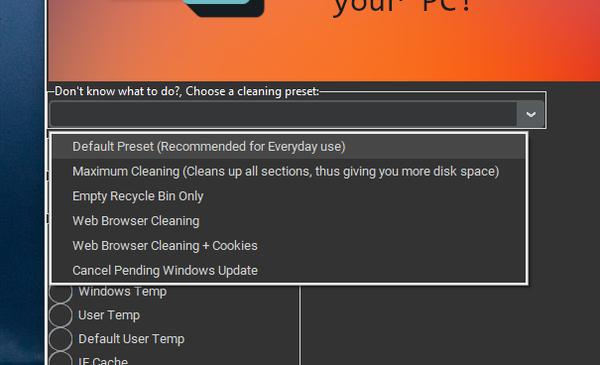 This download is for the Windows 7(SP1), 8, 8.1, 10 and 11 64bit version (very bottom of page). If you need the Windows 7(SP1), 8, 8.1, 10 32bit version, download here. Click here to visit the author's website. Continue below for the main download link. |
||||||||
| Downloads | Views | Developer | Last Update | Version | Size | Type | Rank | |
| 3,754 | 10,406 | Ziad Ahmed | Oct 15, 2025 - 10:57 | 8.0 | 26.18MB | EXE |  , out of 49 Votes. , out of 49 Votes. |
|
| File Tags | ||||||||
| Temp_Cleaner GUI v8.0 | ||||||||
Click to Rate File Share it on Twitter → Tweet
|


