|

|
Processed through Paypal No account required. |








Buy our over-priced crap to help pay the bills.



|
|
Processed through Paypal No account required. |
| Files | ||||
| File Name | Rating | Downloads | ||
 |
Temp_Cleaner GUI v8.0 Temp_Cleaner GUI v8.0 A very powerful and easy to use application to free up disk space in Windows. Features and Information Free and Open-Source Being a Free and Open-Source product gives you the freedom to share the program and use it for both personal and commercial purposes. Easy to use As you probably hinted, All you have to do is just checking the areas you want to clean and click the "Start Cleaning" button Supports vast majority of Windows Versions Compatibility is our top priority, That's why Temp_Cleaner GUI supports the vast majority of Windows Desktop Versions Safely cleans up your PC Temp_Cleaner GUI is made in a way that it doesn't negatively affect the performance and stability of your PC or any programs in it. Trusted by many websites and users Temp_Cleaner GUI is trusted by many popular Software Listing Websites such as OlderGeeks.com and thousands of users worldwide Cleans what other cleaners can't Temp_Cleaner GUI has a lot of cleaning options that aren't available in most popular PC cleaners. It respects your privacy Temp_Cleaner GUI doesn't collect anything about you (not even error reports or optional diagnostic data). Provides an Updater Program (Introduced in v5.6-stable) You no longer have to bother going to this website just to check if there is an update available, We will inform you immediately when there is an update, Just be sure to enable Automatic Update Check in Settings. Has an active 24/7 support community Temp_Cleaner GUI has it's own dedicated Support Discord Server (Click here to join) Changes v8.0 This is one of the biggest updates ever released to this program, It added all the major changes to the functionality and usability it needed since a lot of time! Since this release is divided into 3 commits, I will list the changelog based on each commit. First commit: 508101b Add a keybind to the Enter button in WiFi ADB connection instructions window ... |
 |
3,755 | Oct 15, 2025 Ziad Ahmed 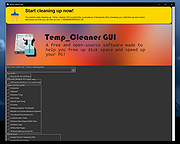 |
| Showing rows 1 to 1 of 1 | Showing Page 1 of 1 | 1 |
OlderGeeks.com Copyright (c) 2026
