|

|
Processed through Paypal No account required. |








Buy our over-priced crap to help pay the bills.



|
|
Processed through Paypal No account required. |
| Files | ||||
| File Name | Rating | Downloads | ||
 |
Arena Chess GUI v3.5.1 Arena Chess GUI v3.5.1 Arena is a free Graphical User Interface (GUI) for chess. Arena helps you in analyzing and playing games as well as in testing chess engines. It runs on Linux or Windows. Arena is compatible to UCI and Winboard protocols. Furthermore, Arena supports Chess960, DGT electronic chess boards & DGT clocks and much more. Features Use Arena for playing games against chess engines, analyzing games or positions, and testing chess engines. Arena has an easy-to-use and configurable interface. Adjust Arena according to your personal preferences. Arena supports the protocols UCI and Winboard for the communication between GUI and Engine. Nearly all Winboard and UCI chess engines run under Arena. Strengths vary from very strong to weak, some have adjustable strength. For an easy start, some engines are bundled with Arena setup or zip file and are installed automatically. Detailed information: The analysis lines tell everything about the thinking process of the chess engines. Unique tournament features: Find out, how the chess engines compete against each other. You can analyse games automatically. Arena supports Gaviota tablebases for endgame analysis. Analyse position databases (EPD). Replay, search and filter game databases (PGN). Support of the DGT Chessboard for the game with real pieces: Connect the electronic DGT Chessboard to your computer and play a real competetive game against an engine. Support of the Novag Citrine Chess computer to play with real pieces (Windows). Arena can display the opening name, can use opening books, Chess960, analysis board, etc. etc... This is mainly a bugfix release. Most important changes compared to last ... |
 |
4,200 | Apr 30, 2021 Martin Blume 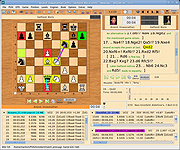 |
|
Demucs GUI v1.2 Demucs GUI v1.2 A GUI and CUDA memory optimizing project based on demucs that allows you to separate music files into separate tracks. The project aims to let users without any coding experience separate tracks without difficulty. System requirements: System version For Windows: At least Windows 8 For Mac: At least macOS 10.15 Hardware Memory: About at least 8GB of total memory (physical and swap) would be required. The longer the track you want to separate, the more memory will be required. GPU: Only NVIDIA GPUs (whose compute capability should be at least 3.5) and Apple MPS are supported. At least 2GB of private memory (not shared memory) is required. Changes: In version 1.2b1, Qt has been upgraded to 6.7.0, which added a new window style windows11 that is not stable enough and has been set to default on Windows by Qt developers. In 1.2b2, the default style on Windows has been set back to windowsvista, but this will only take effect if you are using Demucs-GUI the first on this computer. To reset window style, please click on the menu bar: About -> Reset style About the files: Demucs-GUI_1.2_cpu.7z: For Windows users without accelerators (e.g. GPU). Demucs-GUI_1.2_cuda_mkl.7z: For Windows users with NVIDIA GPU (whose compute capability is greater than 3.5) or Intel GPU (Intel Arc & Intel Xe). Demucs-GUI_1.2_macOS_x86_64_Rosetta2.dmg: For macOS users (Both Intel Mac and Apple Silicon Mac). You may need to install Rosetta 2 on Apple Silicon Mac. MPS acceleration is available on Apple Silicon Mac. Demucs-GUI_1.2_macOS_ARM64.dmg: For macOS users with Apple Silicon CPU. MPS acceleration is available. Fixes Fixed an issue that "copy video stream" can't deal with pure audio files with no video stream Added diffq as a requirement so quantized models can be used ... |
|
2,076 | Aug 28, 2024 Weiqi Gao 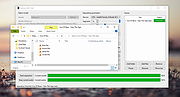 |
|
GUI for DISM v2.0 GUI for DISM v2.0 A portable GUI (graphical user interface) for the command-line DISM from Windows. Features: • Check corresponds to the command CheckHealth - Checks whether there is a component memory corruption. • Scan corresponds to the command ScanHealth - Here errors are searched for, but not corrected yet. • Repair corresponds to the command RestoreHealth - Here errors are search for and automatically repair if possible. (Currently only local check (WinSxS folder) and correction • Analyze - Corresponds to the analyzecomponentstore command. Here the component memory is checked, whether memory space can be released. • Cleanup - Corresponds to the StartComponentCleanup command. The component store is cleaned. • Install Cab - It's possible to install cab files • Repair offline - you need the install.wim from the ISO for your current Windows version (not an older or newer) Use 7-Zip to unzip this file. Click here to visit the author's website. |
|
8,089 | Sep 17, 2025 Dirk Paehl 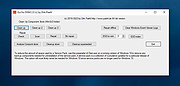 |
|
KillEmAll (last GUI version) v21.2.16 KillEmAll (last GUI version) v21.2.16 KillEmAll is a ‘panic’ button with an ‘ask questions later’ attitude, designed to neutralize, terminate, and later identify all non-essential running programs. Great for quickly closing unwanted apps, system inspection, and even malware removal! KillEmAll is free for both personal and commercial usage. Completely portable. Keep it on your flash drive! The Nutshell: Specifically KillEmAll terminates every (currently running) program on your computer except essential Windows processes. The best usage case for KillEmAll to most users, is to close all open web browser windows if you get a suspected malicious popup while visiting a website. The the reason you don’t simply close or “X out” the popup is because malicious code can be run even if you click the X button — it is after all just another button, you might as well be clicking “OK“ or “Yes, please do what you want with my PC…“ but if you don’t click anything and KillEmAll does the work, forcing the application’s process to close without any additional code execution. Other more mundane tasks include the advantage of quickly closing all applications before performing maintenance on your PC, general troubleshooting, or playing resource intensive games. Obviously, any data used by the applications being closed, if not previously saved, will be lost! Warning: This program does not waste any time. Once you click "Okay" on the first screen, all non-essential programs will be instantly closed. You will lose any unsaved information in those programs. Click here to visit the author's website. |
|
4,818 | Nov 19, 2021 d7xtech.com 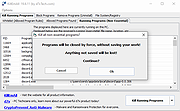 |
 |
Ping GUI v1.1.0.3 Ping GUI v1.1.0.3 PingGUI is a tool to ping one or multiple ip addresses and websites. Multiple destinations can be pinged simultaneously. The ping time will be shown in a graph and as text. Features: - ping ip addresses and websites - ping multiple destinations simulaneously - scan ip address range like 192.168.178.* - destinations can be saved in a list - timeout value can be entered - ping times (roundtrip) are shown in a graph and as text - destination(s) can be pinged continuously (a delay time can be entered) - connections can be kept alive - a trace route (tracert) can be done on multiple hosts by 1 click - an ip configuration (ipconfig) can be done by 1 click - results can be written to text or cvs file - using the settings window the default settings can be changed such as window size Version 1.1.0.3 - changed: new executable compiled to reduce the number of false positives - improved: minor optimization Click here to visit the author's website. |
|
6,090 | Dec 16, 2019 Peter Verbeek 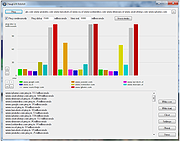 |
|
Podman Desktop v1.28.2 Podman Desktop v1.28.2 👉 Manage containers, Kubernetes, and local development environments with a powerful graphical interface. Podman Desktop is an open-source graphical tool that simplifies working with containers and Kubernetes on your local machine. It provides an intuitive interface for managing container engines such as Podman and Docker, creating and controlling containers and images, and deploying applications to Kubernetes clusters. Designed for developers, it streamlines container-based workflows with built-in extensions, resource monitoring, and seamless integration with local and remote environments. Features: • Manage containers, pods, and images through an easy-to-use GUI • Supports Podman and other container engines • Kubernetes cluster management and deployment tools • Extension system for expanding functionality • Integrated terminal and logs viewer • Resource monitoring and container inspection tools • Local and remote environment support • Open-source and community-driven Supported operating systems: • Windows 10 Build 19043 or later, or Windows 11 • macOS 12 (Monterey) or higher • Linux (various modern distributions) Supported languages: English Changes: v1.28.2 06-15-26 fix: resolve GHSA-39q2-94rc-95cp in dompurify by @benoitf in #17159 fix(troubleshooting): remove malformed leading ellipsis from waiting-for-response strings by @vancura in #17141 chore(deps-dev): bump the typescript-eslint group with 3 updates by @dependabot[bot] in #17162 chore(main): prefer-import-in-mock by @axel7083 in #17133 chore(deps-dev): bump the tailwindcss group across 1 directory with 3 updates by @dependabot[bot] in #17163 chore(deps): bump @fortawesome/react-fontawesome from 3.3.0 to 3.3.1 in the fortawesome group across 1 directory by @dependabot[bot] in #17161 chore(fix): fixing compose e2e tests to handle new flow by @cbr7 in #17165 refactor: extracted duplicated code to function by @gastoner in #17154 chore: 📢 Bump version to 1.28.0 by @podman-desktop-bot in #17160 refactor(network): replace raw Tailwind colors with color-registry tokens in CreateNetwork by @vancura in #17155 fix(ui): increase spinner segment opacity for better contrast by @vancura in #17145 refactor(color-registry): replace hover:text-white with color-registry token in WindowsControlButton by @vancura in #17135 refactor(extensions): replace divide-gray-900 with color-registry token in InstalledExtensionCard by @vancura in #17136 refactor(preferences): add color-registry token to PreferencesKubernetesContextsRendering by @vancura in #17137 refactor(renderer): remove ... |
|
1,438 | Jul 11, 2026 Containers 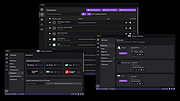 |
|
QuickHash GUI v3.3.1 QuickHash GUI v3.3.1 An open-source graphical interface data hashing tool for Linux, Windows, and Apple macOSX. First created in 2011, QuickHash GUI is a graphical data hashing tool for Linux, Windows, and Apple Mac used across the world by government agencies, private industry, media outlets, academia, hobbyists, programmers, training centres, medical scientists, space scientists, operating system developers and maintainers, web developers and more besides. It enables the rapid selection & hashing of data such as text, a single file, multiple files in folders, comparing files, comparing folders of files, lists of text line-by-line, disks and logical partitions, file copying with hashing, a myriad of right-click menu options and all of this on all three major operating systems. Though it was designed for Linux, is was soon made available for Windows and subsequently Apple Mac OSX (with v2.6.3 in Octo 2015). MD5, SHA1, SHA256, SHA512, xxHash, SHA-3 (256 bit), Blake2B (256 bit), Blake3 and CRC32 algorithms available. CSV\HTML\Clipboard output is available which is useful for logging as well as verifying hashes of downloaded ISOs like Linux Mint, Ubuntu, Fedora etc. A source directory can be hashed, then copied & reconstructed to a destination folder where the content is then hashed again (providing verification). Selected file masks are available (*.doc; *.xls etc) ensuring only certain files are chosen if needed. Since v.2.4.0 Windows users are able to hash physical disks. Features • No installation needed making it portable and easy to run or delete after use. • A simple non-confusing tabbed interface. • Cross platform – works largely the same on Windows, Linux and Apple Mac OSX • 64-bit and 32-bit for Windows, 64-bit for OSX and Linux. • Recursive hashing, or hashing and copying to reconstructed directory directory and re-hashing ... |
|
2,028 | Jun 07, 2023 Ted Smith 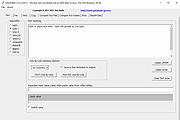 |
|
Temp_Cleaner GUI v8.0 Temp_Cleaner GUI v8.0 A very powerful and easy to use application to free up disk space in Windows. Features and Information Free and Open-Source Being a Free and Open-Source product gives you the freedom to share the program and use it for both personal and commercial purposes. Easy to use As you probably hinted, All you have to do is just checking the areas you want to clean and click the "Start Cleaning" button Supports vast majority of Windows Versions Compatibility is our top priority, That's why Temp_Cleaner GUI supports the vast majority of Windows Desktop Versions Safely cleans up your PC Temp_Cleaner GUI is made in a way that it doesn't negatively affect the performance and stability of your PC or any programs in it. Trusted by many websites and users Temp_Cleaner GUI is trusted by many popular Software Listing Websites such as OlderGeeks.com and thousands of users worldwide Cleans what other cleaners can't Temp_Cleaner GUI has a lot of cleaning options that aren't available in most popular PC cleaners. It respects your privacy Temp_Cleaner GUI doesn't collect anything about you (not even error reports or optional diagnostic data). Provides an Updater Program (Introduced in v5.6-stable) You no longer have to bother going to this website just to check if there is an update available, We will inform you immediately when there is an update, Just be sure to enable Automatic Update Check in Settings. Has an active 24/7 support community Temp_Cleaner GUI has it's own dedicated Support Discord Server (Click here to join) Changes v8.0 This is one of the biggest updates ever released to this program, It added all the major changes to the functionality and usability it needed since a lot of time! Since this release is divided into 3 commits, I will list the changelog based on each commit. First commit: 508101b Add a keybind to the Enter button in WiFi ADB connection instructions window ... |
|
3,767 | Oct 15, 2025 Ziad Ahmed 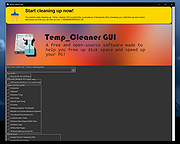 |
|
Xelitan GUI for Potrace v1.0 Xelitan GUI for Potrace v1.0 Free tool to quickly vectorize your PNG, GIF, JPEG and BMP images into SVG or SVGZ format using the power of potrace. Make your bitmaps scalable! List of features: • input formats: PNG, GIF, JPEG, BMP • output formats: SVG, SVGZ • only black & white mode • optionally integrate with Windows Explorer- add option to context menu • no ads • full version • free with source code (GNU GPL) Click here to visit the author's website. |
|
1,542 | Dec 04, 2023 Xelitan.com  |
| Showing rows 1 to 9 of 9 | Showing Page 1 of 1 | 1 |
OlderGeeks.com Copyright (c) 2026
