|

|
Processed through Paypal No account required. |








Buy our over-priced crap to help pay the bills.



|
|
Processed through Paypal No account required. |
| Files | ||||
| File Name | Rating | Downloads | ||
 |
Executor v2.4.0 Executor v2.4.0 👉 Fast and customizable keyboard launcher for Windows. Executor is a highly customizable application launcher and productivity tool designed to help you quickly start programs, open files and folders, perform web searches, execute commands, and automate repetitive tasks using keyboard shortcuts. Inspired by tools like Launchy and the old Microsoft AppLauncher utilities, Executor focuses on speed and flexibility while remaining lightweight and easy to use. Executor supports keyword aliases, command parameters, clipboard handling, history tracking, and advanced search functionality. Users can create custom commands, launch websites, search online services, and manage workflows directly from a compact launcher window. It also includes support for skins and plugins, allowing users to personalize the appearance and expand functionality. Features: • Instant keyboard-based program and file launching • Custom keyword aliases and command execution • Built-in web search and URL launching support • Clipboard and command history integration • Plugin and skin support for customization • Portable and lightweight design • Auto-complete and smart search matching • Hotkey support for rapid access • Launch files, folders, commands, and websites from one interface • Configurable interface and advanced user options Supported operating systems: • Windows XP, Windows Vista, Windows 7, Windows 8, Windows 10, Windows 11 Supported languages: English Changes: v2.4.0 09-26-26 What's new Need to research an embarrassing topic, or have someone looking over your shoulder, or presenting your screen in a meeting? You can now enable Incognito mode, that per default will not add anything to history while enabled. You can further configure the incognito mode to do one or more of the following: Hide history from auto-complete and list (file system, URLs, keywords). Hide all list entries either when input is empty or all the time. Disable file navigation in list. ... |
 |
6,457 | Oct 02, 2026 Martin Bresson 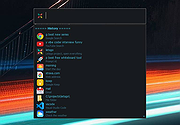 |
|
Super Productivity v18.19.0 Super Productivity v18.19.0 👉 A privacy-focused task manager with time tracking and Pomodoro timer. Super Productivity is an open-source productivity app designed to help users manage tasks, track time, and improve focus using built-in techniques like the Pomodoro timer. It integrates with popular issue tracking platforms such as Jira, GitHub, and GitLab, making it especially useful for developers and teams. The application emphasizes privacy by storing all data locally with no required sign-up or cloud dependency. Features: • Task management with subtasks, attachments, and notes • Built-in Pomodoro timer and break reminders • Time tracking with detailed statistics and reports • Integration with Jira, GitHub, GitLab, and other issue trackers • Offline-first design with local data storage • Distraction blocking and focus mode • Daily schedule planning and timeboxing • Keyboard shortcuts and command palette • Data import/export and backup support • Cross-platform synchronization options (optional) • Customizable themes and dark mode • Open-source with no ads or tracking Supported operating systems: • Windows 10, Windows 11 • macOS 11 or higher • Linux (AppImage, Snap, Flatpak, Debian/Ubuntu) • Android • iOS Supported languages: English, German, Spanish, French, Italian, Portuguese, Russian, Chinese, Japanese, Korean Changes: v18.19.0 08-07-26 Highlights Added search to global settings and a ? keyboard shortcut cheat sheet (#9302, #9318). Added crash-safe local drafts for project notes (#8982). Added interval recurrence phrases such as @every 2 weeks and @every 2 fridays (#9328). Added URL scheme actions for creating and completing tasks (#9121). Completed translations across all locales (#9360). Security and sync Enforced encrypted-only SuperSync uploads when E2EE is required and stopped clients from accepting plaintext downloads when encrypted sync is expected (GHSA-vrc7-775g-ggqc, #8903, #9457). Added diagnostics and recovery guidance for encrypted-operation integrity failures (#9331, #9439, #9444). Prevented stale-key uploads after server state replacements (#8730, #9330). Resolved ... |
|
694 | Aug 12, 2026 Super Productivity Org 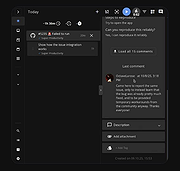 |
 |
ToDoList v9.2.0 ToDoList v9.2.0 👉 Flexible and powerful task management software for organizing projects of any size. ToDoList is a highly configurable task management application that helps you organize everything from simple daily to-do lists to complex, multi-level projects. It lets you create unlimited task hierarchies with subtasks, allowing even the largest projects to remain organized and easy to navigate. ToDoList includes a wide range of customizable task attributes such as priorities, categories, tags, due dates, start dates, dependencies, recurrence, risk levels, percentages complete, file links, comments, and time tracking. Multiple task views, advanced filtering, searching, sorting, and reporting tools make it easy to focus on your work and monitor progress. Support for plugins, numerous import and export formats, and a portable edition make ToDoList suitable for both personal and professional project management. Features: • Unlimited task hierarchy with nested subtasks • Fully customizable task attributes and layouts • Priorities, categories, tags, status, and risk tracking • Start dates, due dates, recurring tasks, and dependencies • Built-in time tracking and time estimates • Powerful filtering, searching, sorting, and reporting • File attachments, links, and rich text comments • Multiple import and export formats • Plugin support for additional functionality • Portable version available Supported operating systems: • Windows 7, Windows 8, Windows 8.1, Windows 10, Windows 11 Supported languages: English Changes: v9.2.0 06-22-26 • Added new task creation options, including creating subtasks within existing tasks. • Added single-click editing to the Attribute Editor. • Added sub-expressions to Find Task rulesets. • Added Persian (Jalali) calendar support. • Added counters for remaining User Defined Tools and Custom Task Attributes. • Added spell checking support for Markdown comments. • Added drag-and-drop reordering of Task View tabs. • Added improved keyboard navigation for Week Planner and Logged Time. • Added drag-and-drop and paste support for files, images, and content in HTML and Markdown comments. • Added Cut, Copy, and Paste icons to the Rich Text Comments toolbar and context menu. • Added a UI Language ... |
|
10,946 | Jun 29, 2026 AbstractSpoon Software 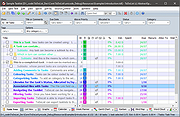 |
| Showing rows 1 to 3 of 3 | Showing Page 1 of 1 | 1 |
OlderGeeks.com Copyright (c) 2026
