|

|
Processed through Paypal No account required. |








Buy our over-priced crap to help pay the bills.



|
|
Processed through Paypal No account required. |
| Files | ||||
| File Name | Rating | Downloads | ||
 |
BleachBit v6.0.6 BleachBit v6.0.6 👉 Free, open-source system cleaner for freeing disk space and protecting privacy. BleachBit is a powerful, open-source cleaning tool that removes junk files, browser traces, caches, logs, cookies, temporary files, and other unwanted data to help free disk space and protect privacy. It lets users preview what will be deleted before cleaning, securely shred files, wipe empty space, and automate cleanup through command-line and scripting support. BleachBit supports Windows and Linux, includes portable use on Windows, and offers advanced CleanerML support for custom cleaning rules. Features: • Frees disk space by removing temporary files, browser caches, logs, and hidden junk • Protects privacy by deleting browsing history, cookies, saved passwords, and application traces • Preview mode shows files before deletion • Securely shreds sensitive files • Wipes empty space to help hide previously deleted files • Cleans many applications including Google Chrome, Edge, Firefox, VLC, system logs, temporary files, and more • Supports thousands of additional Windows cleaners through winapp2.ini • Includes a cookie manager for choosing which cookies to keep • Command-line interface for scripting and automation • CleanerML support for custom cleaners • No adware, spyware, telemetry, malware, bloatware, browser toolbars, or bundled extras • Windows installer and portable mode available • Open source and free of charge Uses • Free disk space • Reduce the size of backups and the time to create them by removing unnecessary files • Maintain privacy • Improve system performance • Prepare system for backups by removing junk data that wastes space and time. • Prepare whole disk images for compression (common for "ghost" backups and virtual machines) by wiping free disk space Supported operating systems: • Windows 10, Windows 11 • Linux .deb and .rpm packages for popular distributions Supported languages: • Arabic, Basque, Bulgarian, Catalan, Chinese (Simplified), Chinese (Traditional), Croatian, Czech, ... |
 |
7,405 | Oct 19, 2026 Andrew Ziem 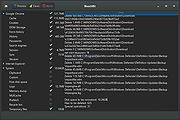 |
|
CleanSweep2 v3.1 CleanSweep2 v3.1 👉 Remove selected Windows junk files and see how much disk space you reclaim. CleanSweep2 lets you select temporary files, caches, logs, and other cleanup targets. It estimates reclaimable space before cleaning and reports the space recovered afterward. A command-line edition supports selective cleaning, logging, silent operation, and scheduled runs through Windows Task Scheduler. Review your selections carefully before removing File History snapshots or the Windows.old folder. Features: • Select cleanup targets individually. • Remove temporary files, temporary setup files, and temporary internet files. • Clear Chrome and Microsoft Edge caches, thumbnail caches, and Microsoft Office cache. • Clean Windows Update logs, error reports, Defender logs, and Delivery Optimization files. • Empty the Recycle Bin or remove Event Viewer logs when selected. • Optionally remove File History snapshots and the Windows.old folder. • See estimated reclaimable space and the amount recovered. • Save logs and remember selections in the graphical edition. • Run selective or scheduled cleaning with the command-line edition. Supported operating systems: • Windows 7, Windows 8, Windows 8.1, Windows 10, Windows 11 Supported languages: English Changes: v3.1 03-12-26 FIX - Multiple file exceptions on load CHANGE - Default to manual check for updates Click here to visit the author's website. |
|
5,051 | Sep 28, 2026 Thomas Loupe 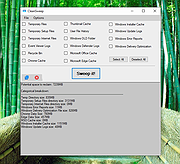 |
|
FluentCleaner Classic v1.18.250 FluentCleaner Classic v1.18.250 👉 A lightweight, portable Windows cleaner for removing temporary files, caches, logs and other unnecessary clutter. FluentCleaner Classic is a lightweight WinForms-based edition of FluentCleaner designed for users who prefer a traditional Windows desktop application with a small footprint. It uses the same FluentCleaner.Core scanning and cleaning engine as the modern edition while relying on .NET Framework 4.8 instead of the Windows App SDK. FluentCleaner Classic can analyze Windows and applications for temporary files, caches, logs, browser data and other unnecessary files, allowing you to review detected items before cleaning them. Its portable design requires no installation, and support for Winapp2 cleaning databases provides extensive coverage of Windows components and third-party applications. Features: • Scans Windows and applications for temporary files, caches, logs and other unnecessary data. • Displays detected files and recoverable disk space before cleaning. • Uses the FluentCleaner.Core scanning and cleaning engine. • Supports Winapp2 cleaning databases for additional applications and cleaning rules. • Includes cookie management with protection for cookies you want to keep. • Detects cookies from Edge, Chrome, Chromium, Brave, Vivaldi, Opera, Opera GX and Firefox profiles. • Supports custom cleaner rules. • Includes a Handoff API for testing cleaner selections from external tools. • Provides command-line options for additional control and automation. • Includes Mini mode for quick access to Analyze, Review and Clean. • Can start directly in Mini mode. • Mini mode supports always-on-top operation and remembers its window position. • Portable and does not require installation. • Uses the familiar traditional Windows WinForms interface. Supported operating systems: • Windows (practically any version capable of running Microsoft .NET Framework 4.8) Supported languages: Bulgarian, Chinese (Simplified), English, French, German, Polish Changes: v1.18.250 09-17-26 [Added] [Classic] Introduced command-line automation for scripts, batch files, PowerShell, and third-party tools. Classic can now analyze or clean the saved selection silently, optionally target a specific cleaner category, and shut down the PC after cleaning #52 [Added] [Classic] Added ... |
|
543 | Sep 30, 2026 Builtbybel 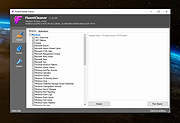 |
 |
Games Cleaner v24.31022 Games Cleaner v24.31022 👉 Advanced gaming cleanup utility that removes leftover files, launcher junk, caches, logs, and temporary game data to free valuable storage space. Games Cleaner is a specialized cleanup utility designed specifically for gamers who want to reclaim wasted disk space and keep their systems organized. Unlike general-purpose cleaning tools, Games Cleaner focuses on the unique folders and temporary files created by modern PC games and digital distribution platforms. The program scans gaming-related directories for leftover uninstall files, launcher caches, outdated logs, crash reports, shader caches, empty folders, screenshots, temporary downloads, and other unnecessary data commonly left behind after gaming sessions or incomplete uninstallations. This helps reduce clutter while freeing storage space that can quickly disappear on systems with large game libraries. Games Cleaner supports many popular gaming ecosystems and launchers, making it useful for players with collections spread across multiple platforms. The utility can detect and clean files created by services such as Steam, Epic Games Launcher, Ubisoft Connect, Bethesda Launcher, EA App, Battle.net, GOG Galaxy, and other common PC gaming environments. The interface is designed to be straightforward and easy to use, allowing users to quickly scan their system, review detected items, and remove unnecessary files without manually browsing through complicated game directories. It can be especially useful for SSD users where storage space is limited and large modern games constantly generate temporary data. Features: • Cleans leftover files from installed and previously uninstalled games • Removes temporary files, caches, logs, shader caches, and crash reports • Supports multiple popular gaming launchers and ecosystems • Detects unnecessary gaming-related junk files automatically • Helps recover valuable disk space on SSDs and HDDs • Scans for empty folders and obsolete directories • Cleans launcher-generated cache and temporary download files • Helps organize cluttered gaming systems • Simple and easy-to-use interface • Lightweight Windows utility focused on gaming cleanup • Designed specifically for PC gaming ... |
|
539 | Jun 04, 2026 Rezar Behzad 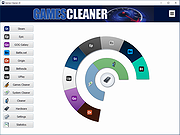 |
| Showing rows 1 to 4 of 4 | Showing Page 1 of 1 | 1 |
OlderGeeks.com Copyright (c) 2026
