|

|
Processed through Paypal No account required. |








Buy our over-priced crap to help pay the bills.



|
|
Processed through Paypal No account required. |
| Files | ||||
| File Name | Rating | Downloads | ||
 |
Balabolka v2.15.0.918 Balabolka v2.15.0.918 👉 Text-to-speech software for reading text aloud using installed system voices. Balabolka is a text-to-speech (TTS) program that allows you to convert written text into spoken audio using voices installed on your system. It supports a wide range of file formats and provides tools for editing text, adjusting speech parameters, and saving audio output to various formats. The program works with Microsoft Speech API (SAPI) voices and gives users control over voice selection, speed, pitch, and volume. Features: • Supports multiple file formats including TXT, DOCX, PDF, EPUB, HTML, and more • Uses Microsoft SAPI 4 and SAPI 5 compatible voices • Adjustable speech parameters such as rate, pitch, and volume • Save text as audio files in formats like WAV, MP3, OGG, and WMA • Built-in text editor with bookmarking and customization options • Can read clipboard content and monitor it for automatic reading • Spell checking and pronunciation correction tools • Batch file conversion and command line support • Customizable interface including font and color settings Supported operating systems: • Windows XP, Windows Vista, Windows 7, Windows 8, Windows 10, Windows 11 Supported languages: English, Russian, German, Spanish, French, Italian, Polish, Czech, and others depending on installed voices Changes: v2.15.0.918 2026-07-18 [-] Fixed the using of LibreTranslate. [*] Resources for Bulgarian and Turkish languages were updated (thanks to Kostadin Kolev and Fettah Pınar). This download is for the Windows portable version (very bottom of page). All other download assets are below: Windows installer: balabolka.zip Windows Command Line Utility: The utility contains no graphical user interface and works only from the command line. The application handles various command line parameters to be able to read text aloud or save as an audio file balcon.zip Text Extract Utility: The program allows to extract text from the various types of files. The extracted text can be combined into one file or/and split into few files. The utility works from the command line, without displaying any user ... |
 |
9,952 | Aug 14, 2026 Ilya Morozov 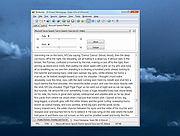 |
 |
Bytescout BarCode Reader v11.0.0.1959 Bytescout BarCode Reader v11.0.0.1959 Bytescout BarCode Reader is able to open and read barcodes from image files (PNG, JPG, TIFF, GIF, PDF) and extract barcode value as text (you can select and copy extracted value). BarCode Reader can be used to read barcode from Web camera. Main program features: read barcode from images, TIFF and PDF with this freeware application; new barcode types supported: GTIN-8, GTIN-12, ITF-14, Code 93, MSI, GTIN-14, including MicroQR Code (2D), HanXinCode (2D) – NEW! improved support for barcode reading from noisy images (lot of images works without the need to enable noise removal); PDF support improved; improved 2D barcodes reading. Requirements for Web-Camera Devices: resolution 640Χ480 or higher; Ability to change the focus (in MANUAL FOCUS mode). Usually such web camera devices have a ring around lenses which can be used to adjust the focus. Web camera devices with ability to change focus: Microsoft LifeCam VX-1000, Logitech QuickCam Pro 9000, Labtec Webcam 2200 and any other with manual focus support. Why it’s important to have Manual Focus in a Web Camera? Manual focus is required to get sharp image of the barcode. With autofocus web camera devices usually are not able to take sharp photo of the barcode. you should put the image with the barcode 2-3 inches before the web-camera; make sure you have a sharp image and the barcode is not cut on the picture. Click here to visit the author's website. |
|
5,449 | Mar 06, 2020 ByteScout 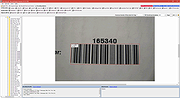 |
|
CodeTwo QR Code Desktop Reader and Generator v1.1.2.4 CodeTwo QR Code Desktop Reader and Generator v1.1.2.4 Scan and generate QR codes on your PC Main features Desktop QR Code reader and generator for Windows Generates QR Codes for your personal or commercial use Decodes QR Codes directly from images on your PC screen Decodes QR Codes from file or clipboard Decodes QR Codes through a webcam Saves QR Code information to a file Free tool What is a QR Code QR Codes (also known as Quick Response Codes) are becoming more and more popular. These two-dimensional codes composed of square dots are now used in various areas of life. You can find them on ads, banners, all kinds of product boxes, websites, business cards and even in email signatures. QR Codes may contain text, links (to websites, videos or files), email addresses, phone numbers, vcards that automatically update your contacts on your PC or a mobile phone, and more. Wondering how to decode a QR Code? You can scan it with your mobile devices like iPhone, iPad, Android or Blackberry equipped with additional software for scanning QR Codes. You might want to check out tools like Barcode Scanner or Red Laser. If you don’t have a mobile device or you need to scan a barcode on your PC, simply use CodeTwo QR Code Desktop Reader & Generator. How this program works QR Code reading CodeTwo QR Code Desktop Reader & Generator is a free tool that will let you quickly scan any QR Code from your screen – be it a part of the website, email, banner or a document. Simply run the program and hit From screen on the top menu. Your standard mouse cursor will change into a cross to help you make ... |
|
2,700 | Sep 14, 2022 CodeTwo 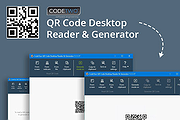 |
|
Exif Reader v3.00 Exif Reader v3.00 Exif Reader is image file analysis software for Windows. It analyzes and displays the shutter speed, flash condition, focal length, and other image information included in the Exif image format which is supported by almost all the latest digital cameras. Exif image files with an extension of JPG can be treated in the same manner as conventional JPEG files. This software analyzes JPEG files created by digital cameras. Exif Reader can analyze some maker-specific formats such as Makernote. This software can display the image information in more details than any other Exif analysis software. For details, refer to the operating environment. In addition to the Exif format, Exif Reader is applicable to the TIFF/EP format supported by CANON EOS D Series and Kodak digital cameras for professionals, the NSK-TIFF format by the Japan Newspaper Publishers and Editors Association, the TIFF-FX format for FAX by Xerox, and many other special image formats. Supported Formats: EXIF(all versions) NSK-TIFF(IPTC/NAA) TIFF/EP TIFF-FX AdobeResource PSD(PhotoshopImage) NEF(Nikon CCDRAW) CRW(Canon CCDRAW) MRW(Minolta CCDRAW) ORF(Olympus CCDRAW) //Makernote// Olympus EPSON SANYO RICOH Nikon COOLPIX Nikon D1 CASIO Canon Toshiba FUJIFILM KODAK KONICA SONY Minolta PENTAX KYOCERA PANASONIC |
|
6,040 | Nov 26, 2019 Ryuuji Yoshimoto 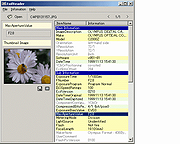 |
|
Foxit Reader Portable v2026.1.1 Foxit Reader Portable v2026.1.1 👉 Lightweight and feature-rich PDF reader you can take anywhere. Foxit Reader Portable is a compact, portable version of the popular Foxit PDF Reader that lets you view, annotate, fill out, and sign PDF documents without installing anything on your system. Designed to run from a USB drive or other portable media, it allows you to carry your PDF viewer and personal settings with you and use it on any compatible Windows computer. Foxit Reader Portable offers fast performance, a clean interface, and strong compatibility with standard PDF documents. It supports advanced features such as commenting, highlighting, form filling, digital signatures, and secure document viewing. Its small footprint and portability make it ideal for users who need a powerful PDF solution on the go. Features: • View, print, and search PDF documents • Add comments, highlights, and annotations • Fill out and save PDF forms • Support for digital signatures and document security • Tabbed interface for working with multiple PDFs • Fast startup and lightweight performance • Portable, no installation required Supported operating systems: • Windows 7, Windows 8, Windows 10, Windows 11 Supported languages: English, Deutsch (German), Espaρol (Spanish), Portuguκs (Portuguese), Franηais (French), Русский (Russian), Italiano (Italian), Nederlands (Dutch), 日本語 (Japanese), العربية (Arabic), 한국어 (Korean), 繁體中文 (Traditional Chinese) Changes: v2026.1.1 04-27-26 New Features and Improvements in Foxit PDF Reader 2026.1.1.36485 Upgrade the real-time PDF collaboration service - now powered by Foxit Document Management System (DMS) in certain regions, delivering a more efficient workflow and a smoother, seamless user experience. Issues Addressed in Foxit PDF Reader 2026.1.1.36485 Fixed some security and stability issues. Click here for details. Click here to visit the author's website. |
|
7,901 | Jun 27, 2026 Foxit Software Incorporated & PortableApps.com (Vic Saville)  |
|
No Bloat PDF v1.5.0 No Bloat PDF v1.5.0 👉 A tiny, fast and private PDF viewer with no ads, accounts or telemetry. No Bloat PDF is a lightweight, open-source PDF viewer designed to do one thing well: open and read PDF files without the advertising, cloud services, accounts, launchers and other extras found in many modern PDF readers. The complete installer is only about 4.6 MB, yet the program provides tabbed viewing, document search, thumbnails, bookmarks, zooming, rotation and printing. It uses Mozilla's pdf.js rendering engine inside a small native application shell and is designed to open documents quickly without a splash screen or sign-in process. Privacy is a major part of the design. No Bloat PDF makes zero network calls, includes no telemetry and requires no account. PDF documents remain entirely on your computer. Multiple documents can be kept open as tabs in a single window, and the program remembers your position in previously viewed files. Dark mode follows the operating system while leaving the actual PDF pages in their original colors. Features: • Small 4.6 MB installer • Fast PDF opening with no launcher or splash screen • Built on Mozilla's pdf.js PDF rendering engine • Multiple PDF documents open as tabs in a single window • Full-text document search • Page thumbnail navigation • Document outline and bookmark navigation • Zoom controls for easier reading • Page rotation • Remembers your position in each PDF • High-resolution PDF printing directly from the viewer • Drag-and-drop support for opening PDF files • Can be configured as the system's default PDF viewer • Dark mode follows the operating system setting • PDF documents remain true-color when dark mode is enabled • Zero telemetry • Zero network calls • No user account or sign-in required • No cloud services • No advertising or upsells • Documents never leave your computer • Free to use • Open-source software released under the MIT license • Combine multiple PDFs and images into a single ... |
|
313 | Sep 09, 2026 Brian Galvan  |
|
NVDA Screen Reader v2019.2.1 NVDA Screen Reader v2019.2.1 We believe that every Blind + Vision Impaired person Deserves the right to freely & easily access a computer! NVDA allows blind and vision impaired people to access and interact with the Windows operating system and many third party applications. Major highlights include: Support for popular applications including web browsers such as Mozilla Firefox and Google Chrome, email clients, internet chat software, music players, and office programs such as Microsoft Word and Excel Built-in speech synthesizer supporting over 50 languages, plus support for many other 3rd party voices Reporting of textual formatting where available such as font name and size, style and spelling errors Automatic announcement of text under the mouse and optional audible indication of the mouse position Support for many refreshable braille displays, including input of Braille via braille displays that have a braille keyboard Ability to run entirely from a USB flash drive or other portable media without the need for installation Easy to use talking installer Translated into more than 50 languages Support for modern Windows Operating Systems including both 32 and 64 bit variants Ability to run on Windows logon and other secure screens Announcing controls and text while interacting with gestures on touch screens Affordable 100% free to use globally, so you never have to worry about how you’re going to afford screen reading software again! Simple Quick, simple, no-fuss installation, so you can start using the screen reader faster! Fast Fast, light-weight and small footprint ensures superior stability, reliability and less crashes, so you’re more productive! Intuitive An easy, intuitive and comfortable experience to use, so you’ll have a stress-free, enjoyable time using your ... |
|
4,572 | Jan 31, 2020 NV Access Limited 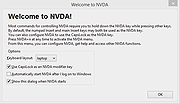 |
|
PDFgear v2.1.19 PDFgear v2.1.19 👉 Free all-in-one PDF editor, reader, converter, OCR tool and AI assistant. PDFgear is a free PDF editor and management suite for viewing, editing, converting, creating, annotating, signing, organizing and protecting PDF documents. It allows existing PDF text and images to be edited directly, includes OCR for scanned documents, supports batch conversions and provides PDFgear Copilot for working with documents using natural-language commands. PDFgear does not require an account, places no watermarks on exported documents and does not impose file-size or file-number limits on its desktop software. Features: • View and read PDF documents with multiple reading and navigation options • Directly edit, replace, add and delete existing PDF text • Change fonts, font sizes, styles and other text formatting • Add, replace, reposition and edit images and other PDF objects • Add text boxes, hyperlinks and customizable shapes • Highlight, underline and strike through text • Add notes, comments, stamps, watermarks and freehand drawings • Fill interactive PDF forms • Add signatures and certificate-based digital signatures • Secure eSign for signing documents with greater security and confidence • Request signatures from multiple parties • OCR scanned PDFs and image-based documents • Extract text from selected areas with OCR • OCR supports more than 30 languages during PDF conversion • Convert PDFs to Word, Excel, PowerPoint, TXT, images and other formats • Create PDF documents from multiple file formats • Batch convert multiple PDF documents • Merge and split PDF files • Rearrange, rotate, crop, extract, duplicate, insert and delete PDF pages • Add customizable page numbers to headers or footers • Compress PDF documents • View and manage PDF attachments • Redact sensitive information • Manage PDF properties • PDFgear Copilot accepts natural-language instructions for PDF tasks • AI tools can summarize, analyze, translate, rewrite and proofread document content • Search and replace text in PDF documents • Dark mode for PDF viewing • Process ordinary PDF editing tasks locally on the computer • No account required • No ... |
|
2,474 | Aug 20, 2026 PDF Gear Tech PTE. LTD.  |
|
RSS Guard v5.2.3 RSS Guard v5.2.3 👉 Cross-platform open-source feed reader for RSS, ATOM, JSON and podcast feeds. RSS Guard is a lightweight yet powerful feed reader designed for reading and managing RSS, ATOM, JSON, and podcast feeds in one place. It provides a clean and organized interface that allows users to subscribe to multiple feeds, categorize them, and read articles efficiently. RSS Guard supports both local feed management and synchronization with several online services, making it suitable for users who want to keep track of news, blogs, podcasts, and other syndicated content across multiple devices. The application includes a built-in feed downloader, powerful filtering options, customizable article views, and a flexible plugin architecture. RSS Guard also features advanced feed management tools such as article labeling, filtering rules, and automatic feed updates. Its modular design and open-source nature allow for extensive customization and long-term flexibility, making it a strong choice for users who prefer a privacy-friendly alternative to cloud-based feed readers. Features: • Supports RSS, ATOM, and JSON feed formats • Built-in podcast support with episode management • Feed synchronization with supported online services • Customizable article viewer and reading layout • Powerful filtering and feed processing rules • Feed categories and organizational tools • Built-in feed downloader with automatic updates • Article labeling and tagging options • Plugin-based architecture for extended functionality • OPML import and export for feed migration • Notification system for new feed items • Open-source and privacy-focused design Supported operating systems: • Windows 10, Windows 11 • macOS • Linux Supported languages: English, Czech, German, French, Spanish, Italian, Dutch, Polish, Russian, Chinese, Japanese, Korean, Portuguese, Turkish Changes: v5.2.3 07-23-26 Added: Highlighting the Windows taskbar after feed-fetching errors can now be disabled in settings. Article and feed list titles now use available horizontal space by default. Feed fetching can now be paused or resumed from the tray icon menu. When paused and there ... |
|
5,977 | Jul 24, 2026 Martin Rotter 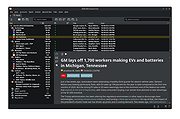 |
|
Speed Reader Enhanced v4.0.4 Speed Reader Enhanced v4.0.4 Use this to read books or to suppress sub-vocalization when reading. A very versatile speed reading tool, that suppresses the use of vocals as you read. This allows you to read much faster. Speed Reader Enhanced has a full screen mode that will block out any distractions. It allows you to set you colors and font. (Requires .NET Framework 4.5 or higher) Features Full-screen Reader Fully Adjustable Appearance Configurable Text Presentation Bookmarking Click here to visit the author's website. |
|
3,443 | Oct 19, 2021 Brian Ferguson 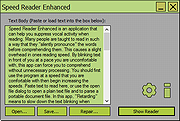 |
|
SumatraPDF v3.6.1 SumatraPDF v3.6.1 👉 A fast, lightweight, and minimalist document viewer for Windows. SumatraPDF is a free and open-source document viewer designed for speed, simplicity, and ease of use. It supports a wide range of formats including PDF, EPUB, MOBI, CHM, XPS, DjVu, and comic book archives (CBZ and CBR). Built with a minimal interface and low resource usage in mind, it launches quickly and provides a distraction-free reading experience. SumatraPDF focuses on doing one thing well, viewing documents, without unnecessary features or bloat. It is fully portable, meaning it can run without installation, making it ideal for USB drives or portable workflows. Despite its small size, it includes useful features like tabbed viewing, keyboard shortcuts, and customizable settings. Features: • Fast startup and lightweight performance • Supports PDF, EPUB, MOBI, CHM, XPS, DjVu, CBZ, and CBR formats • Portable version available with no installation required • Clean and minimal user interface • Tabbed document viewing • Keyboard shortcuts for efficient navigation • Customizable settings via configuration file • No ads, no bloat, and no unnecessary features • Open-source and actively maintained • Suitable for low-resource systems Supported operating systems: • Windows 7, Windows 8, Windows 10, Windows 11 Supported languages: Multiple languages Changes: v3.6.1 04-06-26 bugfixes This download is for the Windows 64bit installer version (very bottom of page). If you need the Windows 32bit installer version, download here. If you need the Windows 64bit portable version, download here. If you need the Windows 32bit portable version, download here. If you need the 64bit ARM installer version, download here. If you need the 64bit ARM portable version, download here. If you need the Windows XP 32bit version, download here. If you need the Windows XP 64bit version, download here. Click here to visit the author's website. |
|
5,387 | Apr 07, 2026 Krzysztof Kowalczyk 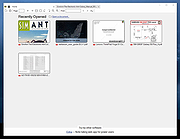 |
|
Xelitan PDF Reader v2.0 Xelitan PDF Reader v2.0 👉 A fast, free PDF viewer with tools for converting, extracting and removing document content. Xelitan PDF Reader is a lightweight PDF viewer that can open documents in tabs, display bookmarks, print files and search document text. It also includes tools for converting PDFs to PNG, JPEG, TXT or HTML, extracting embedded images, exporting selected pages and removing unwanted pages. In addition to PDF files, the program can open comic book archives, JPEG images and text files, then convert supported files into PDF documents. Features: • Opens PDF, CBZ, CBT, CBR, JPEG and TXT files • Converts comic book archives, JPEG images and TXT files to PDF • Converts PDF pages to PNG or JPEG images • Extracts PDF text to TXT or HTML • Extracts selected pages into a new PDF document • Removes unwanted pages from PDF documents • Extracts embedded images • Displays fonts used in a PDF • Supports tabs, document bookmarks and custom bookmarks • Displays PDF annotations • Supports continuous scrolling • Applies grayscale and inverted-color filters • Searches document text • Prints PDF documents • Includes full-screen viewing and keyboard shortcuts • Available as installed and portable editions Supported operating systems: • Windows 7, Windows 8, Windows 8.1, Windows 10, Windows 11 Supported languages: • English Changes: v2.0 07-19-26 • Press Ctrl+Tab to switch between tabs. • Press Ctrl with -, + or 0 to zoom out, zoom in or return to 100%. • Fixed unusual zoom behavior at startup. • Press Ctrl+P to open the Print dialog. • Fixed how a maximized window is saved. • Improved landscape mode handling when printing. • Added support for CBR comic book files. • Added PDF annotation display. • Added continuous scrolling. This download is for the Windows 64bit version (very bottom of page). If you need ... |
|
4,368 | Jul 21, 2026 Xelitan 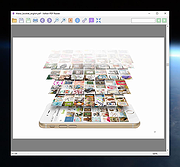 |
| Showing rows 1 to 12 of 12 | Showing Page 1 of 1 | 1 |
OlderGeeks.com Copyright (c) 2026
