|

|
Processed through Paypal No account required. |








Buy our over-priced crap to help pay the bills.



|
|
Processed through Paypal No account required. |
| Files | ||||
| File Name | Rating | Downloads | ||
 |
Exoptable Money Exoptable Money Once, on a quiet Sunday evening, you found a magical box that makes money. You take it home and decide to get richer and richer, with no end in sight. But you are not the only one who enjoys having money... -Money, money, money, money, money -New friends to have fun with -Distinct personalities -NOT cookie clicker and/or little inferno -Beautiful soundtrack -A cute fluffy cat -Money Please vote for a bundle of improved versions of this game and its sequel, Presentable Liberty, on Steam Greenlight and help fund a sequel! >http://steamcommunity.com/sharedfiles/filedetails/?id=386445718 |
 |
7,278 | Aug 02, 2016 Wertpol  |
|
Fungible v1.6.4 Fungible v1.6.4 👉 A personal finance application that helps you track spending, budgets, and net worth with local data storage. Fungible is an open source personal finance manager that provides both a traditional terminal interface and a modern graphical desktop interface for managing your finances. It allows you to import transactions from financial institutions, categorize income and expenses, create budgets, monitor account balances, and visualize your financial health through charts and reports. Whether you prefer working from the command line or using the graphical interface, Fungible stores your financial data locally on your computer, giving you full control over your information while helping you organize day-to-day finances. Features: • Track checking, savings, credit card, investment, and other financial accounts • Import financial transactions from supported bank export formats • Categorize transactions with customizable categories • Create and monitor monthly budgets • View spending trends and financial reports • Track income, expenses, and overall net worth • Powerful transaction filtering and search tools • Local data storage for improved privacy and control • Cross-platform desktop application with Electron-based graphical interface • Open source software Supported operating systems: • Windows 10 or higher • macOS 13 Ventura or higher • Linux (64-bit distributions supported through official releases) Supported languages: • English Changes: v1.6.4 06-13-26 • Added a new Electron-based graphical user interface. • Added cross-platform desktop packaging and development release workflow. • Documented the filter panel and updated filter keys. • Fixed renderer sandbox and Plaid callback host issues. • Fixed stale result handling in GUI pattern matching. This download is for the Windows 64bit version (very bottom of page). All other download assets are below: macOS: fungible-1.6.4-mac-arm64.dmg fungible-1.6.4-mac-arm64.zip fungible-1.6.4-mac-x64.dmg fungible-1.6.4-mac-arm64.zip Linux: fungible-1.6.4-linux-amd64.deb fungible-1.6.4-linux-x86_64.AppImage Click here to visit the author's website. |
 |
473 | Jun 19, 2026 Thomas Funk 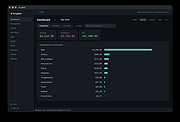 |
|
HomeBank v5.10.2 HomeBank v5.10.2 👉 Personal finance software for managing accounts, budgets, and expenses. HomeBank is a free and open-source personal accounting software designed to help users manage their finances with ease. It allows you to track income and expenses, manage multiple bank accounts, categorize transactions, and analyze your financial habits through detailed reports and charts. With a clean interface and powerful filtering tools, HomeBank makes it simple to stay on top of your budget and financial goals. HomeBank supports importing data from various formats such as CSV, QIF, and OFX, making it easy to migrate from other financial tools. It also offers automatic transaction categorization, scheduled transactions, and advanced reporting features to provide clear insights into your spending patterns. Features: • Manage multiple accounts including bank, cash, and credit cards • Track income and expenses with customizable categories • Import data from CSV, QIF, and OFX formats • Powerful filtering and search tools for transactions • Detailed reports and charts for financial analysis • Budget tracking and spending insights • Scheduled transactions and reminders • Automatic transaction categorization • Clean, user-friendly interface Supported operating systems: • Windows 7, Windows 8, Windows 10, Windows 11 • Linux Supported languages: English, French, German, Spanish, Italian, Dutch, Russian, Chinese, and others Changes: v5.10.2 06-14-26 * bugfix: #2156412 safety approve option mixup * bugfix: #2156372 currency modification date is not persisted due to extra space in code * bugfix: #2155966 main window different colours for 0.00 account balances * bugfix: #2155959 cannot inherit a locked reconciled transaction * bugfix: #2155844 quick search no longer works in account window (ledger) This download is for the Windows version (very bottom of page). Linux Debian/Ubuntu: sudo add-apt-repository ppa:mdoyen/homebank sudo apt-get update sudo apt-get install homebank Other Linux distributions: Debian: apt-get install homebank Fedora: yum install homebank OpenSUSE: yast -i homebank or zypper in homebank Arch Linux: pacman -S homebank Gentoo: emerge homebank Click here to visit the author's website. |
|
11,948 | Jul 28, 2026 Maxime Doyen 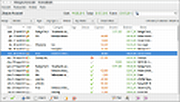 |
|
Microsoft Money Plus Sunset Deluxe v17.0.120.3817 Microsoft Money Plus Sunset Deluxe v17.0.120.3817 👉 Free personal finance management software for tracking accounts, budgets, and investments. Microsoft Money Plus Sunset Deluxe is a discontinued but still widely used personal finance application from Microsoft, released as a free version after the product line was retired. It allows users to manage bank accounts, track spending, create budgets, monitor investments, and generate detailed financial reports—all without requiring online services. This “Sunset” edition removes all online features such as automatic bank downloads and bill pay services, allowing the program to function indefinitely without activation or Microsoft services. It is especially useful for users who prefer a local, offline financial tracking solution or who need continued access to existing Money data files. Microsoft Money Plus Sunset Deluxe supports importing and working with existing Money files, providing a familiar interface for long-time users while maintaining core functionality for managing personal finances. Features: • Manage bank accounts, credit cards, and cash accounts • Track income, expenses, and spending categories • Create and monitor budgets • View financial summaries and reports • Manage investments and track portfolio performance • Import and use existing Microsoft Money data files • Offline functionality with no activation required • Simplified interface based on Microsoft Money Plus More Information: • Microsoft Money Plus Sunset Deluxe is provided as-is with no support or updates from Microsoft • All online services have been permanently removed and are not available • Designed primarily for users of earlier Microsoft Money versions needing continued access • Cannot download transactions, stock quotes, or perform online bill payments • No activation is required, and the software will not expire Supported operating systems: • Windows XP, Windows Vista, Windows 7, Windows 8, Windows 10, Windows 11 Supported languages: English Changes: v17.0.120.3817 Not Provided Click here to visit the author's website. |
|
17,573 | Jul 29, 2026 Microsoft Corp. 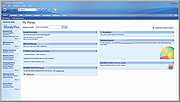 |
 |
Money Manager Ex v1.9.3 Money Manager Ex v1.9.3 👉 Free, open-source personal finance software for tracking accounts, budgets, cash flow, assets and expenses. Money Manager Ex is a free, open-source personal finance application designed to help users organize their finances with a clear and easy-to-use interface. It allows you to monitor bank accounts, credit cards, investments, assets and recurring expenses while keeping all financial information stored locally for improved privacy and control. Money Manager Ex is suitable for both beginners and advanced users who want a lightweight but powerful alternative to online financial services. The software includes budgeting tools, customizable reports, reminders, transaction scheduling and multi-account management to help track spending habits and improve financial planning. The application supports multiple currencies, encrypted databases, portable operation and import/export tools for transferring data between financial applications. Its built-in reporting engine provides charts and summaries that make it easier to analyze income, expenses and long-term financial trends. Advanced users can also create custom reports using SQL, HTML, LUA and JavaScript. Money Manager Ex stores data in an SQLite database and works entirely offline, giving users full control over their financial records without relying on cloud synchronization or subscriptions. The software is actively maintained by an open-source community and is available for Windows, macOS and Linux systems. Features: • Track checking, savings, cash, credit card, stock investment and asset accounts • Organize transactions with unlimited nested categories and tags • Schedule recurring bills, deposits and transfers with reminders • Create detailed budgets and monitor spending habits • Generate financial reports with charts, graphs and summaries • Supports multiple currencies and exchange rates • Import transactions from CSV, QIF and OFX files • Export financial data to CSV, QIF and HTML formats • Portable mode available for Windows systems • SQLite database with AES encryption support • Split transactions across multiple categories • Search and filter transaction history quickly • Reconcile bank statements and account balances • Create ... |
|
11,261 | Aug 11, 2026 Money Manager EX 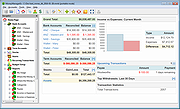 |
| Showing rows 1 to 5 of 5 | Showing Page 1 of 1 | 1 |
OlderGeeks.com Copyright (c) 2026
