|

|
Processed through Paypal No account required. |








Buy our over-priced crap to help pay the bills.



|
|
Processed through Paypal No account required. |
| Files | ||||
| File Name | Rating | Downloads | ||
 |
CleanSweep2 v3.1 CleanSweep2 v3.1 👉 Remove selected Windows junk files and see how much disk space you reclaim. CleanSweep2 lets you select temporary files, caches, logs, and other cleanup targets. It estimates reclaimable space before cleaning and reports the space recovered afterward. A command-line edition supports selective cleaning, logging, silent operation, and scheduled runs through Windows Task Scheduler. Review your selections carefully before removing File History snapshots or the Windows.old folder. Features: • Select cleanup targets individually. • Remove temporary files, temporary setup files, and temporary internet files. • Clear Chrome and Microsoft Edge caches, thumbnail caches, and Microsoft Office cache. • Clean Windows Update logs, error reports, Defender logs, and Delivery Optimization files. • Empty the Recycle Bin or remove Event Viewer logs when selected. • Optionally remove File History snapshots and the Windows.old folder. • See estimated reclaimable space and the amount recovered. • Save logs and remember selections in the graphical edition. • Run selective or scheduled cleaning with the command-line edition. Supported operating systems: • Windows 7, Windows 8, Windows 8.1, Windows 10, Windows 11 Supported languages: English Changes: v3.1 03-12-26 FIX - Multiple file exceptions on load CHANGE - Default to manual check for updates Click here to visit the author's website. |
 |
5,044 | Sep 28, 2026 Thomas Loupe 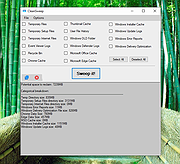 |
 |
DDS v2012-11-20-01 DDS v2012-11-20-01 👉 Generate detailed diagnostic logs for malware troubleshooting and system analysis. DDS is a lightweight diagnostic utility created by sUBs that gathers extensive information about a Windows computer without making permanent changes to the system. It is widely used by malware removal specialists and technical support forums to generate detailed reports containing running processes, startup entries, services, installed software, network settings, browser information, restore points, security software status, and numerous other system details. Rather than attempting to detect or remove malware, DDS focuses on collecting information that allows an experienced analyst to identify suspicious activity, unwanted startup items, rootkit indicators, or other system problems. When the scan is complete, DDS automatically creates two text reports, DDS.txt and Attach.txt, which can be uploaded to security forums or shared with a technician for analysis. The utility is completely portable, requires no installation, and performs no registry modifications or permanent file creation during its operation. Features: • Creates comprehensive DDS.txt and Attach.txt diagnostic reports • Lists active processes, services, drivers, and startup entries • Displays installed applications and Windows configuration details • Reports browser settings and Internet Explorer information • Shows antivirus, firewall, and security software status • Lists System Restore points and disk partition information • Includes optional MBR checking and extended search options • Portable executable requiring no installation • Makes no permanent files or registry changes • Designed for malware investigation and technical support Supported operating systems: • Windows XP, Windows Vista, Windows 7 (32-bit and 64-bit) Supported languages: • English Changes: v2012-11-20-01 • Latest publicly released version. Click here to visit the author's website. |
|
7,179 | Jun 30, 2026 sUBs 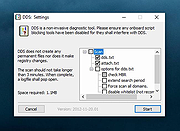 |
|
ESET SysInspector v2.1.5.0 ESET SysInspector v2.1.5.0 👉 Free PC diagnostic tool for inspecting system issues, suspicious files, processes, services, registry entries and network connections. ESET SysInspector is an easy to use diagnostic tool that helps troubleshoot a wide range of system issues. It captures critical and detailed information about your computer and is useful for tracking down malicious code, suspicious unsigned files, software problems, hardware incompatibilities, driver issues, broken registry entries and suspicious network connections. Features: • Captures detailed system information for troubleshooting • Helps inspect running processes and services • Identifies suspicious and unsigned files • Helps diagnose software issues and hardware incompatibility • Checks for outdated or malfunctioning drivers • Helps identify unpatched operating system issues • Reports broken registry entries • Helps detect suspicious network connections • Color-coded risk levels help prioritize severe issues • Processes and network tree view • Regular expression filtering for log results • Light and dark mode support Supported operating systems: • Windows 10, Windows 11, Windows Server 2016, Windows Server 2019, Windows Server 2022 Supported languages: Several languages Changes: v2.1.5.0 Improved: Error codes on app exit Improved: File details for registry subsection Improved: Filtering functionality Added: Option to copy registry path Added: Modal window for viewing registry Added: Selecting lines with typed letter Fixed: Handling Livegrid settings Fixed: Minor UI bugs Updated: Modules with the latest improvements This download is for the Windows 64bit version (very bottom of page). If you need the Windows 32bit version, download here. If you need the Windows ARM64 version, download here. Click here to visit the author's website. |
|
4,965 | May 19, 2026 ESET, spol. s r.o. 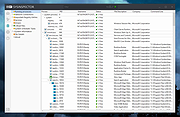 |
|
Flight Logs v0.7.4.1 Flight Logs v0.7.4.1 Maintain logs of model rocket flights and your rocket fleet inventory Flight Logs is more than just a database to log your rocket flights. Flight Logs is an in-depth record of your rocket activities. It records your flights plus collects data on events surrounding your flights, and allows you to track how well the rocket performed. The rocket's very beginning is tracked through an extensive Builder's Log. This not only keeps track of the construction process, but tracks any parts ordered. You can even record your 3D prints through the software. And once the rocket starts flying, any maintenance or repairs can also be tracked. Looking to wear the NARTREK Gold? Flight Logs can create the certification packages for Bronze, Silver and Gold, along with the Cadet Mercury Level. The software also provides you with a number of reports available at the click of a button. If the report you need isn't available, you can utilize our Custom Report Writer tool to try and develop the exact report you need. Features Detail Flight Log for Every Launch Calculates Altitude for Several Different Methods of Ground Based Observation Complete and Submit MESS Reports for Engine CATOs Inventory of Rocketry Fleet Store Attachments in the Database Statistical Reports on Your Fleet and Flights NARTREK Reporting for Bronze, Silver and Gold Levels, Plus Cadet Mercury Level Builder's Log to record the construction of your models Maintenance Record to track the upkeep of the models 3D Printing Log for both Builders and Maintenance Records Custom Report Builder allows you to create and save your own custom reports One-button backups ... |
|
3,112 | Mar 11, 2022 Austin Aerospace Educational Network  |
|
Games Cleaner v24.31022 Games Cleaner v24.31022 👉 Advanced gaming cleanup utility that removes leftover files, launcher junk, caches, logs, and temporary game data to free valuable storage space. Games Cleaner is a specialized cleanup utility designed specifically for gamers who want to reclaim wasted disk space and keep their systems organized. Unlike general-purpose cleaning tools, Games Cleaner focuses on the unique folders and temporary files created by modern PC games and digital distribution platforms. The program scans gaming-related directories for leftover uninstall files, launcher caches, outdated logs, crash reports, shader caches, empty folders, screenshots, temporary downloads, and other unnecessary data commonly left behind after gaming sessions or incomplete uninstallations. This helps reduce clutter while freeing storage space that can quickly disappear on systems with large game libraries. Games Cleaner supports many popular gaming ecosystems and launchers, making it useful for players with collections spread across multiple platforms. The utility can detect and clean files created by services such as Steam, Epic Games Launcher, Ubisoft Connect, Bethesda Launcher, EA App, Battle.net, GOG Galaxy, and other common PC gaming environments. The interface is designed to be straightforward and easy to use, allowing users to quickly scan their system, review detected items, and remove unnecessary files without manually browsing through complicated game directories. It can be especially useful for SSD users where storage space is limited and large modern games constantly generate temporary data. Features: • Cleans leftover files from installed and previously uninstalled games • Removes temporary files, caches, logs, shader caches, and crash reports • Supports multiple popular gaming launchers and ecosystems • Detects unnecessary gaming-related junk files automatically • Helps recover valuable disk space on SSDs and HDDs • Scans for empty folders and obsolete directories • Cleans launcher-generated cache and temporary download files • Helps organize cluttered gaming systems • Simple and easy-to-use interface • Lightweight Windows utility focused on gaming cleanup • Designed specifically for PC gaming ... |
|
531 | Jun 04, 2026 Rezar Behzad 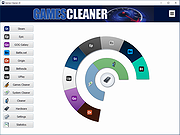 |
|
Notepad3 v7.26.602.1 Notepad3 v7.26.602.1 👉 A fast, lightweight, Scintilla-based text editor for Windows with syntax highlighting. Notepad3 is a free, open-source text editor built as a smarter, more capable replacement for Windows Notepad. It is based on the Scintilla editing component and Lexilla lexer library, giving it powerful syntax highlighting, fast performance, a small memory footprint, and practical tools for everyday text editing, coding, scripting, configuration files, logs, and more. Features: • Fast and lightweight Windows text editor • Syntax highlighting for over 55 programming, scripting, markup, and configuration languages • Code folding with toggle-all support • Bookmarks for quick navigation • Word auto-completion • Find and Replace with PCRE2 regular expression support • grepWin integration for searching across files • Encoding detection and character encoding support • File change monitoring • AES-256 Rijndael encryption and decryption • Dark mode support with customizable colors • High-DPI aware interface with high-definition toolbar icons • Customizable status bar and toolbar labels • Portable edition available • Includes MiniPath file browser plugin Supported operating systems: • Windows 8.1, Windows 10, Windows 11 Supported languages: Afrikaans, Belarusian, Chinese Simplified, Chinese Traditional, Dutch, English US, English UK, Finnish, French, German, Greek, Hindi, Hungarian, Indonesian, Italian, Japanese, Korean, Polish, Portuguese Brazil, Portuguese Portugal, Russian, Slovak, Spanish, Swedish, Turkish, Vietnamese Supported Programming Languages Apache, ASP, Assembly, AutoHotkey, AutoIt3, AviSynth, Awk, Bash, BAT, C, C++, C#, CGI, CMake, CoffeeScript, CSS, CSV, D, Dart, DIFF, Fortran, Go, HTML, INF, INI, Inno Setup, Java, JavaScript, JSON, Julia, KiXtart, Kotlin, LaTeX, Lua, Makefiles, Markdown, MATLAB, Nim, NSIS, Pascal, Perl, PHP, PowerShell, Python, REG, Resource, R-S-SPlus Statistics, Ruby, Rust, Shell, SQL, Tcl, TOML, VB, VBScript, Verilog, VHDL, XHTML, XML, YAML and improved support for NFO ANSI. Changes: v7.26.426.1 04-26-26 • Paste-board minimization (/B /I) escape hatch if Ctrl-key held down. • PasteBoard: defer minimize on /B + /I startup so auto-pasted clipboard is visible briefly. • PasteBoard: opt-out ‘Don’t ask again’ on closing modified untitled documents. • Feat: /B auto-pastes current clipboard ... |
|
5,116 | Jun 10, 2026 Rizonetech Pty Ltd. 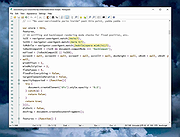 |
| Showing rows 1 to 6 of 6 | Showing Page 1 of 1 | 1 |
OlderGeeks.com Copyright (c) 2026
