|

|
Processed through Paypal No account required. |








Buy our over-priced crap to help pay the bills.



|
|
Processed through Paypal No account required. |
| Files | ||||
| File Name | Rating | Downloads | ||
 |
FreeCellOK v1.06 FreeCellOK v1.06 👉 A lightweight and portable FreeCell solitaire game for Windows. FreeCellOK is a small, easy-to-use FreeCell solitaire game designed for Windows systems. It offers a classic FreeCell experience with a portable option and a multilingual user interface. Features: • Strategic Puzzle Game: All 52 cards are face-up from the beginning – pure strategy gameplay • Smart Gameplay Assists: Automatic hints and warnings for critical moves • Full Control: Every game is winnable through strategic moving of card sequences • Multiple Themes: From the classic green felt table to modern Dark Mode • Automatic Adaptation to high screen resolutions (up to 4K and beyond) • Best Times & Statistics: Track your successes and improvements * Use the AI Player: To recognize strategies and develop into a FreeCell master step by step without frustration. • Play in Easy Mode at the beginning: This allows you to understand the rules and strategies without making many invalid moves. • No Ads – Uninterrupted gaming fun • No Internet Required – Play anytime, anywhere • Full Data Control – All data stays on your PC • Local Storage of all settings and statistics Supported operating systems: • Windows XP, Windows Vista, Windows 7, Windows 8, Windows 10, Windows 11, Windows 12 Supported languages: German, English, French, Bosnian, Croatian, Serbian, Italian, Korean, Spanish, Portuguese Changes: v1.06 05-09-26 • Updating language files in the FreeCell APP • Important tests and adjustments in FreeCellOK-OK for the next Microsoft Windows 11 update/build. Click here to visit the author's website. |
 |
794 | Jul 11, 2026 Nenad Hrg 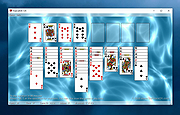 |
|
ImageGlass v10.0.6.906 ImageGlass v10.0.6.906 👉 A lightweight, versatile image viewer for Windows. ImageGlass is a feature-rich, simple-to-use image viewer with a clean, modern interface and support for over 90 image formats, including WEBP, GIF, SVG, PNG, JXL, HEIC, RAW formats and more. Features: • Supports over 90 common image formats • Fast image switching with a clean, minimal interface • Supports animated formats including GIF, WEBP, APNG and SVG • Multi-frame image support with frame navigation tools • Drag-and-drop and clipboard image opening • Six zoom modes including Auto Zoom, Lock Zoom, Scale to Width, Scale to Height, Scale to Fit and Scale to Fill • Full screen, frameless and window-fit viewing modes • Slideshow view with countdown timer • Fast thumbnail previews • Built-in color picker • EXIF metadata viewing with ExifGlass • Basic editing tools including rotate, flip, crop, resize and lossless compression • Custom themes, language packs, icon packs, layout and toolbar options • Keyboard and mouse action customization • External app integration through custom hotkeys • Color management and color channel viewing Supported operating systems: • Windows 10 64-bit version 1809 or later, Windows 11 64-bit Supported languages: Arabic, Armenian, Asturian, Azerbaijani, Belarusian, Bengali, Bulgarian, Catalan, Chinese Simplified, Chinese Traditional, Croatian, Czech, Danish, Dutch, Esperanto, Finnish, French, German, Greek, Hebrew, Hungarian, Icelandic, Indonesian, Irish, Italian, Japanese, Khmer, Korean, Kurmanji Kurdish, Kyrgyz, Lithuanian, Malay, Mongolian, Norwegian Bokmal, Persian, Polish, Portuguese, Brazilian Portuguese, Romanian, Russian, Serbian Cyrillic, Serbian Latin, Sinhala, Slovak, Slovenian, Spanish, Swedish, Tamil, Thai, Turkish, Ukrainian, Vietnamese Changes: v10.0.6.906 09-05-26 New • ImageGlass.SDK updated to 1.2.0 • Bumped plugin ABI version from 1.0.0 to 1.2.0 • Added IGHdrTransferFn.ScRgb photo metadata support for rendering HDR images from codec plugins • Added DecodeStaticRasterScaled API for requesting scaled thumbnail images from codec plugins • Added Linux AppImage package support Improvements • Updated Avalonia to 12.1.2 • Updated Magick.NET to 14.17.1 ... |
|
4,505 | Oct 06, 2026 Duong Dieu Phap 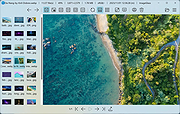 |
 |
Lilidog v26.06.05 Lilidog v26.06.05 👉 Lightweight Debian Trixie-based Linux distro using the Openbox desktop environment. Lilidog is a lightweight, full-featured Linux distribution based on Debian Trixie. It uses the Openbox window manager with tint2, Thunar, xfce4-terminal, custom themes, useful desktop tools, and a ready-to-use selection of applications. Lilidog is designed to stay fast and simple while still offering a polished daily-driver desktop experience. The Lilidog Trixie build includes a polished Openbox desktop, welcome utilities, theme customization tools, application installers, and a carefully selected software package lineup intended to provide a fast yet comfortable Linux experience. Features: • Based on Debian Trixie • Lightweight Openbox desktop environment with tint2 panel integration • Includes Firefox web browser and LibreOffice productivity suite • Ships with Geany text editor and xfce4-terminal • Thunar file manager with custom right-click actions • Jgmenu application launcher with desktop customization support • Fastfetch and inxi system information utilities included • Optional window managers available through built-in installer scripts • Theme switching tools for icons, GTK themes, cursors, and wallpapers • Welcome utility providing quick access to setup and maintenance tools • Optional software installers for Ghostty, VirtualBox, Snap, Google Earth, and more • Picom compositor support with transparency and visual effects • Conky chooser with multiple desktop monitoring layouts • Dunst notification system integration • Audio and multimedia playback support included • Debian package compatibility with apt package management • Lightweight resource usage suitable for older and modern hardware • Custom desktop scripts and utilities for daily system management Supported operating systems: • Linux x86_64 Supported languages: English Changes: v26.06.05 06-05-26 Updated Lilidog Trixie ISO build. README.md updated for this release. Create bootable USB flash drive: Use Rufus or Live-usb-maker to create a bootable flash drive. Click here to visit the author's website. |
|
2,813 | Jun 09, 2026 sleekmason 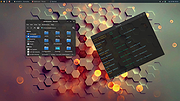 |
 |
No Bloat PDF v1.5.0 No Bloat PDF v1.5.0 👉 A tiny, fast and private PDF viewer with no ads, accounts or telemetry. No Bloat PDF is a lightweight, open-source PDF viewer designed to do one thing well: open and read PDF files without the advertising, cloud services, accounts, launchers and other extras found in many modern PDF readers. The complete installer is only about 4.6 MB, yet the program provides tabbed viewing, document search, thumbnails, bookmarks, zooming, rotation and printing. It uses Mozilla's pdf.js rendering engine inside a small native application shell and is designed to open documents quickly without a splash screen or sign-in process. Privacy is a major part of the design. No Bloat PDF makes zero network calls, includes no telemetry and requires no account. PDF documents remain entirely on your computer. Multiple documents can be kept open as tabs in a single window, and the program remembers your position in previously viewed files. Dark mode follows the operating system while leaving the actual PDF pages in their original colors. Features: • Small 4.6 MB installer • Fast PDF opening with no launcher or splash screen • Built on Mozilla's pdf.js PDF rendering engine • Multiple PDF documents open as tabs in a single window • Full-text document search • Page thumbnail navigation • Document outline and bookmark navigation • Zoom controls for easier reading • Page rotation • Remembers your position in each PDF • High-resolution PDF printing directly from the viewer • Drag-and-drop support for opening PDF files • Can be configured as the system's default PDF viewer • Dark mode follows the operating system setting • PDF documents remain true-color when dark mode is enabled • Zero telemetry • Zero network calls • No user account or sign-in required • No cloud services • No advertising or upsells • Documents never leave your computer • Free to use • Open-source software released under the MIT license • Combine multiple PDFs and images into a single ... |
|
313 | Sep 09, 2026 Brian Galvan 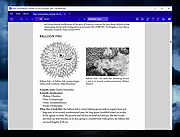 |
|
SumatraPDF v3.6.1 SumatraPDF v3.6.1 👉 A fast, lightweight, and minimalist document viewer for Windows. SumatraPDF is a free and open-source document viewer designed for speed, simplicity, and ease of use. It supports a wide range of formats including PDF, EPUB, MOBI, CHM, XPS, DjVu, and comic book archives (CBZ and CBR). Built with a minimal interface and low resource usage in mind, it launches quickly and provides a distraction-free reading experience. SumatraPDF focuses on doing one thing well, viewing documents, without unnecessary features or bloat. It is fully portable, meaning it can run without installation, making it ideal for USB drives or portable workflows. Despite its small size, it includes useful features like tabbed viewing, keyboard shortcuts, and customizable settings. Features: • Fast startup and lightweight performance • Supports PDF, EPUB, MOBI, CHM, XPS, DjVu, CBZ, and CBR formats • Portable version available with no installation required • Clean and minimal user interface • Tabbed document viewing • Keyboard shortcuts for efficient navigation • Customizable settings via configuration file • No ads, no bloat, and no unnecessary features • Open-source and actively maintained • Suitable for low-resource systems Supported operating systems: • Windows 7, Windows 8, Windows 10, Windows 11 Supported languages: Multiple languages Changes: v3.6.1 04-06-26 bugfixes This download is for the Windows 64bit installer version (very bottom of page). If you need the Windows 32bit installer version, download here. If you need the Windows 64bit portable version, download here. If you need the Windows 32bit portable version, download here. If you need the 64bit ARM installer version, download here. If you need the 64bit ARM portable version, download here. If you need the Windows XP 32bit version, download here. If you need the Windows XP 64bit version, download here. Click here to visit the author's website. |
|
5,387 | Apr 07, 2026 Krzysztof Kowalczyk 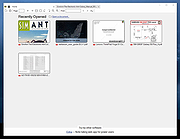 |
|
TabStick-1.2.0-win-x64-portable.zip TabStick v1.2.0 👉 A lightweight note-taking program that attaches colorful index tabs directly to your application windows. TabStick lets you place quick notes on the edge of an application window, keeping reminders and information beside the program where they are needed. Choose a tab from the color palette, attach it to a window and begin typing. Notes can be organized directly inside each tab and customized with different colors, sizes, text settings and display themes. TabStick is available as an installer or a portable download that can be extracted and run without installation. Features: • Attaches index-style notes directly to application windows • Keeps related notes beside the program where they are needed • Creates new notes by selecting a color from the tab palette • Supports quick text entry and organization within each note • Customizable application and tab sizes • Adjustable text size and line spacing • Multiple note colors • Custom note colors • Light and dark display modes • Configurable palette appearance • Changeable interface language • Available as an installer or portable program • Simple interface designed for fast note-taking Supported operating systems: • Windows 10 64-bit, Windows 11 64-bit Supported languages: Not Found Changes: v1.2.0 Not Found Click here to visit the author's website. |
|
238 | Aug 05, 2026 TabStick 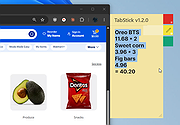 |
|
Transmission v4.1.3 Transmission v4.1.3 👉 Fast, easy and free BitTorrent client with low-resource usage and a clean interface. Transmission is an open-source BitTorrent client designed to be fast, lightweight, and simple to use while still offering powerful torrenting features. It supports downloading and uploading via the BitTorrent protocol with magnet link support, a web interface for remote control, peer exchange, tracker editing, bandwidth limits, encryption, and more — all without bundled ads or tracking. Transmission integrates natively on each supported operating system and is suitable for desktops, laptops, home servers, NAS units, and embedded systems. Features: • Native, lightweight, and resource-efficient BitTorrent client for multiple platforms. • Supports Magnet URI scheme, encrypted connections, peer exchange, DHT, and multiple trackers. • Built-in web interface for remote torrent management. • Speed limits, tracker editing, watch directories, and IP blocklists. • Automatic port forwarding (UPnP/NAT-PMP) and support for webseeds. • Clean, intuitive interface with sensible defaults. • Open source with no ads, no tracking, and no bundled third-party software. Supported operating systems: • Windows 7, Windows 10, Windows 11 • macOS 11.0 or later • Linux & Unix Supported languages: English Changes: v4.1.3 06-29-26 This is Transmission 4.1.3, a bugfix release. It fixes a potential CRSF security issue for users who enable remote access to Transmission. Users are encouraged to upgrade to this version. What's New in 4.1.3 All Platforms Fixed a CORS bug that leaked the anti-CSRF nonce. (#8938) Fixed a use-after-free bug in peer code. (#8921) Fixed build error when compiling with fmt 12.2.0. (#8942) Everything Else Fixed a 4.1.2 build error in tests. (#8881) This download is for the Windows 64bit (Windows 10 or later ) version (very bottom of page). All other download assets are below: Other Windows: transmission-4.1.3-x86.msi Windows 32bit Win10 or later transmission-4.1.3-qt5-x64.msi Windows 64bit Win7 or later transmission-4.1.3-qt5-x86.msi Windows 32bit Win7 or later macOS: Transmission-4.1.3.dmg Linux: transmission-4.1.3.tar.xz Click here to visit the author's website. |
|
5,218 | Jul 28, 2026 Transmission Project 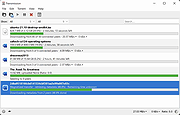 |
|
WinBin2Iso v6.77 WinBin2Iso v6.77 👉 Convert BIN disc image files into ISO format quickly and easily. WinBin2Iso is a lightweight and portable utility that converts BIN CD, DVD, and Blu-ray image files into ISO format. The program is designed to handle large image files over 2GB while remaining extremely small and simple to use. Its straightforward interface allows users to select a BIN file, choose an output location, and create an ISO image in just a few clicks. Because the program is portable, it does not require installation and can be run directly from a USB flash drive or other removable media. Features: • Convert BIN image files to ISO format • Supports CD, DVD, and Blu-ray image conversion • Handles files larger than 2GB • Portable application with no installation required • Extremely small program size • Simple and easy-to-use interface • Low CPU and system resource usage • Drag-and-drop support • Multilingual user interface • Compatible with both 32-bit and 64-bit Windows systems Supported operating systems: • Windows XP, Windows Vista, Windows 7, Windows 8, Windows 8.1, Windows 10, Windows 11 • Windows Server editions • Supports 32-bit and 64-bit systems Supported languages: English, German, Italian, French, Spanish, Traditional Chinese, Danish, Polish, Turkish, Japanese, Korean, Arabic, Portuguese, Dutch, Swedish, Finnish, Icelandic, Irish, Afrikaans, Norwegian, Luxembourgish, Māori Changes: v6.77 06-22-26 • Improvements to the Win-Bin-2-Iso app for all Windows operating systems • Language file update in the Win-Bin-2-Iso application This download is for the Windows 64bit version (very bottom of page). If you need the Windows 32bit version, download here. If you need the Windows Unicode version, download here. Click here to visit the author's website. |
|
6,561 | Jun 23, 2026 Nenad Hrg 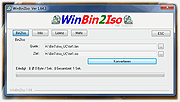 |
| Showing rows 1 to 8 of 8 | Showing Page 1 of 1 | 1 |
OlderGeeks.com Copyright (c) 2026
