|

|
Processed through Paypal No account required. |








Buy our over-priced crap to help pay the bills.



|
|
Processed through Paypal No account required. |
| Files | ||||
| File Name | Rating | Downloads | ||
 |
GIMP Portable v3.2.6 GIMP Portable v3.2.6 👉 Portable image editor for photo retouching, image composition and graphic creation. GIMP Portable is the portable version of the GNU Image Manipulation Program, a free and open source image editor for photo retouching, image composition, image authoring, painting, batch processing, rendering and image format conversion. It runs from a cloud folder, removable drive, local folder or the PortableApps.com Platform without needing a traditional installation. Features: • Portable version of GIMP for Windows • Runs from USB drives, cloud folders or local folders • Photo retouching and image editing • Image composition and authoring • Paint program capabilities • Expert-quality photo manipulation tools • Batch processing support • Image rendering and format conversion • Supports plug-ins and scripts • User plug-ins and scripts can be placed in the portable Data\GimpAppData folder • Optional English-only offline help add-on available • PortableApps.com Platform support for easier installs and automatic updates • Open source software under the GPL Supported operating systems: Windows XP, Vista, 7, 8, 10, 11 Supported languages: Multilingual, GIMP is available in more than 80 languages Changes: v3.2.6 09-10-26 Several months of patches, bug fixes, security updates, and stability improvements. Cut can now be used on rasterized, unlocked layer groups to cut the same area from all layers in the group. Color Picker's Sample Merged option now accounts for filters applied to a single layer. Improved performance when loading large numbers of fonts, including faster startup, text entry, and closing font lists. Fixed text being hidden at the edges when using fixed text layouts. Fixed dark smudges produced by the Heal Tool when working outside the bounds of a layer smaller than the canvas. Fixed a crash that could occur when pressing keys quickly after releasing the spacebar while panning. Text can now be selected for editing even when partially covered by a layer mask. Fixed loading of Licensor image metadata. Added a maximum width for tooltips with long descriptions. Fixed several issues involving rasterized vector layers. Added ... |
 |
6,728 | Sep 11, 2026 GIMP Team & PortableApps.com 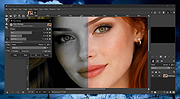 |
|
Gimp v3.2.6 Gimp v3.2.6 👉 Free and open source cross-platform image editor. GIMP is a cross-platform image editor available for GNU/Linux, macOS, Windows and more operating systems. It provides tools for graphic designers, photographers, illustrators, and scientists, with support for image manipulation, original artwork creation, graphic design elements, color management, scripting, customization, and third-party plug-ins. Features: • Advanced photo retouching tools including healing, clone, perspective clone, and content-aware fill workflows • Powerful layer-based editing with layer groups, masks, blend modes, and non-destructive editing techniques • Full support for high bit-depth images (8/16/32-bit per channel) for professional workflows • Extensive selection tools including free select, fuzzy select, foreground select, and intelligent scissors • Transform tools such as scale, rotate, shear, perspective, warp transform, and unified transform • Customizable brushes with dynamics support (pressure, velocity, randomness) for tablets and stylus input • Wide range of painting tools including pencil, paintbrush, airbrush, ink, MyPaint brushes, and gradient tools • Gradient editor and advanced gradient blending capabilities • Paths (vector) tool for precise curves, shapes, and text-on-path creation • Text tool with advanced typography support including kerning, hinting, and outline rendering • GEGL-based processing engine for high-quality image operations and non-destructive workflows • Extensive built-in filters and effects including blur, sharpen, distort, lighting, shadows, noise, and artistic filters • Support for external plug-ins such as G’MIC for hundreds of additional filters and effects • Color management with ICC profile support for accurate color reproduction across devices • Advanced color tools including levels, curves, hue-saturation, color balance, and exposure adjustments • Histogram display and analysis tools for precise tonal correction • Channel manipulation and alpha channel editing • Support for multiple file formats including JPEG, PNG, TIFF, PSD, WebP, HEIF, OpenRaster, and XCF native format • PSD import/export support for compatibility with Adobe Photoshop workflows • Multi-window and single-window interface modes for flexible workspace layouts • Fully customizable interface including dockable dialogs, tool groups, and keyboard shortcuts • Tabbed image ... |
|
9,686 | Sep 11, 2026 The Gimp Team |
|
PhotoSuite v0.9.7 PhotoSuite v0.9.7 👉 A desktop image editor for layered photo editing, digital artwork, and native PSD files. PhotoSuite is a desktop image editor built around a familiar Photoshop-style workspace. It uses PSD as its native document format, preserving layers, masks, blending modes, text, vector paths, and other document data when opening and saving files. It also supports PSB for large documents. The editor brings photo retouching, painting, vector drawing, typography, filters, and document layout into one workspace. You can work with layers and masks, make selections, paint or repair parts of an image, add text and shapes, and revisit earlier work through the History palette. Smart Objects and Smart Filters provide options for editing without permanently changing the original layer. PhotoSuite runs locally as a desktop application. According to the developer, it requires no cloud account and collects no telemetry. Features: • Open, edit, and save layered PSD documents as a native format • Work with PSB files for large documents • Create raster layers, vector layers, layer groups, clipping masks, and layer masks • Use blending modes and layer styles such as Drop Shadow, Inner Shadow, glows, overlays, Bevel & Emboss, and Stroke • Edit with Smart Objects and Smart Filter stacks • Save different document arrangements with layer comps • Make selections with Marquee, Lasso, and Magic Wand tools • Paint and retouch with Brush, Clone Stamp, Healing Brush, Eraser, Blur, Sharpen, Dodge, and Burn tools • Crop images and apply gradients • Draw paths and shapes with the Pen and shape tools • Add text with support for text along a path, text warp, ligatures, and kerning • Pan, zoom, and rotate the canvas; use rulers, guides, and a pixel grid • Revisit edits with the History palette and snapshots • Apply filters, use Liquify, and make lens corrections • Open and export formats including PNG, APNG, JPEG, WebP, AVIF, TIFF, GIF, BMP, TGA, SVG, and ... |
|
110 | Sep 24, 2026 eolix 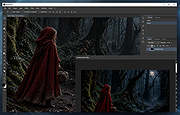 |
|
SketchBook v8.7.1 SketchBook v8.7.1 👉 A free drawing and painting program with customizable brushes, layers, symmetry tools and animation. SketchBook is a digital drawing and painting program from Autodesk for creating sketches, illustrations, concept art and finished artwork. Its desktop tools combine natural drawing brushes with layers, perspective guides and editing controls. The interface lets you hide tools and palettes while drawing, leaving more room for your artwork. Use brushes for sketching, inking, painting and blending, then adjust their properties to suit your drawing style. Work with separate layers to organize your artwork and experiment with colors and effects. Photoshop PSD import and export preserve layers, layer names, groups and blending modes, making it possible to move projects between SketchBook and Photoshop. Important: This download is the discontinued Autodesk freeware edition. It can still be used, but it no longer receives updates or bug fixes. The current Sketchbook Pro for Windows and macOS is a separate paid product. Features: • Customizable brushes for drawing, inking, painting and blending. • Brush controls for flow, opacity, textures, stylus tilt and stamp scaling. • Import and export custom brush sets in SketchBook's .skbrushes format. • Stroke Stabilizer and Predictive Stroke help smooth freehand lines while preserving sharp corners. • Horizontal, vertical and radial symmetry for mirrored artwork and repeating patterns. • Radial symmetry supports up to 16 sectors. • Perspective tools and drawing guides help construct accurate shapes and scenes. • Fill, selection, text, cropping, transform and distortion tools. • Layers, layer groups and blending modes for organizing and combining artwork. • Import and export Photoshop PSD files while preserving layer structure. • FlipBook tools for creating animation from image sequences and exporting individual frames or an entire animation. ... |
|
4,435 | Oct 01, 2026 AutoDesk 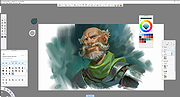 |
|
Wav2Bar v0.3.5 Wav2Bar v0.3.5 👉 Powerful open source software for creating advanced audio visualization videos. Wav2Bar is a free and open source audio visualization creator designed for producing animated music videos and visual effects synchronized to audio tracks. It allows users to combine visualizers, images, text, particle effects, timers, backgrounds, and custom objects into fully customizable projects that can be exported as MP4 videos for sharing online or integrating into larger productions. Built with flexibility in mind, Wav2Bar provides an editor-style workflow where users can design layered scenes and control how elements react to sound in real time. The software supports reusable project files, adjustable rendering quality, customizable frame rates and resolutions, and multiple visualizer styles for creating everything from simple waveform animations to complex motion graphics. Wav2Bar is especially useful for content creators, musicians, streamers, video editors, and anyone looking to generate professional-looking audio reactive visuals without requiring expensive commercial software. Its open source nature also allows developers and advanced users to customize or extend the software for specialized workflows. Features: • Create advanced audio reactive visualizations synchronized to music and sound • Design layered scenes using visualizers, backgrounds, text, and images • Multiple built-in visualizer styles for different animation effects • Export projects as MP4 video files • Save and reload projects for later editing • Reusable project templates for faster workflow creation • Customizable video resolution and frame rate settings • Real-time editor style interface for arranging objects and effects • Add logos, overlays, album artwork, and custom graphics • Built-in particle flow effects • Time indicators and timing-based visual elements • Audio caching system for smoother processing • Adjustable rendering quality for balancing speed and output quality • Open source architecture for customization and community development • Suitable for music videos, streaming overlays, social media clips, and promotional content • Lightweight modern interface focused on creative workflows • Supports complex animated compositions with multiple reactive elements • Free to use ... |
|
603 | Sep 30, 2026 Picorims 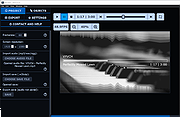 |
| Showing rows 1 to 5 of 5 | Showing Page 1 of 1 | 1 |
OlderGeeks.com Copyright (c) 2026
