|

|
Processed through Paypal No account required. |








Buy our over-priced crap to help pay the bills.



|
|
Processed through Paypal No account required. |
| Files | ||||
| File Name | Rating | Downloads | ||
 |
DiskGenius Free v6.2.0.1829 DiskGenius Free v6.2.0.1829 👉 Free partition management, data recovery, backup, and disk utility software. DiskGenius Free Edition is an all-in-one disk utility designed to help users manage partitions, recover lost files, back up important data, and maintain storage devices. The free version provides a powerful set of tools for partition creation, formatting, resizing, cloning, and file recovery while remaining suitable for home users, technicians, and advanced PC enthusiasts. DiskGenius Free Edition supports hard drives, SSDs, USB flash drives, memory cards, and virtual disks. It can recover deleted files, restore lost partitions, inspect SMART information, clone disks and partitions, securely erase drives, and convert partition tables between MBR and GPT. The free version also includes hexadecimal disk editing tools, bad sector checking, and support for numerous file systems. Features: • Create, delete, format, resize, split, and merge partitions • Recover deleted files from HDDs, SSDs, USB drives, and memory cards • Recover lost or damaged partitions • Clone disks and partitions • Backup and restore partition tables • Convert disks between MBR and GPT formats • Check and repair bad sectors • View and monitor SMART disk information • Securely erase files and partitions • Supports NTFS, FAT32, exFAT, EXT2, EXT3, and EXT4 file systems • Browse and edit files directly from partitions • Includes a hexadecimal disk editor • Supports virtual disk files including VMware, VirtualBox, and Hyper-V formats • Create bootable USB drives for disk recovery tasks • Analyze disk usage and partition structure Supported operating systems: • Windows XP, Windows Vista, Windows 7, Windows 8, Windows 8.1, Windows 10, Windows 11, Windows Server 2003, Windows Server 2008, Windows Server 2012, Windows Server 2016, Windows Server 2019, Windows Server 2022 Supported languages: English, German, French, Spanish, Italian, Portuguese, Russian, Japanese, Korean, Chinese Traditional, Chinese Simplified, Turkish, Czech Changes: v6.2.0.1829 08-04-26 New Add the "Disk Speed Test" feature. Add the "Windows Boot Repair and Conversion" feature. ... |
 |
16,841 | Aug 04, 2026 Eassos Ltd. 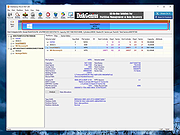 |
 |
EaseUS Partition Master Free v20.2.0 EaseUS Partition Master Free v20.2.0 (This is the full package, not the downloader.) 👉 Free disk partition management and cloning software for Windows. EaseUS Partition Master Free is a user-friendly disk management utility designed to help home users organize, resize, clone, and manage storage devices without data loss. The free edition provides essential partitioning tools for managing HDDs, SSDs, USB drives, and external storage devices through an easy graphical interface suitable for beginners and advanced users alike. The software allows users to create, delete, format, resize, move, merge, and wipe partitions while helping optimize disk space usage and improve drive organization. EaseUS Partition Master Free also includes basic disk cloning capabilities, partition recovery tools, disk surface testing, and bootable media creation features for maintenance and troubleshooting tasks. Features: • Resize, move, merge, split, create, delete, and format partitions • Clone partitions and disks using the free disk clone feature • Convert file systems between FAT32 and NTFS without formatting • Support for HDD, SSD, USB flash drives, memory cards, and external drives • Migrate data between storage devices • Basic partition recovery tools for lost or deleted partitions • Create WinPE bootable media for maintenance and recovery tasks • Disk surface test and bad sector checking utilities • Wipe partitions and securely erase data • GPT and MBR disk support • Simple graphical interface with drag-and-drop partition management • Includes free toolbox utilities for disk and partition maintenance • Supports large-capacity modern storage drives Supported operating systems: • Windows 7, Windows 8, Windows 8.1, Windows 10, Windows 11 Supported languages: • English, Deutsch, Franηais, Espaρol, Italiano, Portuguκs, Nederlands, Polski, Dansk, Malay, العربية, ไทย, 日本語, 繁體中文, Русский, 한국어 Changes: v20.2.0 06-09-26 • Improved partition management stability and performance • Enhanced disk cloning compatibility • Updated interface and usability improvements • Fixed known bugs and minor issues Click here to visit the author's website. |
|
20,916 | Jun 09, 2026 EASEUS 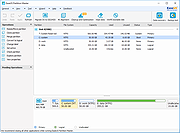 |
 |
Foxclone v55 Foxclone v55 👉 Simple Linux-based backup, restore and drive cloning tool. Foxclone is a Linux based image backup, restore and clone tool using a simple point and click interface. It takes images of partitions on your HDD or SSD and stores them for later restoration, with image files compressed to save space. Features: • Backup and restore Windows and Linux filesystems, such as NTFS and ext4 • Supports GPT and MBR/legacy/MSDOS partition tables • Automatically backs up the partition table and bootloader when a backup is taken • Clone directly from drive to drive • Clone to a drive from a full backup • Simple point and click interface • Compressed image files help save storage space • Bootable ISO designed to run from USB Supported operating systems: • Bootable 64-bit Linux live ISO • Backs up and restores Windows and Linux filesystems Supported languages: English Changes: v55 01-07-26 Fixes a bug specific to the noble version of the ISO where a clone drive-to-drive completes but the finish message shows failed. Burning the ISO to a USB Stick: To use Foxclone, you must first create a bootable USB flash drive from the downloaded ISO image. We recommend the following free utilities: • Rufus (Windows) – A fast and easy-to-use utility for creating bootable USB drives from ISO images. • balenaEtcher (Windows, Linux, macOS) – A simple cross-platform tool that writes ISO images to USB drives with minimal configuration. • Ventoy (Windows, Linux) – Allows multiple ISO files to be stored on a single USB drive. Simply copy the Foxclone ISO to the Ventoy USB drive and boot from it. After creating the USB drive, restart your computer, enter the boot menu or BIOS/UEFI setup, and select the USB device as the boot source. Foxclone will then load into its graphical interface, where you can create backups, restore images, or clone drives. This download is for the Linux-based ISO version (very bottom of page). ... |
|
486 | Jun 15, 2026 Andy Hardwick, Larry Hale  |
|
GPT fdisk v1.0.10 GPT fdisk v1.0.10 GPT fdisk (consisting of the gdisk, cgdisk, sgdisk, and fixparts programs) is a set of text-mode partitioning tools for Linux, FreeBSD, macOS, and Windows. A disk partitioning tool loosely modeled on Linux fdisk, but used for modifying GUID Partition Table (GPT) disks. The related FixParts utility fixes some common problems on Master Boot Record (MBR) disks. Features • Edit GUID partition table (GPT) definitions in Linux, FreeBSD, MacOS X, or Windows • Convert MBR to GPT without data loss • Convert BSD disklabels to GPT without data loss • Create hybrid MBR or convert GPT to MBR without data loss • Repair damaged GPT data structures • Repair damaged MBR data structures (FixParts) Tutorials: HERE. This download is for the Windows GPT fdisk version. All other download assets are below: GPT fdisk macOS: gdisk-1.0.10.pkg Linux: gdisk_1.0.10-1_amd64.deb gdisk_1.0.10-1_i386.deb gdisk-1.0.10-1.x86_64.rpm gdisk-1.0.10-1.i386.rpm Fix Parts Windows: fixparts-windows-1.0.10.zip macOS: fixparts-1.0.10.pkg Linux: fixparts_1.0.10-1_amd64.deb fixparts_1.0.10-1_i386.deb fixparts-1.0.10-1.x86_64.rpm fixparts-1.0.10-1.i386.rpm Click here to visit the author's website. |
|
5,411 | May 17, 2024 Roderick W. Smith 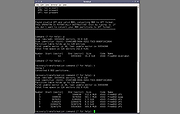 |
|
Hasleo Disk Clone v5.8.2.1 Hasleo Disk Clone v5.8.2.1 👉 Free Windows disk, partition, and system cloning software. Hasleo Disk Clone is a free and all-in-one disk cloning software for Windows that can migrate Windows to another disk, clone an entire disk, or clone a partition to another location quickly and efficiently. Features: • Migrate Windows to another disk without reinstalling Windows, apps, drivers, or user settings • Clone an entire disk to another disk • Clone individual partitions while keeping data intact • Resize and move destination partitions before cloning • Convert MBR to GPT or GPT to MBR during cloning • Sector-by-sector cloning support • Intelligent sector copy technology for faster cloning • Delta Clone support in paid editions • Rapid exFAT and ReFS cloning support • Multiple disk alignment modes • Native support for Windows X86, X64, and ARM64 • Create bootable WinPE media for cloning operations • Supports HDD, SSD, external HDD, Thunderbolt, dynamic disk, and more • Supports FAT12, FAT16, FAT32, NTFS, exFAT, ReFS, and other file systems in sector-by-sector mode Supported operating systems: • Windows Vista, Windows 7, Windows 8, Windows 8.1, Windows 10, Windows 11, Windows Server 2008 or later Supported languages: English, Arabic, Bulgarian, Chinese Traditional, Czech, Dutch, French, German, Hungarian, Italian, Japanese, Korean, Polish, Portuguese Brazilian, Russian, Simplified Chinese, Slovak, Slovenian, Spanish, Swedish, Turkish, Ukrainian Changes: v5.8.2.1 06-17-26 • Fixed an issue that caused disk enumeration to fail • Fixed an issue where WinPE created under Windows ARM64 26H1 did not work properly Click here to visit the author's website. |
|
4,652 | Sep 17, 2026 Hasleo Software 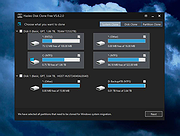 |
|
Rufus v4.15 Rufus v4.15 👉 Create bootable USB drives easily and quickly. Rufus is a small utility that helps format and create bootable USB flash drives, such as USB keys, memory sticks, and other removable media. It is especially useful for cases where you need to create USB installation media from bootable ISOs, including Windows, Linux, and other operating systems, or when working on systems that lack an optical drive. Rufus is known for its speed and reliability, offering advanced options for power users while remaining simple enough for beginners. It supports UEFI and legacy BIOS, allows selection of partition schemes and file systems, and includes options for handling ISO images with custom settings. Features: • Create bootable USB drives from ISO images • Supports UEFI and legacy BIOS • MBR and GPT partition schemes • FAT32, NTFS, exFAT, UDF, and ReFS file systems • Detects USB devices automatically • Advanced formatting and drive options • Portable, no installation required Supported operating systems: • Windows 8, Windows 8.1, Windows 10, Windows 11 Supported languages: English, French, German, Italian, Spanish, Portuguese, Russian, Chinese (Simplified), Chinese (Traditional), Japanese, Korean, Arabic, Polish, Dutch, Greek, Turkish, Czech, Hungarian, Romanian, Vietnamese, Thai, Indonesian, Ukrainian, Bulgarian, Slovak, Slovenian, Danish, Finnish, Norwegian, Swedish, Hebrew, Persian Changes: v4.15 06-30-26 Add RISC-V 64 support to UEFI:NTFS. Improve the guards for using the "silent" Windows installation option. Improve the ability to cancel during write retries. Improve progress reporting for compressed image extraction. Fix unrestricted XML entity expansion and integer overflow in ezxml parser (courtesy of Eric Sadowski). Fix "silent" Windows installation failing at 75% in most cases. Fix a crash during boot when using UEFI:NTFS on Snapdragon X based ARM64 platforms. Fix first WUE option always being checked by default. Fix an infinite loop when using Windows ISOs that contain multiple WIMs. Fix "Enable runtime UEFI media validation" checkbox not always being properly enabled. Other WUE improvements/fixes for OneDrive removal and username validation (with thanks to @christian8641). Non exhaustive ... |
|
14,363 | Jul 02, 2026 Pete Batard/Akeo 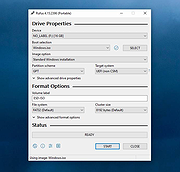 |
| Showing rows 1 to 6 of 6 | Showing Page 1 of 1 | 1 |
OlderGeeks.com Copyright (c) 2026
