|

|
Processed through Paypal No account required. |








Buy our over-priced crap to help pay the bills.



|
|
Processed through Paypal No account required. |
| Files | ||||
| File Name | Rating | Downloads | ||
 |
HandBrake v1.11.2 HandBrake v1.11.2 👉 Open-source video transcoder for converting video files into modern, widely supported formats. HandBrake is a free and open-source video transcoder that allows users to convert video files from nearly any format into modern, widely supported codecs and containers. It is widely used for compressing large video files, preparing videos for mobile devices, and converting DVD or Blu-ray sources into digital files. HandBrake supports a wide range of input sources including common video formats, DVDs, and Blu-ray discs that are not copy-protected. Users can choose from optimized device presets or customize encoding settings such as bitrate, resolution, frame rate, filters, and subtitles to match their specific needs. The application includes advanced features like hardware acceleration, batch processing, subtitle management, chapter markers, and video filters for deinterlacing, denoising, and scaling. HandBrake also provides preview capabilities so users can test encoding settings before processing an entire file. Its clean interface and powerful engine make it useful for beginners and advanced users alike. Features: • Convert video from nearly any format to MP4, MKV, or WebM • Built-in presets for common devices and streaming platforms • Hardware accelerated encoding (Intel Quick Sync, NVIDIA NVENC, AMD VCE/VCN, Apple VideoToolbox) • Video filters including deinterlace, denoise, sharpen, and scaling • Subtitle support including burned-in, soft subtitles, and external subtitle tracks • Chapter markers and audio track selection • Batch encoding and queue management • Live preview to test encoding settings before processing Supported operating systems: • Windows 10, Windows 11 • macOS 13 Ventura or higher • Linux Ubuntu 22.04 or higher Supported languages: English, Catalan, Chinese (Simplified), Chinese (Traditional), Czech, Dutch, French, German, Hungarian, Italian, Japanese, Korean, Polish, Portuguese, Portuguese (Brazil), Russian, Spanish, Swedish, Turkish, Ukrainian Changes: v1.11.2 06-07-26 Fixed a crash when performing a 2-pass lossless x265 encode. Fixed a memory leak during 2-pass MPEG-4, MPEG-2, VP9, and FFV1 encodes. Updated supported dither and encoder combinations. Fixed the Core Audio AAC encoder 7.1 channel ... |
 |
10,849 | Jul 30, 2026 The HandBrake Team 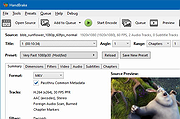 |
|
JSimStudio v1.1.3 JSimStudio v1.1.3 👉 Control and simulation utility for the Jupiter Instruments JI-820 USB incremental encoder emulator. JSimStudio is a portable simulation and control utility designed for the Jupiter Instruments JI-820 USB incremental encoder emulator. It allows engineers and developers to simulate encoder signals in real-world units, configure encoder scaling, and generate quadrature outputs for testing encoder-input hardware, PLCs, motion controllers, and software before connecting physical equipment. A built-in motion profile engine makes it easy to create repeatable test sequences using step, ramp, S-curve, and loop segments. JSimStudio also includes an integrated GPS/NMEA simulator that converts simulated encoder movement into standard NMEA-0183 data streams over serial, TCP, or UDP, making it useful for testing navigation and positioning applications. Version 1.1.1 adds a complete rotational simulation mode with RPM, degrees, and radians support, pulses-per-revolution scaling, independently selectable velocity and acceleration units, and the ability to bind GPS/NMEA network output to a specific network adapter. A built-in mock mode allows the software to run without JI-820 hardware attached for evaluation and development. When using an actual JI-820 device, the standard FTDI USB driver is required. Features: • Controls the Jupiter Instruments JI-820 USB incremental encoder emulator • Simulates quadrature encoder signals using real-world engineering units • Configurable encoder scaling and pulses-per-revolution settings • Motion profile editor with step, ramp, S-curve, and loop segments • Rotational simulation using RPM, degrees, or radians • Independently configurable velocity and acceleration units • Built-in GPS/NMEA-0183 simulator • Outputs NMEA data over serial, TCP, or UDP • Option to bind GPS/NMEA network output to a single network adapter • Mock mode allows operation without connected hardware • Portable application requiring no installation Supported operating systems: • Windows 10 (64-bit), Windows 11 (64-bit) Supported languages: English Changes: v1.1.3 07-20-26 Improved support for smaller displays and resized application windows. Fixed the velocity-profile loop function not working correctly. Note: This file has one hit on VirusTotal. We have confirmed this to be a false positive. ... |
|
332 | Jul 21, 2026 Funciona Systems 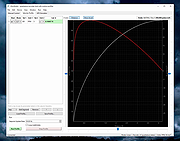 |
 |
Monkey’s Audio v13.26 Monkey’s Audio v13.26 👉 Fast, free lossless audio compression for creating bit-perfect .APE music files. Monkey's Audio is a fast and easy way to compress digital music without losing audio quality. Unlike lossy formats such as MP3, OGG, or WMA, Monkey's Audio creates perfect, bit-for-bit copies of your music while still saving space. Compressed files can be decompressed back to the exact original files, making it useful for archiving music collections without having to recopy CDs later. Features: • Compresses music with no quality loss • Decompresses files back to the exact original audio • Supports .APE lossless audio files • Fast and efficient compression • Windows interface designed to be powerful and easy to use • Compress, decompress, verify, convert, and make APL files • Supports WAV, AIFF/AIF, W64, SND, AU, CAF, and RF64 input formats • Verify mode checks APE files for possible changes or corruption • Supports quick verify and full verify options • Optional auto-check after APE file creation • Supports external encoders such as FLAC, WavPack, and ALAC • Pipe input support through the "-" filename argument • Output options for same-folder output or custom output folders • Can preserve folder levels when processing files • Options for overwrite, rename, or skip when output files already exist • Can leave, delete, or recycle source files after successful processing • Copies file timestamps to new files • Uses flexible APE Tags for managing audio metadata • Includes redundant CRC error detection • SDK available for developers to compress, decompress, verify, convert, analyze APE files, and work with APE tags • Source code for compression, decompression, and tagging is included in the SDK • Free under the Monkey's Audio License Agreement based on the 3-Clause BSD license Supported operating systems: • 64-bit Installer: Windows 8, Windows 10, Windows 11 • 32-bit Installer: Windows XP, Windows 7, Windows 8, Windows 10, Windows 11 • Arm64 Installer: Windows 8, Windows 10, Windows 11 Supported languages: English Changes: v13.26 08-20-26 Changed: ... |
|
1,242 | Sep 18, 2026 Matt Ashland 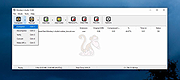 |
|
OBS Studio v32.2.2 OBS Studio v32.2.2 👉 Free and open source live streaming and screen recording software. OBS Studio is software designed for capturing, compositing, encoding, recording, and streaming video content efficiently. It provides a powerful real-time video and audio production environment that allows users to capture gameplay, desktop activity, webcams, and multiple input sources while combining them into professional-looking broadcasts or recordings. OBS Studio uses a scene-based workflow that lets users build complex layouts using sources such as game capture, display capture, window capture, images, text, media files, browsers, webcams, and capture cards. Scenes can be switched instantly or transitioned smoothly during live broadcasts, making it ideal for livestreaming, tutorials, presentations, gaming streams, and video production. The program includes a full audio mixing system with per-source volume controls, filters such as noise suppression and noise gate, and monitoring options for precise audio management. Studio Mode allows creators to preview scene changes before pushing them live, reducing mistakes during broadcasts. OBS Studio also supports hardware-accelerated encoding, customizable streaming and recording settings, hotkeys for fast control, plugin extensions, and integration with major streaming platforms such as Twitch, YouTube, and others. Because it is open source and highly extensible, OBS Studio has become one of the most widely used broadcasting tools for content creators, educators, and professionals. Features: • Free and open source software for live streaming and screen recording • Scene and source based workflow for arranging games, webcams, windows, images, text, and capture devices • Built-in audio and video filters including noise suppression, noise gate, gain, chroma key, crop/pad, color correction, and sharpen • Studio Mode for preparing scene changes before sending them live • Scene transitions such as Fade, Cut, Swipe, Slide, Fade to Color, and Luma Wipe • Hardware encoder support options depending on available system hardware and platform configuration • New Audio Mixer, new Add Source dialog, WebRTC simulcast support, and expanded ... |
|
7,216 | Aug 19, 2026 OBS Project 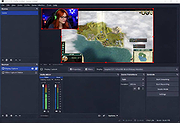 |
| Showing rows 1 to 4 of 4 | Showing Page 1 of 1 | 1 |
OlderGeeks.com Copyright (c) 2026
