|

|
Processed through Paypal No account required. |








Buy our over-priced crap to help pay the bills.



|
|
Processed through Paypal No account required. |
| Files | ||||
| File Name | Rating | Downloads | ||
 |
Dual Monitor Auto Mouse Lock v1.0.0.11 Dual Monitor Auto Mouse Lock v1.0.0.11 A free tool that helps you use dual and multiple monitors. The software automatically locks the mouse cursor to the screen according to your settings. Dual Monitor Auto Mouse Lock (DMAML) avoids certain unintentional operations and helps you use your computer quickly and efficiently. The way the software works is that if the foreground window is on full screen, the mouse cursor will be locked to that screen. The software runs in the background, displaying an icon in the system tray. The icon is used to access the settings, and its colour and appearance let you know about the software status: locked, unlocked, paused or disabled. You can also set sound notifications for status changes. The mouse cursor lock is automatically removed when a non-full-screen window appears in the foreground. It is also possible to exit the locked state by using the configurable hotkey and the system tray icon. It is possible to exclude certain software from automatically operating DMAML. You can make a list of these items and they will never cause a mouse cursor lock. By default, the main screen is the screen defined by Windows. The software monitors changes to the main screen and locks the mouse cursor to the main screen if necessary. DMAML allows you to change the main screen. Supported operating systems: Windows 10/11 Changes: v1.0.0.11 12-18-25 Add: Brazilian Portuguese language Click here to visit the author's website. |
 |
1,915 | Dec 18, 2025 Peter Panisz 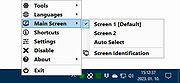 |
 |
Dual Monitor Tools v2.12 Dual Monitor Tools v2.12 A software package for Windows users with dual or multiple monitor setups. Has hotkeys for moving windows around, restrict mouse/cursor movement between screens, application launcher, wallpaper creator and changer and a screen capture tool. Features • Allows you to quickly move windows between monitors. • Launch applications to start on a particular monitor. • Provides some of the new Windows 7 hotkeys to XP and Vista users. • Lock cursor onto a monitor, or provide resistance to moving between monitors. • Create wallpaper with different images on each monitor or spanning multiple monitors. • Change wallpapers periodically. • Capture images from the primary monitor and display them on the secondary monitor. Changes v2.12 DMT:SwapScreen Now ignores windows that are not on the current virtual desktop DMT:SwapScreen Added hotkey to move all windows to a specified screen DMT:SwapScreen 'Move to next screen' logic updated to better handle different display sizes DMT:General Monitor orientation can be changed where supported by monitor DMT: Many of the command line commands that take a display number can now take 'X' for the display that the cursor is on DMT: Monitor name now displayed (if room) on the monitor order and working area screens DMT: Added (optional) desktop context menu for some of the most used commands - option is in DMT->Options->'Dual Monitor Tools'->General Click here to visit the author's website. |
|
10,057 | Sep 05, 2025 Gerald Evans 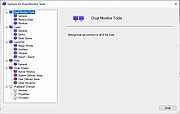 |
|
Flowers (Dual Monitor) Theme v1.0 Flowers (Dual Monitor) Theme v1.0 👉 A dual-monitor Windows theme featuring 21 ultra-wide/HD flower wallpapers. Flowers (Dual Monitor) Theme brings a collection of flower photography to your desktop, including blossoms such as purple bellflowers, yellow tulips, larkspurs, sunflowers, and other colorful flower scenes. It is designed for dual-monitor setups and includes 21 HD wallpapers shown in a 30-minute slideshow. Features: • Includes 21 HD dual-monitor flower wallpapers • Features a variety of floral scenes from around the world • Built for dual-monitor desktop setups • Uses a 30-minute wallpaper slideshow mode Supported operating systems: • Windows 7, Windows 8, Windows 8.1, Windows 10, Windows 11 Supported languages: n/a Changes: v1.0 Not Provided How to span wallpaper across two monitors: • Right-click on the desktop and select Personalize • Click Background • Under “Choose a fit,” select Span • Ensure both monitors use similar resolutions for best results This download is for the Windows 11/10/8/8.1 version (very bottom of page). If you need the Windows 7 version, download here. Click here to visit the author's website. |
|
928 | Apr 02, 2026 themepack.me  |
|
Grub2Win v3.0.5.2 Grub2Win v3.0.5.2 👉 Safely multiboot Windows and Linux from a Windows-based GRUB setup. Grub2Win is a free and open source Windows application that lets you configure GRUB boot screens and boot options directly from Windows. It includes GNU GRUB 2.12, supports Windows and Linux multiboot setups, and can automatically generate boot configuration files for many popular systems including Windows, Ubuntu, Debian, Fedora, Kali, Manjaro, Mint, PhoenixOS, Android, OpenCore and more. Features: • Includes GNU GRUB 2.12 boot modules and libraries • Configure GRUB boot screens and options directly from Windows • Simple Windows GUI for setting up boot entries • Lets you set EFI firmware boot order from within Windows • Automatically generates config files for Windows and many Linux distributions • Import Linux config files for most other distributions • Supports GPT and MBR disks • Supports extremely large disks and partitions over 40 TB • Works with many filesystems including NTFS, FAT, ext, Btrfs and Mac HFS • Search for and boot partitions by UUID or label • Supports advanced scripting • Customize boot menu wallpaper with included images or your own JPG files • Installs to a small directory on the Windows C: drive • Free and open source with no adware or spyware Supported operating systems: • Windows 11, Windows 10 64-bit EFI • Older Windows versions and BIOS firmware through Grub2Win Legacy Supported languages: • Arabic, Chinese, Croatian, Czech, Danish, Dutch, English, Finnish, French, German, Greek, Hebrew, Hindi, Hungarian, Indonesian, Italian, Japanese, Korean, Norwegian, Polish, Portuguese, Romanian, Russian, Serbian, Slovak, Slovenian, Spanish, Swedish, Thai, Turkish, Ukrainian, Vietnamese and more Changes: v3.0.5.2 10-05-26 Minor updates to the GUI and help files. More Info: Grub2Win is a tool that lets you boot grub2 from your PC's EFI firmware or MBR. It supports Windows 11, Windows 10. Download this simple Windows program and instructions that help you get grub2 booting quickly. All the files for Grub2Win reside on the Windows C: ... |
|
5,958 | Oct 06, 2026 Drummer  |
|
muCommander v1.6.2 muCommander v1.6.2 👉 Cross-platform dual-pane file manager designed for fast and efficient file management. muCommander is a lightweight, open-source file manager that provides a classic dual-pane interface similar to popular orthodox file managers. It is designed to make managing files and folders faster and more efficient by allowing users to easily copy, move, rename, and organize files between two panels. muCommander supports a wide range of archive formats and network protocols, enabling users to browse compressed files as if they were normal folders and access remote filesystems such as FTP, SFTP, SMB, NFS, and HTTP. The program also includes a powerful set of keyboard shortcuts, bookmarking capabilities, file search tools, and customizable interface options. Because muCommander is written in Java, it runs on multiple operating systems including Windows, macOS, Linux, and other platforms that support Java. This makes it a flexible file management solution for users who work across different environments. Supported operating systems: • Windows 7, Windows 8, Windows 10, Windows 11 • macOS • Linux Supported languages: English, French, German, Spanish, Italian, Portuguese, Dutch, Russian, Chinese, Japanese, Korean Changes: v1.6.2 05-14-26 Update previous release to 1.6.1 in the readme.txt file by @ahadas in #1469 Granting the application permission to access the module 'sun.awt.X11' by @douglasimcabral in #1471 Document #1471 by @ahadas in #1472 Fix possible NPE during startup by @ahadas in #1474 This download is for the Windows installer version. All other download assets are below: Other Windows: mucommander-1.6.2-1-portable-x86_64.zip mucommander-1.6.2-aarch64.msi macOS: mucommander-1.6.2-1-x86_64.dmg (Intel) mucommander-1.6.2-1-aarch64.dmg (Apple Silicone) mucommander-1.6.2-1-noarch.dmg (macOS 10.15 Catalina and below) Linux: mucommander_1.6.2_x86_64.deb mucommander-1.6.2-1.x86_64.rpm mucommander-1.6.2-1.aarch64.rpm Linux, Solaris, BSD, AIX, OS/2 and other OS with Java support mucommander-1.6.2-1-x86_64.tgz mucommander-1.6.2-1-aarch64.tgz Click here to visit the author's website. |
|
1,606 | Jul 22, 2026 muCommander 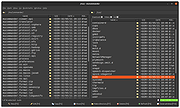 |
|
Space (Dual Monitor/Ultra-Wide) Theme v1.0 Space (Dual Monitor/Ultra-Wide) Theme v1.0 👉 A dual-monitor Windows theme featuring 18 ultra-wide/HD space wallpapers with slideshow support. Space (Dual Monitor) Theme is a desktop theme package for Windows that brings outer space imagery to dual-monitor setups. It includes 18 ultra-wide/HD wallpapers and uses a dramatic slideshow effect that changes in harmony with the Windows color theme. The theme focuses on space-themed imagery such as galaxies, the Milky Way, and other celestial bodies. Features: • Includes 18 ultra-wide/HD dual-monitor wallpapers • Space-themed imagery featuring galaxies and celestial bodies • Dramatic slideshow effect • Changes in harmony with the Windows color theme • Designed for dual-monitor desktop setups Supported operating systems: • Windows 7, Windows 8, Windows 8.1, Windows 10, Windows 11 Supported languages: n/a Changes: v1.0 Not Provided How to span wallpaper across two monitors: • Right-click on the desktop and select Personalize • Click Background • Under “Choose a fit,” select Span • Ensure both monitors use similar resolutions for best results This download is for the Windows 11/10/8/8.1 version (very bottom of page). If you need the Windows 7 version, download here. Click here to visit the author's website. |
|
778 | Apr 02, 2026 themepack.me  |
| Showing rows 1 to 6 of 6 | Showing Page 1 of 1 | 1 |
OlderGeeks.com Copyright (c) 2026
