|

|
Processed through Paypal No account required. |








Buy our over-priced crap to help pay the bills.



|
|
Processed through Paypal No account required. |
| Files | ||||
| File Name | Rating | Downloads | ||
 |
Foxit Reader Portable v2026.1.1 Foxit Reader Portable v2026.1.1 👉 Lightweight and feature-rich PDF reader you can take anywhere. Foxit Reader Portable is a compact, portable version of the popular Foxit PDF Reader that lets you view, annotate, fill out, and sign PDF documents without installing anything on your system. Designed to run from a USB drive or other portable media, it allows you to carry your PDF viewer and personal settings with you and use it on any compatible Windows computer. Foxit Reader Portable offers fast performance, a clean interface, and strong compatibility with standard PDF documents. It supports advanced features such as commenting, highlighting, form filling, digital signatures, and secure document viewing. Its small footprint and portability make it ideal for users who need a powerful PDF solution on the go. Features: • View, print, and search PDF documents • Add comments, highlights, and annotations • Fill out and save PDF forms • Support for digital signatures and document security • Tabbed interface for working with multiple PDFs • Fast startup and lightweight performance • Portable, no installation required Supported operating systems: • Windows 7, Windows 8, Windows 10, Windows 11 Supported languages: English, Deutsch (German), Espaρol (Spanish), Portuguκs (Portuguese), Franηais (French), Русский (Russian), Italiano (Italian), Nederlands (Dutch), 日本語 (Japanese), العربية (Arabic), 한국어 (Korean), 繁體中文 (Traditional Chinese) Changes: v2026.1.1 04-27-26 New Features and Improvements in Foxit PDF Reader 2026.1.1.36485 Upgrade the real-time PDF collaboration service - now powered by Foxit Document Management System (DMS) in certain regions, delivering a more efficient workflow and a smoother, seamless user experience. Issues Addressed in Foxit PDF Reader 2026.1.1.36485 Fixed some security and stability issues. Click here for details. Click here to visit the author's website. |
 |
7,901 | Jun 27, 2026 Foxit Software Incorporated & PortableApps.com (Vic Saville)  |
|
HFS (HTTP File Server) v3.2.2 HFS (HTTP File Server) v3.2.2 👉 Lightweight and easy-to-use HTTP file sharing server. HFS (HTTP File Server) is a fast and user-friendly file sharing application that allows you to share files over the web with just a few clicks. It transforms your computer into a web server, enabling others to download files using a browser without requiring complex setup or additional software. HFS is designed for simplicity and portability, making it ideal for quick file sharing, temporary hosting, or lightweight server needs. It supports drag-and-drop file management, customizable access permissions, and real-time monitoring of connections. The interface is clean and intuitive, allowing users to easily control uploads, downloads, and bandwidth limits. Advanced users can take advantage of scripting capabilities, customizable templates, and event handling to extend functionality. HFS also includes support for HTTPS, user accounts, and dynamic DNS integration for remote access over the internet. For full documentation and usage details, visit: https://rejetto.com/wiki/index.php%3Ftitle=HFS_Documentation_(English).html Features: • Easy file sharing over HTTP/HTTPS • Drag-and-drop file management • Portable and lightweight (no installation required) • User account and permission control • Real-time connection and transfer monitoring • Upload and download support via browser • Bandwidth limiting and speed control • Customizable web templates and interface • Event scripting and automation support • Dynamic DNS support for remote access Supported operating systems: • Windows 10, Windows 11 Supported languages: English, Italian, Spanish, French, German, Portuguese, Russian, Chinese Changes: v3.2.2 08-01-26 Improved plugin handling and compatibility. Updated project dependencies. Minor fixes and internal improvements. This download is for the Windows 64bit version (very bottom of page). All other download assets are below: macOS: hfs-mac-x64-3.2.2.zip hfs-mac-arm64-3.2.2.zip Linux: hfs-linux-x64-3.2.2.zip hfs-linux-arm64-3.2.2.zip Click here to visit the author's website. |
|
6,166 | Aug 06, 2026 rejetto.com 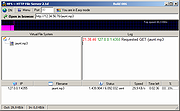 |
 |
KeenWrite v3.6.5 KeenWrite v3.6.5 👉 A free, open-source Markdown text editor for creating beautifully typeset documents and PDFs. KeenWrite is a cross-platform desktop Markdown editor designed for producing professional-quality documents with advanced typesetting capabilities. It combines a distraction-free writing environment with powerful features such as real-time preview, variable interpolation, mathematical notation using TeX syntax, and support for diagrams and structured content. KeenWrite focuses on technical writing, academic work, and long-form documents by enabling structured content and high-quality exports. Markdown documents can be converted into XHTML and then rendered into beautifully formatted PDFs using the ConTeXt typesetting engine and optional theme packs. The editor supports advanced syntax extensions, allowing writers to integrate variables, data, charts, and equations directly into their documents. The application includes a customizable interface with detachable panels, document outline navigation, integrated file management, and themeable skins for light or dark environments. KeenWrite also supports diagram creation (such as Mermaid and GraphViz), interactive statistics, and real-time math rendering, making it particularly useful for researchers, technical authors, and documentation writers. Interpolated variable replacement Features: • Cross-platform Markdown editor with live preview • Export Markdown documents to XHTML and high-quality PDF • Variable interpolation system for reusable content • Real-time math rendering using TeX notation • Diagram support including Mermaid, GraphViz, UML, and sequence diagrams • Built-in document statistics and word frequency analysis • Interactive document outline and integrated file manager • Customizable interface with detachable tabs and UI skins • Support for advanced Markdown extensions and Pandoc attributes • Dark mode and customizable visual themes Supported operating systems: • Windows 7, Windows 8, Windows 10, Windows 11 • macOS, • Linux, FreeBSD, Unix-like systems Supported languages: English, Korean, Japanese, Chinese, Simplified Chinese KeenWrite requires Java 17 or newer to run. If Java is not installed on your system, download and install the Java Runtime Environment before launching the program. Download Java Runtime Environment (JRE) See user manual for installation instructions: keenwrite-manual.pdf This download is ... |
|
878 | Mar 10, 2026 White Magic Software, Ltd. 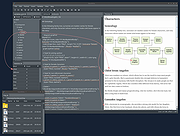 |
|
LibreOffice Portable v26.2.4 LibreOffice Portable v26.2.4 👉 LibreOffice Portable can run from a cloud folder, external drive, or local folder without installing into Windows. LibreOffice Portable is a full-featured office suite -- including a word processor, spreadsheet, presentation tool, drawing package and database -- that's compatible with Microsoft Office, Word Perfect, Lotus and other office applications. It's easy-to-use and feature-rich, performing nearly all of the functions you'd expect in an office suite, but at no cost. Additional functionality including the Base database and document creation wizards is enabled by installing the jPortable portable Java runtime environment. Features: • Portable version runs without installation from USB or external drive • Includes Writer (word processor), Calc (spreadsheet), Impress (presentations), Draw (vector graphics), Base (database), and Math (formula editor) • Compatible with Microsoft Office file formats (DOCX, XLSX, PPTX) • Supports OpenDocument Format (ODF) as its native standard • Built-in PDF export and document signing • Extensive formatting, styles, and templates for professional documents • Macro support and scripting for automation • Extensions and add-ons available to expand functionality • Multi-language interface and spellchecking support • Cross-platform compatibility with consistent interface • Offline use with no cloud dependency • Regular updates from The Document Foundation Supported operating systems: Windows 7, 8, 10, 11 and WINE Supported languages: English, Afrikaans, Albanian, Amharic, Arabic, Armenian, Assamese, Asturian, Azerbaijani, Basque, Belarusian, Bengali, Bosnian, Breton, Bulgarian, Burmese, Catalan, Chinese (Simplified), Chinese (Traditional), Croatian, Czech, Danish, Dutch, Dzongkha, English (UK), Esperanto, Estonian, Finnish, French, Galician, Georgian, German, Greek, Gujarati, Hebrew, Hindi, Hungarian, Icelandic, Indonesian, Irish, Italian, Japanese, Kannada, Kazakh, Khmer, Korean, Kurdish, Lao, Latvian, Lithuanian, Macedonian, Maithili, Malayalam, Marathi, Mongolian, Nepali, Norwegian (Bokmεl), Norwegian (Nynorsk), Occitan, Odia, Persian, Polish, Portuguese, Portuguese (Brazil), Punjabi, Romanian, Russian, Sanskrit, Scottish Gaelic, Serbian (Cyrillic), Serbian (Latin), Sinhala, Slovak, Slovenian, Spanish, Swedish, Tamil, Telugu, Thai, Tibetan, Turkish, Ukrainian, Urdu, Uyghur, Uzbek, Vietnamese, Welsh Writer Edit all kinds of documents Writer has all the features you need ... |
|
9,500 | Jul 26, 2026 The Document Foundation & PortableApps.com 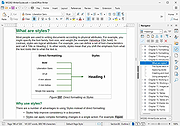 |
 |
PDF Arranger v1.14.0 PDF Arranger v1.14.0 👉 Merge, split, rotate, crop and rearrange PDF pages with an easy graphical interface. PDF Arranger is a lightweight open-source application for merging, splitting, rotating, cropping, and rearranging PDF documents through a simple drag-and-drop graphical interface. Built with Python and GTK, it allows users to visually organize pages and create new PDF layouts without needing complex editing software. PDF Arranger is based on the functionality of PDF-Shuffler and uses pikepdf for PDF manipulation. It is designed to be fast, efficient, and easy to use for both casual and advanced users needing quick PDF document management. Features: • Merge multiple PDF documents into a single file • Split PDF documents into separate pages or ranges • Rotate pages individually or in groups • Crop pages visually • Rearrange pages using drag-and-drop • Duplicate pages quickly • Zoom and preview PDF pages • Supports password-protected PDFs • Import image files and convert them into PDF pages • Undo and redo editing actions • Customizable keyboard shortcuts • Open-source and cross-platform Supported operating systems: • Windows 10, Windows 11 • macOS • Linux • FreeBSD Supported languages: Arabic, Catalan, Catalan (Valencian), Czech, Danish, German, Greek, English, Spanish, Basque, Finnish, French, Hebrew, Croatian, Hungarian, Indonesian, Icelandic, Italian, Japanese, Georgian, Korean, Dutch, Occitan, Polish, Portuguese (Brazil), Portuguese (Portugal), Russian, Slovenian, Swedish, Turkish, Ukrainian, Vietnamese, Simplified Chinese, Traditional Chinese Changes: v1.14.0 04-13-26 • Added support for importing JBIG2 image files • Improved crop dialog behavior • Added new keyboard shortcuts • Improved handling of password-protected PDFs • Updated translations • Fixed several bugs and stability issues This download is for the Windows version (very bottom of page). Linux install instructions below: For Linux: pdfarranger requires pikepdf >= 6. pip will automatically install the latest pikepdf if there is no pikepdf installed on the system. On Debian based distributions sudo apt-get install python3-pip python3-wheel python3-gi python3-gi-cairo \ gir1.2-gtk-3.0 gir1.2-poppler-0.18 gir1.2-handy-1 python3-setuptools \ gettext python3-dateutil python3-venv On Arch Linux sudo pacman -S poppler-glib python-pip python-gobject ... |
|
5,119 | May 28, 2026 Jerome Robert 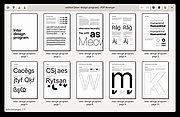 |
|
PDF24 Creator v11.30.1 PDF24 Creator v11.30.1 👉 Free and powerful PDF creation and management tool for Windows. PDF24 Creator is a full-featured PDF creation and management suite that lets you generate, edit, merge, split, compress, secure, and otherwise work with PDF documents directly on your Windows PC. It installs as a virtual PDF printer so you can create PDFs from almost any Windows application, and includes a toolbox of useful PDF utilities — all completely free of charge and without limits. Features: • Create PDF files from virtually any Windows application via virtual printer • Merge multiple documents into a single PDF • Split, delete, rotate, extract, and insert pages • Compress and shrink PDF files • Add digital signatures, encryption, watermarks, and metadata • Integrated PDF viewer and editor tools • Support for PDF/A, PDF/X and other PDF standards • Multiple PDF printer profiles for varied tasks • Works offline with all files staying local on your PC • Multilingual interface with wide language support The Tools: PDF Creator Easily assemble, create and modify PDF files with the Drag and Drop enabled user interface. • Merge or split PDF files • Add, remove, extract, rotate, sort and move PDF pages • Import and automatic conversion of documents (Word, Excel, images, etc. to PDF • Various preview modes for easy editing of PDF documents • Integrated viewer • Drag and Drop wherever possible • Follow up tools: Save, Print, Email, Fax, ... PDF Printer Print on this printer in order to create a PDF or use it as a universal PDF converter that converts any printable file to PDF. • Virtual printer for PDF creation • Multiple PDF printers for different tasks • Automatic saving ... |
|
9,200 | Jul 11, 2026 Geek Software GmbH 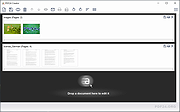 |
|
Quarkdown v2.4.0 Quarkdown v2.4.0 👉 Markdown-based typesetting system for creating books, documents, and PDFs with advanced layout features. Quarkdown is a modern, Markdown-based typesetting system designed for writing books, technical documents, reports, and PDFs with professional-quality layout and styling. It extends standard Markdown with powerful features such as variables, templates, components, conditionals, and advanced formatting controls, allowing you to structure complex documents while keeping your source files clean and readable. Quarkdown focuses on simplicity for authors while providing the flexibility of a programmable document engine. It can generate beautifully formatted PDFs and other output formats, making it suitable for documentation, publishing workflows, academic writing, and long-form content creation. Features: • Markdown-based document authoring • Advanced typesetting and layout control • Variables and reusable components • Templates for consistent document styling • Conditional content support • Book and multi-file project support • PDF generation • Cross-platform command-line interface • Open-source project Supported operating systems: • Windows 10, Windows 11 • macOS • Linux Supported languages: English Changes: v2.4.0 07-13-26 • Added experimental element styling, allowing Markdown elements to be extended with custom behavior and appearance. • Added new primitive functions: .paragraph, .math, and .link. • Added full styling support for .heading, .paragraph, .math, and .link. • Added conditional .extend support using the new where parameter. • Added the .match function for regular expression matching and replacement of inline content. • Simplified inline lambda syntax by making the @lambda prefix optional. • Improved body argument binding for native functions. • Optimized function argument binding for better performance. • Added support for body arguments in inline function calls. Requirements: • Java 17 or newer (JDK or JRE) must be installed. • Verify Java installation by opening Command Prompt or Terminal and typing: java -version • If Java is not installed, download a compatible OpenJDK build from a trusted provider such ... |
|
1,005 | Jul 14, 2026 Giorgio Garofalo  |
|
SumatraPDF v3.6.1 SumatraPDF v3.6.1 👉 A fast, lightweight, and minimalist document viewer for Windows. SumatraPDF is a free and open-source document viewer designed for speed, simplicity, and ease of use. It supports a wide range of formats including PDF, EPUB, MOBI, CHM, XPS, DjVu, and comic book archives (CBZ and CBR). Built with a minimal interface and low resource usage in mind, it launches quickly and provides a distraction-free reading experience. SumatraPDF focuses on doing one thing well, viewing documents, without unnecessary features or bloat. It is fully portable, meaning it can run without installation, making it ideal for USB drives or portable workflows. Despite its small size, it includes useful features like tabbed viewing, keyboard shortcuts, and customizable settings. Features: • Fast startup and lightweight performance • Supports PDF, EPUB, MOBI, CHM, XPS, DjVu, CBZ, and CBR formats • Portable version available with no installation required • Clean and minimal user interface • Tabbed document viewing • Keyboard shortcuts for efficient navigation • Customizable settings via configuration file • No ads, no bloat, and no unnecessary features • Open-source and actively maintained • Suitable for low-resource systems Supported operating systems: • Windows 7, Windows 8, Windows 10, Windows 11 Supported languages: Multiple languages Changes: v3.6.1 04-06-26 bugfixes This download is for the Windows 64bit installer version (very bottom of page). If you need the Windows 32bit installer version, download here. If you need the Windows 64bit portable version, download here. If you need the Windows 32bit portable version, download here. If you need the 64bit ARM installer version, download here. If you need the 64bit ARM portable version, download here. If you need the Windows XP 32bit version, download here. If you need the Windows XP 64bit version, download here. Click here to visit the author's website. |
|
5,387 | Apr 07, 2026 Krzysztof Kowalczyk 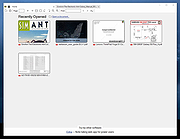 |
| Showing rows 1 to 8 of 8 | Showing Page 1 of 1 | 1 |
OlderGeeks.com Copyright (c) 2026
