|

|
Processed through Paypal No account required. |








Buy our over-priced crap to help pay the bills.



|
|
Processed through Paypal No account required. |
| Files | ||||
| File Name | Rating | Downloads | ||
 |
Hew v1.0.0 Hew v1.0.0 👉 A free, open-source, cross-platform 3D modeler with a familiar SketchUp-style workflow and solids-first design. Hew is a free and open-source 3D modeling application designed around the approachable workflow familiar to SketchUp users. Draw directly on faces, push and pull shapes into three dimensions, snap to endpoints, midpoints and axes, and enter exact measurements while working. Unlike traditional surface-based modeling, Hew creates discrete, watertight solid objects that do not automatically weld together when they touch. Objects are combined only when you explicitly use operations such as Union, Subtract or Intersect. Hew includes tools for drawing, precision modeling, materials, organization, annotation, printing and preparing models for fabrication or 3D printing. It can import existing SketchUp 2017 files as well as COLLADA, glTF and STL models, while its own open .hew format is documented and designed to avoid locking your work into a proprietary format. Models can be exported to formats including glTF, STL, 3MF, USDZ and SVG. The program also includes groups, reusable components, tags, saved scenes and an Outliner for organizing complicated models. Materials and textures can be applied to faces and objects, while dimensions, leader text and 3D text provide annotation tools. Hew can print drawings at an exact scale, tile full-size templates across multiple sheets, save PDF output and create vector SVG drawings. Features: • Solids-first modeling creates discrete, watertight objects instead of automatically welding touching geometry • Familiar SketchUp-style drawing and direct-modeling workflow • Line, rectangle, circle, arc and polygon drawing tools • Draw directly on existing faces • Push/Pull tool for creating solids, reshaping faces and cutting holes • Follow Me tool for sweeping profiles along paths • Offset and Slice tools • Move, Rotate and Scale tools with snapping, axis locking and exact values • Copy objects and create repeated arrays • Inference snapping to model geometry and axes • Type exact, unit-aware dimensions while modeling • Tape Measure ... |
 |
103 | Sep 10, 2026 hew3d  |
 |
Kid3 - Audio Tagger v3.10.2 Kid3 - Audio Tagger v3.10.2 👉 Powerful audio tag editor for fixing music metadata across entire collections. Kid3 - Audio Tagger is a feature-rich metadata editor designed for organizing and maintaining large music collections with precision and speed. Unlike many tag editors that focus only on single-file editing, Kid3 is built to efficiently handle entire albums and directories at once, making it ideal for collectors, archivists, DJs and anyone managing thousands of audio files. Kid3 - Audio Tagger supports a huge variety of audio formats including MP3, FLAC, Ogg/Vorbis, Opus, AAC, MP4, WAV, AIFF, WMA and more. It can edit ID3v1.1, ID3v2.3 and ID3v2.4 tags, convert between tag versions and synchronize data between multiple tag formats. You can quickly generate tags from filenames, create filenames from tags, or automatically organize music into structured folders based on metadata. The program also includes advanced automation features for large collections. Batch editing tools allow you to modify artist names, album information, genres, years and artwork across hundreds of files in seconds. Import support for Discogs and MusicBrainz helps automatically retrieve album details, while export tools can generate playlists, CSV reports, HTML indexes and JSON data. Kid3 - Audio Tagger includes synchronized lyrics editing, chapter support, customizable scripting, command-line automation and dark mode support. Despite its extensive capabilities, the interface remains lightweight and responsive across Windows, Linux, macOS and Android devices. Features: • Edit ID3v1.1, ID3v2.3 and ID3v2.4 metadata tags • Batch edit tags for entire albums or large music libraries • Rename files and folders automatically from tag information • Generate tags from filenames or directory structures • Convert between multiple tag formats and versions • Support for MP3, FLAC, AAC, MP4, WAV, AIFF, Opus, Ogg/Vorbis, WMA and many more • Import album information from Discogs and MusicBrainz • Add and edit album artwork • Edit synchronized lyrics and import/export LRC lyric files • Create playlists and export ... |
|
5,531 | Oct 20, 2026 Urs Fleisch 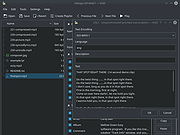 |
|
Lanemu v0.14.1 Lanemu v0.14.1 👉 Server-less (decentralized) Virtual Private Network (Open-source alternative to Hamachi, Radmin, ZeroTier, etc.) Lanemu is a free, open-source peer-to-peer virtual LAN emulator that allows computers on different Internet connections to communicate as though they were connected to the same local network. It is designed for multiplayer games, legacy software, file sharing, remote administration, and any application that relies on LAN connectivity. Unlike traditional VPN services that route traffic through a central server, Lanemu establishes encrypted peer-to-peer connections between participating computers whenever possible, reducing latency while eliminating the need for dedicated servers. Networks are created using invitations that can be shared with other users, making setup straightforward while keeping access limited to invited participants. Features: • Create private virtual LAN networks across the Internet. • Peer-to-peer architecture without requiring dedicated relay servers for normal operation. • Encrypted communications between participating computers. • Reliable UDP (RUDP) transport protocol enabled by default. • Invite-based network membership. • Works with many LAN multiplayer games and LAN-aware applications. • Automatic discovery of peers within a virtual network. • Supports multiple virtual networks. • Cross-platform support between Windows and Linux. • Automatically installs the TAP-Windows driver on supported Windows editions. • Includes an integrated Java runtime in supported Windows packages. • Open-source software released under the GPLv3 license. Supported operating systems: • Windows 11 (64-bit) • Windows 10 (64-bit) • Windows 10 (32-bit) • Windows 8.1 (32-bit and 64-bit) • Windows 8 (32-bit and 64-bit) • Windows 7 (32-bit and 64-bit) • Windows Vista (32-bit and 64-bit) • Windows XP (32-bit and 64-bit) • Linux (64-bit) Supported languages: • English Changes: v0.14.1 08-01-26 Fixed issues in the RUDP library: memory leaks when using shutdownHook, deadlocks, handling of corrupted UDP packets, and many other issues that were identified during testing. @Monsterovich Added the display of the connection protocol to the peer list. @Monsterovich Added an experimental build that compiles a .jar file into an executable using native-image in GraalVM. For now, this is for the headless version ... |
|
425 | Sep 08, 2026 Nikolay Borodin 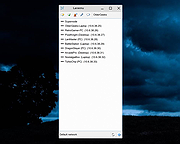 |
|
Mozilla Firefox ESR v153.2.0 Mozilla Firefox ESR v153.2.0 👉 A stable, long-term Firefox release designed for users and organizations that prefer fewer major browser changes. Mozilla Firefox ESR is the Extended Support Release of Mozilla's popular open-source web browser, designed for organizations, businesses, schools, system administrators and users who value stability over frequent feature changes. ESR receives regular security and stability updates while keeping major interface and feature changes on a longer release cycle than standard Firefox. It provides the familiar Firefox browsing experience with strong privacy protections, tracker blocking, private browsing, password management, synchronization, extensions and extensive customization. ESR is especially useful in managed environments where administrators need predictable browser behavior and more time to test compatibility between major releases. Features: • Extended Support Release with a longer major-version lifecycle • Regular security and stability updates without frequent major feature changes • Enhanced Tracking Protection blocks many known trackers automatically • Private Browsing mode with additional protection against tracking • Built-in password manager for storing and managing website logins • Firefox Sync can synchronize bookmarks, passwords, history, tabs and settings between devices • Separate Firefox profiles can keep work, personal and other browsing activities apart • Container support can isolate cookies, logins and tracking data between different browsing activities • Large library of extensions and browser themes • Customizable toolbar, menus and browser appearance • Tabbed browsing with tab search and organization tools • Built-in PDF viewing • Automatic browser updates and security fixes • Support for enterprise policies and centralized browser management • Available in 32-bit, 64-bit and ARM64 builds where supported • Free and open-source Supported operating systems: • Windows 10, Windows 11 • macOS 10.15 or higher • GNU/Linux with glibc 2.17 or higher, GTK+ 3.14 or higher, libglib 2.42 or higher, libstdc++ 4.8.1 or higher and X.Org 1.0 or higher Supported languages: English (US) Changes: v153.2.0 09-13-26 General Firefox now includes a new profile management system that helps you separate your online life into ... |
|
7,027 | Sep 13, 2026 Mozilla  |
|
Q Light Controller+ v5.2.2/v4.14.4 Q Light Controller+ v5.2.2/v4.14.4 👉 Free, cross-platform DMX lighting control software for live shows, stage productions, DJs, and installations. Q Light Controller+ (QLC+) is a free and open source lighting control application designed to control DMX and analog lighting systems. It provides a complete lighting console environment with support for moving heads, dimmers, LED fixtures, scanners, RGB devices, and more. QLC+ includes tools for creating scenes, chasers, shows, virtual consoles, audio-triggered effects, and live playback, making it suitable for professional lighting designers, DJs, theaters, churches, clubs, and hobbyists alike. Version 5 features a redesigned interface and workflow, while the mature Version 4 branch continues to receive maintenance updates for users who prefer the classic interface. Features: • Control DMX and analog lighting systems • Create scenes, chasers, sequences, and complete lighting shows • Virtual Console with customizable buttons, sliders, cue lists, and widgets • Fixture editor with support for hundreds of lighting devices • Audio playback with synchronized lighting effects • Show Manager for timeline-based programming • RGB Matrix effects generator • MIDI, OSC, Art-Net, sACN (E1.31), and DMX input/output support • Audio beat detection and programmable lighting reactions • Support for multiple universes and external controllers • Scripting and automation capabilities • Cross-platform operation with identical project compatibility Supported operating systems: • Windows 10 or later • macOS 12 or later • Linux (Ubuntu/Debian 24.04 or equivalent, and other supported Linux distributions) Supported languages: • English, Italian, French, German, Spanish, Portuguese, Dutch, Russian, Czech, Polish, Turkish, Chinese (Simplified), Chinese (Traditional), Japanese, Korean, Hungarian, Finnish, Danish, Swedish, Norwegian, Greek, Romanian, Slovak, Slovenian, Ukrainian, Catalan, Basque, Galician, Arabic, Hebrew and additional community translations. Compatibility: https://qlcplus.org/discover/compatibility Tutorials: https://qlcplus.org/discover/tutorials Changes: v5.2.2 06-14-26 improve engine timer accuracy and universe composition efficiency (#1979) restore fixture remapping feature (including VC slider/xypad/audiotriggers) improve VC Animation widget to override RGB Matrix rather than modifying it add Show Manager cut/insert time ... |
|
3,162 | Jun 22, 2026 Massimo Callegari 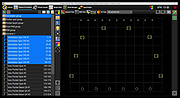 |
|
Superfile v1.6.0 Superfile v1.6.0 👉 A modern, terminal-based file manager built for speed and keyboard-driven efficiency. Superfile is a powerful cross-platform file manager designed to run inside your terminal, offering a fast, keyboard-focused alternative to traditional graphical file explorers. It features a clean interface with customizable themes, intuitive navigation, and efficient file operations, making it ideal for developers, system administrators, and power users who prefer working in the command line. Superfile combines performance with flexibility, allowing users to manage files, browse directories, preview content, and execute commands without leaving the terminal environment. Its lightweight design ensures minimal system resource usage while still delivering advanced functionality and smooth workflow integration. Features: • Fast, keyboard-driven navigation • Multi-panel file browsing • File preview support for various formats • Customizable themes and appearance • Cross-platform compatibility • Copy, move, rename, and delete file operations • Directory bookmarks for quick access • Lightweight and efficient resource usage • Designed for terminal environments • Open source and actively maintained Supported operating systems: • Windows 10, Windows 11 • macOS 12 or higher • Linux (major distributions) Supported languages: English Changes: v1.6.0 06-07-26 This release focuses on preview reliability, richer file metadata, configurable sidebar behavior, and a refreshed website and logo design, alongside navigation improvements, better error messages, refactoring, dependency updates, and bug fixes. Highlights Improved image and file preview reliability through the Bubble Tea v2 migration. Thanks @lazysegtree for the implementation New website & logo design. Thanks @elvisdragonmao for the implementation Added richer file metadata, including binary architecture detection for ELF/PE/Mach-O, Linux attributes, and file type byte support in the permissions column. Thanks @barsaskn, @xelavopelk, and @booth-w for the implementation Sidebar sections can now be configured for visibility and ordering. Thanks @Mjoyufull for the implementation Improved file operation error messages for delete, paste, and file text preview failures. Thanks @xelavopelk for the implementation ... |
|
1,590 | Jun 27, 2026 Yorukot 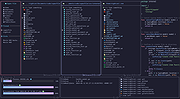 |
|
WannaCut v0.2.0 WannaCut v0.2.0 👉 A lightweight, open source video editor for fast, simple video cutting and editing. WannaCut is a lightweight, open source desktop video editor designed to make trimming, cutting, and assembling videos quick and straightforward. It focuses on an intuitive editing experience that lets you import video clips, arrange them on a timeline, trim unwanted sections, and export the finished result without the complexity of professional editing suites. Built with a modern interface, WannaCut is suitable for creating short videos, social media clips, tutorials, and other basic editing projects while remaining fast and easy to learn. Features: • Lightweight and open source video editor. • Simple timeline-based editing. • Trim and cut video clips with precision. • Rearrange clips by drag-and-drop. • Import multiple video files into a project. • Export completed videos. • Clean, modern user interface. • Designed for quick editing without unnecessary complexity. • Cross-platform application. Supported operating systems: • Windows 10, Windows 11 • macOS • Linux Supported languages: • English Changes: v0.2.0 06-18-26 Modern and fluid UI redesign Different colors per clip for easier navigation Split tool precision fix Move playhead in decimals of seconds Seek to next/previous cut Speed system for clips with keyframes This download is for the Windows 64bit version (very bottom of page). All other download assets are below: Debian/Ubuntu: WannaCut_0.2.0_amd64.deb Fedora/RPM: WannaCut-0.2.0-1.x86_64.rpm Arch Linux: wanna-cut-0.2.0-1-x86_64.pkg.tar.zst Click here to visit the author's website. |
|
488 | Jun 19, 2026 Gabriel Martins 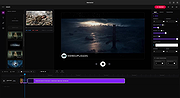 |
| Showing rows 1 to 7 of 7 | Showing Page 1 of 1 | 1 |
OlderGeeks.com Copyright (c) 2026
