|

|
Processed through Paypal No account required. |








Buy our over-priced crap to help pay the bills.



|
|
Processed through Paypal No account required. |
| Files | ||||
| File Name | Rating | Downloads | ||
 |
Dougi v1.0.672 Dougi v1.0.672 👉 Create high-quality JPEG images with realtime quality preview. Dougi is a lightweight portable JPEG optimization utility that lets you create high-quality JPEG images quickly and easily. Simply open, paste, or drag and drop an image, adjust the desired JPEG quality, and save. Its realtime WYSIWYG (What You See Is What You Get) preview lets you instantly see the effect of compression changes, eliminating the guesswork when balancing image quality and file size. Dougi also includes optional maximum file size limits, basic image adjustment tools, batch conversion, clipboard support, customizable appearance settings, and built-in help. Features: • Realtime WYSIWYG JPEG quality preview • Manual JPEG quality adjustment (5-100%) • Automatic quality presets: Low, Fair, Good, High, and Best • Optional maximum JPEG file size limit (5-4,000 KB) • Image adjustments including Mirror, Flip, Grey, Sepia, Noise, Invert, and Soften • Displays image dimensions, JPEG file size, and color count in realtime • Opens PNG, GIF, JPG, JIF, JPEG, TJ32, BMP, DIB, ICO, CUR, ANI, TEA, TGA, PPM, PGM, PBM, PNM, XBM, and IMG32 formats • Saves JPG, JIF, and JPEG formats • Copy images to the Clipboard as JPG or PNG • Batch conversion by dragging and dropping multiple images • Preview output in your default web browser • Customizable colors, fonts, and application settings • Portable - no installation required Supported operating systems: • Windows 7, Windows 8, Windows 8.1, Windows 10, Windows 11, Ubuntu Linux Supported languages: English Changes: v1.0.672 11-19-25 Not Provided. Click here to visit the author's website. |
 |
348 | Jul 17, 2026 Blaiz Enterprises 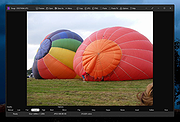 |
 |
FileVoyager v26.9.6.0 FileVoyager v26.9.6.0 👉 A powerful dual-pane file manager and viewer for Windows. FileVoyager is a freeware Orthodox file manager (OFM) for Microsoft Windows that uses a dual-pane layout to make browsing, organizing, comparing, and transferring files easier. It can browse disks, folders, shares, archives, and FTP/FTPS locations in one unified interface, while also offering built-in viewers, archive handling, folder synchronization, file comparison, hashing, and media playback support. Features: • Dual-pane Orthodox file manager layout • Browse disks, folders, virtual folders, shares, archives, and FTP/FTPS locations • Multiple view modes, including report and thumbnail views • Rename, copy, move, link, delete, and recycle files • Pack and unpack ZIP, 7Zip, GZip, BZip2, XZ, Tar, and WIM archives • Unpack ARJ, CAB, XAR, Z, RAR, LZH, LZMA, ISO, WIM, and many other formats • Built-in file and folder comparison • Folder synchronization tools • Duplicate file finder • Advanced search and filtering • Quick preview for many file formats • Multimedia playback using installed codecs, Windows Media Player, and VLC support • Ebook and comic book viewing, including PDF, EPUB, MOBI, FB2, DJVU, CBR, CBZ, and XPS • Syntax highlighting for many source code formats • Hexadecimal and flat file viewing modes • Hash tool with VirusTotal-powered malware report • Dark Mode and customizable themes • Available as Setup or Portable editions • Optional VLC codec packages Supported operating systems: • Windows 10, Windows 11 • Should also run on Windows Vista, Windows 7, Windows 8.x, but these are not tested Supported languages: Arabic, Chinese Simplified, Czech, Danish, Dutch, English, French, German, Greek, Hungarian, Italian, Japanese, Korean, Polish, Portuguese, Portuguese (Brazil), Russian, Slovak, Slovenian, Spanish, Swedish Changes: v26.9.6.0 09-06-26 + New: Viewer: The main new feature in this release is folder analytics in the Viewer, with a dedicated panel providing key metrics and insights about a folder selected. + New: Browse: Added Archive & Unarchive commands in the Central toolbar, under Tools. ~ Chg: Global: Mask labels, visible in the various filter ... |
|
5,800 | Sep 11, 2026 FileVoyager 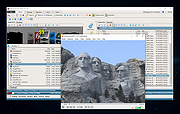 |
|
Monkey’s Audio v13.26 Monkey’s Audio v13.26 👉 Fast, free lossless audio compression for creating bit-perfect .APE music files. Monkey's Audio is a fast and easy way to compress digital music without losing audio quality. Unlike lossy formats such as MP3, OGG, or WMA, Monkey's Audio creates perfect, bit-for-bit copies of your music while still saving space. Compressed files can be decompressed back to the exact original files, making it useful for archiving music collections without having to recopy CDs later. Features: • Compresses music with no quality loss • Decompresses files back to the exact original audio • Supports .APE lossless audio files • Fast and efficient compression • Windows interface designed to be powerful and easy to use • Compress, decompress, verify, convert, and make APL files • Supports WAV, AIFF/AIF, W64, SND, AU, CAF, and RF64 input formats • Verify mode checks APE files for possible changes or corruption • Supports quick verify and full verify options • Optional auto-check after APE file creation • Supports external encoders such as FLAC, WavPack, and ALAC • Pipe input support through the "-" filename argument • Output options for same-folder output or custom output folders • Can preserve folder levels when processing files • Options for overwrite, rename, or skip when output files already exist • Can leave, delete, or recycle source files after successful processing • Copies file timestamps to new files • Uses flexible APE Tags for managing audio metadata • Includes redundant CRC error detection • SDK available for developers to compress, decompress, verify, convert, analyze APE files, and work with APE tags • Source code for compression, decompression, and tagging is included in the SDK • Free under the Monkey's Audio License Agreement based on the 3-Clause BSD license Supported operating systems: • 64-bit Installer: Windows 8, Windows 10, Windows 11 • 32-bit Installer: Windows XP, Windows 7, Windows 8, Windows 10, Windows 11 • Arm64 Installer: Windows 8, Windows 10, Windows 11 Supported languages: English Changes: v13.26 08-20-26 Changed: ... |
|
1,242 | Sep 18, 2026 Matt Ashland 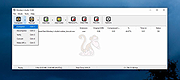 |
|
PDF4QT v1.6.0.0 PDF4QT v1.6.0.0 👉 Open-source PDF editor, viewer, and toolkit for Windows and Linux. PDF4QT is an open-source PDF editor powered by the Qt framework. It provides a robust C++ library, intuitive applications for viewing and editing PDF documents, and a command-line tool for script integration. The suite includes tools for advanced PDF viewing, lightweight document viewing, page organization, and PDF comparison, making it useful for both regular users and developers. Features: • Advanced PDF viewer with zoom, rotation, page layout modes, and navigation tools • Full PDF editing capabilities including modifying document structure and content elements • Annotation tools such as highlights, notes, shapes, and markup editing • Interactive form filling and support for AcroForms • Digital signature support including signing documents and validating signatures • Encryption support with password protection and public key security • Embedded file attachments handling within PDF documents • Built-in text-to-speech engine for reading PDF content aloud • Powerful search functionality including regular expression support • PDF document comparison tool to detect differences between files • Page management tools including merge, split, reorder, rotate, clone, and insert pages • Document optimization features for reducing file size and improving performance • Internal PDF object structure inspector for advanced users and developers • Command-line interface for automation and batch processing tasks • Static XFA form support (read-only for simple XFA documents) • Multiple viewer applications included (advanced viewer and lightweight viewer modes) • Cross-platform support built on the Qt framework Supported operating systems: •Windows 10/11 •Linux Supported languages: • Czech, English, French, German, Korean, Russian, Simplified Chinese, Spanish, Traditional Chinese, Turkish Changes: v1.6.0.0 06-14-26 Major image compression and optimization update for PageMaster and assembled PDF documents. Improved PageMaster with drag and drop, recent files, page cropping, save/restore, rotation and size indicators, new icons, and faster output previews. Added image optimization feedback for final resolution and DPI. Added Advanced Find wildcard mode and Enter-to-search. Added fullscreen viewing, side-to-side scrolling, smoother scrolling, text selection, snapping, and improved keyboard ... |
|
1,149 | Aug 26, 2026 Jakub Melka 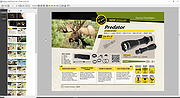 |
|
PDFgear v2.1.19 PDFgear v2.1.19 👉 Free all-in-one PDF editor, reader, converter, OCR tool and AI assistant. PDFgear is a free PDF editor and management suite for viewing, editing, converting, creating, annotating, signing, organizing and protecting PDF documents. It allows existing PDF text and images to be edited directly, includes OCR for scanned documents, supports batch conversions and provides PDFgear Copilot for working with documents using natural-language commands. PDFgear does not require an account, places no watermarks on exported documents and does not impose file-size or file-number limits on its desktop software. Features: • View and read PDF documents with multiple reading and navigation options • Directly edit, replace, add and delete existing PDF text • Change fonts, font sizes, styles and other text formatting • Add, replace, reposition and edit images and other PDF objects • Add text boxes, hyperlinks and customizable shapes • Highlight, underline and strike through text • Add notes, comments, stamps, watermarks and freehand drawings • Fill interactive PDF forms • Add signatures and certificate-based digital signatures • Secure eSign for signing documents with greater security and confidence • Request signatures from multiple parties • OCR scanned PDFs and image-based documents • Extract text from selected areas with OCR • OCR supports more than 30 languages during PDF conversion • Convert PDFs to Word, Excel, PowerPoint, TXT, images and other formats • Create PDF documents from multiple file formats • Batch convert multiple PDF documents • Merge and split PDF files • Rearrange, rotate, crop, extract, duplicate, insert and delete PDF pages • Add customizable page numbers to headers or footers • Compress PDF documents • View and manage PDF attachments • Redact sensitive information • Manage PDF properties • PDFgear Copilot accepts natural-language instructions for PDF tasks • AI tools can summarize, analyze, translate, rewrite and proofread document content • Search and replace text in PDF documents • Dark mode for PDF viewing • Process ordinary PDF editing tasks locally on the computer • No account required • No ... |
|
2,474 | Aug 20, 2026 PDF Gear Tech PTE. LTD.  |
|
PeaZip v11.2.0 PeaZip v11.2.0 👉 A free, open source file and archive manager for creating, opening, extracting, and securing compressed files. PeaZip is a cross-platform archive manager and file compression utility that can create, open, browse, and extract 7Z, RAR, TAR, ZIP, and many other archive formats. It also includes archive conversion, file splitting and joining, file hashing, password management, secure deletion, search, bookmarks, duplicate file detection, and integrated text, hex, and image viewers. Features: • Opens over 200 archive types and variants • Creates, opens, browses, and extracts 7Z, RAR, TAR, ZIP, ZIPX, and many more archive formats • Converts existing archives between supported formats • Splits and joins files • Handles spanned archives such as 001, R01, and Z01 • Supports multiple archive encryption standards • Includes file hashing tools • Can export GUI tasks as command line scripts • Provides a built-in file manager with bookmarks, search, and instant content filtering • Detects duplicate files • Includes integrated text, hex, and image viewers • Offers portable packages that do not require installation • Includes password management features and password entropy rating • Adds batch archive testing and improved archive browsing performance in v11.0.0 Supported operating systems: • Windows x86, Windows x64, ReactOS, Wine • Linux x86_64, Linux x86, Linux ARM, Linux aarch64 • macOS / Darwin Intel x86_64, macOS / Darwin Apple Silicon aarch64 • BSD x86-64 Supported languages: Arabic, Belarusian, Bulgarian, Catalan, Chinese Simplified, Chinese Traditional, Czech, Danish, Dutch, English, Esperanto, Finnish, French, German, Greek, Hungarian, Indonesian, Italian, Japanese, Korean, Lithuanian, Norwegian, Persian, Polish, Portuguese (Brazil), Portuguese (Portugal), Romanian, Russian, Serbian, Slovak, Spanish, Swedish, Thai, Turkish, Ukrainian, Vietnamese Changes: v11.2.0 07-12-26 BACKEND 7z/p7zip 26.02 Pea 1.32 hardened against timing attack on verification of integrity tags CODE Code review with various fixes and quality improvements FILE MANAGER Added read support for Zeno IMproved .ZIM archives, used for Wikipedia and Project Gutenberg data dumps Fixed some inconsistencies in icons representation for special folders and search filters Keyboard shortcuts updated and made fully working ... |
|
7,524 | Jul 13, 2026 PeaZip  |
|
Shutter Encoder v20.2 Shutter Encoder v20.2 👉 A free video, audio, and image converter designed by video editors for powerful media encoding and workflow tools. Shutter Encoder is a free media converter and processing tool built around FFmpeg for handling video, audio, and image files. It is designed by video editors to be both accessible and powerful, with support for a very wide range of codecs and formats, along with trimming, subtitle work, watermarking, cut detection, analysis tools, web video downloading, render queue support, file information viewing, batch renaming, FTP upload support, and AI-assisted functions. It also includes professional workflow features such as editing codecs, broadcast codecs, archive codecs, disc burning and ripping, and preset saving for repeatable jobs. Features: • Converts video, audio, and image files using FFmpeg • Designed by video editors for accessible but advanced media work • Supports a very large range of codecs and formats • Includes trimming and cut without re-encoding tools • Lets you replace audio, rewrap, conform, merge, extract, subtitle, and insert video • Supports sound conversion to WAV, AIFF, FLAC, ALAC, MP3, AAC, AC3, OPUS, Vorbis, Dolby Digital Plus, and Dolby TrueHD • Includes editing codecs such as DNxHD, DNxHR, Apple ProRes, QT Animation, GoPro CineForm, and Uncompressed • Includes output codecs such as H.264, H.265, H.266, VP8, VP9, and AV1 • Includes broadcast codecs such as XDCAM HD422, XDCAM HD 35, AVC-Intra 100, XAVC, XAVC Long GOP, and HAP • Supports older codecs including Theora, MPEG-2, MJPEG, Xvid, DV, WMV, and MPEG-1 • Supports FFV1 for archiving workflows • Creates JPEG, JPEG XL, and image outputs • Burns and rips DVD and Blu-ray media • Includes analysis tools such as loudness and true peak, audio normalization, cut detection, black detection, media offline detection, VMAF, and FrameMD5 • Downloads web video content • Includes image adjustment tools for colors, LUTs, and color space conversion • Supports cropping for both images and videos • Can ... |
|
3,680 | Aug 12, 2026 Paul Pacifico  |
|
Vorn v1.0.3 Vorn v1.0.3 👉 Fast, private, crash-safe backup program with advanced features. Vorn is a modern local-first backup application designed to securely protect files without relying on cloud services, subscriptions, accounts, or telemetry. Instead of uploading data to external servers, Vorn stores everything inside a local vault controlled entirely by the user. The software uses content-addressable storage powered by BLAKE3 hashing, allowing duplicate data to be stored only once even across multiple backup sessions. This greatly reduces storage usage while improving backup efficiency. Vorn was built with reliability and data integrity in mind. It uses atomic writes, write-ahead logging, resumable operations, and integrity verification to help prevent corruption during crashes or unexpected shutdowns. Large files are automatically divided into chunks, making backups more resilient and easier to resume if interrupted. Optional gzip compression can reduce storage requirements further while maintaining compatibility with the portable vault format. The application features a clean desktop interface with dark and light themes, portable executables, and cross-platform support for Windows, macOS, and Linux systems. Since the backup vault is self-contained and self-describing, users can move backups between systems or restore files to different locations without depending on proprietary cloud infrastructure. Vorn is designed for users who want complete control of their backups while maintaining speed, privacy, and simplicity. Features: • Local-first backup architecture with no cloud dependency • Fully offline operation with no accounts or telemetry • Content-addressable storage using fast BLAKE3 hashing • Automatic deduplication across all backup sessions • Stores identical file content only once to save disk space • Chunked storage engine for efficient handling of large files • Resumable backup operations after interruptions or crashes • Atomic write protection for safer backup transactions • Write-ahead logging to improve recovery reliability • Self-describing portable vault format • Integrity verification to detect damaged or missing data • Optional gzip compression for reduced storage usage • Smart pruning system for reclaiming unused ... |
|
536 | May 29, 2026 Leonardo Ciaccio  |
| Showing rows 1 to 8 of 8 | Showing Page 1 of 1 | 1 |
OlderGeeks.com Copyright (c) 2026
