|

|
Processed through Paypal No account required. |








Buy our over-priced crap to help pay the bills.



|
|
Processed through Paypal No account required. |
| Files | ||||
| File Name | Rating | Downloads | ||
 |
Bulk Crap Uninstaller v6.2 Bulk Crap Uninstaller v6.2 👉 Advanced uninstaller designed to remove large amounts of software quickly and completely. Bulk Crap Uninstaller (BCUninstaller) is a powerful tool for removing large numbers of applications from Windows systems quickly and efficiently. It is especially useful for cleaning up leftover files and registry entries that traditional uninstallers often miss. BCUninstaller supports automated bulk uninstalling, allowing users to remove multiple programs with minimal interaction. Bulk Crap Uninstaller automatically detects installed applications including standard programs, portable apps, Windows Store apps, and hidden or leftover entries. The program also provides advanced filtering, sorting, and search capabilities to help locate unwanted software quickly. In addition to standard uninstall functionality, BCUninstaller can scan for orphaned entries, leftover files, and invalid registry items that remain after incomplete removals. Its automation features enable fully unattended uninstall operations, making it ideal for power users, system administrators, and technicians who need to clean systems efficiently. Features: • Bulk uninstall multiple applications with minimal user interaction • Detects normal, hidden, protected, and Windows Store applications • Automated uninstalling with scripting support • Finds leftover files, folders, and registry entries after uninstall • Advanced filtering, grouping, and search tools for installed programs • Silent uninstall support where available • Startup manager and application rating system • Portable version available with no installation required • Verification and safety checks to prevent accidental removals Supported operating systems: • Windows 7, Windows 8, Windows 8.1, Windows 10, Windows 11 Supported languages: • Built-in: Arabic, Chinese, Czech, English, French, German, Hungarian, Italian, Japanese, Polish, Portuguese, Russian, Slovenian, Spanish • Localization Pack (optional download): Dutch, Finnish, Croatian, Korean, Swedish, Turkish, Vietnamese Changes: v6.2 06-09-26 Features: • Add invalid-uninstaller view preset • Add certificate and integrity columns to app list • Improve Scoop custom path detection Fixes: • Improve uninstall list load error handling • Fix tweak visibility filtering • Fix orphaned-only view preset • Stabilize icon handle ownership • Fix install date fallback • Improve ... |
 |
8,969 | Jun 12, 2026 Klocman Software 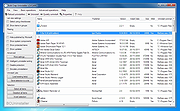 |
|
Bulk Rename Utility v4.0.0.6 Bulk Rename Utility v4.0.0.6 The Free File Renaming Utility for Windows. Rename multiple files with the click of a button. Bulk Rename Utility: file renaming software for Windows. Bulk Rename Utility is free of charge for personal, private use, at home. To use Bulk Rename Utility within a business entity, company or for commercial purposes, a commercial license is required. Bulk Rename Utility allows you to easily rename files and entire folders based upon extremely flexible criteria. Add date/time stamps, replace numbers, insert text, convert case, add auto-numbers, process folders and sub-folders... plus a whole lot more! A file renaming studio for Windows. Features • Rename multiple files quickly, according to many flexible criteria. Learn More • Rename files in many ways: add, replace, insert text into file names. Convert case, add numbers. Remove or change file extensions. • Check the detailed preview before renaming. • Rename photos using EXIF metadata (i.e. "Date Picture Taken", "Resolution" and other information embedded in all JPG photo files) Rename your holiday pictures from a meaningless dsc1790.jpg to NewYork1.jpg in a flash. • Rename MP3 files using ID3 tags (a.k.a. MP3 ID3 tag renaming). • Rename files using Windows File Properties (e.g. media video length, width, height, rate, publisher, etc). • Change files' creation and modification time stamps. • Easy to Install. Download and start renaming your files now! Supported operating systems: Windows 11, 10, 8, 7, Server 2019, 2016, 2012, 2008 Changes: v4.0.0.6 03/MAR/2025 + New option “Keep Folder Structure” in Copy/Move to Location (13). This option lets you perform copying or moving while preserving the original folder hierarchy of your files. + New command “Import Rename-Pairs from Clipboard” (Ctrl+Alt+C) to import new name-old name rename pairs directly from the Windows clipboard. + ... |
|
5,483 | Mar 06, 2025 TGRMN Software 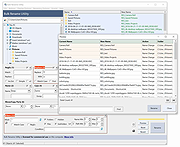 |
 |
Uninstalr v3.1 Uninstalr v3.1 👉 Fast bulk uninstaller that removes programs and leftover traces in one process. Uninstalr is a Windows uninstallation tool that allows you to remove multiple applications at once while automatically detecting and deleting leftover files, folders, and registry entries. It is designed to streamline the uninstall process by combining standard removal with post-uninstall cleanup into a single operation. Uninstalr performs deep scanning after each uninstall to ensure that no residual data remains, helping keep systems clean and free from clutter. It also supports removing broken or partially uninstalled programs that cannot be removed through normal means. The program emphasizes speed, accuracy, and ease of use, making it suitable for both everyday users and advanced system maintenance. Features: • Uninstall multiple programs in a single batch • Automatically removes leftover files, folders, and registry entries • Combines uninstall and cleanup into one streamlined process • Handles broken or incomplete uninstall entries • Fast scanning engine for efficient cleanup • Portable version available Supported operating systems: Windows 11, Windows 10, Windows 8 and Windows 7. Supported languages: • Chinese Simplified, Chinese Traditional, Czech, Danish, Dutch, English, Filipino, Finnish, French, German, Greek, Hindi, Hungarian, Indonesian, Italian, Japanese, Korean, Malay, Norwegian, Polish, Portuguese, Romanian, Slovak, Spanish, Swedish, Thai, Turkish, Ukrainian, Vietnamese Changes: v3.1 07-08-26 Key Changes: Uninstalr now starts and shows the list of installed apps faster after the initial scan has been completed, and with much smaller memory usage. Uninstalr now detects and highlights apps that automatically start with Windows. Greatly improved the detection of portable apps. Improvements: New feature: Uninstalr now detects and highlights apps that automatically start with Windows. New feature: Uninstalr now highlights possible leftovers and apps from Russia and China. This can be disabled from the Settings. New feature: A ... |
|
4,657 | Jul 14, 2026 Macecraft Software 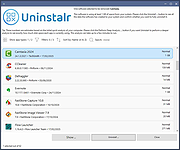 |
| Showing rows 1 to 3 of 3 | Showing Page 1 of 1 | 1 |
OlderGeeks.com Copyright (c) 2026
