|

|
Processed through Paypal No account required. |








Buy our over-priced crap to help pay the bills.



|
|
Processed through Paypal No account required. |
| Files | ||||
| File Name | Rating | Downloads | ||
 |
Apache OpenOffice Portable v4.1.16 Apache OpenOffice Portable v4.1.16 👉 A complete portable office suite for documents, spreadsheets, presentations, drawings, databases and more. Apache OpenOffice Portable is the full-featured Apache OpenOffice productivity suite packaged by PortableApps.com to run from a USB flash drive, portable hard drive, cloud folder or local directory without a traditional installation. It includes applications for word processing, spreadsheets, presentations, diagrams and drawings, databases and mathematical formulas, while keeping your settings and documents portable between Windows computers. The suite is free and open source and supports many common office document formats, including Microsoft Office, WordPerfect and Lotus formats. Features: • Writer for creating and editing letters, reports, books and other text documents • Calc for spreadsheets, calculations and data analysis • Impress for creating multimedia presentations and slide shows • Draw for diagrams, illustrations and other vector graphics • Base for working with databases • Math for creating mathematical equations and formulas • Compatible with Microsoft Office, WordPerfect, Lotus and other common office document formats • Export documents directly to PDF • Supports extensions for adding additional functionality • Includes spelling and language tools • Supports Java-dependent OpenOffice features when a compatible portable Java environment is available • Runs from removable drives, cloud storage or a local folder without a traditional Windows installation • Keeps application settings with the portable installation for use on multiple computers • Includes individual portable launchers for the OpenOffice applications • Integrates with the PortableApps.com Platform, including its menu, updater and backup utility • Supports installing newer portable releases over an existing copy while preserving settings Supported operating systems: • Windows XP, Windows Vista, Windows 7, Windows 8, Windows 10, Windows 11 Supported languages: Standard portable package: English (US), English (UK), Chinese (Simplified), Chinese (Traditional), French, German, Italian, Japanese, Korean, Portuguese (Brazilian), Portuguese (Portugal), Russian, Spanish. The Multilingual-All download includes the additional languages supported by the portable package. PortableApps.com notes that some Apache OpenOffice locales cannot be included because ... |
 |
4,421 | Aug 30, 2026 Apache OpenOffice Team & PortableApps.com 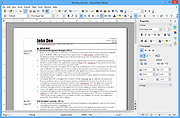 |
|
balenaEtcher v2.1.6 balenaEtcher v2.1.6 👉 Flash operating system images to USB drives and SD cards safely and easily. balenaEtcher is a free, open-source utility designed to write operating system images to USB flash drives and SD cards with a simple, streamlined interface. Whether you're creating bootable media for Linux distributions, Raspberry Pi operating systems, recovery environments, or other disk images, balenaEtcher minimizes the risk of selecting the wrong drive through built-in safety checks. It also validates written images after flashing to help ensure the media was created successfully, making it a reliable choice for beginners and experienced users alike. Features: • Flash ISO, IMG, ZIP, BZ2, GZ, XZ, DMG, and other supported image formats directly to USB drives and SD cards. • Simple three-step workflow: Select image, choose target drive, and flash. • Automatically validates written images to verify successful flashing. • Helps prevent accidental overwriting of system drives by hiding unsafe targets. • Supports flashing compressed images without requiring manual extraction. • Cross-platform interface with a consistent experience across Windows, macOS, and Linux. • Open source under the Apache 2.0 license. • Suitable for creating bootable media for Linux distributions, Raspberry Pi, recovery tools, and other operating system images. Supported operating systems: • Windows 10, Windows 11 • macOS 10.13 High Sierra or later (Intel and Apple Silicon) • Linux (64-bit Debian, Ubuntu, Fedora, RHEL, Arch, Manjaro, and most modern x64 distributions) Supported languages: English Changes: v2.1.6 05-13-26 • Fixed macOS x86 builds by switching to the macOS 14 Large GitHub Actions runner. This download is for the Windows version (very bottom of page). All other download assets are below: macOS: balenaEtcher-2.1.6-x64.dmg balenaEtcher-2.1.6-arm64.dmg Linux: balenaEtcher-linux-x64-2.1.6.zip balenaEtcher-1.7.9-ia32.AppImage (Legacy 32bit) Click here to visit the author's website. |
|
5,882 | Aug 06, 2026 balena 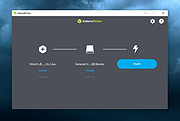 |
|
CutePDF Writer v4.0 CutePDF Writer v4.0 Create PDFs from almost any application. Easiest Free PDF Converter ! Convert to professional quality PDF file from any printable document. New version 4.0 has more settings and do more. Windows 10 and Server 2019 Ready Support programmatic access FREE software for personal, commercial, gov or edu use. Users love it since 2004. Just click Print and select CutePDF Writer as your printer. It’s that simple. Select a file in any application that prints and open it. Choose “File” > “Print”. Choose “CutePDF Writer” as the printer in the print dialog box, and click “Print”. (Do Not select "Print to File" option.) Enter a new file name for your PDF and select options. “Save” to your desired location. Installation Requirements Supports Microsoft Windows Vista/7/8/8.1/10 (32-bit/64-bit). Supports Microsoft Windows Server 2008/2012/2016/2019. Requires PS2PDF converter such as Ghostscript (recommended). You can get the free AGPL Ghostscript here. GNU Ghostscript is a free open-source interpreter for the PostScript language and the PDF file format. It is distributed under the GNU General Public License. What's New Added support for Server 2008/2012/2016/2019 and Terminal Server. New version 4.0 allows you to change Document Properties, add Passwords with security settings and do much more. Added support for basic programmatic access. Seamlessly integrate with CutePDF Professional. New version works with the latest version of Ghostscript. To use with other PS2PDF application, please refer to FAQs. Supports foreign language Windows better. No longer include Ghostscript. You may download and install it separately. Click here to visit the author's ... |
|
4,552 | Feb 12, 2020 Acro Software Inc. 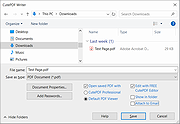 |
 |
Doro PDF Writer v2.26 Doro PDF Writer v2.26 Create PDF files for free in Windows and macOS. Create colored PDF documents from any Windows or macOS application for free. No banners nor any annoying restrictions! Just download and install Doro. After installation, you have an additional printer called ‘Doro PDF Writer’. You can enable the option to create PDF/A compliant PDF files. Create PDF files from any application: • Start any program that can print like Word© • Create your document, also colored pictures can be included • Print to the ‘Doro PDF Writer’ printer • Click ‘Create’ to create a colored PDF file in the Doro window 128-bit encryption: Encrypt the PDF file with 128-bit password protection. Also ‘copy and paste’ and printing can be prevented. Supported operating systems: Windows 11, Windows 10, Windows 8, Windows 7, Windows Vista, Windows XP, Windows 2000, Windows NT 4.0, Windows Server, Windows Me, Windows 98, macOS 15 … 10.15 Supported languages: English, German, French, Spanish, Portuguese, Greek, Italian, Dutch, Danish, Swedish, Norwegian, Japanese, Korean, Simplified Chinese, Traditional Chinese, Arabic, Russian, Ukrainian, Polish, Czech, Slovak, Hungarian, Turkish, Catalan and Occitan. This download is for the Windows version (very bottom of page). If you need the macOS version, download here. Click here to visit the author's website. |
|
9,302 | Jan 30, 2026 the sz development 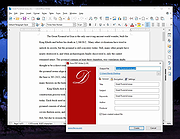 |
|
LibreOffice Portable v26.2.4 LibreOffice Portable v26.2.4 👉 LibreOffice Portable can run from a cloud folder, external drive, or local folder without installing into Windows. LibreOffice Portable is a full-featured office suite -- including a word processor, spreadsheet, presentation tool, drawing package and database -- that's compatible with Microsoft Office, Word Perfect, Lotus and other office applications. It's easy-to-use and feature-rich, performing nearly all of the functions you'd expect in an office suite, but at no cost. Additional functionality including the Base database and document creation wizards is enabled by installing the jPortable portable Java runtime environment. Features: • Portable version runs without installation from USB or external drive • Includes Writer (word processor), Calc (spreadsheet), Impress (presentations), Draw (vector graphics), Base (database), and Math (formula editor) • Compatible with Microsoft Office file formats (DOCX, XLSX, PPTX) • Supports OpenDocument Format (ODF) as its native standard • Built-in PDF export and document signing • Extensive formatting, styles, and templates for professional documents • Macro support and scripting for automation • Extensions and add-ons available to expand functionality • Multi-language interface and spellchecking support • Cross-platform compatibility with consistent interface • Offline use with no cloud dependency • Regular updates from The Document Foundation Supported operating systems: Windows 7, 8, 10, 11 and WINE Supported languages: English, Afrikaans, Albanian, Amharic, Arabic, Armenian, Assamese, Asturian, Azerbaijani, Basque, Belarusian, Bengali, Bosnian, Breton, Bulgarian, Burmese, Catalan, Chinese (Simplified), Chinese (Traditional), Croatian, Czech, Danish, Dutch, Dzongkha, English (UK), Esperanto, Estonian, Finnish, French, Galician, Georgian, German, Greek, Gujarati, Hebrew, Hindi, Hungarian, Icelandic, Indonesian, Irish, Italian, Japanese, Kannada, Kazakh, Khmer, Korean, Kurdish, Lao, Latvian, Lithuanian, Macedonian, Maithili, Malayalam, Marathi, Mongolian, Nepali, Norwegian (Bokmål), Norwegian (Nynorsk), Occitan, Odia, Persian, Polish, Portuguese, Portuguese (Brazil), Punjabi, Romanian, Russian, Sanskrit, Scottish Gaelic, Serbian (Cyrillic), Serbian (Latin), Sinhala, Slovak, Slovenian, Spanish, Swedish, Tamil, Telugu, Thai, Tibetan, Turkish, Ukrainian, Urdu, Uyghur, Uzbek, Vietnamese, Welsh Writer Edit all kinds of documents Writer has all the features you need ... |
|
9,500 | Jul 26, 2026 The Document Foundation & PortableApps.com 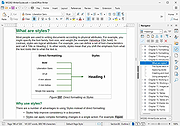 |
|
LibreOffice Productivity Suite v26.8.0 LibreOffice Productivity Suite v26.8.0 👉 Free and powerful open-source office suite for documents, spreadsheets, presentations, and more. LibreOffice is a full-featured, open-source productivity suite that includes applications for word processing, spreadsheets, presentations, drawings, databases, and mathematical formulas. Designed as a powerful alternative to commercial office software, LibreOffice offers broad file format compatibility, including native support for OpenDocument Format (ODF) and strong interoperability with Microsoft Office file types. LibreOffice includes Writer for documents, Calc for spreadsheets, Impress for presentations, Draw for vector graphics and diagrams, Base for database management, and Math for formula editing. It provides a customizable interface, extensive template support, advanced formatting tools, and a large extension ecosystem to expand functionality. Writer Edit all kinds of documents Writer has all the features you need from a modern, full-featured word processing and desktop publishing tool. It's simple enough for a quick memo, but powerful enough to create complete books with contents, diagrams, indexes, and more. You're free to concentrate on your message, while Writer makes it look great. Calc The spreadsheet for everyone Calc is the free spreadsheet program you've always needed. Newcomers find it intuitive and easy to learn, while professional data miners and number crunchers appreciate the comprehensive range of advanced functions. Built-in wizards guide you through choosing and using a comprehensive range of advanced features. Or you can download templates from the LibreOffice template repository, for ready-made spreadsheet solutions. Impress Presentations done right In Impress, creating and editing slides is very versatile thanks to different editing and view modes: Normal (for general editing), Outline (for organizing and outlining your text content), Notes (for viewing and editing the notes attached to a slide), Handout (for producing paper-based material), and Slide Sorter (for a thumbnail sheet view that lets you quickly locate and order your slides). Draw Eye-popping graphic documents Draw lets you produce anything from a quick sketch to a complex plan, and ... |
|
12,590 | Aug 30, 2026 The Document Foundation |
|
Tab Writer v4.0.1 Tab Writer v4.0.1 Tab Writer, tablature writing software for windows 7, 8, and 10 was created as an alternative to writing Guitar and Bass tablature using a text editor. Designed to allow you to easily write tablature for four, five, six, seven, eight, and twelve string instruments. When you are done writing your tablature, you can save, edit, and print. New Features In Version 4.0 Improved functionality of the menu, and added Guitar and Bass selections for the number of strings This is the initial release of the new Tab Writer Version 4, additional features will be added in future releases, so check back often We hope you enjoy using this software, and we are open to suggestions for additional features Version 4.0.1 Minor bug fixes |
|
6,053 | May 21, 2019 Dragonfire Software 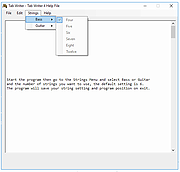 |
| Showing rows 1 to 7 of 7 | Showing Page 1 of 1 | 1 |
OlderGeeks.com Copyright (c) 2026
