|

|
Processed through Paypal No account required. |








Buy our over-priced crap to help pay the bills.



|
|
Processed through Paypal No account required. |
| Files | ||||
| File Name | Rating | Downloads | ||
 |
Drift v0.1.1 Drift v0.1.1 👉 A free, open-source video editor for creating polished videos without subscriptions or watermarks. Drift is a beginner-friendly desktop video editor that combines a straightforward workflow with a full collection of creative tools. Import video clips, photographs and music, then arrange everything on a multi-track timeline with tools for trimming, splitting, snapping and ripple editing. Add effects, transitions, titles, shapes, stickers and emoji without leaving the editor. Drift can also generate editable captions from speech, isolate subjects, create masks, remove green-screen backgrounds, adjust playback speed and clean up noisy audio. The preview and export systems use the same compositor, helping the completed video match what you saw while editing. Drift is completely free and open source with no account, subscription, telemetry or watermark. Optional fonts, stickers, effects and speech-recognition models can be installed through the built-in Addon Manager as needed. Features: • Multi-track timeline for video, audio, text and shapes • Trim, split, snap and ripple editing tools • Mute or hide individual timeline tracks • Full undo and redo support • GPU-powered video effects • Adjustable transitions between overlapping clips • Reusable effect and appearance templates • Customizable titles with fonts, colors, outlines, shadows and alignment • Stickers, emoji and optional content packs • Speech-to-text caption generation • Edit caption wording and timing directly on the timeline • Subject cutout and masking tools • Green-screen background removal • Playback speed adjustment and reversing • Custom speed ramps, fades and beat-based animation • Audio mixing and effect chains • Background-noise cleanup • Project bundles that include associated media • Optional downloadable fonts, effects, stickers and speech models • Export quality and bitrate controls • H.264, H.265, AV1, ProRes and additional export formats • Preview and export use the same compositor • No account, subscription, telemetry or watermark Supported operating systems: • Windows • Linux • macOS, build from source only Supported languages: English Changes: v0.1.1 07-31-26 A small fix-up release on top of the first public version. Curves in the keyframe editor are now ... |
 |
329 | Aug 03, 2026 CutWire Studios 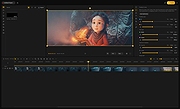 |
|
KillerPDF v1.7.3 KillerPDF v1.7.3 👉 Portable PDF editor for viewing, annotating, editing, and signing PDFs. KillerPDF is a free and open-source PDF viewer, annotator, and editor for Windows that provides PDF viewing, annotation, text editing, OCR, forms, signatures, page organization, transformation, printing, and flattening in a compact native executable. It can be run as a portable application or installed, requires no account or subscription, contains no ads, and sends no telemetry. PDFium provides document rendering while Tesseract provides built-in OCR, with additional OCR language models available on demand. Features: • High-quality PDF rendering using PDFium • Single-page, continuous scroll, two-page, book layout, and page grid viewing • Open multiple PDF documents in tabs • Split-pane mode displays two documents side by side in the same window • Each split pane maintains independent viewing and inverted-color settings • Drag tabs between split panes • Search an entire document with results highlighted while scrolling • Text selection follows columns and document reading order • Navigate outlines, bookmarks, clickable links, and internal references • Edit existing PDF text inline with font matching • Add resizable text boxes • Add freehand drawings, straight lines, shapes, and highlights • Adjust annotation colors, opacity, and line widths • Full RGB color picker for annotation colors • OCR an entire page or a selected region • Copy OCR results directly to the clipboard • Make scanned PDFs searchable by adding an invisible text layer • Extract all recognized text to a file • Built-in Tesseract OCR with additional language models available on demand • Fill and save PDF forms • Draw and reuse signatures • Import signatures from image files • Digitally sign PDFs using Certum SimplySign cloud certificates • Support for click-to-sign PDF form fields • Merge multiple PDF documents • Split and extract PDF pages • Drag and drop pages to rearrange them • Insert, rotate, move, extract, and delete pages • Drop folders or ZIP archives into the program to work with contained PDFs and images • Crop ... |
|
1,026 | Aug 17, 2026 SteveTheKiller 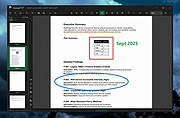 |
|
PDF24 Creator v11.30.1 PDF24 Creator v11.30.1 👉 Free and powerful PDF creation and management tool for Windows. PDF24 Creator is a full-featured PDF creation and management suite that lets you generate, edit, merge, split, compress, secure, and otherwise work with PDF documents directly on your Windows PC. It installs as a virtual PDF printer so you can create PDFs from almost any Windows application, and includes a toolbox of useful PDF utilities — all completely free of charge and without limits. Features: • Create PDF files from virtually any Windows application via virtual printer • Merge multiple documents into a single PDF • Split, delete, rotate, extract, and insert pages • Compress and shrink PDF files • Add digital signatures, encryption, watermarks, and metadata • Integrated PDF viewer and editor tools • Support for PDF/A, PDF/X and other PDF standards • Multiple PDF printer profiles for varied tasks • Works offline with all files staying local on your PC • Multilingual interface with wide language support The Tools: PDF Creator Easily assemble, create and modify PDF files with the Drag and Drop enabled user interface. • Merge or split PDF files • Add, remove, extract, rotate, sort and move PDF pages • Import and automatic conversion of documents (Word, Excel, images, etc. to PDF • Various preview modes for easy editing of PDF documents • Integrated viewer • Drag and Drop wherever possible • Follow up tools: Save, Print, Email, Fax, ... PDF Printer Print on this printer in order to create a PDF or use it as a universal PDF converter that converts any printable file to PDF. • Virtual printer for PDF creation • Multiple PDF printers for different tasks • Automatic saving ... |
|
9,200 | Jul 11, 2026 Geek Software GmbH 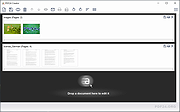 |
 |
TSR Watermark Image (PORTABLE) 3.4.2.8 TSR Watermark Image (PORTABLE) 3.4.2.8 TSR Watermark Image software, is a free program for personal use that can add digital watermarks to all your images, photos and pictures with the transparency you decide. The program can also resize the images before the digital watermark is added. When creating the watermark, you can use either text or another picture as the source of the watermark. If you want to add the watermark to the background, you can set the logo or the text to be more or less transparent, and define the transparency color on the image or select the first pixel in the upper left corner as transparency color. You can even use this program instead of photoshop to watermark your images, this is a quicker and more easy way of getting a watermark on all your images. Also use the watermarked image in Word, Excel or images used in pdf files can be made with this watermarking software. The version available for download is the full version, no missing features, no nag screen, no popup and no commercials!. The software is free for personal use, if you are using it for business use, please make a purchase after testing the software for $29.00. Features: Multilanguage support, English, German, Italian, Japanese, Hungarian, Czech, Romanian, Spanish, French, Dutch, Portuguese (Brazilian & Portugal), Chinese (Simplified & Traditional), Indonesian, Russian and Danish is supported. Add text watermark that is either normal, embossed, chiseled or watermarked with a border. Automatically rotate the watermarked picture based on the orientation EXIF tag - this is written to the image by many modern cameras. Add the text used to watermark the image to the EXIF information in the resulting file. Keep or drop EXIF information in jpeg files (Camera model/lense model/etc. etc.) Output the watermarked photo to JPEG, TIFF, PNG, BMP, GIF file format. Specify the quality of the ... |
 |
9,522 | Mar 01, 2015 TSR |
|
TSR Watermark Image 3.4.2.8 TSR Watermark Image 3.4.2.8 TSR Watermark Image software, is a free program for personal use that can add digital watermarks to all your images, photos and pictures with the transparency you decide. The program can also resize the images before the digital watermark is added. When creating the watermark, you can use either text or another picture as the source of the watermark. If you want to add the watermark to the background, you can set the logo or the text to be more or less transparent, and define the transparency color on the image or select the first pixel in the upper left corner as transparency color. You can even use this program instead of photoshop to watermark your images, this is a quicker and more easy way of getting a watermark on all your images. Also use the watermarked image in Word, Excel or images used in pdf files can be made with this watermarking software. The version available for download is the full version, no missing features, no nag screen, no popup and no commercials!. The software is free for personal use, if you are using it for business use, please make a purchase after testing the software for $29.00. Features: Multilanguage support, English, German, Italian, Japanese, Hungarian, Czech, Romanian, Spanish, French, Dutch, Portuguese (Brazilian & Portugal), Chinese (Simplified & Traditional), Indonesian, Russian and Danish is supported. Add text watermark that is either normal, embossed, chiseled or watermarked with a border. Automatically rotate the watermarked picture based on the orientation EXIF tag - this is written to the image by many modern cameras. Add the text used to watermark the image to the EXIF information in the resulting file. Keep or drop EXIF information in jpeg files (Camera model/lense model/etc. etc.) Output the watermarked photo to JPEG, TIFF, PNG, BMP, GIF file format. Specify the quality of the watermarking ... |
 |
9,896 | Mar 01, 2015 TSR |
| Showing rows 1 to 5 of 5 | Showing Page 1 of 1 | 1 |
OlderGeeks.com Copyright (c) 2026
