|

|
Processed through Paypal No account required. |








Buy our over-priced crap to help pay the bills.



|
|
Processed through Paypal No account required. |
| Files | ||||
| File Name | Rating | Downloads | ||
 |
Alternate File Shredder v3.100 Alternate File Shredder v3.100 👉 Securely and permanently erase files, folders, and free disk space to prevent data recovery. Alternate File Shredder is a freeware, open-source utility designed to securely destroy files and folders so they cannot be recovered with standard undelete or forensic recovery tools. Instead of simply removing file references from the file system, it repeatedly overwrites the contents using configurable methods before deleting them, making recovery extremely difficult or impossible. The program can also overwrite unused free space on a drive to eliminate remnants of files that were previously deleted without secure wiping. Additional options allow you to overwrite data with random values, a fixed value, or the contents of another file, giving you flexibility for different security requirements. Because secure deletion is permanent, the author recommends carefully reviewing all selected items before proceeding. Features: • Permanently erase files and folders by securely overwriting data before deletion • Wipe free disk space to remove recoverable traces of previously deleted files • Choose overwrite methods using random values, fixed values, or a template file • Configure multiple overwrite iterations for increased security • Optionally overwrite file names before deletion • Ignore write protection when desired • Drag-and-drop support for quickly adding files and folders • Displays detailed file information before shredding • Processing log for completed operations • Open source and free to use Supported operating systems: • Windows Vista, Windows 7, Windows 8, Windows 8.1, Windows 10, Windows 11, Windows Server Supported languages: • English, German, Spanish, French, Italian, Chinese, Japanese, Korean, Swedish, Arabic, Greek, Russian, Czech, Hungarian, Turkish, Polish, Portuguese, Slovenian, Danish, Dutch Changes: v3.100 02-13-26 Added custom colors Options extended Note: This file has four hits on VirusTotal. We have confirmed these to be false positives. The file is safe. Click here to visit the author's website. |
 |
7,428 | Jul 07, 2026 Alternate Tools 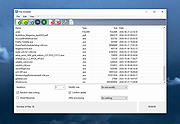 |
|
Bitvise SSH Client v9.66 Bitvise SSH Client v9.66 👉 A powerful Windows SSH client for secure remote access, file transfer, tunneling, and terminal emulation. Bitvise SSH Client is a secure, flexible SSH (Secure Shell) client for Windows. It lets users connect to remote systems securely for terminal access, encrypted file transfers, dynamic and static port forwarding, and other SSH-based operations. Its graphical and command-line interfaces make securely managing remote servers, transferring files, and setting up secure tunnels easy for both casual and advanced users. It supports advanced protocols, customizable authentication methods, and a robust set of features to meet modern secure networking needs. Features: • Graphical SFTP client with advanced file transfer features. • Terminal emulator supporting bvterm, xterm, and VT100 protocols. • Powerful SSH2 port forwarding and tunneling (SOCKS/HTTP). • Dynamic tunneling and proxy support (SOCKS4/5, HTTP CONNECT). • Drive-mapping support for SFTP remote directories. • Command-line clients for scripted file transfer, execution, terminal, and tunneling. • Integrated authentication with public keys, Kerberos/GSSAPI, and NTLM. • Single-click remote desktop forwarding. Supported operating systems: • Windows XP SP3, Vista, 7, 8.1, 10, Windows 11 • Windows Server 2003 through Windows Server 2025 Supported languages: English Changes: v9.66 07-20-26 SSH: Improved multiple avenues which a server could use to exert disproportionate memory pressure on the client. SFTP drive: The SSH Client now includes WinFsp version 2.2.26194. This addresses CVE-2026-7162, which is a local privilege escalation. Users who install the SSH Client with the SFTP drive feature are recommended to update, especially on multi-user systems. The SFTP drive feature is available if Install WinFsp is selected when installing. The UNC path used by the SFTP drive is now configurable. This makes it practical to configure a UNC path for access by other users on the system. The SFTP drive can now be configured to expose only the UNC path, without assigning a ... |
|
6,289 | Sep 16, 2026 Bitvise Limited 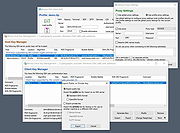 |
 |
Blank And Secure v8.44 Blank And Secure v8.44 👉 Securely delete files to prevent recovery. Blank And Secure is a small, portable tool designed to securely delete files so they cannot be recovered by any data recovery software. It overwrites selected files multiple times using different patterns, ensuring that sensitive data is permanently erased. The program is lightweight, requires no installation, and is ideal for users who want a quick and reliable way to securely remove confidential files. Features: • Secure file deletion with multiple overwrite passes • Prevents recovery by standard and advanced recovery tools • Adjustable overwrite count for customizable security • Drag-and-drop support for quick file handling • Portable, no installation required • Very small footprint and low system resource usage • Simple and user-friendly interface Supported operating systems: • Windows 7, Windows 8, Windows 10, Windows 11 Supported languages: German, English, Russian, Dutch, Romanian, Swedish, French, Italian, Turkish, Arabic, Spanish, Bulgarian, Greek, Portuguese (Brazil), Chinese Simplified, Czech, Korean, Chinese Traditional, Polish, Thai, Indonesian, Japanese, Hungarian, Norwegian, Portuguese, Danish, Irish, Vietnamese, Spanish (Venezuela), Hebrew, Malay, Filipino, Finnish, Afrikaans, Bosnian, Ukrainian Changes: v8.44 08-27-2026 • BlankAndSecure language file update • Minor fine-tuning in BlankAndSecure for all Windows operating systems This download is for the Windows 64bit version (very bottom of page). All other download assets are below: Other Windows: BlankAndSecure.zip (32bit) BlankAndSecure_Win98.zip (Windows 98) Click here to visit the author's website. |
|
7,380 | Sep 07, 2026 Nenad Hrg 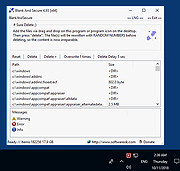 |
|
BleachBit v6.0.4 BleachBit v6.0.4 👉 Free, open-source system cleaner for freeing disk space and protecting privacy. BleachBit is a powerful, open-source cleaning tool that removes junk files, browser traces, caches, logs, cookies, temporary files, and other unwanted data to help free disk space and protect privacy. It lets users preview what will be deleted before cleaning, securely shred files, wipe empty space, and automate cleanup through command-line and scripting support. BleachBit supports Windows and Linux, includes portable use on Windows, and offers advanced CleanerML support for custom cleaning rules. Features: • Frees disk space by removing temporary files, browser caches, logs, and hidden junk • Protects privacy by deleting browsing history, cookies, saved passwords, and application traces • Preview mode shows files before deletion • Securely shreds sensitive files • Wipes empty space to help hide previously deleted files • Cleans many applications including Google Chrome, Edge, Firefox, VLC, system logs, temporary files, and more • Supports thousands of additional Windows cleaners through winapp2.ini • Includes a cookie manager for choosing which cookies to keep • Command-line interface for scripting and automation • CleanerML support for custom cleaners • No adware, spyware, telemetry, malware, bloatware, browser toolbars, or bundled extras • Windows installer and portable mode available • Open source and free of charge Uses • Free disk space • Reduce the size of backups and the time to create them by removing unnecessary files • Maintain privacy • Improve system performance • Prepare system for backups by removing junk data that wastes space and time. • Prepare whole disk images for compression (common for "ghost" backups and virtual machines) by wiping free disk space Supported operating systems: • Windows 10, Windows 11 • Linux .deb and .rpm packages for popular distributions Supported languages: • Arabic, Basque, Bulgarian, Catalan, Chinese (Simplified), Chinese (Traditional), Croatian, Czech, ... |
|
7,373 | Sep 23, 2026 Andrew Ziem 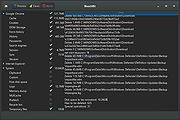 |
 |
Bluefin v20261006 Bluefin v20261006 👉 A modern Fedora-based Linux workstation built for everyday use and cloud-native development. Bluefin is a next-generation Linux desktop operating system based on Fedora Atomic and the Universal Blue project. It is designed to provide a stable, secure, and maintenance-friendly workstation experience while still offering modern development tools, gaming support, multimedia features, and a polished GNOME desktop environment. Unlike traditional Linux distributions that rely heavily on manual package management and upgrades, Bluefin uses an immutable image-based system architecture. This allows the operating system to update atomically, reducing the risk of broken updates and making system recovery significantly easier through built-in rollback capabilities. Bluefin is focused on delivering an “install and use” Linux experience with many essential tools already configured. The system integrates Flatpak applications, Homebrew package management, containerized development environments, and modern virtualization technologies directly out of the box. It also includes developer-oriented workflows for Docker, Podman, devcontainers, and cloud-native software development. Features: • Fedora Atomic based immutable operating system • Built on Universal Blue technology stack • Modern GNOME desktop environment with user-friendly layout • Separate standard images for AMD/Intel graphics and NVIDIA graphics hardware • Atomic image-based updates with rollback support • Automatic operating system updates and maintenance • Integrated Flatpak application ecosystem with Flathub support • Homebrew package manager preconfigured for command-line software • Developer-ready environment with container-first workflows • Built-in Podman and Docker support • Devcontainer and cloud-native development integration • Distrobox support for running software from other Linux distributions • Tailscale support for secure mesh networking • WireGuard VPN tools included • Virtualization and container management support • Optimized multimedia codec support • Secure Boot compatible • Wayland-based modern graphics stack • Gaming-friendly Mesa and NVIDIA driver support • Integrated terminal enhancements including Starship prompt • Flatpak management utilities included • Rollback functionality for safer upgrades and experimentation • Designed for developers, power users, creators, and advanced desktop users • Minimal manual maintenance required after installation • Fast deployment and recovery ... |
|
1,116 | Oct 08, 2026 Project Bluefin and Universal Blue 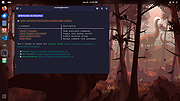 |
|
LibreWolf v153.0.4-1 LibreWolf v153.0.4-1 👉 Privacy-focused Firefox-based web browser with hardened security settings and built-in content blocking. LibreWolf is a custom and independent version of Firefox focused on privacy, security, and user freedom. It is designed to increase protection against tracking and fingerprinting techniques through privacy and security oriented settings and patches. It also removes telemetry, data collection, and various annoyances while disabling anti-freedom features such as DRM. LibreWolf includes uBlock Origin, uses privacy-respecting search engines, and stays aligned with current Firefox stable releases for up-to-date security and stability. Features: • No telemetry, experiments, adware, or unnecessary distractions • Includes uBlock Origin with custom default filter lists • Uses privacy-respecting search engines such as DuckDuckGo, Searx, and Qwant • Enables Total Cookie Protection and anti-fingerprinting protections • Deletes cookies and website data on close • Disables WebGL, form autofill, form history, link prefetching, and speculative connections • Enables HTTPS-Only mode and stricter TLS/SSL negotiation rules • Disables Firefox Sync unless explicitly enabled by the user • Removes Pocket and Mozilla VPN ads • Disables DRM by default • Provides a LibreWolf-specific UI for privacy and security controls • Open source and community-driven project Supported operating systems: • Windows 10 or later, Windows 11 • macOS • Linux • OpenBSD Supported languages: English, Additional languages via Firefox language packs Changes: v153.0.4-1 08-12-26 Upstream release based on Firefox 153.0.4. Notable Changes: • Search engines have moved away from using policies and now use the bundled remote-settings dump. • The included search engines have been overhauled. This may cause the default search engine for some users to reset to DuckDuckGo No-AI. • Fixed slow startup that some users experienced when starting a session. Infrastructure Changes: • Migration to LibreWolf's own Forgejo instance at librewolf.dev has begun. • Releases will continue to be published to Codeberg during the transition to give downstream packagers time to update. • The signing key for RPM releases has been changed to LibreWolf's repository signing key. This download is for the ... |
|
3,513 | Aug 13, 2026 LibreWolf Core Contributors  |
|
PrivaZer v4.0.127 PrivaZer v4.0.127 👉 Advanced privacy cleaner that removes traces of your activity from your PC. PrivaZer is a powerful privacy-focused cleaning tool designed to remove traces left behind by everyday computer use. It scans your system to locate leftover files, internet history, cookies, cache data, and other hidden artifacts created by Windows, browsers, and applications. By carefully cleaning these traces, PrivaZer helps improve privacy, free disk space, and keep your system running efficiently. PrivaZer performs deep scans that go beyond typical cleaning utilities, detecting residual data that many programs leave behind. It can safely remove traces from web browsers, messaging applications, system logs, and temporary files while offering detailed control over what is cleaned. Advanced options allow users to securely delete sensitive data and prevent recovery of removed files. The program also offers customizable cleaning profiles, scheduled cleanups, and secure deletion features for users who want to maintain long-term privacy protection. Despite its advanced capabilities, PrivaZer includes guided cleaning modes that help beginners safely perform system cleanup without risk. Features: • Deep scan and removal of privacy traces left by Windows and applications • Cleans browser history, cookies, cache, and internet activity records • Detects and removes residual files left after software uninstallations • Secure file deletion to prevent recovery of sensitive data • Cleans temporary files, logs, and leftover system artifacts • Guided cleaning mode for safe cleanup by less experienced users • Advanced cleaning options for experienced users • Optional scheduled cleaning and automation Supported operating systems: • Windows XP, Windows Vista, Windows 7, Windows 8, Windows 10, Windows 11 Supported languages: Arabic, Bulgarian, Chinese Simplified, Chinese Traditional, Czech, Danish, Dutch, English, Finnish, French, German, Greek, Hungarian, Indonesian, Italian, Japanese, Korean, Norwegian, Polish, Portuguese, Portuguese Brazilian, Romanian, Russian, Slovak, Slovenian, Spanish, Swedish, Turkish, Ukrainian Changes: v4.0.127 10-02-26 + Improved cleanup : HDD + Improved cleanup : TRIM + Improved cleanup : snapshots + Improved cleanup : Free Download Manager + ... |
|
15,047 | Oct 05, 2026 Goversoft LLC 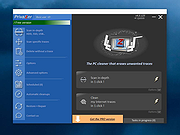 |
|
PuTTY CAC v0.84 Update 1 PuTTY CAC v0.84 Update 1 👉 Enhanced PuTTY SSH client with CAC, smart card, certificate and FIDO authentication support. PuTTY CAC is an advanced fork of the well-known PuTTY SSH and Telnet client designed to provide enterprise-grade authentication features for secure remote access environments. It extends the standard PuTTY toolset with support for Common Access Cards (CAC), smart cards, Windows Certificate Store integration, PKCS #11 middleware and modern FIDO authenticators such as security keys and passkeys. Built for administrators, government agencies, enterprise users and security-conscious professionals, PuTTY CAC allows secure SSH authentication without relying solely on password-based logins. The software can interface directly with certificates stored in Windows or on external authentication hardware, enabling secure public key authentication through hardware-backed credentials. The package includes the familiar PuTTY ecosystem tools including PuTTY terminal, Pageant authentication agent, PSFTP secure file transfer client, PSCP SCP utility and additional companion tools. PuTTY CAC also introduces enhanced certificate management options, PIN caching, auto-loading of certificates and better handling of hardware token authentication workflows. Support for FIDO security devices makes PuTTY CAC especially useful in modern zero-trust and multi-factor authentication environments. Users can authenticate using compatible FIDO2/U2F hardware keys while benefiting from PuTTY’s lightweight and portable design philosophy. Features: • Full SSH terminal emulation based on the official PuTTY codebase • Supports Common Access Cards (CAC) for secure authentication • Windows CAPI certificate store integration • PKCS #11 middleware support for hardware security devices • FIDO/U2F and passkey authentication support • Compatible with YubiKey and other hardware authenticators • Includes PuTTY, PSFTP, PSCP, Pageant and related utilities • Pageant certificate auto-loading and management features • Optional PIN caching for supported devices • Secure public key authentication without storing private keys on disk • Certificate filtering for trusted or valid certificates only • Portable configuration support using putty.dat • Supports x86, x64 and ARM64 Windows systems • MSI installer and portable ZIP distributions available • Lightweight and ... |
|
529 | Jun 09, 2026 Bryan Berns 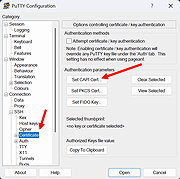 |
|
Secure Mail 1.0 Secure Mail 1.0 Guard your privacy and data from Mass Surveillance. (EXE,JAR,RAR included). Secure Mail is an email/file encryption/decryption software. It uses RSA-4096 bit asymmetric encryption coupled with AES-128 bit symmetric encryption. Any and all data leaving the app and through the internet is completely encrypted as well as the data at rest, at both the inbound and outbound server of your email provider. The app also features an independent file encryption - decryption mode. The program is a breeze to use once you get used to the idea of encrypted emails. The app even has features such as SHA-1 checksum calculator and audio recorder to authenticate while sending your Public RSA key. Features: Mail Encryption Mail Decryption RSA 4096 bit asymmetric encryption AES 128 bit symmetric encryption File encryption File decryption SHA-1 checksum calculator Audio Recorder SMTP Mail Sender POP Mail Receiver Mail attachments support (up to 3) Requires Java Runtime Environment |
|
7,374 | Jan 10, 2018 PavinJoseph 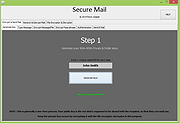 |
|
Telegram Desktop v6.9.1 Telegram Desktop v6.9.1 Fast, secure, and powerful messaging app for desktop devices. Telegram Desktop is a cloud-based messaging application that allows users to send messages, share media, and stay connected across multiple devices seamlessly. It syncs instantly with your mobile Telegram app and offers a fast, secure, and fully featured messaging experience directly from your computer. Telegram Desktop supports private chats, group conversations, and large channels with thousands of members. It includes advanced features such as file sharing up to 2 GB per file, voice and video calls, animated stickers, bots, and customizable themes. Messages are stored securely in the cloud, ensuring access from any authorized device. Secret chats with end-to-end encryption are available on supported devices for enhanced privacy. With a clean interface and efficient performance, Telegram Desktop provides a reliable communication platform for both personal and professional use. Features: • Fast cloud-based messaging with real-time sync • Send messages, photos, videos, and files up to 2 GB • Voice and video calls • Large group chats and broadcast channels • End-to-end encrypted Secret Chats (on supported devices) • Animated stickers, emojis, and GIF support • Bots and automation tools • Customizable themes and interface options • Cross-platform synchronization Supported operating systems: • Windows 10, Windows 11 • macOS 10.13 or higher • Linux Supported languages: English, Spanish, German, French, Italian, Portuguese, Russian, Ukrainian, Arabic, Persian, Turkish, Indonesian, Malay, Korean, Japanese, Chinese, Polish, Dutch, Thai, Vietnamese, Hindi and more Changes: v6.9.1 06-09-26 Fix sending several same custom emoji. Fix some rich messages layout glitches. This download is for the Windows 64bit portable version (very bottom of page). All other download assets are below: Other Windows: tportable.6.9.1.zip tsetup-x64.6.9.1.exe tsetup.6.9.1.exe MacOS: tsetup.6.9.1.dmg Linux: tsetup.6.9.1.tar.xz Click here to visit the author's website. |
|
10,322 | Jun 11, 2026 telegram.org 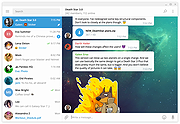 |
|
Tor Browser v15.0.25 Tor Browser v15.0.25 👉 Privacy-focused web browser that routes traffic through the Tor network to help prevent tracking, surveillance, and censorship. Tor Browser is a privacy-focused web browser based on Mozilla Firefox ESR that has been heavily modified for use with the Tor network. It routes your traffic through the Tor network to help hide your real IP address, resist online tracking and browser fingerprinting, and protect against surveillance and censorship. By default, it does not keep browsing history, and cookies are only valid for a single session unless you request a new identity. Features: • Routes internet traffic through the Tor network using multiple relays to conceal your real IP address • Uses layered (onion) encryption so each relay only knows the previous and next step in the circuit • Blocks third-party trackers and isolates cookies to prevent cross-site tracking • Automatically clears cookies and browsing data when the browser is closed • Does not retain browsing history by default for increased privacy • Resists browser fingerprinting by standardizing browser characteristics across users • Includes built-in HTTPS enforcement to help ensure encrypted connections when available • Provides “New Identity” feature to quickly reset your session and obtain a new Tor circuit • Includes “New Circuit for this Site” option to change exit nodes for specific websites • Offers multiple security levels (Standard, Safer, Safest) to reduce attack surface • Disables potentially unsafe browser features like certain scripts and media formats at higher security levels • Helps bypass censorship and access blocked websites through the Tor network • Protects against local network surveillance and ISP monitoring • Includes Tor network configuration options for censored regions (bridges, Snowflake, etc.) • Sandboxed design helps isolate web content from the underlying operating system • Regularly updated with Firefox ESR security patches and Tor-specific hardening • Open-source project with publicly auditable code • Designed to minimize data leaks such as DNS requests outside the ... |
|
7,082 | Oct 14, 2026 The Tor Project  |
| Showing rows 1 to 11 of 11 | Showing Page 1 of 1 | 1 |
OlderGeeks.com Copyright (c) 2026
