|

|
Processed through Paypal No account required. |








Buy our over-priced crap to help pay the bills.



|
|
Processed through Paypal No account required. |
| Files | ||||
| File Name | Rating | Downloads | ||
 |
2Shoot_Dual_Intervalometer_ISO_Bracketing.zip 2Shoot Dual Intervalometer & ISO Bracketing v1.0.0 👉 A portable Windows tool for wireless interval shooting and ISO bracketing with supported Sony cameras. 2Shoot Dual Intervalometer & ISO Bracketing is a lightweight photography utility that controls supported Sony cameras from a Windows PC over Wi-Fi. It provides both an intervalometer and true ISO bracketing while keeping the interface simple and focused. Photographers can create timed shooting sequences, distribute a selected number of shots across a specified duration, or capture 3, 5, or 9 images at different ISO values while maintaining the same shutter speed and aperture. The program currently supports the Sony α1 (ILCE-1) and Sony α7 IV (ILCE-7M4), provides live camera information, works with autofocus or manual focus, and requires no traditional installation. Features: • Wireless control of supported Sony cameras over Wi-Fi • Interval Mode for setting the delay between consecutive photographs • Duration Mode for distributing a selected number of shots over a total duration • Time controls adjustable in 0.5-second steps • ISO bracketing with 3, 5, or 9-shot sequences • ISO bracket steps of 0.3 EV, 0.7 EV, or 1.0 EV • Uses the camera's current ISO as the center value of an ISO bracket • Displays the calculated ISO scale in real time • Keeps shutter speed and aperture unchanged during ISO bracketing • Automatically restores the camera's original ISO after a bracketing sequence • Supports RAW, RAW + JPG, and JPG operation • Supports autofocus and manual-focus shooting • Displays live ISO, shutter speed, and aperture information • Monitors actual shutter speed for interval timing checks • Automatically opens the destination folder after a successfully completed sequence • Automatically retries a camera connection up to two times after the initial attempt • Includes an Abort Connection control • Built-in Help and About windows • Supports Sony α1 (ILCE-1) and Sony α7 IV (ILCE-7M4) • Portable 64-bit Windows application with no traditional installer required Supported operating systems: • ... |
 |
95 | Sep 20, 2026 Cristoforo Bonissone 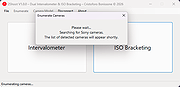 |
 |
darktable v5.4.1 darktable v5.4.1 👉 Free, open-source RAW photo workflow and non-destructive image editor. darktable is a powerful, non-destructive photography workflow application and RAW developer that helps you import, organize, edit, and export large photo collections. Designed as a “lighttable” for managing your library and a “darkroom” for development, it provides professional-grade tools like color management, GPU-accelerated processing (OpenCL), tethered shooting support for some cameras, and a flexible export system for everything from local files to web galleries. Features: • Non-destructive editing throughout the complete workflow; original images are never modified. • Takes full advantage of raw processing: all darktable core functions operate on 4Χ32-bit floating-point pixel buffers, enabling SSE instructions for performance gains. • GPU-accelerated image processing with OpenCL support (runtime detection and enabling) for lightning-fast operations. • Professional color management with automatic display profile detection on most systems and built-in ICC profile support for sRGB, Adobe RGB, XYZ, and linear RGB color spaces. • Cross-platform support: runs on Linux, macOS (MacPorts), BSD, Windows, and Solaris 11 (GNOME). • Advanced filtering and sorting using tags, star ratings, color labels, and flexible database queries across all image metadata. • Broad image format support including standard, raw, and high dynamic range formats such as JPEG, CR2, NEF, HDR, PFM, and RAF. • Zero-latency, zoomable user interface powered by multi-level software caching for a fluid user experience. • Tethered shooting support with camera control and live view for selected camera brands. • Multilingual interface with translations into more than a dozen languages (availability varies by release). • Powerful export system supporting Piwigo web albums, disk storage, 1:1 copies, email attachments, and simple HTML-based ... |
|
5,629 | Jun 18, 2026 darktable team 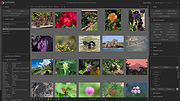 |
|
digiKam v9.1.0 digiKam v9.1.0 👉 Professional photo management with the power of open source. digiKam is an advanced open-source digital photo management application for importing, organizing, editing, and sharing photos and RAW files. It provides tools for managing large photo collections, editing metadata, tagging and rating images, handling RAW camera formats, previewing media, geolocation, batch processing, export tools, and AI-assisted photo workflows. Features: • Import, organize, and manage massive collections of photos, RAW images, and videos • Supports albums, tags, labels, ratings, comments, and hierarchical organization • Advanced metadata management including EXIF, IPTC, XMP, and GPS geotagging • Integrated map tools for assigning and editing geographic coordinates • Powerful RAW image processing using the Libraw engine • Built-in image editor with cropping, resizing, sharpening, curves, color correction, filters, and restoration tools • Includes Showfoto stand-alone image editor • AI-assisted face recognition and automatic face tagging • AI tools for image quality sorting, aesthetic detection, red-eye correction, and auto-rotation • Batch Queue Manager for automating large-scale image processing operations • Advanced search and filtering using metadata, tags, ratings, colors, and custom properties • Duplicate detection and similarity matching tools • Flexible file renaming with advanced rename templates and date formatting • Side-by-side comparison and new Survey tool for reviewing media collections • Enhanced preview system with exposure indicators, magnifier, gestures, OSD overlays, and color management • Slideshow tools with transition and transparency customization • Versioning support and non-destructive workflow options • Integrated export and sharing plugins for online services and remote storage • Database support using SQLite, MySQL, and MariaDB • Multi-core processing acceleration for thumbnail generation, AI tasks, and database operations • Supports hundreds of digital cameras and image formats Supported operating systems: • Windows 10 or later 64-bit • macOS Silicon 11.3 or later • macOS Intel 10.15 or later • Linux 64-bit AppImage, glibc 2.31 or later Supported languages: • Basque, Brazilian Portuguese, Bulgarian, Catalan, Chinese Simplified, Chinese Traditional, Croatian, Czech, Danish, Dutch, English, Esperanto, Estonian, Finnish, French, Galician, ... |
|
4,303 | Sep 28, 2026 digiKam Team 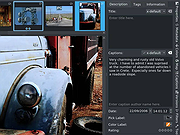 |
|
NegPy v0.59.0 NegPy v0.59.0 👉 Powerful open-source darkroom-style software for converting, processing, repairing and printing scanned film negatives and transparencies. NegPy is a specialized film-processing application designed to turn scanned negatives into finished positives using a non-destructive, darkroom-style workflow. Rather than simply inverting an image, it models film and photographic paper behavior in density space, automatically neutralizes the orange mask and provides Auto Density and Auto Grade controls for establishing useful starting points. It can work with camera scans, dedicated film scanners, RAW and TIFF images, slide film, narrowband and trichrome scans, and specialized scanner formats. NegPy also includes extensive tools for dust repair, dodge and burn, color management, soft proofing, metadata, batch processing and print-ready exporting. Original source files are never modified, with edits and history stored separately in a local database. Features: • Converts scanned film negatives using a film and photographic-paper simulation rather than simple image inversion • Neutralizes the orange mask mathematically using channel sensitometry without requiring camera profiles or border color picking • Models film H&D characteristic curves in density space with toe, linear and shoulder response • Per-frame Auto Density and Auto Grade analyze negatives for automatic brightness and contrast starting points • Darkroom paper profiles provide paper-specific curve shaping, channel gamma and base tint • Dedicated transparency support for positive and slide film with optional normalization for faded or expired film • Process option allows already-finished positive images to bypass unnecessary as-captured lift and highlight roll-off • Supports standard RAW and TIFF files along with specialized formats such as Kodak Pakon scanner RAW files • Direct scanner control for supported film scanners including Plustek and Nikon Coolscan models • Nikon Coolscan strip scanning includes automatic frame detection, roll-wide offset and drift controls, plus individual per-frame registration • Supports 16-bit monochrome TIFF scanning for single-record film • Camera scanning can capture negatives directly from a tethered camera on supported platforms • ... |
|
992 | Sep 17, 2026 marcinz606 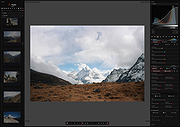 |
|
Refloow Photo Studio v1.1.0 Refloow Photo Studio v1.1.0 👉 A free, open source, privacy-focused photo editor with local AI background removal, filters, cropping, layering, text and image adjustments. Refloow Photo Studio is a free and open source desktop photo editor designed to provide professional-looking results without complicated workflows, accounts, subscriptions, advertisements, watermarks or data collection. All image processing runs locally on your computer, including its AI-powered background removal. The editor provides more than 40 built-in filters along with cropping, mirroring, brightness, contrast, saturation and warmth adjustments. Images can be dragged onto the canvas as layers to build compositions, while an undo and redo history lets you move backward or forward through up to 15 editing actions. Text can also be added to images, resized and positioned as layers. The workspace supports zooming and panning for easier navigation while editing. Features: • Free and open source photo editor • All image processing is performed locally • No accounts or logins required • No subscriptions • No advertisements • No watermarks • No data collection • One-click AI-powered background removal • AI background removal runs locally using the U-2-Netp model • More than 40 built-in professional filters • Crop images • Mirror images • Adjust brightness, contrast, saturation and warmth • Add text to images with imported fonts and customizable colors • Resize and position text as layers • Overlay multiple images to create compositions • Drag-and-drop support • Layer management for arranging compositions • Workspace zooming with the scroll wheel • Workspace panning with the middle mouse button • Undo and redo history for up to 15 actions • High-quality WYSIWYG image exporting Supported operating systems: • Windows 10 64-bit, Windows 11 64-bit • macOS Intel, macOS Apple Silicon • Linux Ubuntu, Linux Debian • Linux distributions capable of running the supplied AppImage Supported languages: English Changes: v1.1.0 06-23-26 • Added the ability to add custom text directly to compositions using imported fonts and customizable text colors. • Added full workspace zooming, panning and canvas movement. • Added smart crop ... |
|
125 | Sep 08, 2026 Veljko Vuckovic 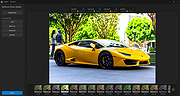 |
| Showing rows 1 to 5 of 5 | Showing Page 1 of 1 | 1 |
OlderGeeks.com Copyright (c) 2026
