|

|
Processed through Paypal No account required. |








Buy our over-priced crap to help pay the bills.



|
|
Processed through Paypal No account required. |
| Files | ||||
| File Name | Rating | Downloads | ||
 |
Pinned: Malwarebytes Anti-Malware v5.7.2.358 Malwarebytes Anti-Malware v5.7.2.358 OlderGeeks.com is an official mirror of Malwarebytes Anti-Malware 👉 Advanced malware detection and removal tool to protect your PC from threats. Malwarebytes Anti-Malware is a powerful security application designed to detect, block, and remove malware, ransomware, spyware, adware, and other online threats that traditional antivirus programs may miss. Using advanced heuristic analysis and signature-based detection, it provides real-time protection and on-demand scanning to keep your system clean and secure. Malwarebytes Anti-Malware works alongside other antivirus software or as a standalone solution, offering layered defense against emerging threats. Its streamlined interface makes it easy for both beginners and advanced users to perform quick scans, deep scans, and custom scans, while maintaining minimal impact on system performance. Features: • Real-time protection against malware, ransomware, spyware, and adware • Advanced heuristic and behavior-based threat detection • Quick, Threat, and Custom scan options • Protection against malicious websites and phishing attempts • Automatic updates to the malware database • Quarantine and restore functionality • Lightweight design with minimal system impact • Compatible with other antivirus programs Supported operating systems: • Windows 10, Windows 11 Supported languages: English, Spanish, French, German, Italian, Portuguese, Dutch, Japanese, Korean, Chinese (Simplified), Chinese (Traditional) Changes: v5.7.2.358 10-01-26 Features and improvements Added the ability to directly open Browser Guard's extension settings from the Malwarebytes for Windows Settings page. This link only appears when Chrome or Edge is your default browser. Improved the error messages that appear when license activation fails, so it's clear what went wrong and what to do next. Improved detection of malicious scripts. Issues fixed Fixed security, stability, and performance issues related to detection, protection, and remediation. Fixed minor localization issues. Note: Malwarebytes initially installs as a 14 day trial of full real-time protection. After the 14 days are up, Malwarebytes reverts to a free version that will only disinfect ... |
 |
28,613 | Oct 09, 2026 Malwarebytes.com 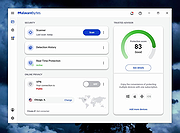 |
 |
Antivirus Live CD v52.0-1.5.2 Antivirus Live CD v52.0-1.5.2 👉 A 4MLinux fork including the ClamAV scanner. It's designed for users who need a lightweight live CD, which will help them to protect their computers against viruses. Ethernet, WiFi, PPP and PPPoE are supported by Antivirus Live CD to enable automatic updates of its virus signature databases. All partitions are mounted during the boot process so that they can be scanned by ClamAV. The Antivirus Live CD ISO images are fully compatible with UNetbootin, which can be used to create an easy-to-use Antivirus Live USB. Features: • Lightweight bootable antivirus rescue environment based on 4MLinux • Includes the ClamAV antivirus engine • Scans all mounted disk partitions automatically • Updates virus signature databases over the Internet • Supports Ethernet, Wi-Fi, PPP, and PPPoE network connections • Boots from CD, DVD, or USB flash drive • Fully compatible with UNetbootin for creating bootable USB media • Command-line interface optimized for malware removal and system recovery • Supports a wide range of Windows and Linux file systems • Ideal for scanning systems that cannot boot normally • Small download size with low system requirements • Includes essential Linux utilities for file management and troubleshooting Supported operating systems: • Windows XP, Windows Vista, Windows 7, Windows 8, Windows 8.1, Windows 10, Windows 11 • Linux distributions with supported file systems (btrfs, ext2, ext3, ext4, f2fs, FAT16, FAT32, HFS, HFS+, JFS, NILFS2, NTFS, ReiserFS, Reiser4, XFS) Supported languages: • English Changes: v51.0-1.5.1 02-08-26 • Updated to 4MLinux 51.0 BETA. • Updated ClamAV to v1.5.1. Click here to visit the author's website. |
|
8,997 | Aug 06, 2026 zk1234 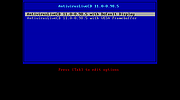 |
 |
AV block remover (AVbr) v4 AV block remover (AVbr) v4 👉 A free malware-removal and system-repair tool designed to restore computers whose security software and Windows functions have been blocked by malware. AV block remover (AVbr) is a free utility designed to help clean Windows computers infected with malware that interferes with antivirus programs, security utilities and normal system operation. AVbr automates a collection of diagnostic and remediation procedures and uses Oleg Zaitsev's AVZ antivirus utility as part of its operation. It can help remove malware, restore Windows settings altered by malicious software, remove malicious policies and restrictions, and address infections that deliberately prevent security programs from running. Features: • Designed to remove active malware and repair changes made to Windows by malicious software • Helps when malware blocks antivirus and other security programs • Performs automated system diagnostics and remediation • Uses the AVZ antivirus utility during its malware detection and cleanup procedures • Includes AVZ Toolkit • Searches for malicious and suspicious system activity • Helps detect and remove malware that interferes with normal Windows operation • Removes malicious system policies and restrictions • Helps restore system settings modified by malware • Can assist with infections that prevent security and diagnostic utilities from launching • Generates diagnostic information that can be used when investigating an infected computer • Portable utility that does not require conventional installation Supported operating systems: Windows Vista, Windows 7, Windows 8, Windows 8.1, Windows 10, Windows 11 Supported languages: English, Russian Changes: v4 and AVZ Toolkit v6.12, dated 08-31-26 Now helps in the case of blocking antivirus signatures through systemic equipment. Added removal of the start-up of antivirus start-up, added by CertLock viruses blocking... Complementary functionality 1) AppLocker policy check and reset if working policies are found. 2)... Update 1) Check the existence of the Hosts file added. If it is not, it creates a pure Hosts... Note: This file has two hits on VirusTotal. We have confirmed these to be false positives. The file ... |
|
251 | Sep 01, 2026 safezone.cc / Oleg Zaitsev 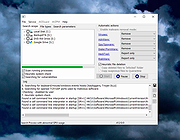 |
|
BitDefender Antivirus Free Edition v27.0.62.352 BitDefender Antivirus Free Edition v27.0.62.352 👉 Free real-time antivirus protection for Windows PCs. BitDefender Antivirus Free Edition provides lightweight, cloud-powered antivirus protection designed to defend Windows computers against viruses, malware, ransomware, phishing attacks, and other online threats. It uses Bitdefender’s award-winning security technologies while maintaining a simple “install and forget” approach that runs quietly in the background without slowing down your system. The program delivers real-time threat detection, automatic malware scanning, web attack prevention, anti-phishing protection, and malicious website blocking. It also includes integrated Bitdefender VPN access with limited daily encrypted traffic for safer browsing. BitDefender Antivirus Free Edition is optimized for gaming, multimedia editing, and other resource-intensive activities by minimizing system impact while maintaining continuous protection. Features: • Real-time antivirus and malware protection • Cloud-powered threat detection • Advanced anti-phishing protection • Malicious website and scam blocking • Automatic security updates • Lightweight system resource usage • Optimized for gaming and multimedia tasks • Integrated Bitdefender VPN with limited daily traffic • Automatic threat remediation and quarantine • Simple install-and-forget interface • Web traffic scanning • Protection against ransomware and online threats Supported operating systems: • Windows 7 SP1, Windows 8.1, Windows 10, Windows 11 Supported languages: English, German, French, Spanish, Italian, Romanian, Dutch, Swedish, Chinese Traditional, Chinese Simplified, Portuguese, English UK, English AU Changes: v27.0.62.352 08-20-26 Fixed an issue where protection review reports included monitored web and email activity even when the related protection features were disabled Fixed an issue where Bitdefender services were not responding at startup Fixed an issue where Bitdefender services could appear unresponsive while the product remained functional Fixed an issue where SecurePass could not remain disabled in Safepay Fixed an issue causing continuous notifications about webcam access Fixed an issue where the verified links counter reset to zero after rebooting on Windows 11 Fixed an issue causing multiple firewall notifications stating that an application had changed Note: BitDefender Antivirus Free Edition requires you to create a free account. Click here to ... |
|
11,989 | Aug 27, 2026 BitDefender Labs 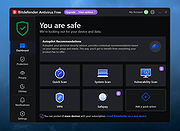 |
|
ClickShield v1.2.1 ClickShield v1.2.1 👉 Helps block ClickFix phishing attacks and suspicious clipboard commands in Windows. ClickShield is a free Windows security utility designed to help protect against ClickFix and similar phishing attacks that attempt to trick users into executing malicious commands. These attacks commonly use fake CAPTCHA or verification screens that copy a command to the clipboard and instruct the user to paste it into the Windows Run dialog or Command Prompt. ClickShield monitors clipboard changes for suspicious commands, including PowerShell commands and Windows LOLBINs such as mshta, bitsadmin, wmic and regsvr32. When suspicious clipboard content is detected, it can alert the user and prevent the Run dialog from opening. Its LOLBIN Shield can also block selected Windows utilities from accessing the internet, adding another layer of protection against common ClickFix techniques. Features: • Monitors the Windows clipboard for suspicious text and commands • Helps protect against ClickFix and similar fake CAPTCHA phishing attacks • Detects suspicious PowerShell commands, including encoded commands • Detects commands involving commonly abused Windows LOLBIN utilities • LOLBIN Shield can block several Windows utilities from accessing the internet • Can prevent the Windows Run dialog from opening when suspicious clipboard content is detected • Provides alerts when potentially dangerous clipboard commands are found • Includes an option to completely disable the Windows Run dialog • Run dialog restriction can be useful for administrators managing employee computers • Designed to operate with minimal memory usage • Supports both 32-bit and 64-bit Windows systems Supported operating systems: • Windows 7, Windows 8, Windows 8.1, Windows 10, Windows 11 Supported languages: • English Changes: v1.2.1 09-04-26 [*] Fixes and Improvements: • The alert message now stays on top of all windows instead of launching on the browser. This way it protects itself from ClickFix attack variants that attempt to close it and CrashFix attacks that crash the browser. The alert message remains visible until the user closes it. • The alert ... |
|
647 | Sep 30, 2026 Emir Alp Kocak  |
|
Cyber Prot v4.1.1.53 Cyber Prot v4.1.1.53 👉 Lightweight anti-ransomware protection that monitors system behavior to stop malicious encryption attacks before they damage your files. Cyber Prot is an anti-ransomware security tool designed to protect your system from file-encrypting malware and similar threats. It uses behavioral analysis and advanced algorithms to monitor system activity and detect suspicious operations that may indicate a ransomware attack. Instead of relying solely on signature databases like traditional antivirus software, Cyber Prot analyzes how programs behave. If a process begins performing suspicious actions such as rapid file encryption, mass file renaming, or unusual changes to file headers, the program can immediately intervene and terminate the offending process before it causes serious damage. Cyber Prot is designed to run alongside your existing antivirus solution, adding an additional layer of protection without significantly impacting system performance. The program runs quietly in the system tray and continuously monitors processes in the background. When a potential threat is detected, Cyber Prot can respond in several ways depending on your configuration. Possible actions include playing a warning sound, sending an email notification, shutting down the computer, or preventing the system from booting again until the issue is addressed. These flexible response options allow users to tailor the program’s behavior to their specific security needs. Features: • Behavioral monitoring of running processes to detect ransomware activity • Heuristic detection capable of identifying previously unknown threats • Real-time monitoring of file system activity • Ability to stop malicious processes before files are encrypted • Customizable actions when threats are detected • Email notification and sound alerts for detected attacks • Can shut down or lock the system to prevent further damage • Designed to run alongside existing antivirus solutions • Lightweight system tray operation with minimal performance impact Supported operating systems: • Windows 10, Windows 11 Supported languages: English Changes: v4.1.1.53 Not provided Click here to visit the author's website. |
|
774 | Mar 06, 2026 Cyberland 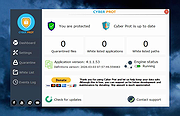 |
|
Dangerzone v0.11.0 Dangerzone v0.11.0 👉 Convert potentially dangerous documents into safe PDFs without exposing your computer to malicious content. Dangerzone is a free and open source document sanitization tool from the Freedom of the Press Foundation that lets you safely open PDFs, office documents, images and other potentially untrusted files. Instead of opening the original document directly, Dangerzone places it inside an isolated sandbox with no network access, converts each page into raw pixel data, and then reconstructs those pixels into a new, safe PDF. This process removes active content and other potentially malicious elements while preserving the document's visual appearance. Dangerzone supports more than 20 document types, including PDF files, major office-suite formats and common image formats. Because document processing takes place inside an isolated environment without network access, malicious content that might exploit the document converter is prevented from communicating with the outside world. Everything is processed locally on your computer. Features: • Converts potentially dangerous documents into safe PDF files • Uses an isolated sandbox to process untrusted documents • Renders document pages into raw pixel data before reconstructing them as PDFs • Removes potentially dangerous active content during conversion • Prevents the conversion sandbox from accessing the network • Processes documents locally on your computer • Supports more than 20 document and image formats • Supports PDFs and major office-suite document formats • Supports common image formats • Can process multiple documents • Allows additional documents to be added to an ongoing conversion • Supports converting another set of documents after completing a batch • Supports OCR processing • Free and open source under the AGPLv3 license • Maintained by the Freedom of the Press Foundation Supported operating systems: • Windows 10, Windows 11 • macOS, latest three supported releases, Intel and Apple Silicon • Ubuntu 22.04, Ubuntu 24.04, Ubuntu 25.10, Ubuntu 26.04 • Debian 12, Debian 13, Debian 14 • Fedora 43, Fedora 44 • Tails, current release • Qubes OS using a ... |
|
2,266 | Sep 02, 2026 Micah Lee  |
|
DDS v2012-11-20-01 DDS v2012-11-20-01 👉 Generate detailed diagnostic logs for malware troubleshooting and system analysis. DDS is a lightweight diagnostic utility created by sUBs that gathers extensive information about a Windows computer without making permanent changes to the system. It is widely used by malware removal specialists and technical support forums to generate detailed reports containing running processes, startup entries, services, installed software, network settings, browser information, restore points, security software status, and numerous other system details. Rather than attempting to detect or remove malware, DDS focuses on collecting information that allows an experienced analyst to identify suspicious activity, unwanted startup items, rootkit indicators, or other system problems. When the scan is complete, DDS automatically creates two text reports, DDS.txt and Attach.txt, which can be uploaded to security forums or shared with a technician for analysis. The utility is completely portable, requires no installation, and performs no registry modifications or permanent file creation during its operation. Features: • Creates comprehensive DDS.txt and Attach.txt diagnostic reports • Lists active processes, services, drivers, and startup entries • Displays installed applications and Windows configuration details • Reports browser settings and Internet Explorer information • Shows antivirus, firewall, and security software status • Lists System Restore points and disk partition information • Includes optional MBR checking and extended search options • Portable executable requiring no installation • Makes no permanent files or registry changes • Designed for malware investigation and technical support Supported operating systems: • Windows XP, Windows Vista, Windows 7 (32-bit and 64-bit) Supported languages: • English Changes: v2012-11-20-01 • Latest publicly released version. Click here to visit the author's website. |
|
7,179 | Jun 30, 2026 sUBs 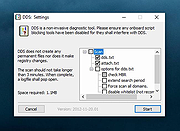 |
|
DeepTaskScan v1.0.0 DeepTaskScan v1.0.0 👉 Portable Windows forensics tool for detecting hidden and persistent scheduled tasks. DeepTaskScan is an advanced Windows scheduled task viewer and forensics tool designed to uncover scheduled tasks that may be hidden from standard Windows utilities. Unlike Task Scheduler, schtasks, PowerShell and similar tools, it uses a different scanning method rather than relying on Windows API calls to discover scheduled tasks. This can help system administrators, technicians and security researchers identify tasks concealed through techniques involving deleted task files or registry keys. The developer notes that such techniques have been used by state-backed Advanced Persistent Threat (APT) groups. DeepTaskScan is completely portable, requires no installation and is available in both 32-bit and 64-bit versions. Features: • Deeply scans Windows for scheduled tasks using an alternative detection method • Detects scheduled tasks hidden through advanced techniques • Does not rely on Windows API calls for scheduled task detection • Helps uncover tasks that may not appear in Windows Task Scheduler • Can detect more scheduled task entries than Task Scheduler, PowerShell and other standard tools • Highlights hidden or persistent entries • Can help detect APT activity involving hidden Task Scheduler entries • Allows discovered information to be extracted to a file • Useful for system administration, troubleshooting and security forensics • Available as separate 32-bit and 64-bit executables • Completely portable with no installation required Supported operating systems: • Windows 7 or newer Supported languages: • English Changes: v1.0.0 08-16-26 Initial release. This download is for the Windows 64bit version (very bottom of page). If you need the Windows 32bit version, download here. Click here to visit the author's website. |
|
352 | Aug 20, 2026 Emir Alp Kocak |
|
Emsisoft Emergency Kit v2025.7.0.12683 Emsisoft Emergency Kit v2025.7.0.12683 👉 Free portable malware and virus scanner to detect and remove infections. Emsisoft Emergency Kit is a fully portable security toolkit designed to scan, detect, and remove malware, viruses, ransomware, trojans, spyware, adware, worms, keyloggers, and other malicious threats from Windows computers without requiring installation. The kit combines powerful dual-engine scanning technology in a portable package that can be run directly from a USB stick, hard drive folder, or any storage location to clean infected systems. It includes both a graphical scanner and a command-line scanner for more advanced usage. Features: • Portable on-demand malware scanner with dual-engine detection. • Graphical Emergency Kit Scanner for interactive scanning. • Command-line scanner for scripted or advanced use. • Detects and removes viruses, ransomware, spyware, PUPs, bots and more. • Quarantine or delete detected threats. • Self-updating malware detection engine. • No installation required — just unzip and run. Supported operating systems: • Windows 10 (64-bit) and higher • Windows Server 2016 and higher Supported languages: English (various UI language options depending on package) Changes: v2025.7.0.12683 08-24-26 Updated detections. Click here to visit the author's website. |
|
11,322 | Aug 24, 2026 Emsisoft 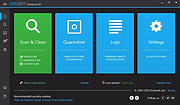 |
|
ESET SysInspector v2.1.5.0 ESET SysInspector v2.1.5.0 👉 Free PC diagnostic tool for inspecting system issues, suspicious files, processes, services, registry entries and network connections. ESET SysInspector is an easy to use diagnostic tool that helps troubleshoot a wide range of system issues. It captures critical and detailed information about your computer and is useful for tracking down malicious code, suspicious unsigned files, software problems, hardware incompatibilities, driver issues, broken registry entries and suspicious network connections. Features: • Captures detailed system information for troubleshooting • Helps inspect running processes and services • Identifies suspicious and unsigned files • Helps diagnose software issues and hardware incompatibility • Checks for outdated or malfunctioning drivers • Helps identify unpatched operating system issues • Reports broken registry entries • Helps detect suspicious network connections • Color-coded risk levels help prioritize severe issues • Processes and network tree view • Regular expression filtering for log results • Light and dark mode support Supported operating systems: • Windows 10, Windows 11, Windows Server 2016, Windows Server 2019, Windows Server 2022 Supported languages: Several languages Changes: v2.1.5.0 Improved: Error codes on app exit Improved: File details for registry subsection Improved: Filtering functionality Added: Option to copy registry path Added: Modal window for viewing registry Added: Selecting lines with typed letter Fixed: Handling Livegrid settings Fixed: Minor UI bugs Updated: Modules with the latest improvements This download is for the Windows 64bit version (very bottom of page). If you need the Windows 32bit version, download here. If you need the Windows ARM64 version, download here. Click here to visit the author's website. |
|
4,965 | May 19, 2026 ESET, spol. s r.o. 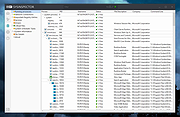 |
|
Farbar Recovery Scan Tool v2.7.2026.0 Farbar Recovery Scan Tool v2.7.2026.0 Advanced diagnostic and recovery tool for Windows systems. Farbar Recovery Scan Tool is a powerful portable utility designed to diagnose, troubleshoot, and repair Windows systems. Commonly used by malware removal experts and advanced users, it creates detailed reports about system configuration, installed programs, startup entries, services, drivers, registry settings, and more. Farbar Recovery Scan Tool can run in normal Windows mode or from the Windows Recovery Environment, making it especially useful for systems that fail to boot properly. It generates comprehensive FRST.txt and Addition.txt reports that can be analyzed manually or used with custom fix scripts to repair system issues, remove malware remnants, and restore damaged configurations. This tool is intended for advanced users and guided troubleshooting scenarios, as improper fixes may cause system instability. Features: • Portable executable, no installation required • Generates detailed system diagnostic reports (FRST.txt and Addition.txt) • Identifies startup entries, services, drivers, scheduled tasks, and registry items • Supports custom fix scripts for targeted system repairs • Can run from Windows Recovery Environment (WinRE) • Useful for malware cleanup and advanced troubleshooting Supported operating systems: • Windows 7, Windows 8, Windows 8.1, Windows 10, Windows 11 Supported languages: • English Changes: v2.7.2026.0 07-02-26 Not provided. Note: This file has five hits on VirusTotal. We have confirmed these to be false positives. The file is safe. This download is for the Windows 64bit version (very bottom of page). If you need the Windows 32bit version, download here. Click here to visit the author's website. |
|
8,967 | Jul 05, 2026 Farbar 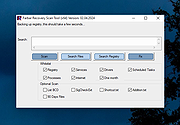 |
|
HiJackThis+ v3.5.0.1 HiJackThis+ v3.5.0.1 👉 Advanced malware and system hijack diagnostic scanner for Windows. HiJackThis+ is a free utility for Microsoft Windows that scans your computer for settings changed by adware, spyware, malware, and other unwanted programs. It is a passive scanner that focuses on detecting hijacking methods rather than relying on traditional signature databases, and it can help experienced users inspect browser, startup, registry, policy, task, and other system areas that may have been altered by suspicious software. It also includes a collection of extra tools such as StartupList, Process Manager, Hosts Manager, ADS Spy, uninstall management, file and registry unlockers, a registry key type analyzer, and batch digital signature checking. Features: • Scans Windows for changes made by adware, spyware, malware, and other unwanted programs • Detects hijacking methods instead of depending on signature database updates • Checks many sensitive system areas including startup entries, registry locations, policies, tasks, browser related items, and more • Includes StartupList 2 for expanded startup inspection • Includes Process Manager for reviewing running processes • Includes Hosts Manager for reviewing and resetting the Hosts file • Includes ADS Spy for finding alternate data streams • Includes uninstall management tools • Includes Windows service removal tools • Includes File Unlocker and Registry Key Unlocker • Includes Registry Key Type Analyzer for advanced inspection • Includes batch digital signature checking • Supports backup and fix workflows for detected items • Can be used as a supplemental diagnostic tool alongside a regular antivirus Supported operating systems: • Windows XP, Windows Vista, Windows 7, Windows 8, Windows 8.1, Windows 10, Windows 11, Windows Server editions, 32-bit, 64-bit Supported languages: English, French, Russian, Spanish, Ukrainian Changes: v3.5.0.1 07-02-26 - Updated certificates and databases. - Fixed Windows Defender Exclusion log. - Improved O23 - Service check logic. - Improved digital signature verification: Third-party files signed by a Microsoft Root CA will no longer be flagged as "Sign 'Microsoft'" if the trust ... |
|
3,847 | Aug 14, 2026 Alex Dragokas 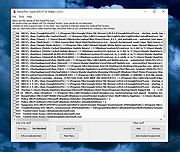 |
|
KCleaner v3.8.2 KCleaner v3.8.2 Closes all unnecessary processes, leaving only the essential ones running. KCleaner is a Windows utility designed to close unnecessary processes and leave only essential ones running. According to the author, it can help remove unwanted or forcibly installed security programs, terminate malicious programs disguised with the same names as Windows system processes, and manage programs that automatically run from various startup locations. It also avoids closing essential drivers such as graphics and sound drivers, and does not terminate trusted antivirus software. Features: • Easily remove unwanted or forcibly installed security programs • Cleanly terminate malicious programs that disguise themselves with the same names as Windows system processes • Conveniently manage programs that automatically run from various locations at startup • Does not close essential drivers such as graphics or sound drivers • Does not terminate trusted antivirus software • Runs as a standalone file with no installation required Supported operating systems: • Windows 10, Windows 11 Supported languages: English, German, Esperanto, French, Italian, Japanese, Polish, Portuguese, Russian, Slovak, Swedish, Thai, Turkish, Vietnamese, Chinese Changes: v3.8.2 10-24-25 - Improved stability under antivirus or restricted permission environments Click here to visit the author's website. |
|
804 | Mar 10, 2026 kilho.net 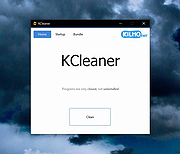 |
|
Kudu v3.6.1 Kudu v3.6.1 👉 Free open-source system maintenance, optimization, and security suite for Windows, macOS, and Linux. Kudu is a comprehensive system maintenance toolkit designed to help users clean, optimize, monitor, and secure their computers from a single unified interface. Built as a free and open-source alternative to many commercial system utilities, it combines system cleaning, malware detection, startup management, privacy protection, software updating, disk analysis, and performance monitoring tools into one package. Kudu focuses on providing powerful maintenance capabilities without advertisements, bundled software, or subscription requirements. It is suitable for both home users and IT professionals who want to keep systems running efficiently while maintaining privacy and security. Kudu also includes automation features, real-time monitoring, gaming optimizations, and optional cloud-based fleet management (paid) capabilities for managing multiple devices. Features: • System Cleaner for removing temporary files, caches, logs, and system junk • Multi-engine malware scanner with signature-based threat detection • Real-time performance monitoring for CPU, memory, disk, and network activity • S.M.A.R.T. disk health monitoring and analysis • Startup Manager with impact ratings for startup entries • Interactive Disk Analyzer with visual storage usage mapping • Privacy Shield for auditing and applying privacy settings • Software Updater for detecting outdated applications • Debloater for removing unwanted pre-installed Windows applications • Registry Cleaner with automatic backup protection • One-click Game Mode with performance and latency optimizations • Scheduled maintenance, scanning, and update tasks • Automatic backup safeguards before system changes • Command-line support for automation and scripting • Optional cloud-based centralized device management • Open-source MIT-licensed project with no advertisements or bundled software Supported operating systems: • Windows 10, Windows 11 • macOS • Linux Supported languages: • 30 languages supported Changes: v3.6.1 10-06-26 Bug Fixes icons: add missing Windows DPI sizes to the app icon (#513) (920f59c) malware: stop flagging validly signed binaries with the PE heuristic (#507) (e9784a1) 👉 This download is for the Windows version (very bottom of page). All ... |
|
661 | Oct 07, 2026 Advent Development, Inc. 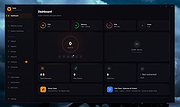 |
|
Microsoft Autoruns v14.3 Microsoft Autoruns v14.3 👉 See everything that starts automatically with Windows. Microsoft Autoruns is a powerful Sysinternals utility that shows what programs, drivers, services, browser add-ons, scheduled tasks, codecs, shell extensions, Winlogon entries, and other components are configured to run automatically during system boot, login, or when Windows applications start. Features: • Displays one of the most complete views of Windows auto-start locations • Shows startup programs, drivers, services, Explorer extensions, browser helper objects, toolbars, codecs, scheduled tasks, Winsock providers, and more • Hide Signed Microsoft Entries option helps focus on third-party items • View auto-start entries for different user accounts • Disable entries by unchecking them • Delete unwanted auto-start configuration entries • Jump directly to Registry or file system locations • Verify digital signatures • VirusTotal integration for hash checking • Includes Autorunsc command-line version with CSV, tab-delimited, XML, hash, signature, and offline Windows scan options Supported operating systems: • Windows Supported languages: Operating system language. Changes: v14.3 06-17-26 Not provided. Click here to visit the author's website. |
|
11,596 | Sep 16, 2026 Microsoft Corp. 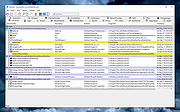 |
|
Microsoft Safety Scanner v1.457.193.0 Microsoft Safety Scanner v1.457.193.0 👉 On-demand malware scanner from Microsoft. Microsoft Safety Scanner is a free security tool designed to find and remove malware from Windows systems. It provides on-demand scanning with the latest malware definitions and is intended to complement, not replace, a full-time antivirus solution. The tool can be run directly after download, making it useful for quick system checks or emergency malware removal. Microsoft Safety Scanner uses the same detection engine as Microsoft Defender and allows users to perform quick scans, full system scans, or customized scans of specific folders and drives. Because it is updated frequently, users must download the latest version each time they want to run a scan, as older versions expire after a limited time. Features: • Uses Microsoft Defender malware detection engine • Quick scan, full scan, and custom scan options • Detects and removes viruses, spyware, and other malicious software • Simple interface for easy operation • Frequently updated definitions for current threats • Can be run alongside existing antivirus software • Ideal for troubleshooting infected systems Supported operating systems: • Windows 10, Windows 11, Windows Server 2016, Windows Server 2019, Windows Server 2022 Supported languages: All languages supported by Windows (uses system language) Changes: v1.457.193.0 08-16-26 Not Provided This download is for the Windows 64bit version (very bottom of page). If you need the Windows 32bit version, download here. Click here to visit the author's website. |
|
6,815 | Aug 16, 2026 Microsoft Corp. 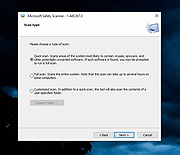 |
|
mssPortable (Microsoft Safety Scanner Portable) v1.457.164 mssPortable (Microsoft Safety Scanner Portable) v1.457.164 👉 Portable malware scanning tool from Microsoft for on-demand threat detection and removal. mssPortable is a portable version of the Microsoft Safety Scanner. It's a standalone security utility designed to scan for and remove malware from Windows systems without requiring installation. It provides a quick and reliable way to check a system for viruses, spyware, and other malicious software using the latest Microsoft threat definitions. Because it is portable, it can be run from a USB drive or other external media, making it ideal for troubleshooting infected systems or performing secondary scans alongside existing antivirus software. The tool does not offer real-time protection and is intended for manual, on-demand use. Features: • Fully portable with no installation required • Uses Microsoft’s latest malware definitions for accurate detection • Quick, full, and custom scan options • Detects and removes viruses, spyware, and other malicious software • Can be run alongside existing antivirus programs • Ideal for emergency cleanup and second-opinion scans • Simple interface for fast operation • Expires 10 days after download to ensure updated threat definitions Supported operating systems: • Windows 7, Windows 8, Windows 10, Windows 11 Supported languages: English Changes: v1.457.164 08-14-26 Not Provided Click here to visit the author's website. |
|
778 | Aug 16, 2026 Microsoft & PortableApps.com |
|
Portmaster Free v2.2.1 Portmaster Free v2.2.1 👉 Take complete control of your computer's network traffic and protect your privacy. Portmaster Free is a powerful open-source application firewall and privacy manager that lets you see, understand, and control every network connection made by your computer. Instead of simply allowing or blocking Internet access, Portmaster provides detailed visibility into which applications are communicating, where they are connecting, and what protocols they are using. Designed with privacy in mind, Portmaster automatically blocks many trackers, advertisements, malware hosts, and unwanted telemetry across your entire system rather than just within your web browser. It also secures DNS requests, provides extensive per-application and global network controls, and gives advanced users the flexibility to create highly customized filtering rules. Unlike traditional firewalls that focus mainly on inbound threats, Portmaster concentrates on outbound traffic, helping you identify applications that quietly phone home, collect telemetry, or communicate with unexpected servers. Whether you're a privacy enthusiast, security researcher, or simply want more insight into your computer's network activity, Portmaster offers one of the most comprehensive free solutions available. The free edition includes all core privacy and firewall functionality. Premium Safing features such as SPN (Safing Privacy Network), investigative tools, and priority support are optional and not required to use Portmaster's primary firewall and privacy capabilities. Features: • Monitor every incoming and outgoing network connection • Interactive application firewall with per-app network permissions • System-wide blocking of ads, trackers, and malware domains • Secure DNS requests using encrypted DNS-over-TLS • Create global and application-specific firewall rules • Block individual domains, IP addresses, countries, or connection types • Restrict peer-to-peer traffic to selected applications • View detailed connection history and network statistics • Control Internet access with simple allow and block rules • Automatic filter list updates for improved protection • Open-source software with publicly available source code • Automatic background updates for intelligence data and components Supported operating systems: • Windows 10 (64-bit), ... |
|
3,444 | Aug 04, 2026 Safing ICS Technologies GmbH 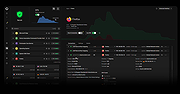 |
|
Sandboxie-Classic v5.73.3 Sandboxie-Classic v5.73.3 👉 Run programs in an isolated sandbox to prevent permanent system changes. Sandboxie Classic is a sandbox-based isolation tool that allows applications to run in a controlled environment, preventing them from making permanent changes to your system. It is especially useful for safely testing unknown software, browsing the web securely, and protecting your system from malware or unwanted modifications. Sandboxie Classic creates a virtualized environment where files, registry changes, and system interactions are contained within the sandbox. Once the sandbox is deleted, all changes made during the session are completely removed, leaving your system unchanged. Features: • Run applications in an isolated sandbox environment • Prevent permanent changes to files and Windows registry • Secure web browsing by containing browser activity • Test untrusted programs safely before installing • Easy sandbox deletion to remove all traces of activity • Lightweight and efficient with minimal system impact • Supports forced programs and folders to always run sandboxed • Snapshot and recovery options for sandbox contents • Compatible with many common Windows applications • Open source and actively maintained Supported operating systems: • Windows 7, Windows 8, Windows 8.1, Windows 10, Windows 11 Supported languages: English, German, French, Spanish, Italian, Dutch, Russian, Chinese, Japanese, Korean, Portuguese, Polish Changes: v5.73.3 08-30-26 Added added a visible Cleanup Trace Log action to the standalone SandMan trace monitor Fixed fixed File Migration action dropdown changes being discarded when clicking Apply or OK while the editor still has focus #5548 fixed SandMan File Panel and Browse Files preserving expanded folders and restoring selection, keyboard focus, and scrolling to the nearest surviving item after deletion #5499 fixed Start.exe autorun handling for oversized registry values, bounded shortcut paths, paginated Startup directories, and dynamically sized launch command lines fixed SandMan Trace Log crashes and stale entries when clearing the log while integrated and ... |
|
6,424 | Sep 02, 2026 David Xanatos 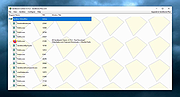 |
|
Shortcut Virus Removal Tool v2.3.0 Shortcut Virus Removal Tool v2.3.0 👉 Portable tool for removing shortcut virus infections from USB drives and recovering hidden files. Shortcut Virus Removal Tool is a portable USB malware cleanup utility for Windows designed to fix USB drives, external HDD / SSD drives, and computers affected by shortcut virus infections. It can remove shortcut virus traces, restore files hidden by malware, remove suspicious shortcuts and files, repair registry changes, undo unwanted malware changes, and delete autorun virus entries from USB drives. The developer says the tool works with a simple drive selection and Clean button workflow, and recommends running it as Administrator if needed. It also opens a log after cleaning and may place some restored files in a RECOVERED folder. Features: • Cleans shortcut virus infections from USB drives and external storage. • Recovers files hidden by malware. • Deletes suspicious files, scripts, and malicious shortcuts. • Repairs registry changes and undoes unwanted malware modifications. • Deletes autorun virus entries from USB drives. • Opens a cleanup log after completion so you can review recovered and deleted items. • Can recover some files into a RECOVERED folder on the USB drive. • Simple one-click cleaning workflow after selecting the target drive. Supported operating systems: • Windows XP or later, .NET Framework 4.0 required. Supported languages: • English, German, Turkish, Arabic, Indonesian Changes: v2.3.0 07-23-26 New Features: Added Vaccinate Computer feature. This feature vaccinates your computer from most of the shortcut virus and other USB disk viruses. Added Vaccinate USB feature. This feature vaccinates your USB and even if it's infected, shortcut virus and other USB disk viruses cannot run from the USB. Added Options menu. You can click it to show more options. About button is moved there. Fixes and Changes: A lot of problems with the translations has been fixed. Fixed a problem that caused the application to crash sometimes when you change the language to ... |
|
3,151 | Aug 20, 2026 Emir Alp Kocak 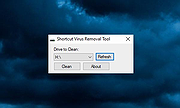 |
|
Spybot - Search & Destroy Portable v2.9.85.5-1 Spybot - Search & Destroy Portable v2.9.85.5-1 👉 Portable anti-spyware and malware removal tool with system immunization features. Spybot - Search & Destroy Portable is a standalone security utility designed to detect and remove spyware, malware, and other unwanted software from Windows systems without requiring installation. The portable edition allows you to run the program from a USB drive or external storage device, making it ideal for on-the-go troubleshooting and cleaning infected systems. Spybot - Search & Destroy Portable scans your system for malicious files, registry entries, tracking cookies, and potentially unwanted programs. In addition to removal capabilities, it includes an Immunization feature that helps block known malicious websites and harmful ActiveX components before they can affect your system. Features: • Portable version requiring no installation • Detects and removes spyware and malware • Advanced system scanning engine • Immunization to block malicious websites and threats • Startup tools and system repair utilities • Secure file shredding • Automatic updates for detection rules • Quarantine and recovery options Supported operating systems: • Windows 7, Windows 8, Windows 8.1, Windows 10, Windows 11 Supported languages: • English, German, French, Spanish, Italian, Dutch, Polish, Russian, Portuguese, Turkish Changes: v2.9.85.5-1 03-17-26 Not provided. Click here to visit the author's website. |
|
6,452 | Jul 06, 2026 Safer Networking Ltd. & PortableApps.com 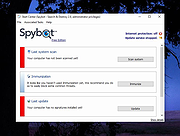 |
|
Spybot Free Edition v2.9.85.5 Spybot Free Edition v2.9.85.5 👉 Free on-demand malware and spyware scanner with system immunization tools. Spybot Free Edition is a security utility designed to detect and remove spyware, malware, and other unwanted software from your computer. It provides on-demand scanning to identify threats and includes system immunization features that help block known malicious websites and tracking cookies before they can affect your system. The program also offers tools for managing startup entries and repairing system issues caused by malware, giving users additional control over system security and performance. Features: • On-demand malware and spyware scanning • Detection and removal of tracking cookies • System immunization to block known malicious sites • Startup tools to manage boot entries • Secure file shredding • Rootkit scanning • Detailed scan reports and logs Supported operating systems: • Windows 7, Windows 8, Windows 10, Windows 11 Supported languages: • English, German Changes: v2.9.85.5 Not provided. This download is for the Windows 7-11 version (very bottom of page). If you need the Windows XP version, download here. Click here to visit the author's website. |
|
10,309 | Feb 26, 2026 Safer Networking Ltd. 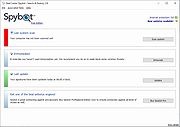 |
 |
Trellix GetSusp v6.0.0.141 Trellix GetSusp v6.0.0.141 👉 Find suspicious files and possible undetected malware using Trellix threat intelligence. Trellix GetSusp is a free, portable malware investigation tool designed for computers where undetected malware is suspected. It uses heuristics together with the Trellix Global Threat Intelligence (GTI) File Reputation database to identify suspicious files without requiring extensive technical knowledge. GetSusp runs as a single executable with no installation required and can operate through its graphical interface, command line or ePO mode. The graphical interface can also scan URLs, documents and PDF files and lets you review suspicious files before submitting selected samples to Trellix for further analysis. Features: • Uses heuristics to locate files that may contain undetected malware • Queries Trellix Global Threat Intelligence File Reputation to evaluate suspicious files • Runs as a single executable with no installation required • Supports graphical interface, command-line and ePO operation modes • Scans URLs, documents and PDF files from the graphical interface • Allows suspicious files to be reviewed before submission to Trellix • Lets you select which files are submitted for further analysis • Records system information and installed Trellix product information • Records the execution date and details about suspected files • Includes GetQuarantine integration with the ePO version • Can be used as an initial investigation tool when malware is suspected but has not been detected by installed security software Supported operating systems: • Windows 7, Windows 8, Windows 8.1, Windows 10 through 21H2, Windows 11 • Windows Server 2008 R2 SP1, Windows Server 2012, Windows Server 2016 Supported languages: • English Changes: Not Provided. This download is for the Windows 64bit version. If you need the Windows 32bit version, download here. Click here to visit the author's website. |
|
6,139 | Aug 16, 2026 Musarubra US LLC 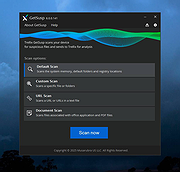 |
|
Trellix Stinger Portable v26.09.38.1 Trellix Stinger Portable v26.09.38.1 👉 Portable malware removal tool designed to detect and clean specific threats. Trellix Stinger Portable is a lightweight, standalone malware scanner created to detect and remove a targeted list of known viruses, trojans, and other malicious threats. Unlike full antivirus suites, Stinger focuses on remediation rather than continuous protection, making it ideal for emergency cleanup, second-opinion scans, or use on infected systems where traditional security software may not run properly. The portable build requires no installation and can be run directly from a USB drive or external media. Features: • Detects and removes a curated list of prevalent malware threats • Portable version runs without installation • Ideal for emergency cleanup and on-demand scanning • Command-line and GUI operation supported • Regularly updated malware definitions • Can be used alongside existing antivirus software Supported operating systems: • Windows 7, Windows 8, Windows 10, Windows 11 Supported languages: English Note: Suspicious and infected files will be quarantined to C:\Quarantine\Stinger and a database will be generated for the currently-scanned PC in that location. WARNING: You MUST close all other apps as Stinger may close them for you which can cause data loss. Click here to visit the author's website. |
|
2,078 | Sep 28, 2026 Musarubra US and PortableApps.com 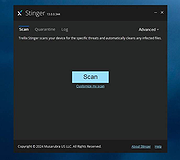 |
|
Trellix Stinger v26.09.40.1 Trellix Stinger v26.09.40.1 👉 A standalone malware detection and removal utility designed for emergency cleanup. Trellix Stinger is a specialized security tool designed to detect and remove specific families of malware from infected systems. Unlike full antivirus suites, it does not provide real-time protection and is intended primarily for use by administrators and technicians as a targeted cleanup utility. Stinger is frequently used when a system is suspected to be compromised and traditional antivirus software is unable to run or fully remediate the threat. Features: • Detects and removes a wide range of known malware threats • Standalone portable executable with no installation required • Ideal for emergency malware cleanup situations • Supports command-line options for scripted or automated use • Frequently updated threat detection engine • Minimal system impact during scanning • Detailed scan and removal logs for diagnostics • Can be used alongside existing antivirus software Supported operating systems: • Windows 10, Windows 11 Supported languages: English Changes: v26.09.40.1 09-29-26 New Detections: • Exploit-CVE2020-1058 • Exploit-CVE2020-1060.a • Exploit-CVE2020-1060.b • Exploit-cve2020-1062.a • Exploit-cve2020-1135 • Exploit-cve2020-1143.a • Exploit-cve2020-1153.a • FlyStudio-Agent • Generic exploit.ma • Generic trojan.kf • Generic trojan.kg • Generic trojan.kk • Generic trojan.ky • LNK/Downloader.ch • Ransom-LockBit • Ransom-Sodnkibi • Trojan-AutoIt.p • Trojan-BlueNoroff • Trojan-Packed.c Enhanced Detections: • Coinminer.l • Exploit-CVE2019-1367 • FakeAV-DZ • Generic Trojan.arc • Generic Trojan.kg • Generic Trojan.li • Generic Trojan.lj • Generic Trojan.ll • Generic trojan.jz • Generic trojan.kh • Generic-Trojan.z • PS/Agent.bv • Trojan-AitInject.aq • Trojan-CoinMiner.n • Trojan-PWS.k • Trojan-Ransom.a • Trojan-Ransom.b • Trojan-Trickbot.d • VBObfus.g 👉 This download is for the Windows 64bit version (very bottom of page). All other download assets are below: Other Windows: stinger32.exe Click here to visit the author's website. |
|
17,098 | Oct 05, 2026 Musarubra US LLC 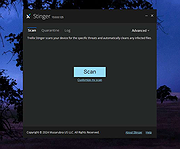 |
|
Trend Micro Anti-Threat Toolkit v1.2.62.1262 Trend Micro Anti-Threat Toolkit v1.2.62.1262 👉 Portable standalone malware scanning and cleanup tool. Trend Micro Anti-Threat Toolkit is a lightweight, standalone security utility designed to scan and clean infected computers without requiring installation. It is commonly used when a system is heavily infected and traditional antivirus software cannot be installed or updated. The tool can be run directly from removable media such as a USB flash drive and is intended for advanced malware detection and removal scenarios. Features: • Standalone executable with no installation required • Detects and removes malware, spyware, and other threats • Can be run from USB or other removable media • Designed for use on heavily infected systems • Command-line based interface for advanced troubleshooting Supported operating systems: • Windows 7, Windows 8.1, Windows 10, Windows 11 • Windows Server 2012 R2, Windows Server 2016, Windows Server 2019, Windows Server 2022 Supported languages: English Changes: v1.2.62.1262 Not provided. This download is for the Windows 64bit version (very bottom of page). If you need the Windows 32bit version, download here. Click here to visit the author's website. |
|
8,572 | Feb 26, 2026 Trend Micro Inc. 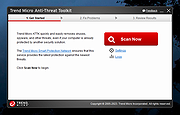 |
|
uBlock Origin v1.72.0 uBlock Origin v1.72.0 👉 Efficiently block ads, trackers, malware, and other unwanted web content. uBlock Origin is a free, open-source, wide-spectrum content blocker designed to improve privacy, security, and browsing performance while using minimal CPU and memory. Rather than focusing only on advertisements, it blocks trackers, malicious domains, cryptocurrency miners, popups, anti-adblock scripts, and many other forms of unwanted web content. It supports multiple filter lists out of the box, while also allowing advanced users to create custom filtering rules and import additional lists. uBlock Origin is known for its efficiency, making it one of the lightest and fastest content blockers available. Note: Google Chrome has removed support for Manifest V2 extensions. The full version of uBlock Origin is best supported on Firefox. Chromium-based browsers need uBlock Origin Lite. Features: • Blocks ads, trackers, malware sites, popups, cryptocurrency miners, and other unwanted content • Lightweight design with low CPU and memory usage • Includes EasyList, EasyPrivacy, Peter Lowe's Blocklist, Online Malicious URL Blocklist, and uBlock Origin filter lists by default • Supports additional community filter lists and custom filters • Dynamic filtering for advanced users • Cosmetic filtering to hide unwanted page elements • Supports hosts files • Import and export custom settings and filter lists • Per-site blocking controls • Free and open source (GPLv3) Supported operating systems: • Windows 10, Windows 11 • macOS • Linux • Firefox for Android Supported languages: English, Arabic, Bulgarian, Catalan, Chinese (Simplified), Chinese (Traditional), Croatian, Czech, Danish, Dutch, Estonian, Finnish, French, German, Greek, Hebrew, Hindi, Hungarian, Indonesian, Italian, Japanese, Korean, Lithuanian, Norwegian Bokmεl, Persian, Polish, Portuguese, Portuguese (Brazil), Romanian, Russian, Serbian, Slovak, Slovenian, Spanish, Swedish, Thai, Turkish, Ukrainian, Vietnamese, Welsh, and others. Changes: v1.72.0 06-28-26 Fix broken rendering of final URL in strict-block page. Fix potential exception in set-attribute scriptlet. Improve parsing and interpretation of consecutive $$ in network filters. Improve googlesyndication_adsbygoogle shim. Add edit-object-on-getter and edit-object-on-setter scriptlets. Improve JSONPath support, including regex selectors, RFC9535 conformance, double-quoted names, and ... |
|
491 | Jul 05, 2026 Raymond Hill  |
|
VT Uploader v1.26.4.12 VT Uploader v1.26.4.12 👉 A portable Windows utility for uploading files to VirusTotal and viewing detailed scan reports. VT Uploader is a portable Windows client for working directly with the VirusTotal service. It lets you upload and scan files, look up existing reports using MD5, SHA-1 or SHA-256 hashes, analyze executable files belonging to running processes and work with files stored in supported antivirus quarantine areas. Important: VT Uploader requires your own VirusTotal API key to access VirusTotal services. You can obtain a free API key by creating a free VirusTotal Community account. Once you have your key, enter it in VT Uploader's settings before scanning files or retrieving reports. Files can be selected normally, dragged and dropped onto the program, sent through the Windows Explorer Send to menu or supplied by pasting a path from the clipboard. VT Uploader calculates MD5, SHA-1 and SHA-256 hashes and can use them to determine whether VirusTotal already has a report for the file before uploading it. VT Uploader can display VirusTotal detection results and the verdicts returned by individual antivirus engines. It also provides options for viewing raw JSON reports, requesting a reanalysis and opening the complete report on the VirusTotal website. The program can also analyze executables associated with currently running processes and access files from supported antivirus quarantine locations. Privacy-related options include warnings before opening file types that could contain personal information. When settings are stored in the Windows Registry, the VirusTotal API key is encrypted. VT Uploader is portable, requires no installation or additional frameworks and is available in separate 32-bit and 64-bit versions. Features: • Upload files to VirusTotal for malware analysis • Retrieve existing VirusTotal reports • Calculate MD5, SHA-1 and SHA-256 file hashes • Look up reports using file hashes • Analyze executable files belonging to running processes • Access files stored in supported antivirus quarantine areas • Drag and ... |
|
420 | Aug 07, 2026 Denis Anisimov 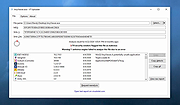 |
|
Windows Malware Effects Remediation Tool v2.0 Windows Malware Effects Remediation Tool v2.0 A portable set of tools to helps users remediate the effects of malware. Features Re-enable Windows Command Prompt Re-enable Windows Task Manager Re-enable Registry Editor Re-enable User Account Control Change .exe default icon Change .txt default icon Reset the Userinit key Reset the Shell key Automatically Repair (WIP) Stable 2.0 8-12-21 Added Automatic Repair, which lets the app scan for things to fix, and will help repair them for you. Added dark mode support for the critical process property stripper App will now use Segoe UI Variable on Windows 11. Added ability to remove keyboard restrictions (Scancode Map) Click here to visit the author's website. |
|
3,624 | Aug 12, 2021 Orange Group Tech 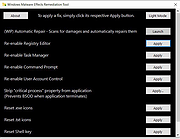 |
|
X-Sec Malware Scanner v3.2.4.0 X-Sec Malware Scanner v3.2.4.0 Forever free, easy to use Features • Fully compatible with other antivirus software • Simple user interface • Multi-language • X-Sec Antivirus Engine + X-Sec Heuristic Engine + X-Sec Cloud Engine + Rising Antivirus Engine + Rising Cloud Engine • Supported operating system: Windows 7/8/8.1/10/11 32bit and 64bit Requirements For 32-bit system: Visual C++ 2022 Runtime(x86 version) For 64-bit system: Visual C++ 2022 Runtime(x64 version) Changes: v3.2.4.0 12-17-25 10th anniversary! IMPROVED Code optimization from Copilot Update X-Sec Antivirus Engine Module Update Rising Antivirus Engine Module FIXED Bug in X-Sec Antivirus Engine This download is for the Windows 64bit version (very bottom of page). If you need the Windows 32bit version, download here. Use 7-Zip to unzip this file. Click here to visit the author's website. |
|
6,358 | Jan 28, 2026 X-Sec 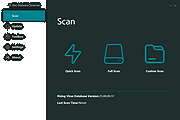 |
| Showing rows 1 to 31 of 31 | Showing Page 1 of 1 | 1 |
OlderGeeks.com Copyright (c) 2026
