|

|
Processed through Paypal No account required. |








Buy our over-priced crap to help pay the bills.



|
|
Processed through Paypal No account required. |
| Files | ||||
| File Name | Rating | Downloads | ||
 |
Clear Disk Info v4.4.1.0 Clear Disk Info v4.4.1.0 👉 Monitor hard drive and SSD health information with a clean and easy-to-read interface. Clear Disk Info is a lightweight disk monitoring utility designed to display detailed SMART information for hard drives and SSDs. It helps users keep track of drive health, temperature, firmware details, power-on hours, transfer modes, and other important storage statistics in a clear and organized layout. The program supports multiple storage device types and provides quick access to essential diagnostic information for detecting potential drive problems before data loss occurs. Features: • Displays SMART health and diagnostic information for HDDs and SSDs • Shows drive temperature, health status, firmware, and serial numbers • Supports SATA, NVMe, and USB-connected storage devices • Monitors power-on hours, drive usage, and transfer modes • Clean and lightweight user interface with easy-to-read statistics • Provides real-time drive condition monitoring • Supports multiple drives simultaneously • Portable and installer versions available • Designed for fast access to essential disk health data Supported operating systems: • Windows 7, Windows 8, Windows 10, Windows 11 Supported languages: English Changes: v4.4.1 08-02-25 Refreshed the UI with a more modern font. Bug fixes Click here to visit the author's website. |
 |
11,612 | May 19, 2026 Carifred 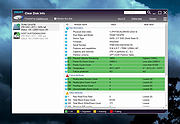 |
 |
CrystalDiskMark v9.0.3 CrystalDiskMark v9.0.3 👉 Simple and reliable disk benchmark software. CrystalDiskMark is a lightweight disk benchmark utility designed to quickly measure the sequential and random read and write performance of hard drives, SSDs, NVMe drives, USB flash drives, and other storage devices. It provides clear and easy to understand results, making it ideal for comparing drive speeds or verifying storage performance after installation or upgrades. CrystalDiskMark supports multiple test modes and customizable settings, allowing users to adjust test size, number of passes, and measurement units. The interface is straightforward, with large buttons and clear output columns for sequential and random read and write speeds. It is widely used by enthusiasts, reviewers, and everyday users who want accurate storage performance results without unnecessary complexity. Features: • Measures sequential and random read and write performance • Supports HDD, SSD, NVMe, and USB storage devices • Multiple test sizes and pass counts • Customizable test profiles and settings • Displays results in MB/s, IOPS, and latency • Simple and easy to use interface Supported operating systems: • Windows 8.1, Windows 10, Windows 11 Supported languages: English, Japanese, Chinese (Simplified), Chinese (Traditional), Korean, French, German, Italian, Spanish, Portuguese, Russian, Polish, Hungarian Changes: v9.0.3 05-24-26 Improved: Security of DLL loading process Click here to visit the author's website. |
|
6,721 | Jun 27, 2026 Crystal Dew World 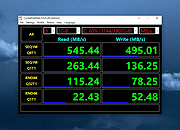 |
|
DiskGenius Free v6.2.0.1829 DiskGenius Free v6.2.0.1829 👉 Free partition management, data recovery, backup, and disk utility software. DiskGenius Free Edition is an all-in-one disk utility designed to help users manage partitions, recover lost files, back up important data, and maintain storage devices. The free version provides a powerful set of tools for partition creation, formatting, resizing, cloning, and file recovery while remaining suitable for home users, technicians, and advanced PC enthusiasts. DiskGenius Free Edition supports hard drives, SSDs, USB flash drives, memory cards, and virtual disks. It can recover deleted files, restore lost partitions, inspect SMART information, clone disks and partitions, securely erase drives, and convert partition tables between MBR and GPT. The free version also includes hexadecimal disk editing tools, bad sector checking, and support for numerous file systems. Features: • Create, delete, format, resize, split, and merge partitions • Recover deleted files from HDDs, SSDs, USB drives, and memory cards • Recover lost or damaged partitions • Clone disks and partitions • Backup and restore partition tables • Convert disks between MBR and GPT formats • Check and repair bad sectors • View and monitor SMART disk information • Securely erase files and partitions • Supports NTFS, FAT32, exFAT, EXT2, EXT3, and EXT4 file systems • Browse and edit files directly from partitions • Includes a hexadecimal disk editor • Supports virtual disk files including VMware, VirtualBox, and Hyper-V formats • Create bootable USB drives for disk recovery tasks • Analyze disk usage and partition structure Supported operating systems: • Windows XP, Windows Vista, Windows 7, Windows 8, Windows 8.1, Windows 10, Windows 11, Windows Server 2003, Windows Server 2008, Windows Server 2012, Windows Server 2016, Windows Server 2019, Windows Server 2022 Supported languages: English, German, French, Spanish, Italian, Portuguese, Russian, Japanese, Korean, Chinese Traditional, Chinese Simplified, Turkish, Czech Changes: v6.2.0.1829 08-04-26 New Add the "Disk Speed Test" feature. Add the "Windows Boot Repair and Conversion" feature. ... |
|
16,825 | Aug 04, 2026 Eassos Ltd. 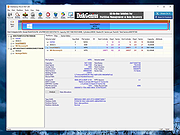 |
|
FastCopy v5.12.0 FastCopy v5.12.0 👉 High-speed file copy and backup software for Windows. FastCopy is a fast file copy and backup utility for Windows designed to maximize transfer performance by using multi-threaded read, write, and verify operations together with Overlapped I/O and Direct I/O. It supports Unicode file names, paths longer than MAX_PATH, and include or exclude filtering using UNIX-style wildcards. FastCopy is built to reduce the load on other running applications while delivering very high copy performance on modern storage devices. Features: • Fast file copy and backup software for Windows • Verification support for more reliable copying • Can record hash values for each file • Uses multi-threaded read, write, and verify processing • Uses Overlapped I/O and Direct I/O for high performance • Supports Unicode file names • Supports file paths longer than MAX_PATH (260 characters) • Supports include and exclude filters using UNIX-style wildcards • Lightweight design built with Win32 API only Supported operating systems: • Windows 7, Windows 8, Windows 8.1, Windows 10, Windows 11 • Windows Server 2012, Windows Server 2012 R2, Windows Server 2016, Windows Server 2019, Windows Server 2022, Windows Server 2025 Supported languages: • English, Japanese, Chinese Changes: v5.11.3 08-18-26 Added an option to Shell Extension to replace Explorer's standard drag & drop / paste with FastCopy. (Default: OFF) Various security enhancements. - Enabled CET Shadow Stack (/CETCOMPAT). - Enabled Control Flow Guard (/guard:cf). - Stricter DLL loading (added /DEPENDENTLOADFLAG:0x800). - (Already enabled: /GS, /NXCOMPAT (DEP), /SAFESEH (x86), /DELAYLOAD, /DYNAMICBASE, /HIGHENTROPYVA, SetDefaultDllDirectories) Note: This file has one hit on VirusTotal. We have confirmed this to be a false positive. The file is safe. Note: If you need the portable version, use the "Extract" button in the installer. Click here to visit the author's website. |
|
12,522 | Aug 21, 2026 SHIROUZU Hiroaki 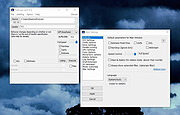 |
|
Hasleo Disk Clone v5.8.2.1 Hasleo Disk Clone v5.8.2.1 👉 Free Windows disk, partition, and system cloning software. Hasleo Disk Clone is a free and all-in-one disk cloning software for Windows that can migrate Windows to another disk, clone an entire disk, or clone a partition to another location quickly and efficiently. Features: • Migrate Windows to another disk without reinstalling Windows, apps, drivers, or user settings • Clone an entire disk to another disk • Clone individual partitions while keeping data intact • Resize and move destination partitions before cloning • Convert MBR to GPT or GPT to MBR during cloning • Sector-by-sector cloning support • Intelligent sector copy technology for faster cloning • Delta Clone support in paid editions • Rapid exFAT and ReFS cloning support • Multiple disk alignment modes • Native support for Windows X86, X64, and ARM64 • Create bootable WinPE media for cloning operations • Supports HDD, SSD, external HDD, Thunderbolt, dynamic disk, and more • Supports FAT12, FAT16, FAT32, NTFS, exFAT, ReFS, and other file systems in sector-by-sector mode Supported operating systems: • Windows Vista, Windows 7, Windows 8, Windows 8.1, Windows 10, Windows 11, Windows Server 2008 or later Supported languages: English, Arabic, Bulgarian, Chinese Traditional, Czech, Dutch, French, German, Hungarian, Italian, Japanese, Korean, Polish, Portuguese Brazilian, Russian, Simplified Chinese, Slovak, Slovenian, Spanish, Swedish, Turkish, Ukrainian Changes: v5.8.2.1 06-17-26 • Fixed an issue that caused disk enumeration to fail • Fixed an issue where WinPE created under Windows ARM64 26H1 did not work properly Click here to visit the author's website. |
|
4,651 | Sep 17, 2026 Hasleo Software 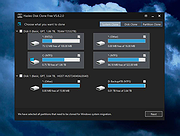 |
|
HDD Raw Copy Tool v1.20 HDD Raw Copy Tool v1.20 A free, portable utility for low-level, sector-by-sector hard disk duplication and image creation. HDD Raw Copy tool makes an exact duplicate of a SATA, IDE, SAS, SCSI or SSD hard disk drive. Will also work with any USB and FIREWIRE external drive enclosures as well as SD, MMC, MemoryStick and CompactFlash media. • Supported interfaces: S-ATA (SATA), IDE (E-IDE), SCSI, SAS, USB, FIREWIRE. • Big drives (LBA-48) are supported. • Supported HDD/SSD Manufacturers: Intel, OCZ, Samsung, Kingston, Maxtor, Hitachi, Seagate, Samsung, Toshiba, Fujitsu, IBM, Quantum, Western Digital, and almost any other not listed here. • The program also supports low-level duplication of FLASH cards (SD/MMC, MemoryStick, CompactFlash, SmartMedia, XD) using a card-reader. The tool creates a sector-by-sector copy of all areas of the hard drive (MBR, boot records, all partitions as well as space in between). HDD Raw Copy does not care about the operating system on the drive – it could be Windows, Linux, Mac, or any other OS with any number of partitions (including hidden ones). Bad sectors are skipped by the tool. If your media has a supported interface then it can be copied with HDD Raw Copy! In addition, HDD Raw Copy can create an exact raw (dd) or compressed image of the entire media (including service data such as MBR, Boot records, etc). Again, all filesystems (even hidden) are supported. Examples of possible uses: • Data recovery: make a copy of the damaged drive to attempt recovery on the copy • Data recovery: copy a damaged hard drive and skip bad sectors • Migration: completely migrate from one hard drive to another • ... |
|
1,980 | Nov 10, 2023 HDDGURU.COM  |
|
Novabench v6.0.3 Novabench v6.0.3 👉 Free PC benchmarking and hardware performance testing utility. Novabench is a free benchmarking program that allows you to quickly test and evaluate your computer’s overall performance. It measures CPU, GPU, RAM, and storage speeds using a simple interface designed for both casual users and technicians. The free version provides a complete system benchmark score along with detailed hardware information and comparison tools to help identify performance bottlenecks or hardware problems. Novabench can be useful for checking system stability after upgrades, comparing hardware performance against similar systems, troubleshooting slow computers, and monitoring the effects of overclocking or driver updates. Benchmark results can also be uploaded online to compare your PC with other systems using the Novabench database. Features: • Free CPU, GPU, RAM, and disk benchmarking • Generates an overall system performance score • Quick benchmark testing with minimal setup required • Displays detailed hardware and system information • Compare benchmark results with other systems online • Useful for testing gaming PCs, laptops, and workstations • Helps identify hardware bottlenecks and slow components • Portable benchmark results that can be shared online • Lightweight interface suitable for beginners and technicians • Supports stress testing and stability verification tools • Includes temperature and hardware monitoring support • Can help verify system improvements after upgrades or repairs Supported operating systems: • Windows 10, Windows 11 • macOS 11 Big Sur or higher • Linux distributions supporting modern x86-64 hardware Supported languages: • English Changes: v6.0.3 06-09-26 • Improved benchmark reliability and scoring consistency • Updated hardware detection and compatibility support • General bug fixes and stability improvements This download is for the Windows installer version (very bottom of page). All other download assets are below: Other Windows: novabench-arm64.exe macOS: novabench.dmg Linux: novabench-x64.deb novabench-arm64.deb novabench-x64.rpm novabench-arm64.rpm Click here to visit the author's website. |
|
7,802 | Jun 09, 2026 Novawave Inc. 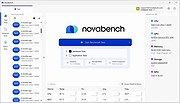 |
| Showing rows 1 to 7 of 7 | Showing Page 1 of 1 | 1 |
OlderGeeks.com Copyright (c) 2026
