|

|
Processed through Paypal No account required. |








Buy our over-priced crap to help pay the bills.



|
|
Processed through Paypal No account required. |
| Files | ||||
| File Name | Rating | Downloads | ||
 |
AM-DeadLink v7.2 AM-DeadLink v7.2 👉 Free tool to detect broken links, missing files, redirections, and duplicate bookmarks. AM-DeadLink is a freeware utility that helps you find broken links, missing files, redirects, and duplicate entries in browser bookmarks, websites, and various file formats. It can scan entire websites, including linked pages, images, CSS files, and other resources, while also checking bookmark collections from popular web browsers. Detailed reports make it easy to identify invalid URLs, redirects, and missing resources so you can keep your bookmarks and websites organized and up to date. AM-DeadLink is designed to be lightweight, privacy-friendly, and easy to use, with no ads, nags, accounts, or user-data collection. Features: • Detects broken links, missing files, and redirects • Finds duplicate bookmarks and URL entries • Scans websites including linked pages, images, CSS files, and other resources • Checks bookmarks from Chrome, Edge, Firefox, Brave, and Vivaldi • Supports HTML, TXT, CSV, and tab-delimited files containing URLs • Generates detailed reports of scan results • Improved detection of redirects and missing resources • Checks binary file links such as ZIP, PDF, and EXE files • Internal preview for reviewing URLs • Lightweight freeware with no ads, nags, or account requirements Supported operating systems: • Windows 10, Windows 11 (64-bit) Supported languages: • English, German Changes: v7.21 10-07-26 Brave Origin supported Improved support for Cloudflare-protected pages Smaller improvements and fixes Click here to visit the author's website. |
 |
6,709 | Oct 07, 2026 Aignesberger Software GmbH 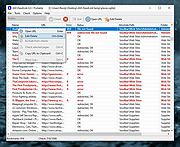 |
 |
Awesome Duplicate Photo Finder v1.2.1 Awesome Duplicate Photo Finder v1.2.1 A free powerful tool, that helps you to find and remove duplicate photos on your computer. With this app you can easily clean up your photo collection from duplicates or even similar images. This program is very easy to use. You can do all you need with duplicate photos in just a couple of mouse clicks. Awesome Duplicate Photo Finder is able to compare resized pictures or even pictures with corrected colors (black and white photos etc.). It supports all major image types: JPG, BMP, GIF, PNG, TIFF, CR2 (Canon RAW). To start playing just drag some folders from the Windows Explorer into the program's window and click "Start" button, and have fun! Awesome Duplicate Photo Finder is a completely FREE Software. It contains absolutely NO ADWARE, NO SPYWARE, NO REGISTRATION, NO POPUPS, NO MALWARE or other unwanted software. Features • Extremely simple user interface • Clever algorithms to find similar or exact duplicate photos • Search through the following image types: JPG, BMP, GIF, PNG, TIFF, CR2 RAW • Compare resized pictures and even pictures with corrected colors (black and white photos etc.) • Add multiple folders or drives for scanning, no limitation for number of files • Works with network drives and removable devices (USB flash drives etc.) • Support for moving and deleting of duplicate photos • It's AWESOME and Free! How to use If you frequently looks for images on web and have already saved thousands of them, either for professional usage or for any other purpose, then your hard drive must be spurting with a lot of similar images. If you are a photographer, it must be a difficult job to select ... |
|
3,684 | Sep 11, 2023 Duplicate Finder 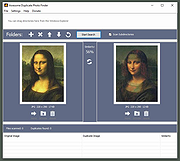 |
|
CHK v6.12 CHK v6.12 👉 Advanced portable file hashing and verification tool. CHK is an advanced file hashing and verification tool with a simple interface and a portable, no-install design. It can verify file integrity, find duplicate files, and compute checksums quickly, while also supporting full Unicode and drag-and-drop operation. Features: • Verify the integrity of downloaded or transferred files • Find and remove duplicate files • Supports a wide range of algorithms including CRC-32, MD5, SHA-256, BLAKE3, xxHash3, and more • Compute Shannon Entropy for files to help spot compressed or encrypted data • Portable design with no installation required • Full Unicode support • Drag-and-drop support • Free to use Supported operating systems: • Windows 32-bit • Windows 64-bit Supported languages: Chinese Simplified, Chinese Traditional, English, French, German, Greek, Hungarian, Italian, Japanese, Korean, Spanish Changes: v6.12 04-12-26 • Less strict rules for duplicate file searches. CHK now checks file size as well. • Improved sorting. • Bug fixes. This download is for the Windows 64bit version (very bottom of page). If you need the Windows 32bit version, download here. If you need the Language Packs, download here. The Language Packs includes the following languages: Chinese Simplified, Chinese Traditional, English, French, German, Greek, Hungarian, Italian, Japanese, Korean, Spanish Click here to visit the author's website. |
|
1,342 | Aug 03, 2026 Ilya Muravyov 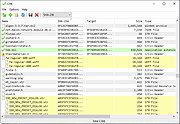 |
|
CloneScan v2.1 CloneScan v2.1 👉 Find, review, and safely remove duplicate files and folders. CloneScan is a free Windows utility designed to help you find, review, and safely remove duplicate files and duplicate folders from your computer. Features: • Find duplicate files and folders • Compare by file name, size, file name and size, or SHA-1 hash • Filter scans by file type • Set a minimum file size for scanning • Fast content scanning with parallel hashing • Grouped duplicate results • Move deleted items to the Recycle Bin • Export results to CSV Supported operating systems: • Windows 10, Windows 11 Supported languages: English Changes: v2.1 09-09-26 New scan options. Minor fixes. Click here to visit the author's website. |
|
690 | Sep 10, 2026 TkoSoft 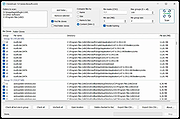 |
|
Duplicate File Eraser 2.0.2.0 Duplicate File Eraser 2.0.2.0 Duplicate File Eraser is a simple program that can find and remove duplicate files. Features Fast CRC32, MD5, SHA1 file comparison Simple usage Multiplatform support Portable Available in 32 Bit and 64 Bit versions Multilingual GUI Platform Windows, Linux, Mac Last updated 2016-02-24 MD5 637c747de477c88548bcfa70a705730a |
|
7,218 | Dec 21, 2021 Fatih Kodak 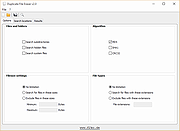 |
|
Feex v0.19.12 Feex v0.19.12 👉 A free Windows utility for monitoring, diagnosing, understanding and maintaining your PC. Feex is a free Windows system utility that combines PC monitoring, diagnostics and maintenance tools in a single application. It provides real-time information about CPU, GPU, memory, disks and other system activity while helping identify applications and processes that may be consuming excessive resources. Feex goes beyond basic system monitoring by keeping useful historical information about your computer. It can analyze startup programs, monitor boot speed over time and help identify common Windows problems and changes that may be affecting performance. Detailed hardware and system information is available to help you understand the components and configuration of your PC. Built-in maintenance tools can help clean caches and unnecessary files, locate duplicate files and perform Windows maintenance and performance tasks. When Feex proposes meaningful changes to the system, it explains what will be affected and asks for approval before proceeding. Privacy is an important part of Feex's design. System understanding and history are stored locally on the PC, and the program can continue operating without an Internet connection. File discovery uses metadata such as filenames, types, sizes and dates rather than reading the contents of documents, emails or chats. Feex does not collect passwords or browsing history, capture the screen, log keystrokes, record audio or video, or inspect the contents of network traffic. It is not intended to replace antivirus software and can be used alongside Windows Defender or other security software. Features: • Monitors CPU, GPU, RAM, disk and overall system activity • Identifies resource-heavy applications and processes • Analyzes programs configured to run at startup • Monitors boot speed and maintains boot history • Provides detailed hardware and system information • Detects common Windows issues • Cleans caches and unnecessary files • Detects duplicate files • Provides Windows maintenance and performance tools • Keeps historical information about system behavior • ... |
|
392 | Sep 04, 2026 Feex 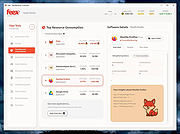 |
|
FileBricks v2.2 FileBricks v2.2 👉 Visual disk space analyzer and duplicate file finder. FileBricks is a free Windows tool for discovering what takes up space on your drives. It turns files, folders, and duplicates into colorful visual bricks, making it easier to spot large files, heavy folders, repeated copies, and common file types at a glance. Features: • Visual disk space analysis using proportional colorful bricks • Files in Folders view shows files within their folder structure • Only Files view displays individual files from largest to smallest • Only Folders view provides a graphical comparison of folder sizes • Duplicates view visually groups repeated files • Smart color coding displays files with the same extension in the same color • Scan all drives or choose a specific folder • Exclude files based on modified date • Ignore files smaller than a selected minimum size • Exclude files using wildcard filename patterns • Hover over bricks to see file or folder details and paths • Select a brick to locate its corresponding item in the tree • Tree views provide size, percentage and file-count information • Helps locate large videos, archives, installers, backups, images and other space-consuming files • Freeware for Windows Supported operating systems: • Windows 10, Windows 11 Supported languages: English Changes: v2.2 09-09-26 Improved sorting in the Duplicates section. Improved visualization of the Only Files section. Click here to visit the author's website. |
|
947 | Sep 10, 2026 TkoSoft 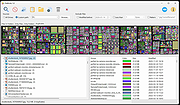 |
|
MacOSCleaner v2.3.0 MacOSCleaner v2.3.0 👉 Free, privacy-focused macOS cleaner, app uninstaller, duplicate finder, disk analyzer and system maintenance utility. MacOSCleaner is a native macOS cleaning and maintenance utility designed to help reclaim storage space while giving you control over exactly what is removed. It can scan caches, developer files, application leftovers, duplicate files, old installers and many other types of unnecessary data. It also includes a forensic application uninstaller, disk space analyzer, process manager and startup service manager. Files identified by the uninstaller and disk analyzer are moved to the Trash where possible, while protected system locations are blocked from deletion. MacOSCleaner runs locally with no telemetry or cloud transmission and includes optional on-device Apple Intelligence explanations and Siri/Shortcuts automation. Features: • Smart Cleanup scans 55 categories and more than 1,880 defined locations covering over 275 applications and 86 developer toolchains • Cleans application and browser caches, developer files, package manager data, crash reports, Mail downloads and other unnecessary files • Forensic App Uninstaller examines application-related files using bundle IDs, Team IDs, Spotlight data, property lists, Launch Services and other evidence • Post-uninstall verification lets you inspect and selectively remove remaining files after uninstalling an application • Dedicated orphan scanner finds remnants from applications that were previously removed • Orphaned files are grouped by confidence level as Guaranteed, Very Likely or Possible • Duplicate File Finder uses file size, partial hashing and full SHA-256 hashing to identify exact duplicates • Disk Space Analyzer lets you navigate folders using an interactive directory tree and breadcrumb navigation • Uses APFS allocated-size information to more accurately report physical disk usage • Built-in Quick Look support lets you preview files directly from the disk analyzer • Protects cloud-only iCloud items from being downloaded unintentionally during analysis • Project Build Artifacts category detects regenerable folders such as node_modules, target, .venv, .dart_tool and build • Build artifact age filters can target files older ... |
|
111 | Oct 05, 2026 AlexTkDev 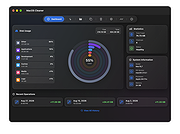 |
|
TwinPixCleaner v2.0.0 TwinPixCleaner v2.0.0 👉 Smart duplicate photo finder for macOS that detects exact matches and visually similar images. TwinPixCleaner is a native macOS utility designed to help you find and remove duplicate images so you can recover storage space and better organize your photo collection. It offers two scanning methods: exact duplicate detection using SHA-256 hashing and visual similarity detection for images that may not be byte-for-byte identical but still look the same. The program includes a simple “Keep This” workflow, native Quick Look preview support, sortable results, batch selection, and safe deletion to the macOS Trash with undo support. Features: • Dual scanning modes for exact duplicate matching and visual similarity detection • Finds identical photos as well as visually similar image variations • One-click "Keep This" option to preserve a preferred image and mark the rest • Safe deletion sends files to the macOS Trash instead of immediately removing them • Undo support with ⌘Z for restoring deleted files during the current session • Multi-select support for batch deletion • Native Quick Look previews with the Spacebar • Sorting options by size or number of copies • Native macOS interface with dark mode support • Keyboard shortcuts for scanning, previewing, deleting, undoing, closing, and quitting • Privacy-focused design with all processing performed locally • Works offline with no cloud processing required Supported operating systems: • macOS 13.0 Ventura or higher Required Permissions: • File Access TwinPixCleaner needs permission to read folders you select Granted automatically when you choose a folder • Full Disk Access (Optional) Required for system folders and external drives Enable in: System Settings → Privacy & Security → Full Disk Access Add TwinPixCleaner to the list Supported languages: Supports OS Language. Changes: v2.0.0 05-10-26 What's New Apple Photos Integration: You can now scan your native macOS Photo Library directly. The app intelligently identifies duplicates while respecting your system's privacy and safety. Batch Deletion: Optimized the deletion process for Apple ... |
|
754 | Jul 29, 2026 Akshay Kumar Gupta 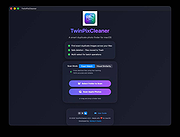 |
| Showing rows 1 to 9 of 9 | Showing Page 1 of 1 | 1 |
OlderGeeks.com Copyright (c) 2026
