|

|
Processed through Paypal No account required. |








Buy our over-priced crap to help pay the bills.



|
|
Processed through Paypal No account required. |
| Files | ||||
| File Name | Rating | Downloads | ||
 |
Pinned: Malwarebytes AdwCleaner v8.8.1.639 Malwarebytes AdwCleaner v8.8.1.639 👉 Removes adware, unwanted programs, browser hijackers, and other potentially unwanted software. Malwarebytes AdwCleaner is a lightweight, portable utility designed to scan for and remove adware, potentially unwanted programs (PUPs), browser hijackers, toolbars, and other unwanted software that can slow down your computer or interfere with your browsing experience. It does not require installation and can be run directly to quickly clean and restore system performance. AdwCleaner scans key areas of your system including files, folders, services, scheduled tasks, registry entries, and web browsers. After the scan, it presents a detailed report and allows you to review and clean detected items safely. Features: • Portable and lightweight • Detects and removes adware and PUPs • Cleans browser hijackers and unwanted toolbars • Scans services, registry, files, and scheduled tasks • Simple interface with detailed scan reports • Quarantine management and basic repair options Supported operating systems: Windows 11 (32/64-bit) AdwCleaner v8.8.0 Windows 10 (32/64-bit) AdwCleaner v8.8.0 Windows 8.1 (32/64-bit) AdwCleaner v8.4.0 Windows 8 (32/64-bit) Adwcleaner v8.4.0 Windows 7 (32/64-bit) Adwcleaner v8.4.0 Windows XP (32/64-bit) Adwcleaner v7.4.2 Windows Vista (32/64-bit) Adwcleaner v7.4.2 Supported languages: Arabic, Bulgarian, Czech, Danish, German, Greek, English, English (UK), Spanish, Basque, French, Hungarian, Indonesian, Italian, Japanese, Korean, Dutch, Polish, Portuguese (Brazil), Portuguese, Romanian, Russian, Slovak, Thai, Turkish, Ukrainian, Vietnamese, Simplified Chinese, Traditional Chinese Changes: v8.8.1 05-13-26 Features and improvements No new features included in this release Issues fixed Fixed DLL sideloading security issue. Properly avoid terminating SetMe processes This download is for the Windows 10/11 version (very bottom of page). All other download assets are below: Windows 7/8: adwcleaner 8.4.0.exe Windows XP/Vista: adwcleaner_7.4.2.exe Click here to visit the author's website. |
 |
34,853 | Aug 20, 2026 Malwarebytes 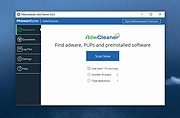 |
|
Android Junk Files Cleaner 1.01 Android Junk Files Cleaner 1.01 Android Junk Files Cleaner is an Android system tool which can clean history, protect your personal privacy, save your disk space, make your phone's speed more faster. Features: Clear call and miss call record Clear Android Market and uninstall history Clear map history Clear browser history Clear gmail history Clear clipboard and software cookies Clear SD garbage |
 |
11,630 | Nov 08, 2013 bvcsoft Studio |
 |
Antivirus Removal Tool v2026.02 Antivirus Removal Tool v2026.02 👉 Detects and helps completely remove leftover files from antivirus and security software. Antivirus Removal Tool is a portable utility designed to identify and assist with the complete removal of antivirus and security software remnants that standard uninstallers often leave behind. Many security programs integrate deeply into Windows and may leave drivers, services, and registry entries behind after removal. These leftovers can cause conflicts when installing new antivirus products or reduce system performance. Antivirus Removal Tool scans your system for traces of dozens of antivirus and security products and provides direct access to the official cleanup utilities provided by the vendors themselves. It can detect installed or previously installed security software and guide users through safely removing all remaining components. The program features a clean interface that lists detected security products and offers links to the official vendor removal tools when available. Because it relies on the original cleanup utilities from the developers, the removal process is safer and more reliable than attempting manual cleanup. The tool is portable and does not require installation, making it convenient for technicians and advanced users who need to troubleshoot antivirus conflicts or prepare systems for a fresh security installation. Features: • Detects installed and previously installed antivirus and security software • Provides direct links to official vendor removal tools • Helps eliminate leftover drivers, services, and registry entries • Portable application that requires no installation • Useful for resolving conflicts when switching antivirus products • Displays detailed system and security software information • Regularly updated database of antivirus vendors and cleanup utilities Supported operating systems: • Windows 7, Windows 8, Windows 10, Windows 11 Supported languages: English Changes: v2026.02 02-06-26 Database updated. Improved detection of security products. Minor interface improvements and fixes. Note: This file download may be blocked by your web browser or anti-virus software because it has antivirus removal software embedded in it. This is something a virus ... |
|
11,322 | Mar 04, 2026 Alex C. 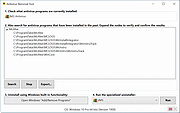 |
|
ATF Cleaner 3.0.0.2 ATF Cleaner 3.0.0.2 A free, easy temp file remover for Windows 2000/XP/Vista. This will remove all files from the items that are checked so if you have some cookies you'd like to save. please move them to a different directory first. Notes for Windows Vista users: On Windows Vista that "Windows Temp" is disabled, to empty "Windows Temp" ATF-Cleaner must be "Run as an Administrator" |
|
9,890 | Dec 21, 2021 Atribune.org 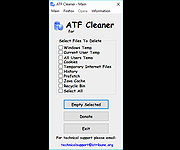 |
|
CleanSweep2 v3.1 CleanSweep2 v3.1 👉 Remove selected Windows junk files and see how much disk space you reclaim. CleanSweep2 lets you select temporary files, caches, logs, and other cleanup targets. It estimates reclaimable space before cleaning and reports the space recovered afterward. A command-line edition supports selective cleaning, logging, silent operation, and scheduled runs through Windows Task Scheduler. Review your selections carefully before removing File History snapshots or the Windows.old folder. Features: • Select cleanup targets individually. • Remove temporary files, temporary setup files, and temporary internet files. • Clear Chrome and Microsoft Edge caches, thumbnail caches, and Microsoft Office cache. • Clean Windows Update logs, error reports, Defender logs, and Delivery Optimization files. • Empty the Recycle Bin or remove Event Viewer logs when selected. • Optionally remove File History snapshots and the Windows.old folder. • See estimated reclaimable space and the amount recovered. • Save logs and remember selections in the graphical edition. • Run selective or scheduled cleaning with the command-line edition. Supported operating systems: • Windows 7, Windows 8, Windows 8.1, Windows 10, Windows 11 Supported languages: English Changes: v3.1 03-12-26 FIX - Multiple file exceptions on load CHANGE - Default to manual check for updates Click here to visit the author's website. |
|
5,046 | Sep 28, 2026 Thomas Loupe 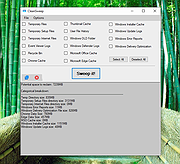 |
|
FluentCleaner Classic v1.18.250 FluentCleaner Classic v1.18.250 👉 A lightweight, portable Windows cleaner for removing temporary files, caches, logs and other unnecessary clutter. FluentCleaner Classic is a lightweight WinForms-based edition of FluentCleaner designed for users who prefer a traditional Windows desktop application with a small footprint. It uses the same FluentCleaner.Core scanning and cleaning engine as the modern edition while relying on .NET Framework 4.8 instead of the Windows App SDK. FluentCleaner Classic can analyze Windows and applications for temporary files, caches, logs, browser data and other unnecessary files, allowing you to review detected items before cleaning them. Its portable design requires no installation, and support for Winapp2 cleaning databases provides extensive coverage of Windows components and third-party applications. Features: • Scans Windows and applications for temporary files, caches, logs and other unnecessary data. • Displays detected files and recoverable disk space before cleaning. • Uses the FluentCleaner.Core scanning and cleaning engine. • Supports Winapp2 cleaning databases for additional applications and cleaning rules. • Includes cookie management with protection for cookies you want to keep. • Detects cookies from Edge, Chrome, Chromium, Brave, Vivaldi, Opera, Opera GX and Firefox profiles. • Supports custom cleaner rules. • Includes a Handoff API for testing cleaner selections from external tools. • Provides command-line options for additional control and automation. • Includes Mini mode for quick access to Analyze, Review and Clean. • Can start directly in Mini mode. • Mini mode supports always-on-top operation and remembers its window position. • Portable and does not require installation. • Uses the familiar traditional Windows WinForms interface. Supported operating systems: • Windows (practically any version capable of running Microsoft .NET Framework 4.8) Supported languages: Bulgarian, Chinese (Simplified), English, French, German, Polish Changes: v1.18.250 09-17-26 [Added] [Classic] Introduced command-line automation for scripts, batch files, PowerShell, and third-party tools. Classic can now analyze or clean the saved selection silently, optionally target a specific cleaner category, and shut down the PC after cleaning #52 [Added] [Classic] Added ... |
|
532 | Sep 30, 2026 Builtbybel 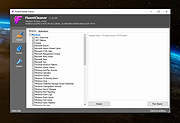 |
|
FluentCleaner Modern v26.09.01 FluentCleaner Modern v26.09.01 👉 A modern Windows cleanup tool built with WinUI 3 and powered by winapp2.ini. FluentCleaner is an open-source Windows desktop cleaner designed to reclaim disk space, clean application leftovers, remove cache files, and give users clear control over what gets deleted. It uses the community-maintained winapp2.ini ecosystem for specific, inspectable cleaning rules instead of broad, unsafe guessing. FluentCleaner also includes terminal control, multi-database support, optional AppX/bloatware database support, and a modern WinUI 3 interface with no tracking, no upsells, no scareware, and no fake registry-cleaner tricks. Features: • Modern WinUI 3 interface • Open source and donation-supported • Uses winapp2.ini cleaning rules • Supports custom winapp2-compatible databases • Multi-database loading with deduplication • Optional Winappx AppX/bloatware database • Category-based cleaning • Detail view for file and registry targets • Explorer integration for locating file paths • Command-line auto-clean support • Silent cleaning with saved selections • Optional auto-shutdown after cleaning • Detailed auto-clean log saved to AppData • Saved window size across sessions • Saved navigation pane state • No telemetry, no bundled offers, no fake registry cleaner Supported operating systems: • Windows 10, Windows 11 Supported languages: English, German, French, Indonesian, Italian, Lithuanian, Norwegian, Portuguese (BR), Russian, Ukrainian, Chinese Simplified/Traditional Changes: v26.09.01 09-17-26 [Added] [Classic] Introduced command-line automation for scripts, batch files, PowerShell, and third-party tools. Classic can now analyze or clean the saved selection silently, optionally target a specific cleaner category, and shut down the PC after cleaning #52 [Added] [Classic] Added command-line documentation and ready-to-copy examples under Options > Handoff / CLI [Changed] [Classic] Development of the built-in Mini mode has been paused for now. It may return later as a separate add-on or as part of a future plugin system. [Improved] [Classic] Deleting a cookie no longer throws the user back to the beginning of the list. FluentCleaner still refreshes the real browser databases, but now keeps the working position and selects the nearest remaining entry #185 [Added] [Classic] Added ... |
|
2,151 | Sep 30, 2026 Builtbybel 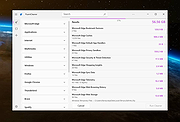 |
|
Games Cleaner v24.31022 Games Cleaner v24.31022 👉 Advanced gaming cleanup utility that removes leftover files, launcher junk, caches, logs, and temporary game data to free valuable storage space. Games Cleaner is a specialized cleanup utility designed specifically for gamers who want to reclaim wasted disk space and keep their systems organized. Unlike general-purpose cleaning tools, Games Cleaner focuses on the unique folders and temporary files created by modern PC games and digital distribution platforms. The program scans gaming-related directories for leftover uninstall files, launcher caches, outdated logs, crash reports, shader caches, empty folders, screenshots, temporary downloads, and other unnecessary data commonly left behind after gaming sessions or incomplete uninstallations. This helps reduce clutter while freeing storage space that can quickly disappear on systems with large game libraries. Games Cleaner supports many popular gaming ecosystems and launchers, making it useful for players with collections spread across multiple platforms. The utility can detect and clean files created by services such as Steam, Epic Games Launcher, Ubisoft Connect, Bethesda Launcher, EA App, Battle.net, GOG Galaxy, and other common PC gaming environments. The interface is designed to be straightforward and easy to use, allowing users to quickly scan their system, review detected items, and remove unnecessary files without manually browsing through complicated game directories. It can be especially useful for SSD users where storage space is limited and large modern games constantly generate temporary data. Features: • Cleans leftover files from installed and previously uninstalled games • Removes temporary files, caches, logs, shader caches, and crash reports • Supports multiple popular gaming launchers and ecosystems • Detects unnecessary gaming-related junk files automatically • Helps recover valuable disk space on SSDs and HDDs • Scans for empty folders and obsolete directories • Cleans launcher-generated cache and temporary download files • Helps organize cluttered gaming systems • Simple and easy-to-use interface • Lightweight Windows utility focused on gaming cleanup • Designed specifically for PC gaming ... |
|
532 | Jun 04, 2026 Rezar Behzad 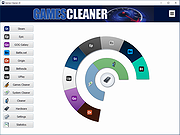 |
|
HiBit Uninstaller v4.0.10 HiBit Uninstaller v4.0.10 👉 Completely remove programs and clean leftover files and registry entries. HiBit Uninstaller is a powerful and easy-to-use utility that helps you uninstall programs completely from your Windows system. It removes stubborn applications, leftover files, folders, and registry entries that standard uninstallers often leave behind. HiBit Uninstaller also includes a suite of additional system management tools to help you clean and optimize your PC. These tools allow you to manage startup items, clean junk files, remove browser extensions, and securely delete sensitive files. The program is lightweight, portable (no installation required), and designed to work without background services or unnecessary components. Features: • Completely uninstall programs and remove leftovers • Force remove stubborn or corrupted programs • Batch uninstall multiple applications • Remove Windows Apps (Store apps) • Deep registry and file system scan for leftovers • Startup manager • Context menu manager • Services manager • Task scheduler manager • Junk file cleaner • Registry cleaner • Browser extension manager • Secure file shredder • System restore manager • Portable version available Supported operating systems: • Windows 7, Windows 8, Windows 8.1, Windows 10, Windows 11 Supported languages: English, German, French, Spanish, Italian, Portuguese, Dutch, Russian, Turkish, Polish, Czech, Romanian, Hungarian, Greek, Arabic, Chinese (Simplified), Chinese (Traditional), Japanese, Korean Changes: v4.0.10 02-10-26 Added a File & Registry Finder tool. Added a Duplicate File Finder tool. Added a Disk Analyzer tool. Added Connection Manager tool. Added tree view for leftovers search results. Added support for custom folders in the Empty Folder Cleaner and Shortcuts Cleaner tools. Added a donation feature to support our work. Redesigned and added new features to the Process Manager tool. Improved the performance of Installation Monitoring. Improved the Windows Store Apps Manager performance. Improved the speed and accuracy of the Junk Files Cleaner tool. Improved the leftovers search algorithm, achieving 30% faster performance. Improved user interface. Fixed all known bugs. Click here to visit the author's website. |
|
9,659 | Jun 27, 2026 HiBitSoft.IR 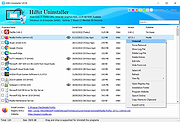 |
|
Intelligent standby list cleaner v1.0.2.1 Intelligent standby list cleaner v1.0.2.1 The application will monitor and clear the memory standby list according to the configured options parameter you set. It should help users who have stutters in games when using windows 10 Creator update and higher version of windows. Changes since 1.0.2.0 - Fixed Task added to "Task Scheduler" was running max 72 hours. (Thanks to vmech for reporting) SHA1: 6A1FE7E3D768BB93D43C073093C6C92DC9D371BA Click here to visit the author's website. |
|
6,598 | Oct 29, 2019 Wagnard 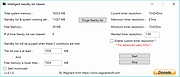 |
|
KCleaner v3.8.2 KCleaner v3.8.2 Closes all unnecessary processes, leaving only the essential ones running. KCleaner is a Windows utility designed to close unnecessary processes and leave only essential ones running. According to the author, it can help remove unwanted or forcibly installed security programs, terminate malicious programs disguised with the same names as Windows system processes, and manage programs that automatically run from various startup locations. It also avoids closing essential drivers such as graphics and sound drivers, and does not terminate trusted antivirus software. Features: • Easily remove unwanted or forcibly installed security programs • Cleanly terminate malicious programs that disguise themselves with the same names as Windows system processes • Conveniently manage programs that automatically run from various locations at startup • Does not close essential drivers such as graphics or sound drivers • Does not terminate trusted antivirus software • Runs as a standalone file with no installation required Supported operating systems: • Windows 10, Windows 11 Supported languages: English, German, Esperanto, French, Italian, Japanese, Polish, Portuguese, Russian, Slovak, Swedish, Thai, Turkish, Vietnamese, Chinese Changes: v3.8.2 10-24-25 - Improved stability under antivirus or restricted permission environments Click here to visit the author's website. |
|
804 | Mar 10, 2026 kilho.net 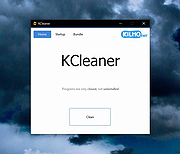 |
|
Kudu v3.6.1 Kudu v3.6.1 👉 Free open-source system maintenance, optimization, and security suite for Windows, macOS, and Linux. Kudu is a comprehensive system maintenance toolkit designed to help users clean, optimize, monitor, and secure their computers from a single unified interface. Built as a free and open-source alternative to many commercial system utilities, it combines system cleaning, malware detection, startup management, privacy protection, software updating, disk analysis, and performance monitoring tools into one package. Kudu focuses on providing powerful maintenance capabilities without advertisements, bundled software, or subscription requirements. It is suitable for both home users and IT professionals who want to keep systems running efficiently while maintaining privacy and security. Kudu also includes automation features, real-time monitoring, gaming optimizations, and optional cloud-based fleet management (paid) capabilities for managing multiple devices. Features: • System Cleaner for removing temporary files, caches, logs, and system junk • Multi-engine malware scanner with signature-based threat detection • Real-time performance monitoring for CPU, memory, disk, and network activity • S.M.A.R.T. disk health monitoring and analysis • Startup Manager with impact ratings for startup entries • Interactive Disk Analyzer with visual storage usage mapping • Privacy Shield for auditing and applying privacy settings • Software Updater for detecting outdated applications • Debloater for removing unwanted pre-installed Windows applications • Registry Cleaner with automatic backup protection • One-click Game Mode with performance and latency optimizations • Scheduled maintenance, scanning, and update tasks • Automatic backup safeguards before system changes • Command-line support for automation and scripting • Optional cloud-based centralized device management • Open-source MIT-licensed project with no advertisements or bundled software Supported operating systems: • Windows 10, Windows 11 • macOS • Linux Supported languages: • 30 languages supported Changes: v3.6.1 10-06-26 Bug Fixes icons: add missing Windows DPI sizes to the app icon (#513) (920f59c) malware: stop flagging validly signed binaries with the PE heuristic (#507) (e9784a1) 👉 This download is for the Windows version (very bottom of page). All ... |
|
662 | Oct 07, 2026 Advent Development, Inc.  |
|
MacOSCleaner v2.3.0 MacOSCleaner v2.3.0 👉 Free, privacy-focused macOS cleaner, app uninstaller, duplicate finder, disk analyzer and system maintenance utility. MacOSCleaner is a native macOS cleaning and maintenance utility designed to help reclaim storage space while giving you control over exactly what is removed. It can scan caches, developer files, application leftovers, duplicate files, old installers and many other types of unnecessary data. It also includes a forensic application uninstaller, disk space analyzer, process manager and startup service manager. Files identified by the uninstaller and disk analyzer are moved to the Trash where possible, while protected system locations are blocked from deletion. MacOSCleaner runs locally with no telemetry or cloud transmission and includes optional on-device Apple Intelligence explanations and Siri/Shortcuts automation. Features: • Smart Cleanup scans 55 categories and more than 1,880 defined locations covering over 275 applications and 86 developer toolchains • Cleans application and browser caches, developer files, package manager data, crash reports, Mail downloads and other unnecessary files • Forensic App Uninstaller examines application-related files using bundle IDs, Team IDs, Spotlight data, property lists, Launch Services and other evidence • Post-uninstall verification lets you inspect and selectively remove remaining files after uninstalling an application • Dedicated orphan scanner finds remnants from applications that were previously removed • Orphaned files are grouped by confidence level as Guaranteed, Very Likely or Possible • Duplicate File Finder uses file size, partial hashing and full SHA-256 hashing to identify exact duplicates • Disk Space Analyzer lets you navigate folders using an interactive directory tree and breadcrumb navigation • Uses APFS allocated-size information to more accurately report physical disk usage • Built-in Quick Look support lets you preview files directly from the disk analyzer • Protects cloud-only iCloud items from being downloaded unintentionally during analysis • Project Build Artifacts category detects regenerable folders such as node_modules, target, .venv, .dart_tool and build • Build artifact age filters can target files older ... |
|
112 | Oct 05, 2026 AlexTkDev 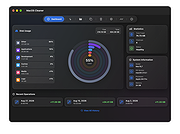 |
|
PrivaZer v4.0.127 PrivaZer v4.0.127 👉 Advanced privacy cleaner that removes traces of your activity from your PC. PrivaZer is a powerful privacy-focused cleaning tool designed to remove traces left behind by everyday computer use. It scans your system to locate leftover files, internet history, cookies, cache data, and other hidden artifacts created by Windows, browsers, and applications. By carefully cleaning these traces, PrivaZer helps improve privacy, free disk space, and keep your system running efficiently. PrivaZer performs deep scans that go beyond typical cleaning utilities, detecting residual data that many programs leave behind. It can safely remove traces from web browsers, messaging applications, system logs, and temporary files while offering detailed control over what is cleaned. Advanced options allow users to securely delete sensitive data and prevent recovery of removed files. The program also offers customizable cleaning profiles, scheduled cleanups, and secure deletion features for users who want to maintain long-term privacy protection. Despite its advanced capabilities, PrivaZer includes guided cleaning modes that help beginners safely perform system cleanup without risk. Features: • Deep scan and removal of privacy traces left by Windows and applications • Cleans browser history, cookies, cache, and internet activity records • Detects and removes residual files left after software uninstallations • Secure file deletion to prevent recovery of sensitive data • Cleans temporary files, logs, and leftover system artifacts • Guided cleaning mode for safe cleanup by less experienced users • Advanced cleaning options for experienced users • Optional scheduled cleaning and automation Supported operating systems: • Windows XP, Windows Vista, Windows 7, Windows 8, Windows 10, Windows 11 Supported languages: Arabic, Bulgarian, Chinese Simplified, Chinese Traditional, Czech, Danish, Dutch, English, Finnish, French, German, Greek, Hungarian, Indonesian, Italian, Japanese, Korean, Norwegian, Polish, Portuguese, Portuguese Brazilian, Romanian, Russian, Slovak, Slovenian, Spanish, Swedish, Turkish, Ukrainian Changes: v4.0.127 10-02-26 + Improved cleanup : HDD + Improved cleanup : TRIM + Improved cleanup : snapshots + Improved cleanup : Free Download Manager + ... |
|
15,048 | Oct 05, 2026 Goversoft LLC 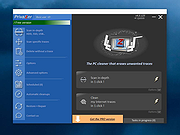 |
|
RAMagic v1.22 RAMagic v1.22 👉 Lightweight tool to quickly optimize and free up RAM on Windows systems. RAMagic is a small and portable Windows utility designed to help improve system responsiveness by freeing unused memory with a single click. It provides a simple interface that allows users to quickly reclaim RAM without complicated configuration. RAMagic is especially useful on systems with limited memory or when running multiple applications that consume significant resources. The program runs without installation and can be used as a quick-access tool to refresh available memory and potentially reduce slowdowns. Features: • Quick RAM optimization with one click • Portable application, no installation required • Simple and user-friendly interface • Displays current memory status • Designed for minimal system resource usage Supported operating systems: • Windows XP, Windows Vista, Windows 7, Windows 8, Windows 10, Windows 11 (32-bit and 64-bit) Supported languages: German, English, Korean, French, Traditional Chinese, Greek, Simplified Chinese, Italian, Polish, Russian, Spanish, Turkish, Dutch, Swedish, Norwegian, Portuguese, Danish, Irish, Thai, Spanish, Spanish (Venezuela), Hebrew, Persian, Malay, Indonesian, Filipino, Finnish, Bosnian, Japanese, Bulgarian, Hungarian, Arabic Changes: v1.22 05-06-26 • General improvements in RAMagic, the RAM optimizer for Windows • New language in RAMagic: Spanish and Italian • Many thanks to Rastafe for the Spanish language support. • Many thanks to bovirus for the Italian language support. Click here to visit the author's website. |
|
869 | Aug 04, 2026 Nenad Hrg 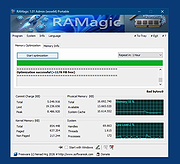 |
|
Revo Uninstaller Free Portable v2.7.2 Revo Uninstaller Free Portable v2.7.2 👉 Uninstall programs, Windows apps, and leftover traces from a portable utility. Revo Uninstaller Free Portable helps you remove unwanted programs from Windows without installing the uninstaller itself. It runs the selected program’s built-in uninstaller first, then scans for leftover files, folders, and Windows Registry entries that may remain behind after a normal uninstall. Features: • Portable version requires no installation • Uninstall regular desktop programs • Remove Windows Apps • Scan for leftover files, folders, and Registry entries • Hunter Mode for managing visible programs, shortcuts, tray icons, and startup items • Autorun Manager to control Windows startup items • Junk Files Cleaner • Windows Tools shortcut panel • Browsers Cleaner • MS Office Cleaner • Windows Cleaner • Evidence Remover • Unrecoverable Delete for permanently erasing files and folders Supported operating systems: • Windows 7, Windows 8, Windows 8.1, Windows 10, Windows 11, Windows Server Editions Supported languages: English, German, French, Italian, Portuguese, Brazilian Portuguese, Russian, Polish, Spanish, Dutch, Norwegian, Swedish, Hindi, Japanese, Chinese, Korean Changes: v2.7.2 10-06-26 Improved – Scanning and safety algorithms for leftovers Fixed minor bugs Updated language files Note: This file has one hit on VirusTotal. We have confirmed this to be a false positive. The file is safe. Click here to visit the author's website. |
|
10,333 | Oct 09, 2026 VS Revo Group 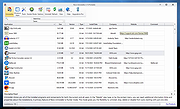 |
|
Ron's HTML Cleaner v2024.05.15.0827 Ron's HTML Cleaner v2024.05.15.0827 HTML Cleaner to process and clean HTML data in a smart and efficient way. Rons HTML Cleaner is a Windows utility perfect for cleaning HTML generated by rich editors (such as Word), before being published to SharePoint, on a Content Management System (CMS), or Blog. Running as a desktop application Rons HTML Cleaner keeps your files on your own computer so you do not need to ‘share’ them with an anonymous online HTML cleaner web site. The HTML Cleaner contains the ability to clean, or alter, a source HTML document or page, through the use of Cleaners. Cleaners are made up of a list of operations that can be build, saved and applied to an HTML document as required. Or simply use the Wizard to quickly get started creating Cleaners. • The layout makes the comparison of the original document (or HTML source) with the processed view very clear. • Rons HTML Cleaner directly opens Word documents, and automatically converts them into a well formatted HTML, which can then be cleaned before being copied or saved as a new file. • With the batch processing capability, 100's of HTML and Word files can be processed in seconds, making cleaning a whole website an easy task! Powerful Any number of rules can be combined in any order to satisfy almost all Cleaning needs. Complex rule sets can be saved to give instant access to frequently used Cleaning tasks. Easy With two or three clicks HTML can be Cleaned: select a Cleaner, click Paste, click Copy All. Job done! Smart Lays out the HTML to enhance the visibility of the structure, and list links and images separately. Fast Processes the source HTML in the blink of an eye to give instant visual feedback of the document before and after Cleaning. Ideal for taking an HTML page ... |
|
6,284 | Aug 31, 2024 Aaron Stewart 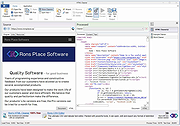 |
|
Shellbag Analyzer and Cleaner v1.30 Shellbag Analyzer and Cleaner v1.30 Free, portable program to analyze and clean Windows Shellbag information. ShellBags keys may contain information concerning your past activities: 1. the names and paths of folders you opened even if the folder has been deleted ! 2. detailed timestamp information, creation time, modification time, access time That's really a privacy issue. Supports: Windows XP, Vista, 7, 8, 8.1, 10, 11 Changes: v1.30 (29 August 2021) + Improved scan Click here to visit the author's website. |
|
4,300 | Dec 06, 2021 Goversoft 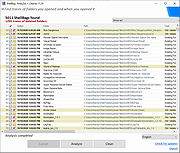 |
|
Shortcut Cleaner 1.4.9.0 Shortcut Cleaner 1.4.9.0 Shortcut Cleaner is a utility that will scan your computer for Windows shortcuts that have been hijacked by unwanted or malicious software. When Shortcut Cleaner finds bad shortcuts, it will automatically clean them so that they do not open unwanted programs. When run, Shortcut Cleaner will scan various locations on your computer for Windows shortcuts. When a shortcut is detected it will check properties for a possible hijacking. If one is detected, it will automatically clean the shortcut so that it no longer opens the offending program or web site. When the Shortcut Cleaner has finished scanning your hard drive it will create a log file on your desktop called sc-cleaner.txt and then display it. This log file will contains a list of all the shortcuts that were detected and cleaned. As of version 1.2.3, Shortcut Cleaner will also clean hijacked Registry entries associated with known hijackers. This tool is currently used to clean shortcuts hijacked by the following domains: widdit.com searchcompletion.com certified-toolbar.com complitly.com newhometab.com dtinstaller.com chipinstaller.com homebase-apps.com helperbar.com 22find.com qvo6.com hotstartsearch.com dosearches.com v9.com 22apple.com portaldosites.com delta-homes.com nationzoom.com do-search.com awesomehp.com aartemis.com sweet-page.com webssearches.com key-find.com qone8.com omiga-plus.com www-search.net safesear.ch istartsurf.com istartpageing.com |
|
10,035 | Nov 13, 2019 Lawrence Abrams 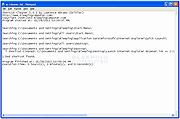 |
|
Shortcut Virus Removal Tool v2.3.0 Shortcut Virus Removal Tool v2.3.0 👉 Portable tool for removing shortcut virus infections from USB drives and recovering hidden files. Shortcut Virus Removal Tool is a portable USB malware cleanup utility for Windows designed to fix USB drives, external HDD / SSD drives, and computers affected by shortcut virus infections. It can remove shortcut virus traces, restore files hidden by malware, remove suspicious shortcuts and files, repair registry changes, undo unwanted malware changes, and delete autorun virus entries from USB drives. The developer says the tool works with a simple drive selection and Clean button workflow, and recommends running it as Administrator if needed. It also opens a log after cleaning and may place some restored files in a RECOVERED folder. Features: • Cleans shortcut virus infections from USB drives and external storage. • Recovers files hidden by malware. • Deletes suspicious files, scripts, and malicious shortcuts. • Repairs registry changes and undoes unwanted malware modifications. • Deletes autorun virus entries from USB drives. • Opens a cleanup log after completion so you can review recovered and deleted items. • Can recover some files into a RECOVERED folder on the USB drive. • Simple one-click cleaning workflow after selecting the target drive. Supported operating systems: • Windows XP or later, .NET Framework 4.0 required. Supported languages: • English, German, Turkish, Arabic, Indonesian Changes: v2.3.0 07-23-26 New Features: Added Vaccinate Computer feature. This feature vaccinates your computer from most of the shortcut virus and other USB disk viruses. Added Vaccinate USB feature. This feature vaccinates your USB and even if it's infected, shortcut virus and other USB disk viruses cannot run from the USB. Added Options menu. You can click it to show more options. About button is moved there. Fixes and Changes: A lot of problems with the translations has been fixed. Fixed a problem that caused the application to crash sometimes when you change the language to ... |
|
3,151 | Aug 20, 2026 Emir Alp Kocak 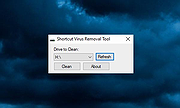 |
|
Steam Cleaner v2.4 Steam Cleaner v2.4 Steam Cleaner is a tool that will remove large amounts of data left behind by Steam, Origin, Uplay and GoG. This tool can clear up gigabytes of data in a few seconds. There is no configuration needed, simply run it and it will detect all your installed games and then some. Changelog: Steam Cleaner v2.4 Signs the binary since it was having issues on Windows 10 with smartscreen. Adds Rainway button to the main UI. Click here to visit the author's website. |
|
6,291 | Jan 30, 2020 Andrew Sampson 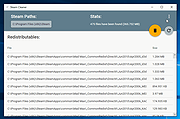 |
| Showing rows 1 to 21 of 21 | Showing Page 1 of 1 | 1 |
OlderGeeks.com Copyright (c) 2026
