|

|
Processed through Paypal No account required. |








Buy our over-priced crap to help pay the bills.



|
|
Processed through Paypal No account required. |
| Files | ||||
| File Name | Rating | Downloads | ||
 |
AOMEI Partition Assistant Standard v10.4.2 AOMEI Partition Assistant Standard v10.4.2 Free disk partition software for home and personal use. Manage and Redistribute Partition Flexibly Easily and flexibly adjust partition size, change partition file systems, delete partition data, or transfer partition data to another location. • Resize partition to make it bigger or smaller than now by reallocating disk space. • Move partition to make unallocated space adjacent to the partition you wish to extend. • Merge two partitions/unallocated space to another partition without data loss. • Delete or wipe partition to erase all data on the selected partition for privacy protection. • Clone partition to another partition or disk for easy and quick data transfer. • Convert file systems between NTFS and FAT32 without reformatting the partition. • Format partition to different file systems like NTFS/FAT32/exFAT/Ext4/Ext3/Ext2. Organize and Optimize Hard Disk Effortlessly AOMEI Partition Assistant Standard allows you to realize disk upgrade/replacement, partition style conversion, remove junk files and other disk managements without any difficulties. • Clone hard disk to another smaller or larger disk via two different clone methods. • Convert data disk from MBR to GPT, or GPT to MBR style without deleting partitions or any data loss. You can upgrade to Windows 11 easily and safely! • Wipe an entire hard disk completely and safely to prevent private information leakage. • Efficiently clean up junk files from computer to optimize OS and speed up computer. • Rebuild damaged MBR on the hard disk to solve some severe Windows boot issues. • Check the hard disk for bad sectors regularly to prevent potential ... |
 |
1,452 | Aug 21, 2024 AOMEI 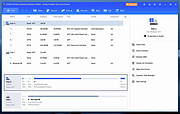 |
|
Clippy v0.4.3 Clippy v0.4.3 👉 A retro-style local AI chat app that runs GGUF large language models on your computer. Clippy lets you run a variety of large language models locally on your computer while using a nostalgic 1990s-style interface. It supports GGUF models through llama.cpp, includes one-click installation support for select models, and is designed as both a fun homage to Microsoft Office’s classic Clippy assistant and a reference implementation for Electron-based local LLM apps. Features: • Simple, familiar, and classic chat interface for chatting with local models. • Runs a variety of GGUF large language models locally on your computer. • Uses llama.cpp and node-llama-cpp to automatically discover the most efficient runtime path, such as Metal, CUDA, or Vulkan. • Includes one-click installation support for Google Gemma3, Meta Llama 3.2, Microsoft Phi-4, and Qwen Qwen3. • Lets you load your own downloaded models. • Allows custom prompts and parameter adjustments. • Works offline and locally, with the only network request being update checks, which can be disabled. • Styled as a love letter and homage to the late, great Clippy and 1990s Microsoft visual design. • Intended as a reference implementation of @electron/llm for developers building Electron apps with local language models. Supported operating systems: • Windows • macOS (Apple Silicon), macOS (Intel) • Linux (RPM, x64), Linux (Debian, x64) Supported languages: English Changes: v0.4.3 05-08-25 We still had issues with the incorrect native binaries making it into the build, breaking Clippy for Macs with Intel processors. This should finally be fixed. We figured it out! To move the Clippy icon to another position on your desktop: Left click on the icon, hold and drag it like normal but you have to hover your cursor over a part of Clippy that doesn't show a question mark. Like this: This download is for the Windows 64bit installer version (very bottom of page). All other download assets are below: Other Windows: Clippy-win32-x64-0.4.3.zip macOS: Clippy-darwin-arm64-0.4.3.zip Clippy-darwin-x64-0.4.3.zip Linux: clippy_0.4.3_amd64.deb Clippy-0.4.3-1.x86_64.rpm Click here to visit the author's ... |
|
838 | Mar 25, 2026 Felix Rieseberg 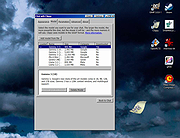 |
 |
Magic Assistant v1.5.1 Magic Assistant v1.5.1 A free, multi-platform application for "Magic: The Gathering" players in different activities related to the game. Includes Card Browser, Library Organizer, Deck Builder and MTG Tournament Manager. Comes with MTG cards database. Features advanced cards search and filtering deck builder with deck charts deck play simulation random booster pack generator card prices from retailer or user's card collections organizer card import from multiple formats and raw cvs files tournament scheduler and score keeper automatic magic card sets updates Card Organizer helps to organize cards and search for cards. Currently supports card browsing and filtering, organizing cards into personal library and decks (aka deck builder). For decks analysis it provides mana curve chart, type distribution chart, color chart, deck play test(draw). To practice sealed deck building you can create booster packs for chosen set (and use them to build a deck). Application comes with predefined database but can be updated to latest released set (or any other set) using cards updates feature. Tool comes with embedded help browser, also Magic Assistant Documentation available online. See Features page for more details. Tournament Organizer is designed to help with home/unofficial MTG tournaments - it provides several tournament schedulers including round-robin, Swiss (standard for MTG tournaments), elimination, random and so on. Also keeps players score/rank between tournaments. This download is for the Windows version. If you need the MacOS version, download here. If you need the Linux version, download here. Click here to visit the author's website. |
|
2,542 | Oct 05, 2022 Alena Laskavaia 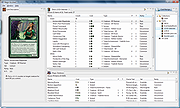 |
|
massCode assistant for Visual Studio Code v1.1.0 massCode assistant for Visual Studio Code v1.1.0 Quick access to massCode app in Visual Studio Abilities Fetch snippets Search snippets Select to paste Create snippets Requirements: massCode v2.4.0 or higher Microsoft Visual Studio About the .VSIX file extension: https://docs.microsoft.com/en-us/visualstudio/extensibility/anatomy-of-a-vsix-package?view=vs-2022 Click here to visit the author's website. |
|
2,907 | Aug 06, 2024 Anton Reshetov 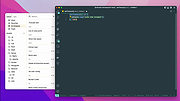 |
|
Microsoft Support and Recovery Assistant v17.01.0268.003 Microsoft Support and Recovery Assistant v17.01.0268.003 The Microsoft Support and Recovery Assistant works by running tests to figure out what's wrong and offers the best solution for the identified problem. System Requirements: Supported Operating Systems Windows 7, Windows 8, Windows 8.1, Windows 10, Windows 11 Outlook in any of the following Office versions can be scanned: Microsoft Office 365 (2019, 2016, or 2013, 32-bit or 64-bit) Microsoft Office 2019 (32-bit or 64-bit; Click-to-Run or MSI installations) Microsoft Office 2016 (32-bit or 64-bit; Click-to-Run or MSI installations) Microsoft Office 2013 (32-bit or 64-bit; Click-to-Run or MSI installations) Microsoft Office 2010 (32-bit or 64-bit) Note: If you are running any edition of Windows 7, you must also have .NET Framework 4.5 installed. Windows 8 and later versions of Windows include at least .NET Framework 4.5. The Microsoft Support and Recovery Assistant offers the best solution for these identified problems: Office I get an error when I install Office I can't activate Office I need to uninstall Office Outlook Outlook won't start I can't setup my Microsoft 365 email in Outlook Outlook keeps asking for my password Outlook keeps saying "Trying to connect..." or "Disconnected" Shared mailboxes or shared calendars don't work I'm having problems with my calendar Outlook stops responding Outlook keeps crashing I can't send, receive, or find email OneDrive for Business I can't sync my files with OneDrive I can't install OneDrive Other Office apps I can't sign into Skype for Business I can't get email on my phone I'm having trouble opening or signing in to Outlook on the web I can't install, connect, or enable Dynamics 365 for Outlook The Teams Meeting option isn’t shown or the Teams Meeting add-in doesn’t load in Outlook There are additional scenarios for Outlook on the web, Outlook for Mac, and Mobile devices, plus advanced diagnostics for Exchange Online and Outlook. Click here to visit the author's website. |
|
4,349 | Jul 02, 2023 Microsoft Corp. 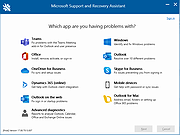 |
|
Migration Assistant v2.4.0.0 Migration Assistant v2.4.0.0 Move your data from a Windows PC to a Mac Windows Migration Assistant transfers your contacts, calendars, email accounts, and more from your PC to the appropriate places on your Mac. Get ready Make sure that Windows is up to date. Migration Assistant works with Windows 7 or later. Make sure that you know the name and password of an administrator account on your PC. Connect your Mac and PC to the same network, such as your home Wi-Fi network. Or connect an Ethernet cable between the ports on your Mac and PC to create a direct network connection. Some Mac models require an Ethernet adapter. Use Migration Assistant You're now ready to use Migration Assistant to move your files from your PC to your Mac. On your PC 1) Download and install the appropriate Windows Migration Assistant, based on the version of macOS on your Mac. 2) Quit any open Windows apps. 3) Open Windows Migration Assistant, then click Continue. 4) If Windows updates are configured to install automatically on your PC, you might see a message recommending that you turn off automatic installation of Windows updates. When you're ready to proceed, click Continue. 5) When Migration Assistant says that it's waiting for your Mac to connect, complete the next steps on your Mac. On your Mac 1) Open Migration Assistant, which is in the Utilities folder of your Applications folder. 2) Follow the onscreen prompts until you're asked how you want to transfer your information. Select the option to transfer from a Windows PC, then click Continue. 3) Select the icon representing your PC, then click Continue. On your PC Make sure that your PC and Mac ... |
|
3,492 | Nov 03, 2021 Apple Inc. 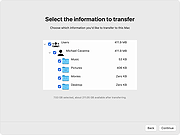 |
 |
Thoth v1.1.0 Thoth v1.1.0 👉 Local-first AI knowledge assistant with RAG, document search, and cited answers powered by Ollama. Thoth is a local-first, privacy-focused AI knowledge assistant that uses Retrieval-Augmented Generation (RAG) to help you search, organize, and interact with your information. Running entirely on your own computer with Ollama, it keeps your documents and conversations private while providing AI-powered answers complete with source citations. You can upload your own documents, search Wikipedia, browse academic papers from arXiv, perform web searches, and maintain persistent conversations without relying on cloud-hosted language models. Thoth indexes your files into a local vector database for fast semantic searches, intelligently combines information from multiple sources, and lets you switch between compatible Ollama models to best suit your hardware and workload. It is designed for researchers, students, developers, and anyone who wants a private AI assistant that can accurately answer questions using both local documents and trusted online resources. Features: • Runs completely locally using Ollama with no cloud AI required • Privacy-focused design that keeps documents and conversations on your PC • Retrieval-Augmented Generation (RAG) for context-aware answers • Upload and index PDF, DOCX, DOC, and TXT documents • Local FAISS vector database for fast semantic document searching • Multi-source retrieval from local documents, Wikipedia, arXiv, and Tavily web search • Automatic source citations for every generated response • Persistent multi-turn conversations stored locally • Automatic follow-up question rewriting for improved search accuracy • Contextual compression retrieves only the most relevant document sections • Parallel retrieval from multiple enabled sources for faster responses • Intelligent duplicate removal across retrieval results • Automatic context trimming for efficient long conversations • Supports dynamic switching between 30+ Ollama models • Automatic download of supported Ollama models • Built-in API key management through the Settings panel • Automatic conversation naming • Embedded Python runtime included with the Windows installer • Smart context assessment minimizes unnecessary searches • Improved automatic chat scrolling Supported operating systems: • Windows ... |
|
844 | Jul 26, 2026 Siddharth Sachar 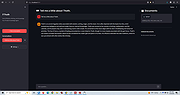 |
|
XVA Assistant v0.10.2018.1215 XVA Assistant v0.10.2018.1215 Organize your Windows desktop icons like you do on your smartphone or tablet. XVA Assistant is a stylish launcher for programs, files and websites, organizing items into panels and folders. The program can reside either in task-bar next to start menu (Cool XVA-Button) or in sustem tray. The program supports skins (any BMP, JPG and PNG images) and two view modes: "View as Pad" and "View as Phone". Other features include autostart, always on top, animation effects, minimize after launch, minimize on losing focus, hot key and more. System Requirements: Win2K / WinXP / Vista / Win7 / Win8 / Win10 Changes: 0.10.2018.1215 2018-12-15 ---------------------------- [*] Fix the bug that docked window will popup when dynamically switch background. [+] Support Polski. <thank antbil007@gmail.com> |
|
6,079 | Feb 19, 2020 idesktop.me 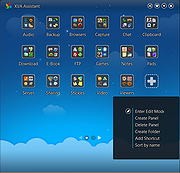 |
| Showing rows 1 to 8 of 8 | Showing Page 1 of 1 | 1 |
OlderGeeks.com Copyright (c) 2026
