|

|
Processed through Paypal No account required. |








Buy our over-priced crap to help pay the bills.



|
|
Processed through Paypal No account required. |
| Files | ||||
| File Name | Rating | Downloads | ||
 |
Warzone 2100 v4.7.0 Warzone 2100 v4.7.0 👉 A free and open-source 3D real-time strategy game set in a post-nuclear world. Warzone 2100 is a free and open-source real-time strategy game where you command The Project in a battle to rebuild civilization after nuclear devastation. It features a story-driven single-player campaign, LAN and online multiplayer, AI skirmishes, an extensive technology tree with over 400 technologies, and a flexible unit designer that lets you customize vehicles and tactics to fit your play style. Features: • Story-driven single-player campaign • LAN and Internet multiplayer with integrated lobby • AI bots for offline skirmishes and practice • Extensive tech tree with over 400 technologies • Flexible unit designer for custom combat strategies • Cross-platform multiplayer support • 100% free and open-source • No ads, no subscriptions, and no in-app purchases • Legacy “Pumpkin” v1.10 campaign balance option in v4.7.0 • New net lobby improvements for easier joining and hosting • Vulkan backend improvements and multiple graphics fixes • Additional “Reclamation” soundtrack content Supported operating systems: • Windows 7 or higher • Windows 10 or higher via Microsoft Store • macOS 10.14 or higher • Linux, Ubuntu 22.04, Ubuntu 24.04+ • FreeBSD Supported languages: • English, Arabic, Bulgarian, German, Spanish, French, Italian, Dutch, Polish, Portuguese, Portuguese (Brazil), Romanian, Russian, Turkish, Ukrainian, Simplified Chinese Changes: v4.7.0 04-07-26 General Highlights: Vulkan Backend Improvements Model & Graphics Fixes Additional new “Reclamation” soundtrack Add Weapon Stats flag for configuring Captured Units Teleport Fix mouse cursor display scaling on some OSes Fix disabled state of mouse key code Fix objects incorrectly darkened due to terrain darkness / satellite strike Campaign: “Pumpkin” v1.10 Campaign Balance Mod Updated Remastered balance, Additional Spawns 2.0 Add campaign balance descriptions help panel Fix Classic campaign Howitzer tree path Fix various guide topic issues Fix missing Intel message issues Multiplayer: All-new net lobby and hosting/joining revamp Easier joining via GameId Improved handling for difficult connections and firewalls IPv4 + IPv6 hosting support Expanded host lobby options Improved security, privacy, and host visibility Properly persist player mute option This download is for the Windows version (very bottom ... |
 |
7,977 | Apr 08, 2026 Warzone 2100 Project 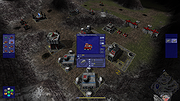 |
|
Wav2Bar v0.3.4 Wav2Bar v0.3.4 👉 Powerful open source software for creating advanced audio visualization videos. Wav2Bar is a free and open source audio visualization creator designed for producing animated music videos and visual effects synchronized to audio tracks. It allows users to combine visualizers, images, text, particle effects, timers, backgrounds, and custom objects into fully customizable projects that can be exported as MP4 videos for sharing online or integrating into larger productions. Built with flexibility in mind, Wav2Bar provides an editor-style workflow where users can design layered scenes and control how elements react to sound in real time. The software supports reusable project files, adjustable rendering quality, customizable frame rates and resolutions, and multiple visualizer styles for creating everything from simple waveform animations to complex motion graphics. Wav2Bar is especially useful for content creators, musicians, streamers, video editors, and anyone looking to generate professional-looking audio reactive visuals without requiring expensive commercial software. Its open source nature also allows developers and advanced users to customize or extend the software for specialized workflows. Features: • Create advanced audio reactive visualizations synchronized to music and sound • Design layered scenes using visualizers, backgrounds, text, and images • Multiple built-in visualizer styles for different animation effects • Export projects as MP4 video files • Save and reload projects for later editing • Reusable project templates for faster workflow creation • Customizable video resolution and frame rate settings • Real-time editor style interface for arranging objects and effects • Add logos, overlays, album artwork, and custom graphics • Built-in particle flow effects • Time indicators and timing-based visual elements • Audio caching system for smoother processing • Adjustable rendering quality for balancing speed and output quality • Open source architecture for customization and community development • Suitable for music videos, streaming overlays, social media clips, and promotional content • Lightweight modern interface focused on creative workflows • Supports complex animated compositions with multiple reactive elements • Free to use ... |
|
110 | May 22, 2026 Picorims 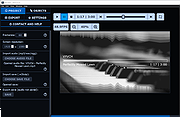 |
 |
Windows 11 Context Menu Manager v1.0.1 Windows 11 Context Menu Manager v1.0.1 👉 Disable unwanted items in Windows 11 right-click context menu. Windows 11 Context Menu Manager is a simple utility that lets you turn off unwanted entries in Windows 11 right-click context menu. It is designed to help clean up the newer Windows 11 context menu so you can reduce clutter and keep only the items you want visible. Features: • Disable unwanted entries in the Windows 11 Explorer new right-click context menu • Focuses specifically on the newer Windows 11 right-click menu • Simple interface built for quickly managing context menu visibility • Helps reduce right-click menu clutter in File Explorer • Designed for modern 64-bit Windows 11 systems • Offered as a standalone desktop utility • Open-source software released under the MIT License Supported operating systems: • Windows 11 x64, Windows 11 ARM64 Supported languages: Operating System Language Changes: v1.0.1 03-25-26 fix: missing package This download is for the Windows 11 64bit version (very bottom of page). If you need the Windows 11 ARM64 version, download here. Click here to visit the author's website. |
|
267 | Apr 15, 2026 Brandon Hill 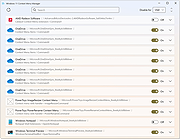 |
|
Windows Maintenance Tool v5.9 Windows Maintenance Tool v5.9 👉 An all-in-one Windows maintenance and optimization toolkit for repair, cleanup, tuning, and software management. Windows Maintenance Tool is a Windows utility built in Batch and PowerShell that combines system repair, performance tweaks, bloatware removal, software management, network tools, firewall control, driver tools, cleanup features, and other maintenance utilities into one interface. Features: • System repair tools including SFC, DISM, CHKDSK, Windows Update repair, and Quick Fix commands • Performance tweaks such as service optimization, hibernation control, SysMain control, memory compression control, and Ultimate Performance power plan • AppX bloatware removal for pre-installed UWP apps • Optional Windows feature toggles for Hyper-V, WSL, Sandbox, .NET 3.5, NFS, Telnet, IIS, and legacy media components • Winget-based update scanning across multiple package managers • Software Catalog for browsing and installing curated applications • Bulk install and uninstall operations with progress tracking • Network repair tools, DNS management, DNS over HTTPS controls, hosts file editing, and routing table export • Firewall rule viewing, searching, editing, enabling, disabling, exporting, importing, and reset functions • Driver reporting, ghost device cleanup, driver backup and restore, and Windows driver update controls • Temp file cleanup, registry cleanup with backup, broken shortcut repair, Xbox credential cleanup, and privacy trace cleanup • Extra utilities such as SSD TRIM, system reports, registry backup and restore, .NET roll-forward settings, Task Scheduler management, and Group Policy Editor installation for Home editions How to Launch: 1) Right-click and Extract (Extract All) zip file. 2) Open newly created folder. (Keep both the BAT and PS1 in the same folder.) 3) Right-click and run Start_WMT_GUI.bat as Administrator Output Files (defaults): • Installed_Drivers.txt (Desktop) • System_Info_YYYY-MM-DD.txt • Network_Info_YYYY-MM-DD.txt • Driver_List_YYYY-MM-DD.txt • routing_table_YYYY-MM-DD.txt • ... |
|
7,227 | May 28, 2026 ios12checker/Chaython 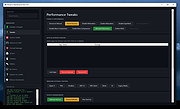 |
|
Winhance v26.02.17 Winhance v26.02.17 Enhance, debloat, and customize Windows with powerful system tweaks. Winhance is a Windows optimization and customization tool designed to help users debloat, fine-tune, and enhance their Windows experience. It provides a structured interface to adjust privacy settings, remove unwanted apps, optimize performance, and configure various system components in a safe and organized way. Winhance is built to simplify advanced Windows configuration tasks by grouping commonly used tweaks and system adjustments into an easy-to-navigate utility. Whether you want to streamline Windows, improve responsiveness, or tailor system behavior to your preferences, Winhance provides practical controls in one place. Features: • Remove preinstalled and unwanted Windows apps • Apply privacy and telemetry-related tweaks • Customize Windows interface and behavior settings • Optimize system performance configurations • Configure Windows features and optional components • Centralized interface for common Windows enhancements Supported operating systems: • Windows 10 • Windows 11 Supported languages: English Changes: v26.02.17 02-17-26 • Added new tweaks and refinements • Improved system optimization routines • Minor bug fixes and stability improvements Portable Install: Click here to visit the author's website. |
|
565 | Feb 18, 2026 Marco du Plessis 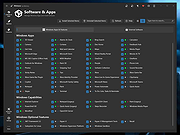 |
|
Workrave v1.10.54 Workrave v1.10.54 👉 Helps prevent repetitive strain injuries by reminding you to take healthy computer breaks. Workrave is a free and open-source program designed to help prevent and relieve Repetitive Strain Injury (RSI) and other computer-related health issues. It monitors keyboard and mouse activity and reminds users to take regular breaks from their computer to rest, stretch, and relax. The software provides configurable microbreaks, rest breaks, and daily usage limits to encourage healthier work habits. By tracking input activity and detecting idle time, Workrave can intelligently determine when breaks are needed and provide gentle reminders before enforcing them if necessary. During breaks, Workrave may display simple exercises or relaxation prompts to help reduce muscle tension and eye strain caused by prolonged computer use. Break timers and reminder behavior are fully customizable, allowing users to tailor break frequency, duration, and enforcement settings to their workflow. Workrave runs quietly in the background and integrates with the system tray, making it suitable for both home and workplace environments where long computer sessions are common. Features: • Monitors keyboard and mouse activity to detect continuous computer use • Reminds users to take microbreaks, rest breaks, and daily usage limits • Fully configurable break timers and durations • Gentle break reminders with optional enforced breaks • Microbreaks for short pauses and longer rest breaks for recovery • Tracks active and idle time to intelligently manage break timing • Optional exercises and stretching prompts during breaks • Postpone or skip options for break reminders • System tray integration and automatic startup options • Free and open-source software Supported operating systems: • Windows • Linux Supported languages: System language (Workrave uses the operating system's locale for its interface language). Changes: v1.10.54 10-16-25 Add support for GNOME Shell 49 (#636, Alessandro Astone) Note: This file has two hits on VirusTotal. We have confirmed these to be false positives. The file is safe. This download is for the Windows version (very bottom of ... |
|
4,113 | Mar 04, 2026 Raymond Penners & Rob Caelers 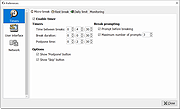 |
|
xemu v0.8.134 xemu v0.8.134 👉 Original Xbox emulator for Windows, macOS, and Linux. xemu is a free and open-source application that emulates the original Microsoft Xbox game console, allowing users to play original Xbox games on Windows, macOS, and Linux systems. Disclaimer: This project is an independent open source emulation effort and is not endorsed by, directly affiliated with, maintained, authorized, or sponsored by Microsoft Corporation. All product and company names are the registered trademarks of their original owners. The use of any trade name or trademark is for identification and reference purposes only and does not imply any association with the trademark holder of their product brand. Features: • Free and open-source original Xbox emulator • Runs on Windows, macOS, and Linux • Low-level hardware emulation for original Xbox kernels, titles, and homebrew • Controller support through SDL3 • Supports up to 4 controllers • Snapshots/save states let you save and restore the current machine state • Render scaling can increase game rendering resolution, such as 480p to 1080p • Networking support for connecting to other xemu instances and real Xboxes • Supports tunneling services and Xbox Live recreation projects • Windows Zip archive version runs by extracting and launching xemu.exe • macOS Zip archive can be extracted and run manually, or installed with Homebrew • Linux versions available as AppImage, Flatpak, Ubuntu PPA, or source build Supported operating systems: • Windows x86_64, Windows arm64 • macOS Universal • Linux x86_64 AppImage, Linux aarch64 AppImage • Linux Flatpak x86_64, Linux Flatpak aarch64 • Ubuntu 22.04 and newer via PPA Supported languages: • English Changes: v0.8.134 02-26-26 Official release notes list SDL3 migration work, SDL3 3.4.2 update, audio throttling improvements, monitor/audio cleanup, independent refresh/display handling, Windows updater improvements, crash fixes, snapshot assert fix, fullscreen/file dialog fixes, controller detection fixes, Flatpak file chooser support, update dialog improvements, and fixes affecting NASCAR 06: Total Team Control and NASCAR 07. Full changelog: https://github.com/xemu-project/xemu/compare/v0.8.133...v0.8.134 Compatibility Note: Title compatibility status is provided by volunteer ... |
|
879 | Apr 29, 2026 xemu Project 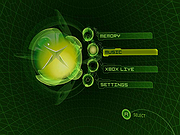 |
OlderGeeks.com Copyright (c) 2026
