|

|
Processed through Paypal No account required. |








Buy our over-priced crap to help pay the bills.


|
|
Processed through Paypal No account required. |
| File - Download KolScribe English v2.0.1 | ||||||||
| Description | ||||||||
|
Always scroll to the bottom of the page for the main download link. We don't believe in fake/misleading download buttons and tricks. The link is always in the same place. KolScribe English v2.0.1 👉 Transcribe speech on your Windows PC or Mac, with optional support for additional languages and models. KolScribe English is a speech-to-text app for live dictation and transcribing audio or video files. Transcripts can be edited, saved with their original recordings, and exported in several formats. The app includes the Whistle speech model and can download additional models for more languages. Hebrew can be enabled in Settings. Optional AI tools can clean up, polish, summarize, or translate transcripts using a local or cloud AI service. Use a keyboard shortcut to dictate into other applications, or use voice commands for punctuation and text editing. The Library lets you replay audio from a timestamp, edit transcript lines, and re-transcribe a line or recording. KolScribe English has its own settings, models, Library, and AI keys, separate from KolScribe. 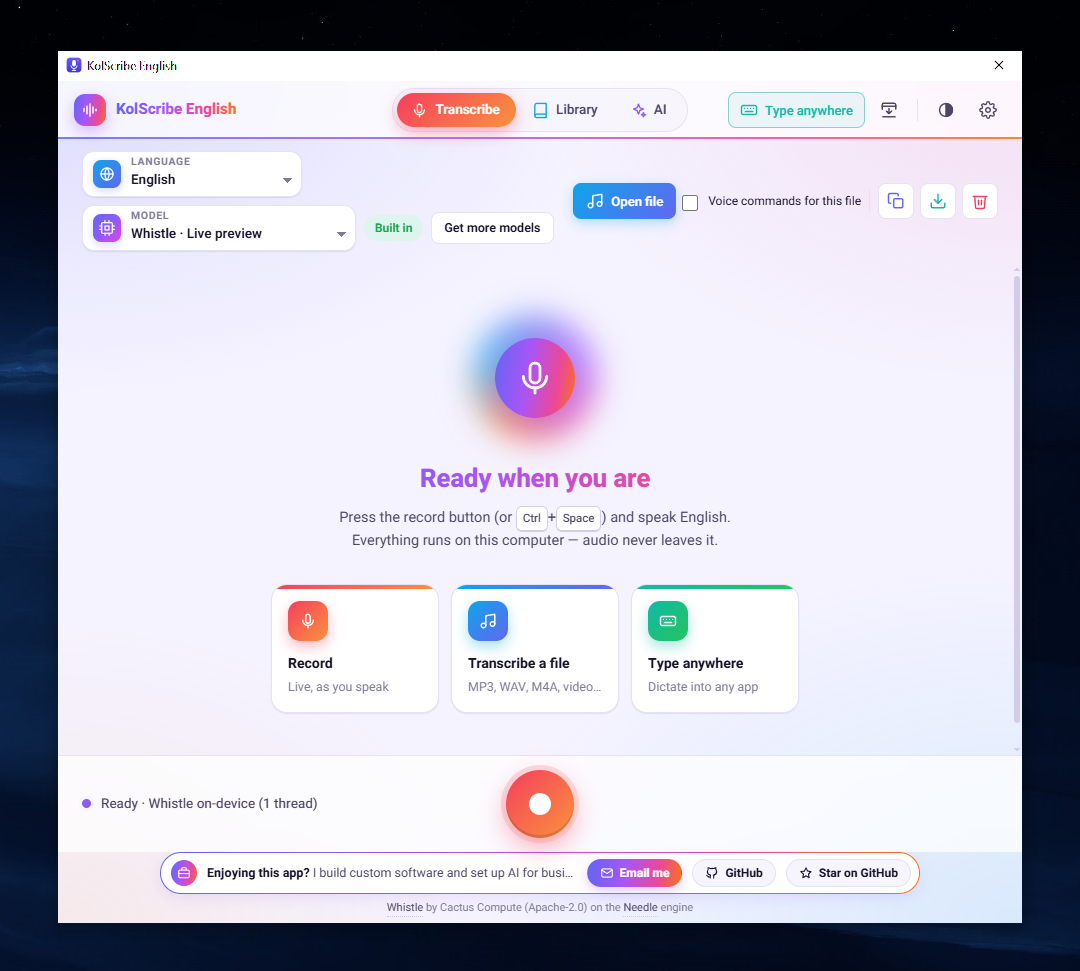 Features: • Transcribes live speech and audio or video files. • Types dictation into other applications using a configurable keyboard shortcut. • Provides voice commands for punctuation, editing, and dictation controls. • Offers optional hands-free start using a spoken command. • Saves recordings with transcripts in a Library. • Lets you edit transcripts, replay audio from timestamps, and re-transcribe lines or recordings. • Exports transcripts as TXT, SRT, VTT, or a Word-friendly copy. • Includes optional AI tools for cleanup, polishing, summaries, titles, and translation. • Supports local AI services and selectable cloud AI providers. • Can download additional speech models from Hugging Face. • Provides light, dark, and system themes. • Offers Windows installer, portable, and offline versions, plus Mac downloads. • Runs separately from KolScribe with its own settings, models, Library, and AI keys. Supported operating systems: • Windows 10, Windows 11 • macOS 12 or later, Apple silicon and Intel Supported languages: English Changes: v2.0.1 11-11-26 Releases are now signed, enabling one-click in-app updates that download, verify, and install newer versions. KolScribe English now has its own English download page. Versions 2.0.0 and earlier require a manual update to receive the new update feature. 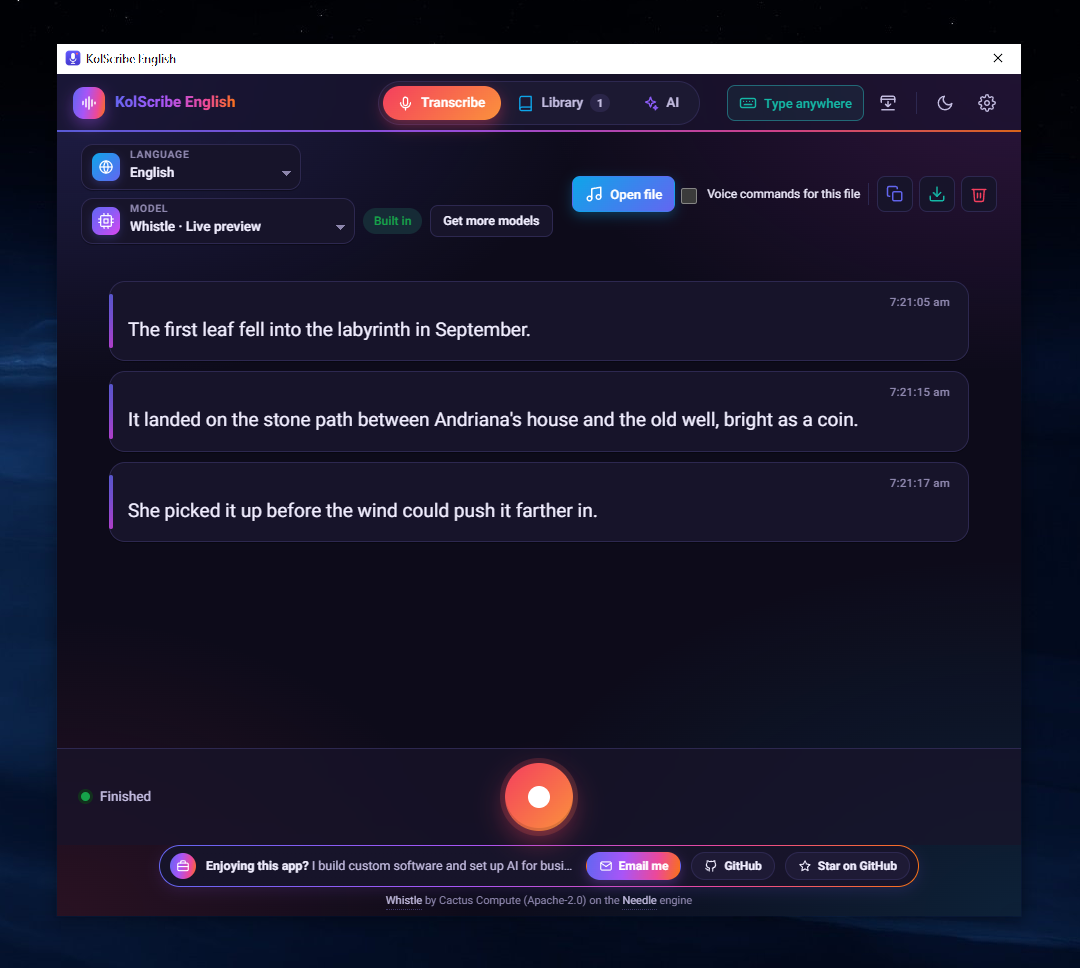 👉 This download is for the Windows portable version (very bottom of page). All other download assets are below: Other Windows: KolScribeEnglish-Offline.exe Portable Windows app with Whistle, Parakeet Redux, and Moonshine speech models included for offline use. KolScribeEnglish-Setup.exe Windows installer for KolScribe English. macOS: KolScribeEnglish-Offline-mac.dmg Mac app with Whistle, Parakeet Redux, and Moonshine speech models included for offline use. KolScribeEnglish-mac.dmg Standard Mac app; additional speech models download when first used. Supports macOS 12 or later on Apple silicon and Intel Macs. Click here to visit the author's website. Continue below for the main download link. |
||||||||
| Downloads | Views | Developer | Last Update | Version | Size | Type | Rank | |
| 12 | 43 | Shlomo Eisenberg | Nov 12, 2026 - 13:34 | 2.0.1 | 61.67MB | EXE |  , out of 1 Votes. |
|
| File Tags | ||||||||
| KolScribe English transcription dictation speech-to-text voice offline models subtitles macOS Windows AI | ||||||||
A plea... Deanna and I have been running this site since 2008 and lately we're seeing a big increase in users (and cost) but a decline in percentage of users who donate. Our ad-free and junkware-free download site only works if everyone chips in to offset the revenue that ads on other sites bring in. Please donate below. Every little bit helps. Thank you so much. Sincerely, your Older Geeks: Randy and Deanna Click to Rate File Share it on Twitter → Tweet
|