|

|
Processed through Paypal No account required. |








Buy our over-priced crap to help pay the bills.



|
|
Processed through Paypal No account required. |
| File - Download Tab Pocket v1.0.0 | ||||||||
| Description | ||||||||
|
Always scroll to the bottom of the page for the main download link. We don't believe in fake/misleading download buttons and tricks. The link is always in the same place. Tab Pocket v1.0.0 A browser extension for saving every tab in your current window into a tidy “pocket” you can restore later. With Tab Pocket you can clear your cluttered browser while keeping full, one-click restore capability. 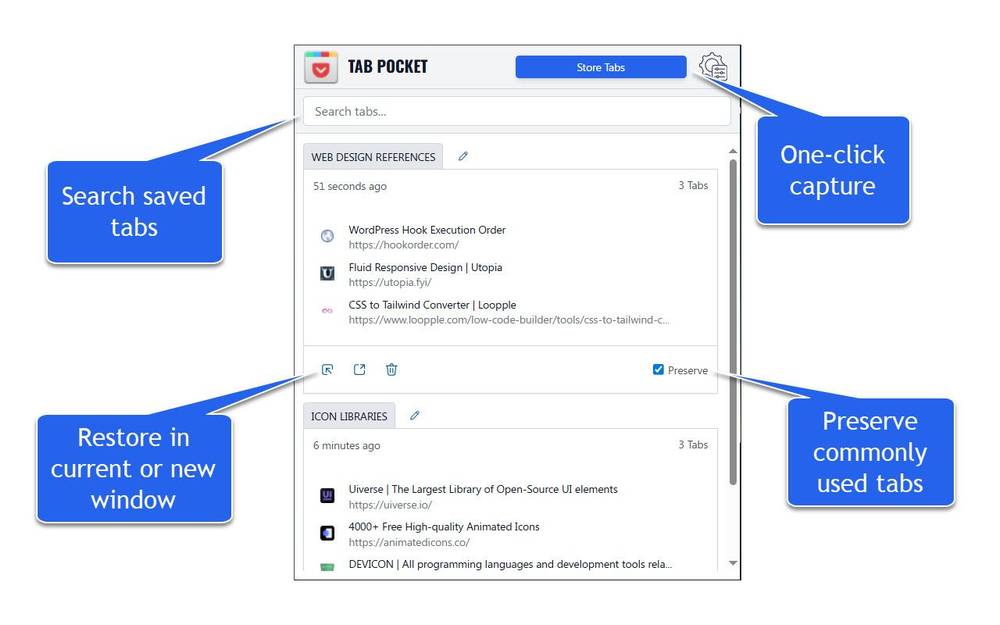 Features: • Store Tabs instantly saves every tab in your active window into a dated “pocket.” • Auto cleanup removes pockets automatically when their last tab is deleted. • Rename pockets • Restore in current window or in a new window. • Preserve toggle keeps a pocket after restoring, handy for template groups. • Per-pocket delete button permanently removes unwanted pockets. • Drag & drop works both within a pocket (reorder tabs) and between pockets (move tabs). • Display tabs as links toggle switches between plain titles and clickable links. • Keep pockets synced via your browser account or switch to local-only storage. • Optionally close tabs after saving. • Export / Import: download all pockets as JSON or restore from a backup file. • Search functionality with configurable settings. Web Browser Requirements: • Firefox v142 or greater • Chrome v139 or greater Installation: Chrome • Visit chrome://extensions/ • Enable Developer mode in the top-right corner. • Click Load unpacked, then select the extracted zip file. • Pin Tab Pocket from the browser toolbar so it’s always accessible. Firefox • Open about:addons, click the gear icon, and choose Install Add-on From File… • Pick the .xpi you downloaded and allow the installation. • Pin Tab Pocket to your toolbar for easy access. Once installed and pinned, click the icon and press Store Tabs to capture your first group. 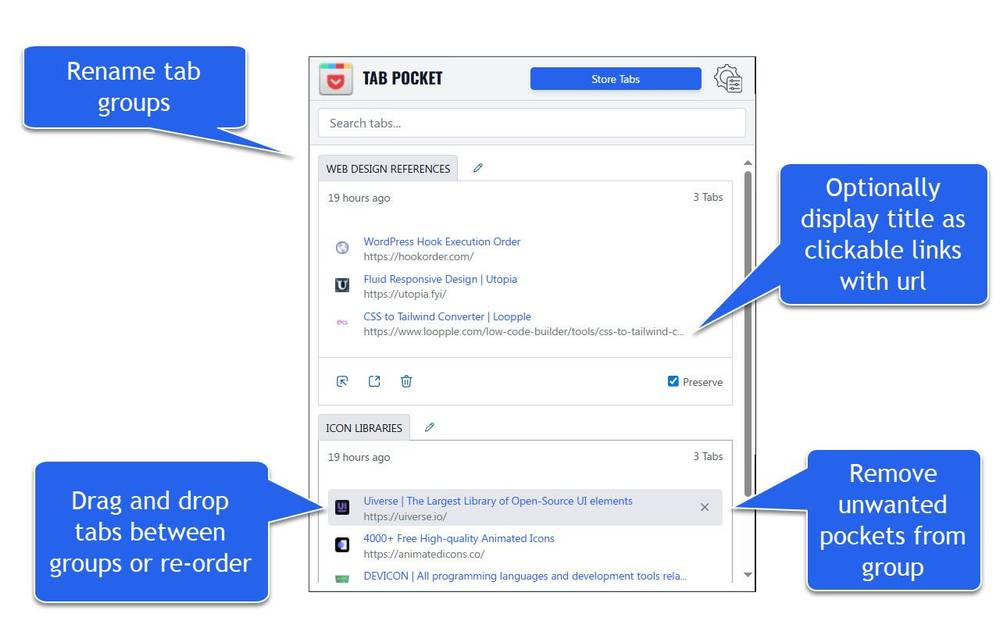 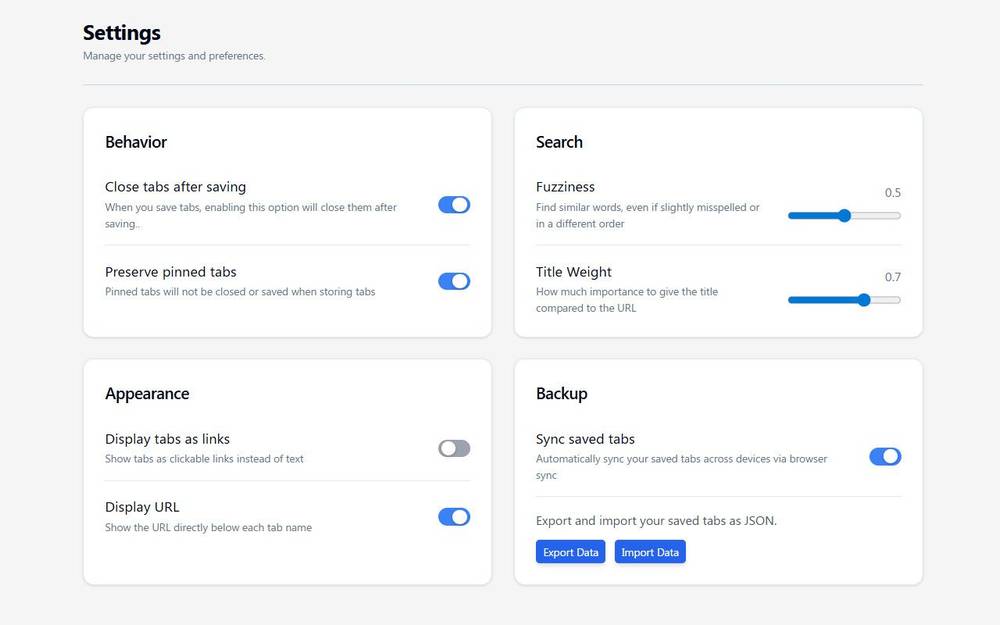 IMPORTANT: If you are currently using Firefox, you MUST right-click Download Now and choose Save Link as... then follow the previous instructions to install. This download is for the Firefox extension (very bottom of page). If you need the Chrome extension, download here. Click here to visit the author's website. Continue below for the main download link. |
||||||||
| Downloads | Views | Developer | Last Update | Version | Size | Type | Rank | |
| 740 | 2,073 | Mechanika Design | Dec 01, 2025 - 12:15 | 1.0.0 | 35.6KB | XPI |  , out of 14 Votes. , out of 14 Votes. |
|
| File Tags | ||||||||
| v1.0.0 Tab Pocket | ||||||||
Click to Rate File Share it on Twitter → Tweet
|


