|

|
Processed through Paypal No account required. |








Buy our over-priced crap to help pay the bills.



|
|
Processed through Paypal No account required. |
| File - Download DISMTools v0.8.1 | ||||||||
| Description | ||||||||
|
Always scroll to the bottom of the page for the main download link. We don't believe in fake/misleading download buttons and tricks. The link is always in the same place. DISMTools v0.8.1 👉 Graphical interface for managing Windows images using DISM. DISMTools is a free, open-source graphical front-end for Microsoft's Deployment Image Servicing and Management (DISM) tools that makes managing Windows images and installations considerably easier than working entirely from the command line. Its project-based interface stores mounted images, unattended answer files, scratch directories, and other resources together for easier management. The program can work with WIM, SWM, ESD, and FFU images and provides tools for applying, capturing, mounting, unmounting, splitting, optimizing, exporting, and servicing images. It can add or remove packages, drivers, AppX packages, capabilities, and Windows features, perform component cleanup and repair operations, manage Windows editions, work with boot configuration data, and retrieve extensive information about images and installed components. DISMTools can manage both the currently running Windows installation and offline Windows installations on other drives. It also includes tools for creating unattended answer files, generating detailed image information reports, managing mounted images, creating bootable ISO files, preparing Windows PE environments, working with Windows Deployment Services, testing images in virtual machines, and performing Active Directory domain-join tasks. The program uses both the DISM API and DISM executable, allowing it to combine the capabilities of Microsoft's servicing technologies while providing a graphical workflow for technicians, administrators, deployment specialists, and advanced Windows users. 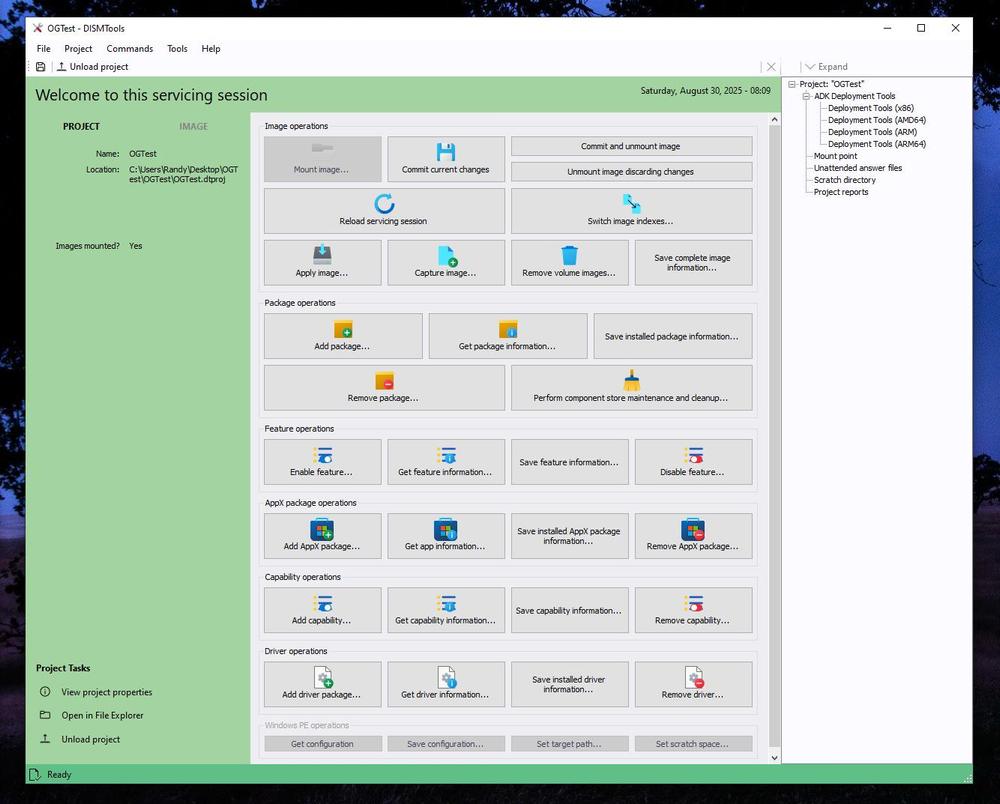 Features: • Free and open-source graphical front-end for Microsoft DISM • Project-based interface for organizing mounted images, answer files, scratch directories, and deployment tools • Apply, capture, mount, unmount, split, optimize, export, and service WIM, SWM, ESD, and FFU images • Convert Windows images between WIM and ESD formats • Add and remove Windows packages, drivers, capabilities, features, and provisioned AppX applications • Manage both the currently running Windows system and offline Windows installations • Perform component cleanup and component store repair operations • Retrieve detailed information about images, packages, features, drivers, capabilities, and applications • Generate and save detailed image information reports in Markdown and HTML • Create and manage unattended Windows installation answer files • Manage BitLocker-encrypted volumes when working with offline installations • Create bootable ISO files and run multiple ISO creation tasks concurrently • Create and customize Windows PE environments • Create testing environments using virtual machines • Work with Windows Deployment Services and copy installation images to WDS • Export drivers by multiple device classes and organize exported drivers by class • Filter AppX package information according to user registration status • View driver signer and hardware information • Active Directory domain-join tools with DNS testing and account selection • Starter Script Editor with Find and Replace, document outline, automated script security inspection, script conversion, and Starter Script Library uploads Supported operating systems: • Windows 8.1, Windows 10 except versions 1507 and 1511, Windows 11 • Windows Server 2012 and later, excluding Server Core variants Supported languages: English, Spanish Changes: v0.8.1 08-29-26 Bugfixes: • Fixed an issue where the WDS Helper Client would re-add essential drivers if selected • Fixed issues with feature enablement, capability addition, and component store repair tasks when sources pointed to volume roots • Fixed an issue when saving image information from the mounted image manager • Fixed issues with some image tasks targeting rooted paths • Fixed some HiDPI issues • Fixed a HotInstall exception during disk space checks with certain directories • Drivers that cannot be processed are now skipped when retrieving driver information • Hardware targets for driver files no longer appear more than once per INF section • Fixed an issue where notifications would not be displayed • Fixed some exceptions • Fixed startup issues in Safe Mode New features: • Unattended answer file conflict resolution has been added to the WDS Helper Client • Multiple ISO files can now be created simultaneously, with up to 10 concurrent ISO creation tasks • Added tools for BitLocker encrypted volumes • Sysprep Preparation Tool now detects BitLocker volumes • Added an image-file scanning policy to the operating system installer • Descriptions can now be added when capturing Windows images • Added new and updated unattended installation starter scripts • Starter Script Editor adds bulk script conversion, Starter Script Library uploads, automated script security inspection, Find and Replace, Document Outline, and support for larger scripts • BitLocker encrypted volumes can now be unlocked from offline installation management mode • Switching between offline installations is now faster • AppX packages on online systems can be filtered by registration status • Multiple driver class names can now be selected when exporting drivers • Exported drivers can be organized into folders by class name • Driver filters now support multiple class names • Added feature update detection support for Rubidium WaaS semester and Windows 26H2 images • Driver information reports now provide a search link next to hardware IDs • File pickers in driver and package information dialogs now support multiple selections • Service information reports now contain sections for individual services for easier navigation • UnattendGen has been updated to the latest version • Installer now uses Inno Setup 7.1 • 7-Zip updated to 26.02 • Managed DISM API updated to 6.0.1 • Markdig updated to 1.3.2 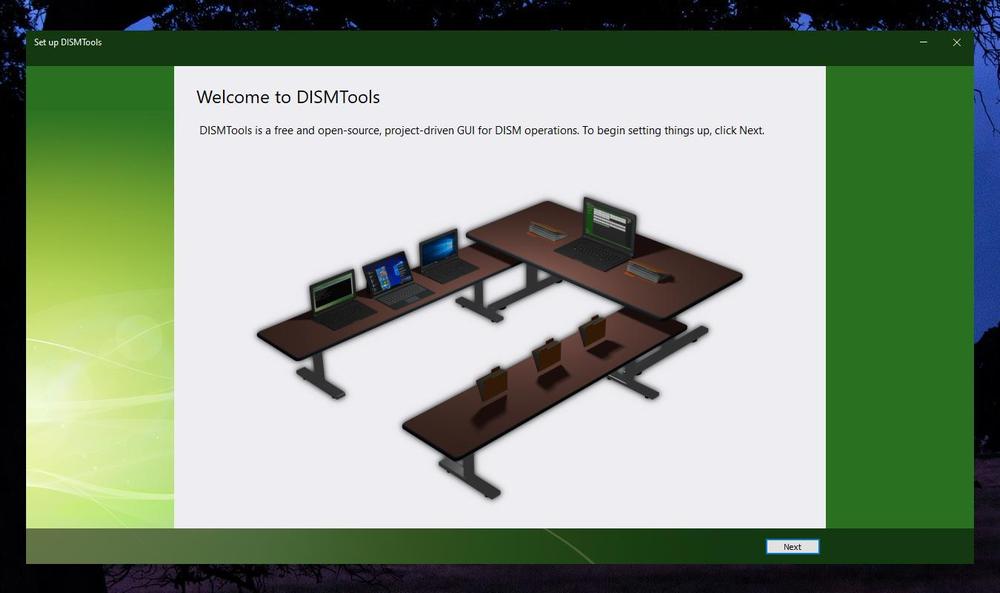 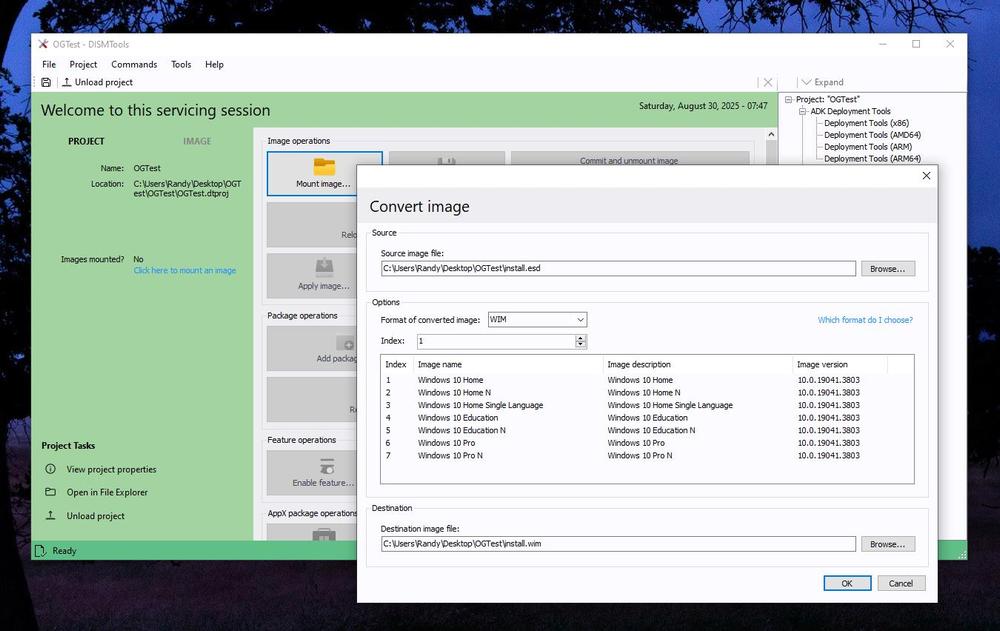 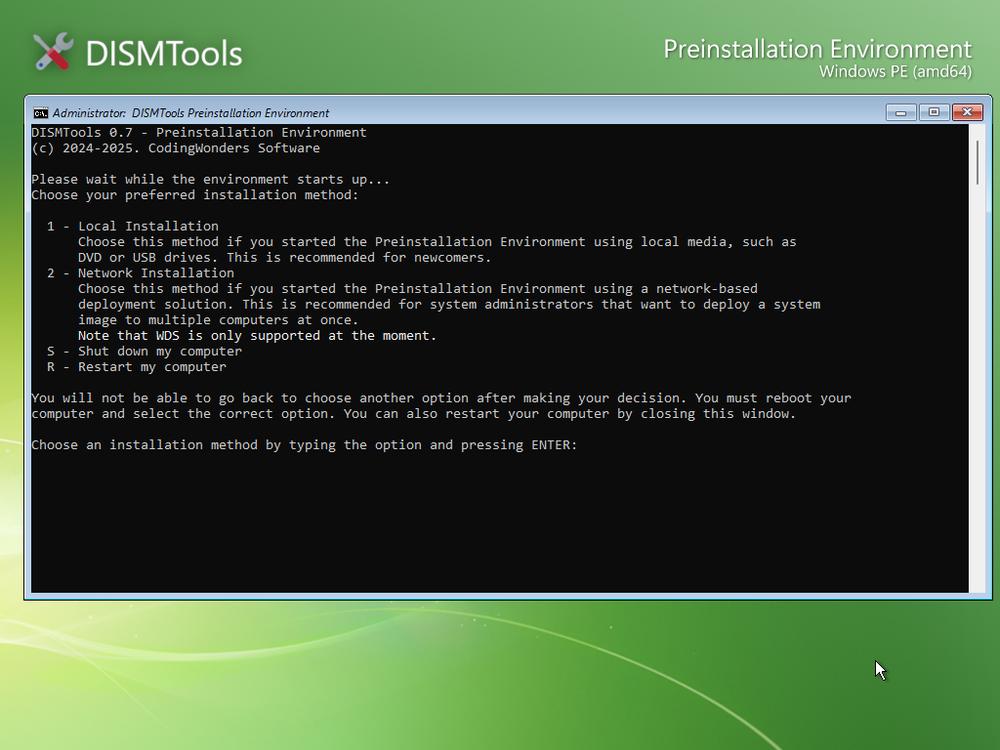 Note: This file has two hits on VirusTotal. We have confirmed these to be false positives. The file is safe. Click here to visit the author's website. Continue below for the main download link. |
||||||||
| Downloads | Views | Developer | Last Update | Version | Size | Type | Rank | |
| 1,108,248 | 6,460 | CodingWonders | Sep 10, 2026 - 12:33 | 0.8.1 | 81.82MB | ZIP |  , out of 23 Votes. , out of 23 Votes. |
|
| File Tags | ||||||||
| unattended BitLocker packages FFU WIM drivers deployment imaging Windows ESD DISM DISMTools administrator servicing WinPE maintenance | ||||||||
Click to Rate File Share it on Twitter → Tweet
|


