|

|
Processed through Paypal No account required. |








Buy our over-priced crap to help pay the bills.



|
|
Processed through Paypal No account required. |
| File - Download NetSpeedTray v1.1.7 | ||||||||
| Description | ||||||||
|
Always scroll to the bottom of the page for the main download link. We don't believe in fake/misleading download buttons and tricks. The link is always in the same place. NetSpeedTray v1.1.7 A free program that displays live upload/download speeds directly on the Windows Taskbar. 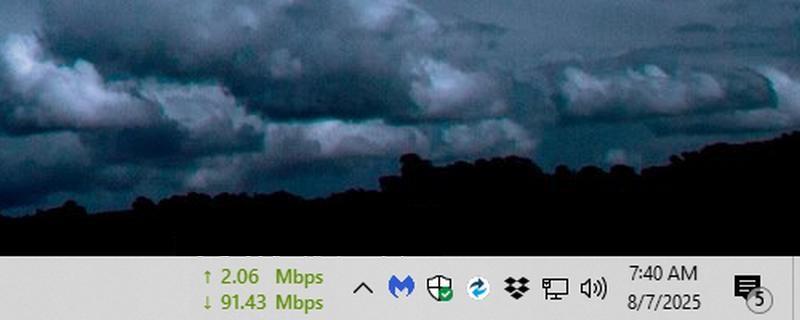 Features: 💻 Lightweight & Efficient: Sits quietly in your system tray without hogging resources. ✨ Windows Native Look & Feel: Designed to blend in perfectly with the Windows 10/11 UI. 🚀 Intelligent & Stable Positioning: Rock-solid positioning logic ensures no flickering or "fighting" with the cursor. 🎨 Total Customization: Free Move Mode: Unlock the widget and place it anywhere on your screen. Mini-Graph: An optional, real-time graph displayed directly on the widget. Color Coding: Set custom colors and speed thresholds. Text Control: Fine-tune the text alignment, decimal precision, and number format. 📈 Detailed History Graph: Double-click the widget to open a full history of your network activity. ⚙️ Highly Configurable: Adjust the update rate, enable/disable auto-start, and more. Usage: The Widget: The core of NetSpeedTray. It sits on your taskbar, showing your live network speeds. • Right-click to access Settings or Exit. • Double-click to open the full history graph. Positioning Modes: • Adaptive Tray Mode (Default): The widget is locked to your taskbar. Left-click and drag it horizontally to set your preferred distance from the system tray icons. • Free Move Mode: Enable this in the settings to unlock the widget and place it anywhere. Modern Settings: A clean, modern UI to control every aspect of the widget's appearance and behavior. 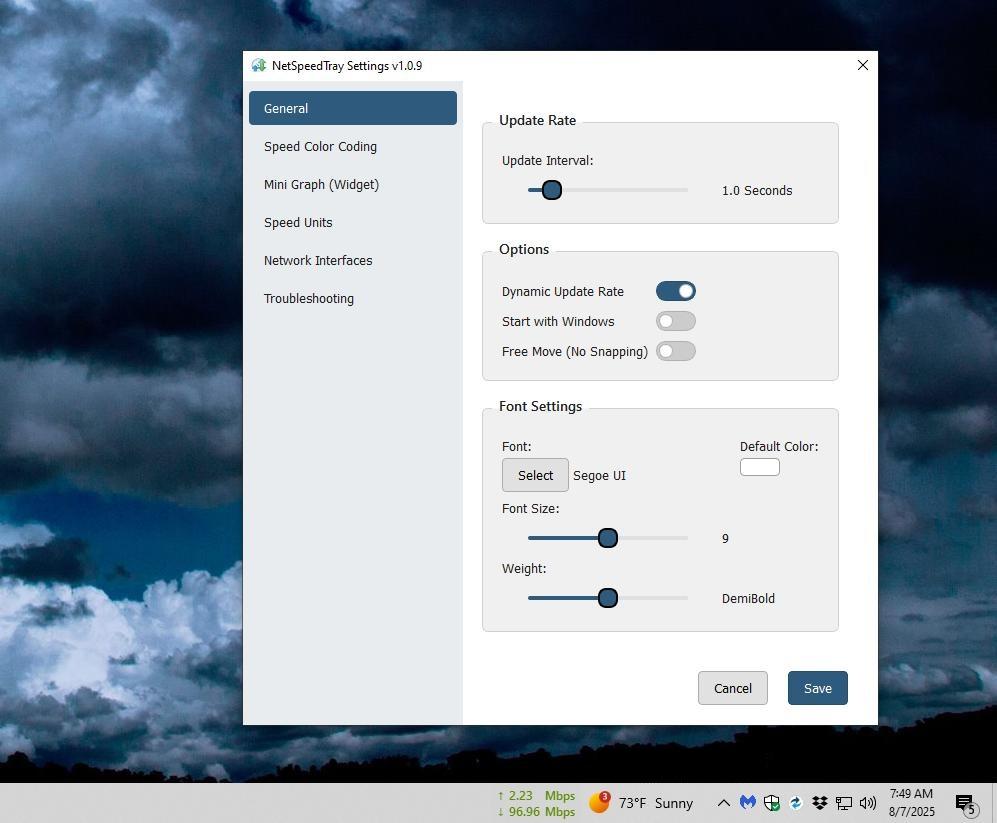 Detailed History Graph: Double-click the widget to see a detailed graph of your network history. 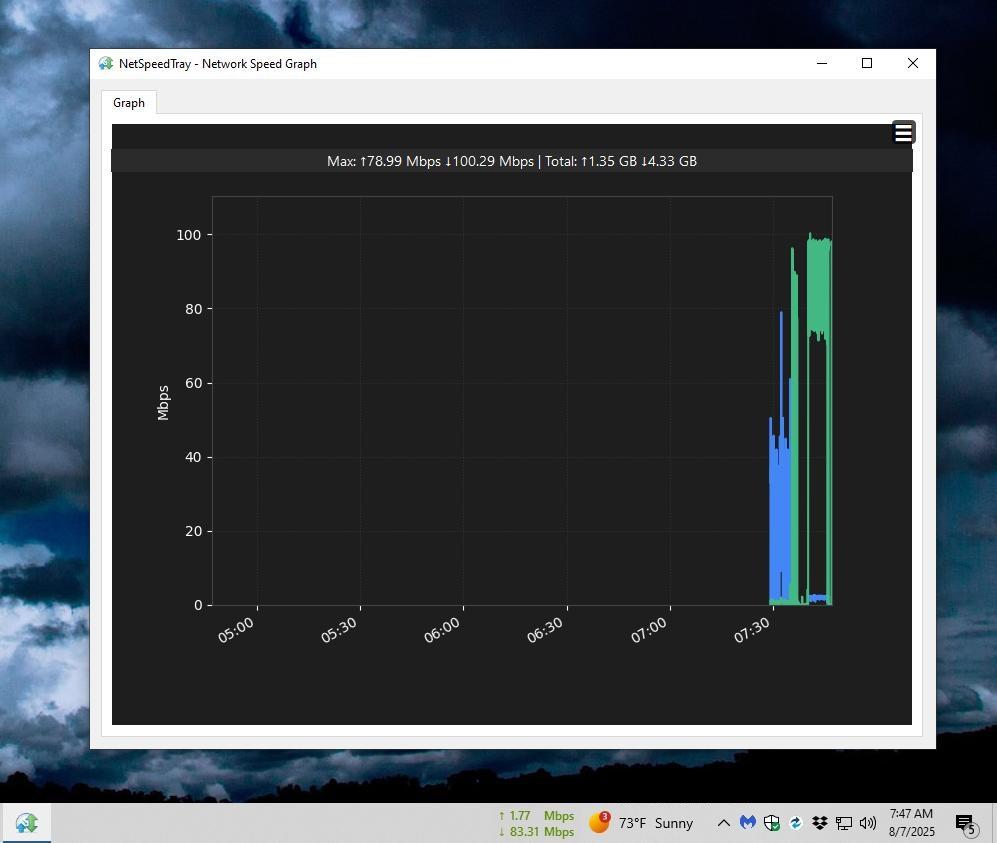 Changes: v1.1.7 🚀 Major Graph Window Overhaul Definitive Visualization: The graph has been completely redesigned to solve the core problem of displaying asymmetric network speeds. Dual-Axis Layout: The graph is now split into two dedicated, independently-scaled charts for Download and Upload, ensuring that upload activity is always perfectly visible. Hybrid Rendering Engine: The graph uses a smart, hybrid approach for visualization. Short timelines are rendered as detailed line plots, while long timelines (e.g., "Month") are rendered as a beautiful Mean & Range Plot. Massive Performance Improvements: The entire data pipeline is now asynchronous. The graph window opens instantly, and data is fetched in a background worker thread, eliminating all UI freezes. Full Interactivity & Polish: Synchronized Crosshair & Live Tooltip: Hovering the mouse on the graph now displays a synchronized crosshair and a live tooltip showing the precise timestamp and speeds. Intelligent X-Axis Formatting: The time axis on the graph is now much cleaner and more intuitive, with sensible, explicit intervals for each timeline (e.g., ticks every 3 hours for the 24-hour view). Corrected Interface Filtering: Fixed a critical bug where selecting different network interfaces would incorrectly show the same aggregated data for all of them. Fixed Live Update: Solved a bug where the "Live Update" feature would not work on the first open, requiring the user to toggle it off and on again. 🛡️ Core Stability & System Resilience Definitive Fix for "Phantom" Speed Spikes: Implemented a new multi-stage "re-priming" state to permanently fix the bug where impossible network speeds would be recorded after the computer resumed from sleep or experienced heavy lag. Resilience to Explorer & Display Changes: Fixed a major bug where the widget would disappear permanently or move to the wrong position after explorer.exe was restarted. The application is now significantly more resilient to these events. Fixed a critical bug where using a KVM switch or disconnecting a monitor would cause the widget to disappear permanently. The application now correctly detects display changes and recovers automatically. Fixed a silent crash on startup that could occur on some systems due to the new display change detection logic. Fixed "Zombie" Process Bug: Solved a critical issue where closing the graph window could also incorrectly close the main widget, leaving a lingering "zombie" process running. Fixed "0 Mbps" Bug: Fixed a logic error that caused the meter to show 0.00 Mbps for users with a very fast update_rate. Fixed Installer & UI Glitches: Corrected a bug in the installer that prevented the Start Menu shortcut from being created on a fresh installation. Resolved an issue where the widget would incorrectly move position after the user clicked the "Show hidden icons" tray chevron. Fixed a visual glitch that could cause duplicated "Apply" and "Cancel" buttons to appear in the settings dialog. Click here to visit the author's website. Continue below for the main download link. |
||||||||
| Downloads | Views | Developer | Last Update | Version | Size | Type | Rank | |
| 1,013 | 4,490 | Erez | Nov 17, 2025 - 14:13 | 1.1.7 | 144.31MB | ZIP |  , out of 26 Votes. , out of 26 Votes. |
|
| File Tags | ||||||||
| NetSpeedTray v1.1.7 | ||||||||
Click to Rate File Share it on Twitter → Tweet
|


