|

|
Processed through Paypal No account required. |








Buy our over-priced crap to help pay the bills.



|
|
Processed through Paypal No account required. |
| File - Download SmartContextMenu v1.7.2 | ||||||||
| Description | ||||||||
|
Always scroll to the bottom of the page for the main download link. We don't believe in fake/misleading download buttons and tricks. The link is always in the same place. SmartContextMenu v1.7.2 A free, smart context menu for all windows in the system. SmartContextMenu adds a context menu to all windows in the system. It supports all types of windows, including windows without a system menu. 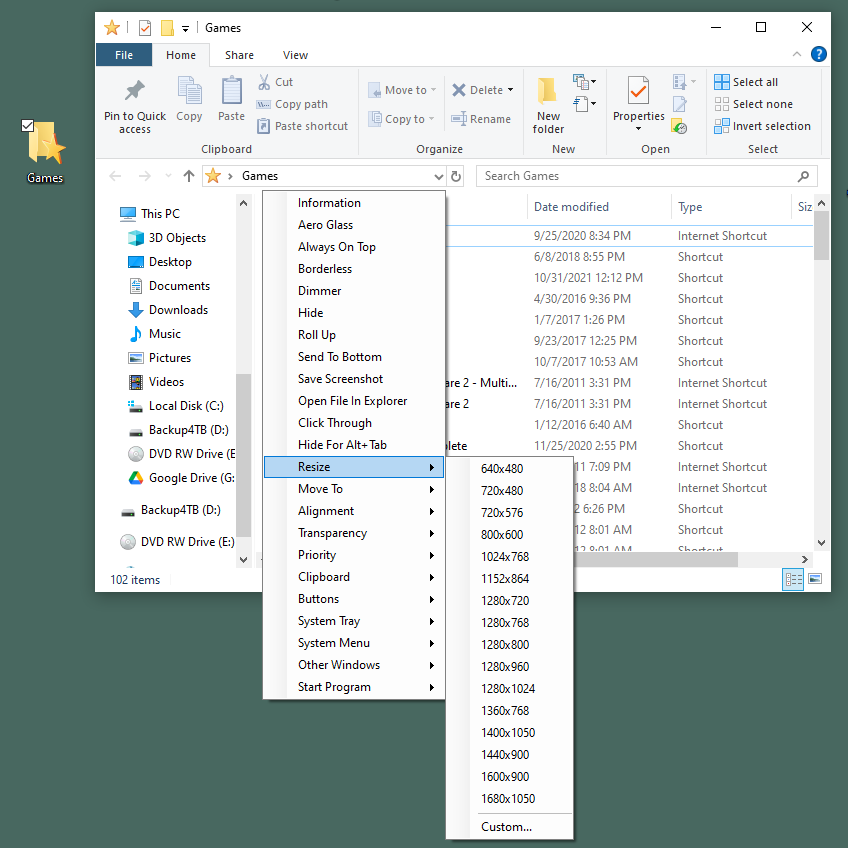 How To Use: Run the file SmartContextMenu.exe. Move the mouse cursor to the necessary window and use the hotkeys Ctrl + Right Mouse Button. All the menu settings and hotkeys can be changed in the settings dialog of the system tray, as well as in the file SmartContextMenu.xml. Available Menu Items: • Information. Shows a dialog with information of the current window and process: the window handle, the window caption, the window style, the window class, the process name, the process id, the path to the process. • Aero Glass. Allows to add the "Aero Glass" blur to the current window. (Windows Vista and higher. Mostly for console windows.) • Always On Top. Allows the current window to stay on top of all other windows. • Borderless. Allows you to turn your windowed games into "Borderless" mode. • Dimmer. Dims all but the currently focused window. • Hide. Allows to hide the current window. • Roll Up. Allows to roll up and down the current window. • Send To Bottom. Allows to send to bottom the current window. • Save Screenshot. Allows to save the current window screenshot in a file. • Open File In Explorer. Allows to open a process file in a File Explorer. • Click Through. Allows to click through the current window. • Hide For Alt+Tab. Allows to hide the current window for the Taskbar and Alt+Tab switch. • Resize. Allows to change the size of the current window. • Move To. Allows to move the current window to another monitor. • Alignment. Allows the current window to be aligned with any of the 9 positions on the desktop. • Transparency. Allows to change the transparency of the current window. • Priority. Allows to change the current window's program priority. • Clipboard. Allows to copy all window texts (including console, ms office products, etc.) to clipboard and clear clipboard. • Buttons. Allows to disable "Minimize", "Maximize" and "Close" button. • System Tray. Allows to minimize or suspend the current window to the system tray. • System Menu. Contains System Menu items. • Other Windows. Allows to close and minimize all windows in the system except the current. • Start Program. Allows to start programs which is in the settings. Requirements: • OS Windows XP SP3 and later. Supports x86 and x64 systems. • .NET Framework 4.0 Changes: v1.7.2 09-20-25 Real time transparency can be previewed when adjusted (Version 2) Korean translation improvements by @VenusGirl in #37 Portable Use: SmartContextMenu.xml is placed in the Roaming user directory normally. If you are planing to use SmartContextMenu as a portable app, then copy SmartContextMenu.xml to the same directory as SmartContextMenu.exe 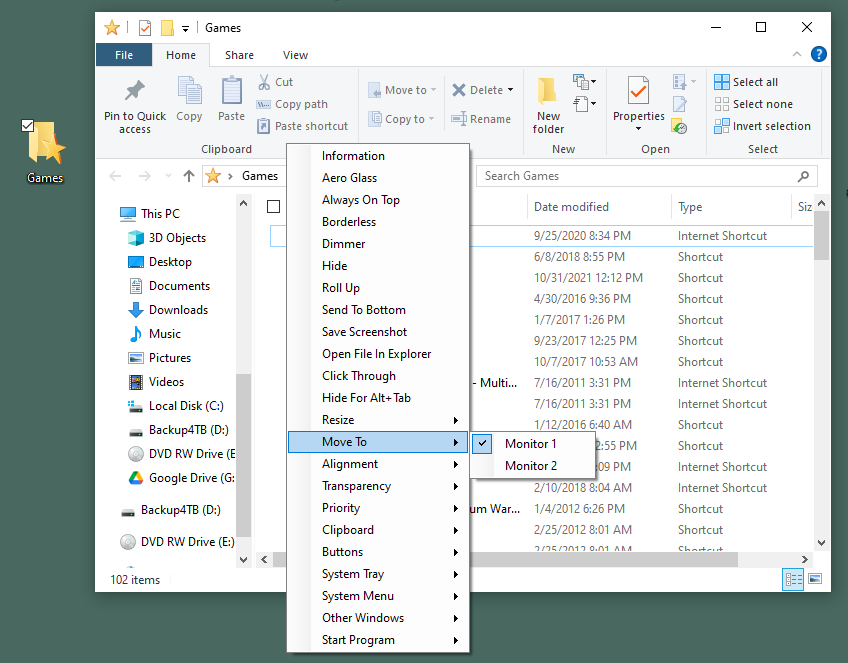 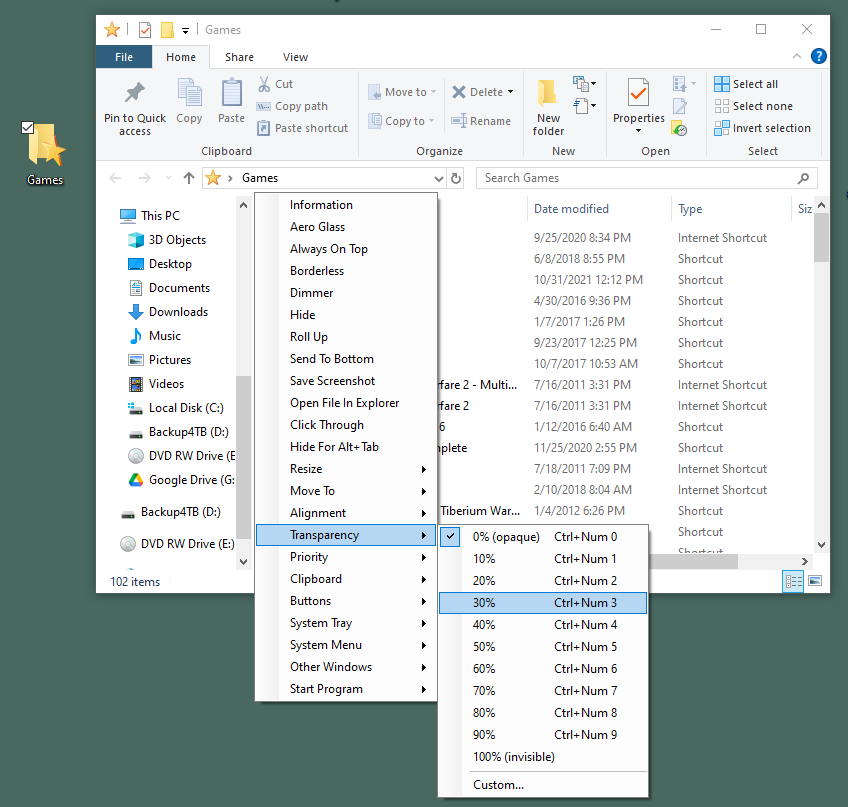 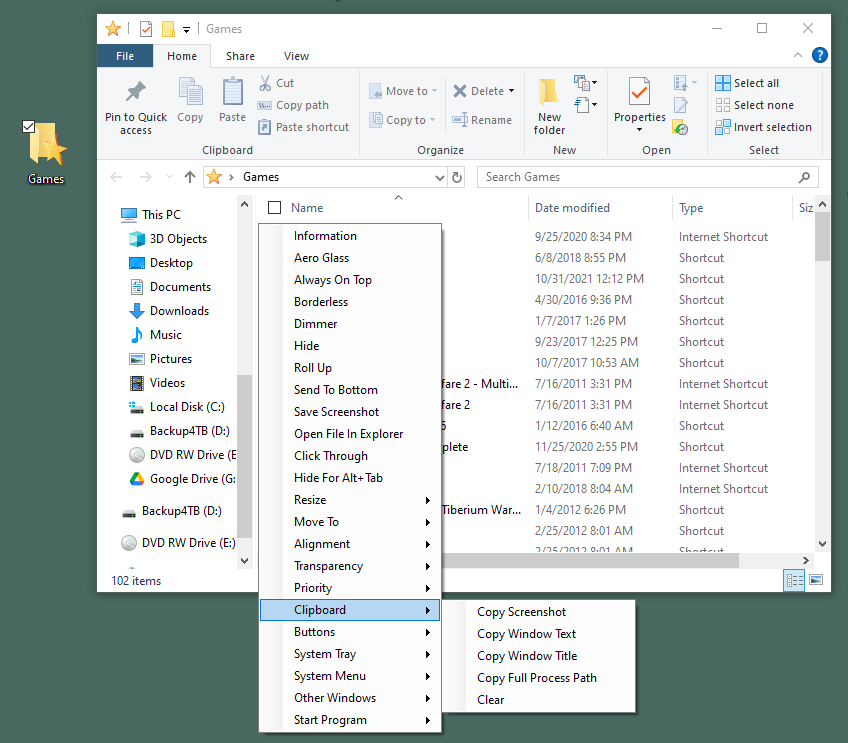 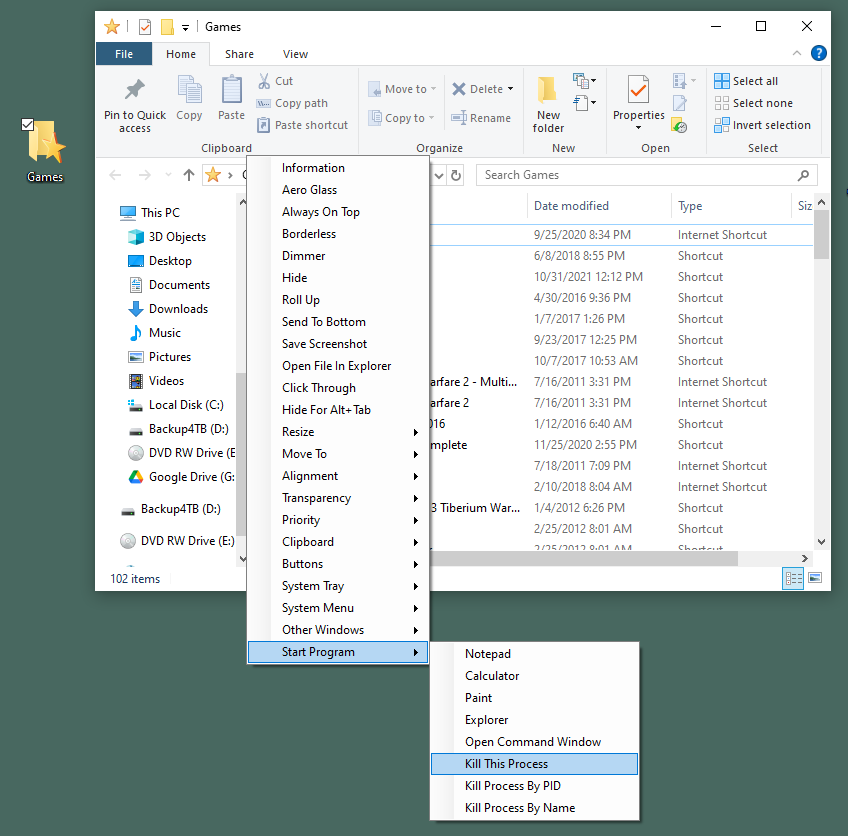 Note: This file has 2 hits on VirusTotal. We have confirmed these to be false positives. The file is safe. Click here to visit the author's website. Continue below for the main download link. |
||||||||
| Downloads | Views | Developer | Last Update | Version | Size | Type | Rank | |
| 1,836 | 7,222 | Alexander Illarionov | Sep 22, 2025 - 11:41 | 1.7.2 | 2.66MB | ZIP |  , out of 65 Votes. , out of 65 Votes. |
|
| File Tags | ||||||||
| SmartContextMenu v1.7.2 | ||||||||
Click to Rate File Share it on Twitter → Tweet
|


