|

|
Processed through Paypal No account required. |








Buy our over-priced crap to help pay the bills.



|
|
Processed through Paypal No account required. |
| File - Download MonitorControl v4.0.1 | ||||||||
| Description | ||||||||
|
Always scroll to the bottom of the page for the main download link. We don't believe in fake/misleading download buttons and tricks. The link is always in the same place. MonitorControl v4.0.1 Controls your external Apple display brightness and volume and shows native OSD. Use menulet sliders or the keyboard, including native Apple keys! 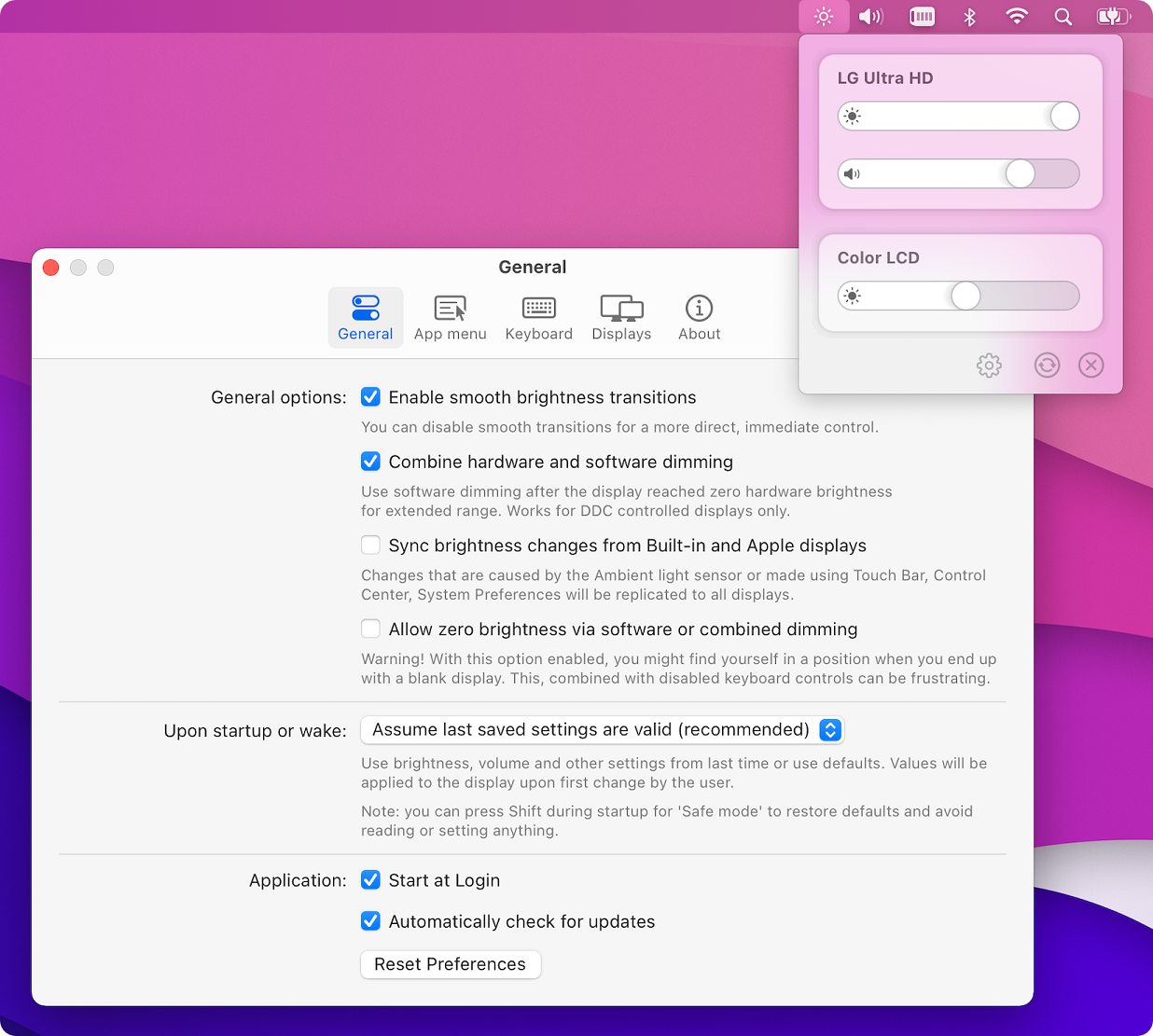 Major features Control your display's brightness, volume and contrast! Shows native OSD for brightness and volume. Supports multiple protocols to adjust brightness: DDC for external displays (brightness, contrast, volume), native Apple protocol for Apple and built-in displays, Gamma table control for software adjustment (recommended for OLED), shade control for AirPlay, Sidecar and Display Link devices. Supports smooth brightness transitions. Seamlessly combined hardware and software dimming extends dimming beyond the minimum brightness available on your display. Synchronize brightness from built-in and Apple screens - replicate Ambient light sensor and touch bar induced changes to a non-Apple external display! Sync up all your displays using a single slider or keyboard shortcuts. Allows dimming to full black (advanced feature). Support for custom keyboard shortcuts as well as standard brightness and media keys on Apple keyboards. Dozens of customization options to tweak the inner workings of the app to suit your hardware and needs (don't forget to enable Show advanced settings in app Preferences). Modern, stylish and highly customizable menulet reflecting the design of Control Control introduced in Big Sur. Simple, unobstrusive UI to blend in to the general aesthetics of macOS (even the menu icon can be hidden). Supports automatic updates for a hassle-free experience. How to install and use the app 1) Download the app below 2) Copy the MonitorControl app file from the .DMG to your Applications folder 3) Click on the MonitorControl app file 4) Add the app to Accessibility under System Preferences » Security & Privacy » Privacy as prompted (this is required only if you wish to use the native Apple keyboard brightness and media keys - if this is not the case, you can safely skip this step). 5) Use your keyboard or the sliders in the app menu (a brightness symbol in the macOS menubar as shown on the screenshot above) to control your displays. 6) Open Preferences... for customization options (enable Show advanced settings for even more options). 7) You can set up custom keyboard shortcuts under the Keyboard in Preferences (the app uses Apple media keys by default). Supported displays *Most modern LCD displays from all major manufacturers supported implemented DDC/CI protocol via DisplayPort, HDMI, USB-C or VGA to allow for hardware backlight control. *Apple (and LG-Apple) displays and built-in displays are supported using native protocol. *LCD and LED Televisions usually do not implement DDC, these are supported using software alternatives to dim the image (some higher-end sets are able to translate this into hardware backlight dimming). *OLED or mini/micro-LED displays and televisions are fully supported using gamma table manipulation (this is a no-compromise solution for this class of displays). *DisplayLink, Airplay and Sidecar are supported using shade (dark overlay) control. Dummy compatibility: *The app is compatible with BetterDummy mirrored sets. *The app is compatible with mirrored sets that include a dummy dongle identifying as 28E850 Notable exceptions for hardware control compatibility: *Some displays (notably EIZO) use MCCS over USB or an entirely custom protocol for control. These displays are supported with software dimming only. *The HDMI port of the 2018 Intel Mac mini and 2020 M1 Mac mini prohibit DDC communication. Software control is still available. We recommend connecting the display via the USB-C port (USB-C to HDMI dongles usually work). *DisplayLink docks and dongles do not allow for DDC control on Macs, only software dimming is available for these connections. Note to f.lux users - please activate Avoid gamma table manipulation under Preferences » Displays! This step is not needed if you use Night Shift. 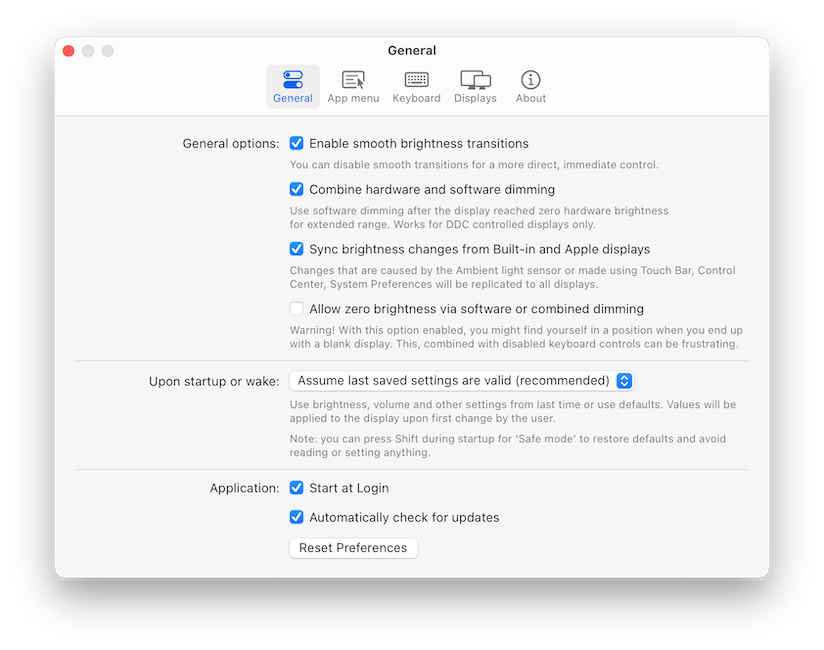 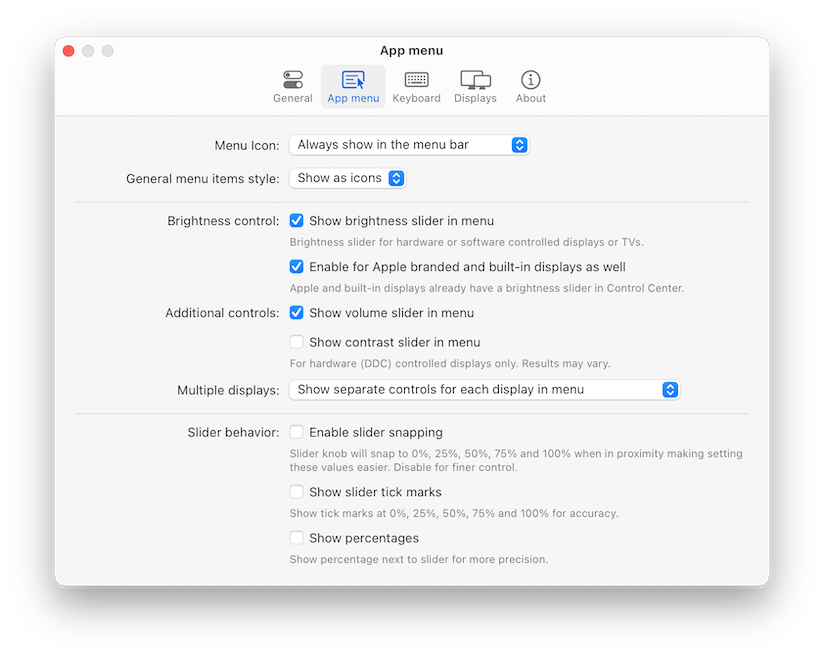 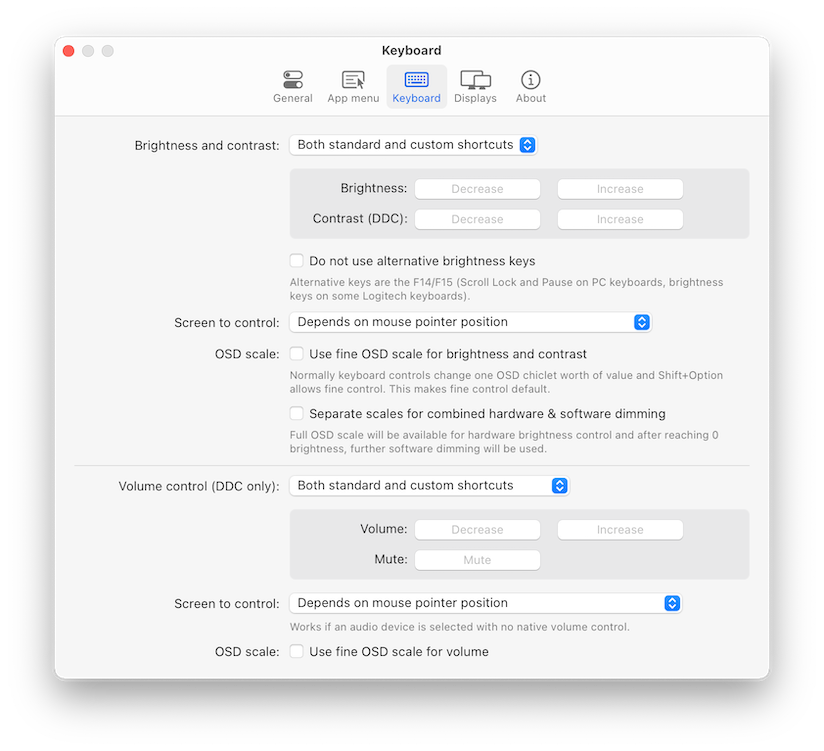 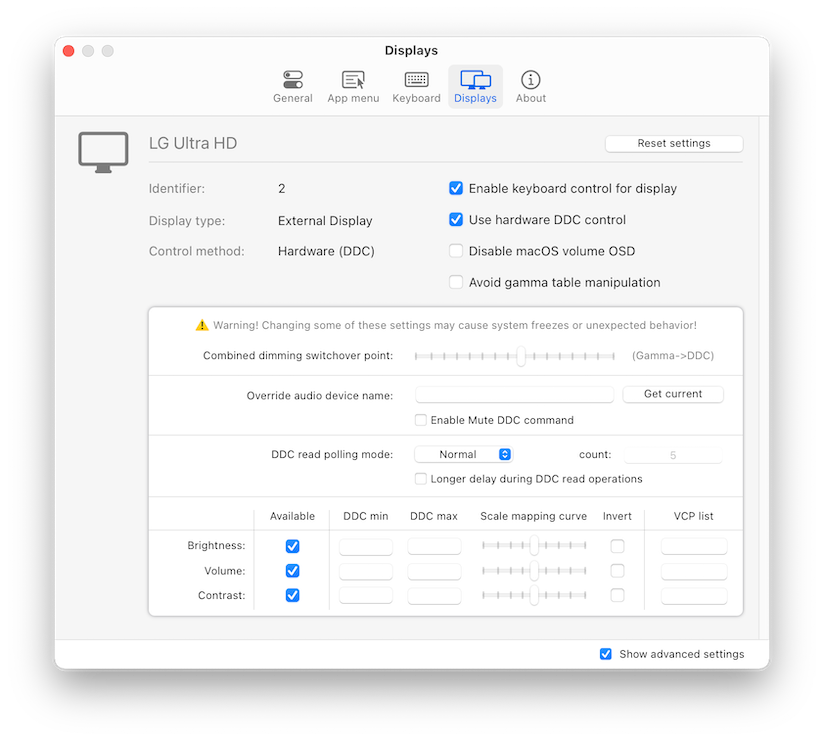 Click here to visit the author's website. Continue below for the main download link. |
||||||||
| Downloads | Views | Developer | Last Update | Version | Size | Type | Rank | |
| 3,173 | 7,336 | MonitorControl | Nov 10, 2021 - 12:54 | 4.0.1 | 10.51MB | DMG |  , out of 68 Votes. , out of 68 Votes. |
|
| File Tags | ||||||||
| MonitorControl v4.0.1 | ||||||||
Click to Rate File Share it on Twitter → Tweet
|


