|

|
Processed through Paypal No account required. |








Buy our over-priced crap to help pay the bills.



|
|
Processed through Paypal No account required. |
| File - Download Win10_BrightnessSlider v1.7.7 | ||||||||
| Description | ||||||||
|
Always scroll to the bottom of the page for the main download link. We don't believe in fake/misleading download buttons and tricks. The link is always in the same place. Win10_BrightnessSlider v1.7.7 This app puts a Monitor Brightness icon to on Taskbar Tray. So you can access it with 1 click. targeting laptops. supported os: win7 , win8 , win10 requirements: .net4 framework. (win7 may need to install) for ddci monitors, (make sure ddci is enabled on monitor menu ) 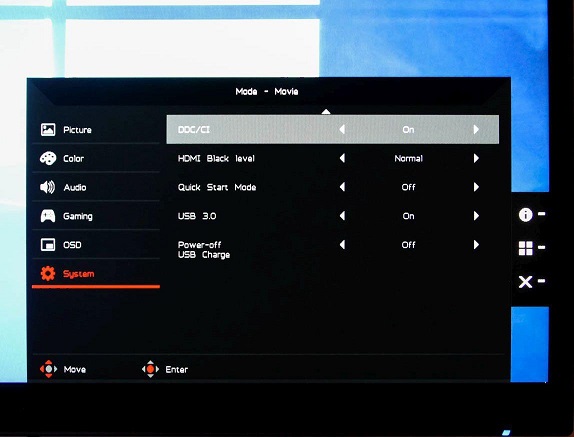 Features Supports ddc/ci monitors Seperate Sliders For Multiple Monitors Volume like Slider to Change Monitor Brightness Option to Run At Startup Ability to "Rescan/Detect Monitor" after a Monitor Plugged in/out NOTES if slider working. but suddenly (you plug/unplug monitor/MirrorScreen in any way) then screen act up weird for second. you CAN get error while trying to change birghtness, you gotta press "Detect monitor". if it doesn't work: a) try install/update your graphic driver b) try enable ddci on monitor ChangeLog v1.7.7 prevent log error added: hide sliderform even when clicked on taskbar icon fixed: in ltr system(ie arabic) taskbar is at other side . added: taskbar icon tooltip-text shows pct of all sliders ( after first form_show) 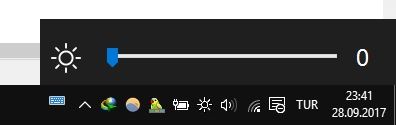 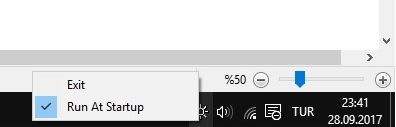 Click here to visit the author's website. Continue below for the main download link. |
||||||||
| Downloads | Views | Developer | Last Update | Version | Size | Type | Rank | |
| 6,164 | 12,453 | blackholeearth | Mar 24, 2019 - 12:25 | 1.7.7 | 334.5KB | EXE |  , out of 106 Votes. , out of 106 Votes. |
|
| File Tags | ||||||||
| Win10_BrightnessSlider v1.7.7 | ||||||||
Click to Rate File Share it on Twitter → Tweet
|


