|

|
Processed through Paypal No account required. |








Buy our over-priced crap to help pay the bills.



|
|
Processed through Paypal No account required. |
| Files | ||||
| File Name | Rating | Downloads | ||
 |
Artweaver Plugins and Language Files v4.0 Artweaver Plugins and Language Files v4.0 👉 Expand Artweaver with additional plugins, presets, and interface language files. Artweaver Plugins and Language Files provides a collection of official add-ons that extend the capabilities of Artweaver Free and Artweaver Plus. This package includes official filter plugins, extra presets, file format support, TWAIN scanner support, and interface language files supplied through the Artweaver add-ons archive. It also includes installation instructions for adding new language files to Artweaver. The included language files allow you to translate the Artweaver user interface and preset names into additional languages. Officially, Artweaver includes English and German, while these optional language packs add support for several additional languages contributed by the Artweaver community. Features: • Official Artweaver add-ons package • Extra brush presets, papers, gradients, and image stamps • Drop Shadow plugin • Polar Coordinates plugin • Sprite Sheet plugin • Swap Channel plugin • TWAIN32 plugin for compatible scanners and cameras • IrfanView AWD file format plugin • XnView AWD file format plugin • Community-created interface language files • Includes installation instructions for language files Supported operating systems: • Windows 10, Windows 11 Supported languages: • English, German, Brazilian Portuguese, Danish, Dutch, French, Italian, Russian, Simplified Chinese, Spanish, Traditional Chinese, Hong Kong Cantonese Changes: v4.0 07-05-26 Updated compiled package. Added current official Artweaver 8 language files: Brazilian Portuguese, Spanish, French and Dutch. Retained official Artweaver 5/6 language files: Italian, Traditional Chinese, Danish, Russian, Simplified Chinese, Hong Kong Cantonese and Spanish. Updated installation instructions for current Artweaver language file locations. Includes the latest official plugins and extra presets available from the Artweaver add-ons archive. Don't have Artweaver Free? Get it here. Click here to visit the author's website. |
 |
2,919 | Jul 05, 2026 Boris Eyrich Software/OlderGeeks.com 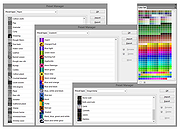 |
 |
Epson Perfection 2450 Photo Scanner Software (2002) Epson Perfection 2450 Photo Scanner Software (2002) 👉 Original drivers and software package for the Epson Perfection 2450 Photo scanner. Epson Perfection 2450 Photo Scanner Software is the official software bundle released in 2002 for the Epson Perfection 2450 Photo flatbed scanner. This package includes the necessary drivers and utilities required to install, configure, and operate the scanner on supported systems. It typically contains Epson TWAIN drivers, scanning utilities, and bundled applications used for photo scanning, document capture, and image management at the time of release. This ISO image is a disc archive of the original installation CD. It must be mounted or extracted before use depending on your operating system. Once accessed, users can run the installer to properly set up the scanner and associated software. Features: • Official Epson driver and software package for Perfection 2450 Photo • Includes TWAIN driver support for scanning applications • Provides Epson Scan utility for image acquisition • Supports photo, film, and document scanning • Includes bundled software for image editing and management (varies by release) • Designed for USB-connected flatbed scanner operation • Original CD image preserved in ISO format Supported operating systems: • Windows 98, Windows ME, Windows 2000, Windows XP • macOS Classic (Mac OS 9), macOS 10.1 to 10.2 Supported languages: English Changes: Not Provided How to use this ISO file: Windows XP / 2000 / Me / 98: • Burn the ISO to a CD using software like ImgBurn or Nero • Insert the CD into your computer • The installer should start automatically • If not, open the CD and run Setup.exe Mac OS 8.5 through 9.x (Classic Mac): • Burn the ISO to a CD • Insert into your Mac • Open the disc and run the installer Notes: • This is original 2002 software and may not fully support modern systems • Scanner functionality on Windows 10/11 may be limited • You can extract the ISO with 7-Zip instead of mounting if preferred • TWAIN drivers ... |
|
641 | Apr 14, 2026 Epson America, Inc. 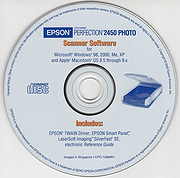 |
 |
NAPS2 (Not Another PDF Scanner) v8.5.1 NAPS2 (Not Another PDF Scanner) v8.5.1 👉 Scan, organize, edit, and save documents as searchable PDFs and other image formats. NAPS2 is free, open-source scanning software for Windows, macOS, and Linux. It connects to supported scanners using WIA, TWAIN, SANE, or eSCL drivers, then lets you scan pages from a flatbed or automatic document feeder. Save scans as PDF, TIFF, JPEG, or PNG, and use optical character recognition (OCR) to make text searchable inside PDFs. Create reusable scan profiles with settings such as the scanner, paper size, resolution, color mode, and page source. NAPS2 can rotate, crop, deskew, reorder, split, combine, and adjust scanned pages. It can also import existing images and PDFs, apply OCR, email PDFs, and share scanners over a local network. The optional command-line interface supports scanning and document workflows through scripts. Portable archives are available, and an MSI installer with application-level configuration supports organizational deployment. NAPS2 is free for personal and business use, with no ads or unwanted software. Features: • Scan using WIA, TWAIN, SANE, or eSCL scanner drivers • Scan from a flatbed, automatic document feeder, or duplex feeder • Save scans as PDF, TIFF, JPEG, or PNG • Use OCR to create searchable PDFs, with OCR support for over 100 languages • Create reusable profiles for scanner and image settings • Rotate, crop, deskew, split, combine, and rearrange pages • Adjust brightness, contrast, resolution, and color depth • Auto-crop scanned pages, including items of different sizes • Import and edit PDFs and images • Compress PDF files and adjust image dimensions, resolution, color depth, and quality • Email PDFs and share scanners over a local network • Automate scanning and other tasks with ... |
|
7,512 | Oct 14, 2026 Ben Olden-Cooligan 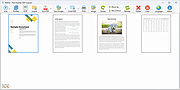 |
|
WinScan2PDF v9.77 WinScan2PDF v9.77 👉 Scan documents directly to PDF quickly and easily. WinScan2PDF is a small and portable utility that allows you to scan documents and save them directly as PDF files without the need for complex or bloated software. It is designed to be simple, lightweight, and easy to use, making it ideal for users who just want a fast way to digitize paperwork. WinScan2PDF supports most installed scanners via the standard Windows scanning interfaces and enables multi-page PDF creation. It does not require installation and can run from a USB stick, making it perfect for use on multiple systems. With its straightforward interface and minimal system requirements, WinScan2PDF gets the job done without unnecessary features or background services. Features: • Scan documents directly to PDF • Create multi-page PDF documents • Supports TWAIN and WIA scanners • Portable and does not require installation • Simple and user-friendly interface • Adjustable page size and orientation • Preview scanned pages before saving • Minimal CPU and memory usage Supported operating systems: • Windows 11, Windows 10, Windows 8.1, Windows 7, Windows Vista, Windows XP, Windows Server 2012-2025, x64, x32, x86 Supported languages: German, English, Russian, French, Italian, Dutch, Hungarian, Polish, Portuguese-Brazil, Czech, Greek, Swedish, Romanian, Serbian, Simplified Chinese, Danish, Traditional Chinese, Basque, Persian, Turkish, Catalan, Kurdish, Lithuanian, Slovak, Arabic, Ukrainian, Hebrew, Spanish, Bulgarian, Korean, Slovenian, Japanese, Norwegian, Croatian, Afrikaans, Hindi, Thai, Welsh, Malay, Indonesian, Filipino, Azerbaijani, Finnish, Belarusian, Portuguese Changes: v9.77 06-07-26 • Improvements to the detection of certain scanners • Language file updates and necessary adjustments Click here to visit the author's website. |
|
11,597 | Sep 30, 2026 Nenad Hrg 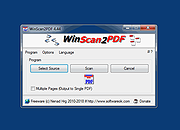 |
| Showing rows 1 to 4 of 4 | Showing Page 1 of 1 | 1 |
OlderGeeks.com Copyright (c) 2026
