|

|
Processed through Paypal No account required. |








Buy our over-priced crap to help pay the bills.



|
|
Processed through Paypal No account required. |
| Files | ||||
| File Name | Rating | Downloads | ||
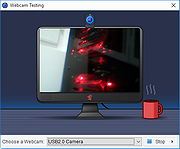 |
Who Stalks My Cam V2.0 Who Stalks My Cam V2.0 It Is No Secret; You Are At The Mercy Of Hackers! Who does not fear about the possibility of being spied upon your Webcam without your knowledge? Have you thought of this frightening threat to your online security? Well, it is no longer a fear but a reality. It is no longer an imagination, or something you can assume. It is happening, and the most worrying thing is that it is very prevalent. Nowadays, hackers have managed to achieve great success in spying on innocent internet users by use different kinds of Malware.One of such malware is the infamous DarkComet RAT. DarkComet RAT is a Remote Access Trojan targeting Microsoft Windows Machines world wide. This dangerous malware opens huge remote possibilities to Hackers, such as Keystroke logging, Listening on your conversations on the Microphone, Recovering passwords, Watching your desktop using your webcam etc. A very huge amount of such Malware exists and represents millions of computers infected world wide. Other techniques exists to spy on you through the webcam, using malicious Website scripts, for example, using your Webcam device, tricking on you to allow Webcam to be broadcasted. At Phrozen Software™, we are aware of your concern about this cyber threat. Definitely, no one wants to be spied upon; No one wants to feel insecure while doing their online activities, and you are no exception. As you may already be aware, at Phrozen Software™ we design different security programs to provide you with the ultimate solution to the problem. Our software are designed differently, not like the regular Antivirus programs. We do not claim to replace an existing antivirus program; All we do is enhance them using generic techniques to avoid yet to be known viruses from impacting on your security until your antivirus is able to get ... |
 |
7,052 | Mar 07, 2017 PHROZEN SAS |
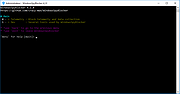 |
WindowsSpyBlocker v4.38.0 WindowsSpyBlocker v4.38.0 An application written in Go and delivered as a single executable to block spying and tracking on Windows systems ⛔️. The approach of this project is to capture and interpret network traffic 🚦 based on a set of tools. Depending on the interactions ⛓ between services and source or destination of traffic, rules are created and sorted by assignment. Configuration file app.conf is generated at first launch : Telemetry and data collection To capture and interpret network traffic, QEMU virtual machines are used on the server virtualization management platform Proxmox VE based on : Windows 10 Pro 64bits with automatic updates enabled. Windows 8.1 Pro 64bits with automatic updates enabled. Windows 7 SP1 Pro 64bits with automatic updates enabled. Traffic dumps are cleaned monthly and compared with the current rules to add or remove some hosts or firewall rules. Tools used to capture traffic : qemu -net dump : capture Wireshark : capture + logs Sysmon : capture + logs Proxifier : logs The data folder contains the blocking rules based on domains or IPs detected during the capture process : data/<type>/extra.txt : Block third party applications (Skype, Bing, Live, Outlook, NCSI, etc.) data/<type>/spy.txt : Block Windows Spy / Telemetry recommended data/<type>/update.txt : Block Windows Update data/hosts/[extra|spy|update]_v6.txt : Handle IPv6 blocking for hosts Firewall and Hosts data are the main types. The others are generated from these as : DNSCrypt : a protocol for securing communications between a client and a DNS resolver. OpenWrt : an open source project used on embedded devices to route network traffic. P2P : a plaintext IP data format ... |
|
5,121 | Sep 28, 2021 CrazyMax |
 |
WinGuard Pro 2014 8.9.2.3 WinGuard Pro 2014 8.9.2.3 Secure your computer by password protecting your Windows applications, programs and EXE files. Plus, protect your data with encryption for your files, folders and drives - directly from Windows Explorer. Extra features allow you to disable the Task Keys, Software Installation, Internet Explorer, Mozilla FireFox, Downloading Files, Zip and Self Extracting Files and more. Features: Lock Programs, Applications, EXE Files with a Password Lock any folder with a password Disable Windows at Boot Disable Software Installation and Downloads Password Protect Windows Explorer Password Protect your Web Browser, inc. Internet Explorer, FireFox, Opera and more Parental Time Control It's FREE, no advertising or spyware Works alongside your firewall and anti-virus program Advanced edition also includes: Add your own program for protection Disable Canceling of Password Prompt Configure Multiple User Accounts Password Windows at Boot Password Internet Explorer Disable Software Installation Use Software in Commercial Enviroment |
|
9,679 | Nov 02, 2013 WGSoft |
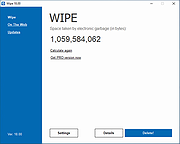 |
Wipe v2020.15 Wipe v2020.15 This powerful program can remove a lot of gigabytes of garbage on your computer and recover many free disk space. In addition, it will protect your privacy on the Internet - it removes records about personal activity on PC. You will be able to delete browser history and cache, index.dat files, registry, internet cookies files, autocomplete-history, temporary internet files and many many other items. This program also erases any other tracks of personal activity which you made when used your PC, and no matter in which program: Windows, Internet Explorer, FireFox, Chrome, Opera or any other... To prevent recovery of deleted data the program uses the following security methods: DoD 5220.22-M method, Gutmann method ( full 35 steps ), Russian GOST and other. You can also customize cleaning process and choose which items to remove and which is not. Or you can view detailed information about areas where garbage located on your computer. Requirement Windows XP, Vista, 7, 8, 10 .NET framework 3.5 09 August 2020 • Wipe 2020.15 In this release we are improving main function of the software (cleaning of garbage) by adding even more supported apps. We are also improved english interface of the program. Check out full list of improvements below. NEW FEATURES AND IMPROVEMENTS - Added support for cleaning temporary files, cache, logs and other garbage for the following apps: Mozilla Thunderbird, Sharing MFU of Windows Explorer, Smart Screen Reputation, Store Purchase, Snip and Sketch, The Bat, Get Started Tips, uTorrent, Voice Recorder. - Improved cleaning of Twitter App. - Improved english translations. Click here to visit the author's website. |
|
9,795 | Aug 10, 2020 Yuri Saprykin |
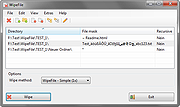 |
WipeFile v3.6 WipeFile v3.6 WipeFile deletes files and folders secure and fast. To do this, WipeFile overwrites the information completely, so there is no way to restore the files or reconstruct the file content. WipeFile supports 14 different wipe methods, e.g. two US Navy standards, the standard of the US Department of Defense, US Air Force and the NATO. System Requirements: WinXP / Vista / Win7 / Win8 / Win10 Microsoft .NET Framework 4 Languages: English, German, Arabic, Chinese (simplified), French, Hungarian, Italian, Japanese, Korean, Polish, Portuguese, Russian, Spanish Use 7-Zip 32bit or 7-Zip 64bit to unzip this file. Click here to visit the author's website. |
|
5,539 | May 28, 2021 Gaijin.at |
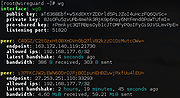 |
WireGuard v0.1.1 WireGuard v0.1.1 WireGuard® is an extremely simple yet fast and modern VPN that utilizes state-of-the-art cryptography. It aims to be faster, simpler, leaner, and more useful than IPsec, while avoiding the massive headache. It intends to be considerably more performant than OpenVPN. WireGuard is designed as a general purpose VPN for running on embedded interfaces and super computers alike, fit for many different circumstances. Initially released for the Linux kernel, it is now cross-platform (Windows, macOS, BSD, iOS, Android) and widely deployable. It is currently under heavy development, but already it might be regarded as the most secure, easiest to use, and simplest VPN solution in the industry. Simple & Easy-to-use WireGuard aims to be as easy to configure and deploy as SSH. A VPN connection is made simply by exchanging very simple public keys – exactly like exchanging SSH keys – and all the rest is transparently handled by WireGuard. It is even capable of roaming between IP addresses, just like Mosh. There is no need to manage connections, be concerned about state, manage daemons, or worry about what's under the hood. WireGuard presents an extremely basic yet powerful interface. Cryptographically Sound WireGuard uses state-of-the-art cryptography, like the Noise protocol framework, Curve25519, ChaCha20, Poly1305, BLAKE2, SipHash24, HKDF, and secure trusted constructions. It makes conservative and reasonable choices and has been reviewed by cryptographers. Minimal Attack Surface WireGuard has been designed with ease-of-implementation and simplicity in mind. It is meant to be easily implemented in very few lines of code, and easily auditable for security vulnerabilities. Compared to behemoths like *Swan/IPsec or OpenVPN/OpenSSL, in which auditing the gigantic codebases is an overwhelming task even for large teams of security experts, WireGuard is meant to be comprehensively reviewable by single individuals. High Performance A combination of extremely high-speed cryptographic primitives and the fact that WireGuard lives ... |
|
4,116 | Aug 01, 2020 Jason A. Donenfeld |
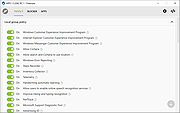 |
WPD v1.5.2042 WPD v1.5.2042 Privacy dashboard for Windows A small but powerful portable tool that works through the Windows API. WPD is the most convenient way to configure various privacy settings in Windows. Features Privacy management Customize Group Policy, Services, Tasks and other settings responsible for data collection and transmission. IP Blocker Block telemetry IP's using rules from the @crazy-max repository. Appx uninstaller Easy remove pre-installed Microsoft Store garbage or any other app. Portable, freeware No ads, command line arguments support. Requirements Windows 7, 8-8.1, 10, 11 .NET Framework 4.5+ Documentation https://wpd.app/docs/ Click here to visit the author's website. |
|
6,067 | Oct 06, 2025 WPD Team |
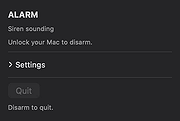 |
Yowl v1.3.2 Yowl v1.3.2 👉 A MacBook theft alarm that sounds if someone tries to take your laptop and snaps a pic of the thief. Yowl is a menu-bar app for macOS that sounds an alarm when a MacBook is unplugged, moved, or its lid is partly closed. You choose which triggers to enable. When the alarm sounds, Yowl can play a siren, lock the screen, take photos, and send optional alerts and photos to your phone through ntfy. Photo capture and phone alerts are optional. Yowl is free and open source, with no accounts, analytics, or servers of its own. Features: • Runs from the macOS menu bar. • Triggers the alarm when the charger is unplugged. • Offers optional camera-based movement detection and a partial-lid-close trigger. • Sounds a siren at maximum volume, even if the Mac is muted or using headphones. • Can lock the screen when the alarm sounds. • Can optionally take photos, including images captured during the 10 seconds before the alarm. • Can optionally send an alert and up to three photos to your phone using a private ntfy link. • Saves captured photos on the Mac, keeping up to 40 recent images. • Uses a universal binary for Apple Silicon and Intel Macs. The lid trigger requires a hinge sensor and is unavailable on Intel Macs. • Requires macOS 14 or later. Supported operating systems: • macOS 14 or later Supported languages: English Changes: v1.3.2 10-08-26 Keep screaming with the lid closed: if installing the helper fails, Yowl now says why, instead of only showing "Helper: not installed". Cancelling the password prompt still reads as not authorised; anything else shows the underlying error (#1). The install now checks only Yowl's ... |
|
26 | Oct 12, 2026 nejcar20 |
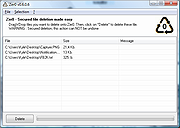 |
Zer0 v0.24.0.27 Zer0 v0.24.0.27 Secured file deletion made easy. Zer0 is a user friendly file deletion tool with a high level of security. With Zer0, you'll be able to delete files and to prevent file recovery by a 3rd person. So far, no user reported an efficient method to recover a file deleted by Zer0. Features User friendly HMI : Drag'n'drop, 1 click and the job is done ! High security file deletion algorithm Multithreaded application core : Maximum efficiency without freezing the application. Internationalization support. Click here to visit the author's website. |
|
3,884 | Sep 10, 2021 KC Softwares |
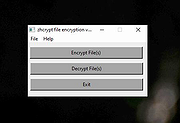 |
zhcrypt v2.0 zhcrypt v2.0 Tiny GUI front end to hcrypt.exe, a command line file encryption tool. Zhcrypt is simply a tiny front end to hcrypt.exe, one of the utilities found within the Hcrypto suite found on Sourceforge. Hcrypt.exe is a Windows command line utility that will encrypt and decrypt files offering a variety of common and uncommon algorithms, including AES-128, AES-192, AES-256, Blowfish, CAST-128, CAST-256, DES, TripleDES, DESX, GOST, DEA, KASUMI, MARS, MISTY1, Noekeon, RC2, RC5, RC6, SAFER-SK, SEED, Serpent, Skipjack, Square, TEA, Twofish, and XTEA. Features encrypt / decrypt AES-128, AES-192, AES-256, Blowfish, CAST-128, CAST-256, DES, TripleDES, DESX, GOST, DEA, KASUMI, MARS, MISTY1, Noekeon, RC2, RC5, RC6, SAFER-SK, SEED, Serpent, Skipjack, Square, TEA, Twofish, and XTEA Super easy to use Click here to visit the author's website. |
|
2,557 | Sep 16, 2022 Dana Booth |
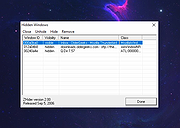 |
ZHider v2.00 ZHider v2.00 A free, portable program to instantly hide windows (programs) with a quick keystroke. Windows are hidden completely from view and from the task bar without a trace. Hidden windows can easily be brought back into view with another quick keystroke that toggles their visibility from hidden to visible. Handy for a wide range of practical uses including removing annoying, clutter windows (too many instant messages?), holding secret messages for yourself that you don't want to save or close, protecting privacy if someone wanders by, and yes -- even hiding windows from employers. Features: • Global hotkeys arranged for discreet use and with keystroke combinations that allow you use from virtually any keyboard (101-keys, remote connections, etc.). • Instant hide-and-add feature allows you to hide a window instantly and keep it in a list of windows to toggle hide/unhide (with another hotkey). • Launches and operates silently and with great stealth: no windows, sounds, or even system tray icon is visible. • List mode displays a fully-detailed list of all windows added to the list and a feature-rich interface for hiding, unhiding, and removing windows. You can even view the class name and window ID of each window! • No bulky install / uninstall software package. You can grab-and-go, launch from a disk, etc. without ever modifying the Windows system registry, installing files to system directories, or risking detection by modifying the existing file system. • The program file can be renamed for complete discretion. • Tiny size makes the program fast to load and easy to hide. • Includes optional Task Manager stealth, masking not only itself but any hidden applications from detection • Allows command-line instructions for launching processes silently with full support for UNC-coded network paths and environment variable expansion Included Files: • Filename: ZHIDER.EXE Primary program file. Launch from anywhere. You ... |
|
2,217 | May 22, 2023 Peter Souza IV |
OlderGeeks.com Copyright (c) 2026
