|

|
Processed through Paypal No account required. |








Buy our over-priced crap to help pay the bills.



|
|
Processed through Paypal No account required. |
| Categories | |||
| Category Name | Files | Newest File | |
 |
Android |
15 | Clipshare v3.3.1/v3... [1,392] Mar 06, 2024 |
|
Apple iOS (iPhone/iPod/iPad) |
6 | iDescriptor v0.5.0 [1,018] Jan 04, 2026 |
|
BlackBerry |
0 | None |
| Files | ||||
| File Name | Rating | Downloads | ||
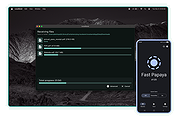 |
LocalSend v1.18.2 LocalSend v1.18.2 👉 Fast, private file sharing between nearby devices without the cloud. LocalSend is a free and open-source, cross-platform application for securely transferring files, folders, photos, videos, documents, text and other data between devices connected to the same local network. It provides an AirDrop-style experience that works across Windows, macOS, Linux, Android and iOS without requiring an account, an Internet connection or an external server. Devices running LocalSend automatically discover one another on the local network, allowing you to select what you want to send, choose a nearby device and begin the transfer. Data stays on your local network instead of being uploaded to a cloud service, and transfers are protected using HTTPS encryption. LocalSend can transfer any file type and is designed to take advantage of the speed of your local Wi-Fi or wired network without artificial bandwidth limits. It can also send text messages and links between devices, making it useful for quickly moving clipboard-style information from a phone to a computer or between computers. Files are saved to the receiving device's Downloads folder by default, although the destination can be changed in LocalSend's settings. Frequently used devices can be marked as favorites, and LocalSend can be configured to automatically accept transfers from trusted favorite devices. The application also includes a Share via Link feature for making selected files available through a web browser on the local network. Recent versions can receive files through links as well. No account or login is required, and LocalSend contains no advertising or tracking. Features: • Transfers files directly between nearby devices over the local network • Works across Windows, macOS, Linux, Android and iOS • No Internet connection, cloud storage or external server required • No account, registration or login required • Automatic discovery of nearby LocalSend devices • Send individual files, multiple files and folders • Supports photos, videos, documents and other file ... |
 |
2,120 | Sep 29, 2026 LocalSend |
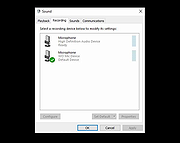 |
WO Mic v6.1 WO Mic v6.1 Turn your phone into a microphone for your computer. Features: • Wireless microphone without any cost • Can be used with any programs on PC just like REAL microphone • Very short lag • Easy to configure and use • Supports auto reconnection when your PC reboots • Supports multiple connection methods: USB, Bluetooth, Wi-Fi, and Wi-Fi direct • Audio format: 48000 sampling rate, 16 bits per sample, mono channel Quick Start Guide for Android and iPhone Android 1) Start server on phone Run below steps to start server on Android phone: 1) Launch WO Mic app on phone. On the action bar, tap the 3 vertical dots. 2) In the pop menu, tap Settings. 3) In Settings view, tap Transport and select Wi-Fi as transport. 4) Back to main view. Tap on the action bar to start server. If any permission requests, grant them. Once the server has been successfully started, it's ready to accept connection from client. Phone IP address (e.g. "10.0.2.16") is displayed on the app panel. You will use it in next step to make connection from client. 2) Connect from client on PC Your PC should connect to the same Wi-Fi router as phone; otherwise you will meet connection failure. Follow below steps to connect: 1) Press Windows key 2) Type WO Mic in the search box 3) Launch WO Mic Client 4) Select Connection -> Connect... 5) In connect dialog, select Wi-Fi as transport and enter phone IP address. 6) Click Connect. If everything goes ... |
|
1,119 | Jun 24, 2025 Wolicheng Tech |
| Showing rows 1 to 2 of 2 | Showing Page 1 of 1 | 1 |
OlderGeeks.com Copyright (c) 2026
