|

|
Processed through Paypal No account required. |








Buy our over-priced crap to help pay the bills.



|
|
Processed through Paypal No account required. |
| Files | ||||
| File Name | Rating | Downloads | ||
 |
DeskRealm v0.5.8 DeskRealm v0.5.8 👉 Give each Windows virtual desktop its own real Desktop folder, icon layout and hotkeys. DeskRealm turns Windows virtual desktops into separate Desktop “realms,” each with its own Desktop folder, icon layout and optional direct hotkeys. Instead of every Win + Tab workspace showing the same desktop clutter, DeskRealm redirects the current user’s Windows Desktop Known Folder to the folder assigned to the active virtual desktop. Features: • Assigns separate Desktop folders to Windows virtual desktops • Synchronizes realm folder names with Windows Task View desktop names • Saves and restores per-realm Desktop icon layouts • Automatic icon layout autosave with change detection • Configurable global hotkeys for jumping to numbered desktops • Tray menu with status, refresh, sync, pause/resume, logs, config and restore options • Optional startup with Windows • Preserves the original Desktop folder instead of moving files during onboarding • Refuses OneDrive Desktop redirection by default • Refuses duplicate virtual desktop names and unsafe folder conflicts • Includes emergency restore script for returning the original Desktop path • Portable ZIP and install-bundle release options Supported operating systems: • Windows 10, Windows 11 Supported languages: English Changes: v0.5.8 06-12-26 Fixed: • Reworked first-run onboarding so DeskRealm no longer moves files from the original Windows Desktop into a managed realm folder. • The selected virtual desktop realm now points directly to the original Desktop folder, preserving the normal Desktop when DeskRealm is closed or disabled. • Added absolute-path realm assignments so a realm can safely use an existing external folder such as the original Desktop. • Prevented duplicate assignment of the original Desktop path to multiple virtual desktops. Changed: • The first-run wizard now describes the safe association model instead of file migration. • Config migration v6 disables the legacy initialDesktopImportMoveFiles flag. • Documentation, installation notes, safety notes and release process now describe the no-move onboarding model. Safety: • DeskRealm must not silently move user Desktop files during onboarding. Existing files remain in the original Desktop folder. ... |
 |
619 | Jun 12, 2026 Ayahua Ekimaku  |
|
SideSlide v6.50 SideSlide v6.50 👉 A powerful, customizable desktop workspace, launcher and information organizer that stays hidden until you need it. SideSlide is a free desktop assistant designed to keep your Windows desktop organized and clutter-free while providing instant access to programs, files, folders, websites, commands, RSS feeds, notes, reminders, pictures and other frequently used information. Its customizable workspace can dock to any screen edge and remain tucked away until needed, giving you a large organizational area without permanently consuming desktop space. The workspace uses flexible containers that can be resized, detached, folded, shrunk and arranged however you prefer. Containers can hold shortcuts, notes, RSS feeds, reminders and other content, allowing large collections of information to remain accessible without covering the desktop. SideSlide also includes extensive keyboard navigation and launching features for users who prefer working without the mouse. When the workspace is collapsed, SideSlide can display a Dock Strip containing useful system information and live weather. The workspace can quickly expand again when you need access to its contents. SideSlide can also be used portably from a USB drive. Its configuration files are kept together, and the portable version can continue working even when the removable drive letter changes. Features: • Fully customizable desktop workspace that remains hidden until needed • Dock the workspace to any edge of the screen • Dock Strip displays system information and live weather while the main workspace is collapsed • Create shortcuts to programs, files, folders, commands and websites • Add RSS news feeds directly to the workspace • Built-in RSS reader with filtering and Subject Tracker capabilities • Create resizable, detachable, foldable and shrinkable containers • Containers can extend beyond the visible screen area • Create colorful notes that can be searched, edited in bulk and individually customized • Encrypt notes and automatically re-encrypt them after editing • Create ... |
|
6,524 | Sep 02, 2026 Northglide 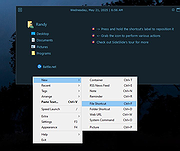 |
| Showing rows 1 to 2 of 2 | Showing Page 1 of 1 | 1 |
OlderGeeks.com Copyright (c) 2026
