|

|
Processed through Paypal No account required. |








Buy our over-priced crap to help pay the bills.



|
|
Processed through Paypal No account required. |
| Files | ||||
| File Name | Rating | Downloads | ||
 |
AlomWare Lights v1.8 AlomWare Lights v1.8 Free app that shows the LED status of the Num Lock, Caps Lock, and Scroll Lock keys in the System Tray. AlomWare Lights is a small app that shows the LED status of the Num Lock, Caps Lock, and Scroll Lock keys at the bottom-right corner of your PC's desktop (next to the clock). This is handy for users whose keyboard does not have LED lights to show these states, such as various laptops and/or wireless keyboards. Unlike other LED indicator apps, AlomWare Lights goes one step further and allows you force Num Lock on, so you don't type blanks instead of numbers without realizing; and you can force Caps Lock off, so that you don't start typing in capitals by mistake. Click here to visit the author's website. |
 |
7,358 | Sep 26, 2025 AlomWare.com  |
 |
Calculor v1.8 Calculor v1.8 A powerful, easy-to-use calculator that delivers answers as you type. The idea behind Calculor is that you get a teeny-weeny calculator window where you can see and edit your equation and receive a live answer. Basic Usage Calculor has two parts: the equation and the answer. The Menu Calculor has a context menu - to use it, right-click on the window! Resizing Calculor You can resize the equation by just sizing the window. To resize the answer you hold shift whilst resizing. But you can use the keyboard too. ctrl+resize for the equation, shift+ctrl+resize for the answer. If you forget, just look in the Calc Menu! Basic Math •You can use parenthesis ( ). •Use the * for multiplication. •There is syntax colouring for easy-reading. Quick and Easy Real-Time Editing You can edit the equation in real time on the fly Set Answer Press Enter to replace the equation with the answer, or from the Calc Menu, choose Set Answer. Evaluate Selection •If you select part of your equation and choose Evaluate Selection, it will calculate just that part and replace just that part of the equation with its answer, then it will recalculate the whole Tray Functionality In the System Tray of your taskbar you will find Calculor's Tray Icon. If you click on this icon it will show or hide Calculor. It also has a little menu with a few tidbits from Calculor's context menu. To minimize Calculor you can either push the Escape Key, use the Minimize button in the Title Bar, click on the Tray icon or use the Minimize to Tray option in Calculor's menu. Limits Due to limitations in the compiling software, Calculor cannot process a number higher than 2**64-1, which is: 9223372036854775800 on a 64bit system but on a 32bit system it is 2**32-1, which is: 4294967295. If you reach that value, it just stops computing - that is, it just ... |
|
5,298 | Jul 02, 2020 bgmCoder  |
|
DNS Angel v1.8 DNS Angel v1.8 Aids in protecting your family from inappropriate websites by blocking them automatically. The internet is vast and uncensored, and can be the source of material that is damaging to young minds. Parents should play an active role in making sure that corrupting websites are being filtered and blocked , That is why DNS Angel can help. DNS Angel is portable and completely free. If you click on any button in the software interface, you will start using one of the secure dns. The software applies the corresponding secure dns change on all network cards when one of the buttons is clicked. Use the “Default Dns” button to return to your default dns settings. If secure dns has ipv6 support, the software will automatically assign secure ipv6 dns . If you want to go back to your previous dns before using dns angel, all you need to do is use the Restore Dns button. The DOH feature On/Off buttons will only be visible in Windows 11 and you can turn DOH features on or off for IPv4 or IPv6 individually. To toggle the button sound, click the sound icon located to the left of the Info & Donate button in the bottom left corner. To aid in blocking inappropriate websites, DNS Angel uses only family safe DNS IP’s. For more info, please visit Family Safe DNS providers: Cloudflare Family, Open Dns Family, Yandex Family, Clean Browsing. How to Add your own DNS IP addresses In this release DNS Angel read DnsAngel.ini file to show safe DNS ip addresses , this allows you to change the dns ips easily. If you want to add your own Dns address, right click DnsAngel.ini file and open it with Notepad or any other text editor , find the [DnsAngel_list] line and edit following DNS Adresses and Names. Important: The ... |
|
6,925 | Jul 10, 2025 Sordum.org 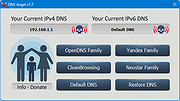 |
|
FocusOn Renamer Portable v1.8 FocusOn Renamer Portable v1.8 Free tool to easily rename multiple files. • Free for everyone - personal and commercial use • Add files to rename by drag and drop • Change the case of file names • Find and replace a word • Run from Windows Explorer's menu Supported Windows Versions: Windows Vista through Windows 11 Changes: v1.8 2025-02-01 What's New? Fixed abnormal termination bug Added Normalize unicode option for converting decomposed Mac filenames Dropped support for Windows XP Click here to visit the author's website. |
|
1,822 | Mar 19, 2025 Pintosoft and OlderGeeks.com 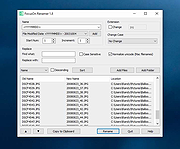 |
|
Mint v1.8 Mint v1.8 A portable, minimal app launcher residing in your taskbar. Features: • Start with Windows • Tray icon support • Parameters support • Fully customizable with custom groups and sub-menus • Drap n' Drop support for quickly adding apps Compatibility: • .NET Framework 4.5.2 • Compatible with Windows 7, 8.1, 10, 11 Note: This program has 3 hits on VirusTotal These are false positives. The program is safe. Click here to visit the author's website. |
|
1,900 | Aug 23, 2023 hellzerg  |
|
Ping Monster v1.8 Ping Monster v1.8 This is a freeware ping monitor tool, with some alert actions like: send email, sound alert, http post. Features ICPM Ping monitoring hosts Config time interval between pings Email Alert Sound Alert HTTP Post Alert Log file Click here to visit the author's website. |
|
6,401 | Mar 20, 2019 Eduardo Zola 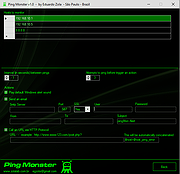 |
|
PowerRun v1.8 PowerRun v1.8 (Run with highest privileges) A portable freeware to launch regedit.exe , Cmd.exe or other software with the same privileges as the TrustedInstaller / Nt Authority/system. Why would you need it? Sometimes it is not enough to just be running as Administrator, Maybe it’s a file or a registry key that is locked or not editable, PowerRun a tool with this powerful privilege most likely solve that , PowerRun doesn’t require any installation process or additional dll files. How to use : After downloading, extract PowerRun to your desired location, then run it. You can drag and drop any files on it for example ; program files , Program files shortcuts , script files , text files usw. to run a listed file in TrustedInstaller/SYSTEM privileges you can select it and use run button or right click on it and choose “Run File” feature , the file will run with Highest privileges , you can check the Task manager’s details tab to verify that the selected file running under SYSTEM Privileges. If you’re trying to edit or delete keys from the registry , you might find that some keys won’t let you do anything with them and you’ll get an error such as “Cannot delete xxxxx: Error while deleting key“. These keys are usually protected to stop accidental deletion , You could also be the administrator on the computer, but still can’t manipulate the required key. Even though the administrator account has a great deal of control, there are other hidden accounts and levels on the system which have even greater access and therefore standard administrator privileges are not enough. To solve this problem, you have to force the registry to allow the logged on user full control of the subkeys in such cases PoweRun can help you : use the “Launch Registry ... |
|
6,764 | Sep 29, 2025 Sordum.org 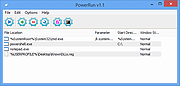 |
|
Tablecruncher v1.8 Tablecruncher v1.8 A lightweight, powerful CSV editor for macOS, Windows and Linux — with built-in JavaScript macros. Tablecruncher is a blazing-fast CSV editor built to handle massive files with ease, available for macOS, Windows and Linux. Need to open a 2 GB file with 16 million rows? On a Mac Mini M2, Tablecruncher does it in just 32 seconds. Originally released in 2017 as a commercial app, Tablecruncher is now fully open source under the GPL v3 license (or later). Features: • Opens huge CSV files effortlessly • Built-in JavaScript macro language • Supports multiple encodings: UTF-8, UTF-16LE, UTF-16BE, Latin-1 (ISO-8859-1), and Windows 1252 • Four color themes to match your style License: The Tablecruncher application is licensed under GPL v3 or later. Third-Party Libraries Used in Tablecruncher: Tablecruncher includes the following third-party libraries: ▸ duktape License: MIT Copyright: 2013-2023 by Duktape authors ▸ cpp-httplib License: MIT Copyright: 2019-2025 by Yuji Hirose ▸ nlohmann/json License: MIT Copyright: 2013-2025 by Niels Lohmann ▸ utfcpp License: Boost Software License 1.0 Copyright: 2006-2023 by Nemanja Trifunovic Each library is included in source form under the terms of its respective license. License texts are found in the corresponding subdirectories within /external/, either as dedicated license files or embedded directly in the source code. This download is for the Windows(x86_64) version (very bottom of page). If you need the macOS(ARM) version, download here. If you need the Linux(x86_64) version, download here. Click ... |
|
798 | May 16, 2025 Stefan Fischerländer  |
|
Text to MP3 Converter v1.8 Text to MP3 Converter v1.8 Free tool to convert text to speech Text to Speech (MP3) Easily convert your text into speech. Perfect for e-learning, presentations, YouTube videos and increasing the accessibility. The text can be exported as MP3 and WAV files. This program uses the preinstalled Microsoft SAPI Text-to-Speech (TTS) engines for generating voice. Text to MP3 software If you need to simply convert some text into audio content or you're just looking for a way to preview some content without having to actually spend time reading it, Text to MP3 Converter can do both, offering you choices for the used speech engine, as well as the output audio format. The two main options offer users the choice of increased quality (WAV) or a more compact recording (MP3). "Speech Speed" option allows from 10x slow to 10x fast playing and recording. If you seek a basic application that can help you perform text to audio conversions, without having to resort to complex steps and configuration processes, try out this simple yet quite capable software. How to install a new Text-to-Speech language You can install many TTS enabled languages (Voices) using Windows Settings (Control Panel). Depending on your Windows version, go to "Region & Language" area, then "Add a Language" by selecting it or downloading a language pack. Finally, restart the program to detect the installed languages. Key Features Speech speed (fast-slow) Voice pitch (high-low) Spell Emphasize Voiceover highlighting Multiple speech engine support Read aloud Insert silence MP3 export WAV export Supports: Windows Windows 11, Windows 10, Windows 8, Windows 7, Windows Vista, Windows XP (32-bit and 64-bit) Language: English License: Freeware — no nags, no ads, fully functional Changes: Text to MP3 Converter 1.8 October 14, 2021 Added “Insert - Silence” menu item Added “Edit” menu Fixed word-wrap related problem Improved UI Click here to visit the author's website. |
|
3,290 | Dec 13, 2021 Vovsoft |
|
Windows Update Blocker v1.8 Windows Update Blocker v1.8 Helps you to completely disable or enable Automatic Updates on your Windows system with just a click of the button. Windows 10 and 11 offer less UI control over the updating behavior of the operating system than previous versions of Windows , There is no option to turn off Windows Updates using the Control Panel or Settings app in Windows 10 and 11, it checks for updates automatically and install any updates they find, whether you like it or not. This new feature is actually pretty convenient for most users. If you want control over the update process you can disable the Windows Update service . This requires that you open the Services manager, locate the service and change its startup parameter and status. You would then have to enable the service again whenever you want the operating system to check for updates (It does not look so easy). Windows Update Blocker is a freeware that helps you to completely disable or enable Automatic Updates on your Windows system , with just a click of the button . This utility is portable, which means that you are no longer required to go through the installation process and no leftovers will remain on the HDD after its removal. if you place the program file to an external data device, you make it possible to take Windows Update Blocker everywhere with you and use it on any computer you come in contact with, who has things configured just right, and doesn’t want to take the chance that an update might mess up their system. This utility is for that person. How it works After downloading, extract Windows Update Blocker to your desired location, then run it service status icon will show your windows Update service status , if you want to block ... |
|
6,981 | Jun 12, 2023 Sordum.org 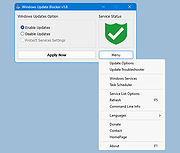 |
|
WinSetupFromUSB v1.8 WinSetupFromUSB v1.8 WinSetupFromUSB is a Windows program, which prepares multiboot USB flash or fixed disk to install any Windows versions since 2000/XP, boot various Linux and *BSD flavors, as well as many Windows, Linux, DOS based and other utilities. Since version 1.1 program can create USB disk with Windows versions which support (U)EFI (Vista x64 SP1 and later x64 versions), which USB disk can be used in both (U)EFI and Legacy BIOS modes. The install Windows from USB project started as a challenge back in 2006 at the msfn.org forum. With the invaluable contribution of several forum members, it was the first method to have regular XP setup run from a USB disk, just like if started from a CD media. WinSetupFromUSB program was made later on to offer graphical interface, and program functionality was slowly extended to allow many other sources in a multiboot USB disk. What can be added to the USB disk using WinSetupFromUSB: Multiple sets of Windows setup files- XP, 2000, 2003, Vista, WIndows 7, Server 2008, Windows 8, Server 2012, both 32 and 64 bit versions are supported. As of version 1.1 program allows to create a USB disk which can boot both in BIOS and (U)EFI mode. Multiple WinPE2 (Vista and above) based sources from ISO files such as Windows Defender Offline, recent Norton Ghost versions and PE (preinstallation environment) based PC manufacturers recovery disks. Single WinPE1 source, such as BartPE, UBCD4Win, LiveXP and similar WinBuilder projects, WinFLPC etc. Multiple Linux-based distributions and utilities from ISO files- Debian, Ubuntu, Fedora, CentOS to name a few, this includes most Antivirus Rescue Disks Many other ISO images as long as they are compatible with grub4dos CD emulation, such as Ultimate Boot CD, most DOS ... |
|
9,645 | Mar 24, 2019 WinSetupFromUSB.com 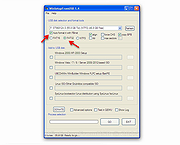 |
| Showing rows 1 to 11 of 11 | Showing Page 1 of 1 | 1 |
OlderGeeks.com Copyright (c) 2026
