|

|
Processed through Paypal No account required. |








Buy our over-priced crap to help pay the bills.



|
|
Processed through Paypal No account required. |
| Files | ||||
| File Name | Rating | Downloads | ||
 |
AppNetworkCounter v1.61 AppNetworkCounter v1.61 👉 View network usage and bandwidth for every application on Windows. AppNetworkCounter is a simple Windows utility that counts and displays TCP/UDP bytes and packets sent and received by every application on your system. It shows received bytes, sent bytes, receive speed, send speed, IPv4 and IPv6 traffic totals, packet counts, and application version details such as product name, product version, file description, and company name. Features: • Displays network usage per application • Shows sent and received TCP/UDP bytes • Shows sent and received packet counts • Displays receive and send speeds • Tracks IPv4 and IPv6 traffic separately • Shows maximum and average receive/send speeds • Includes first and last activity time columns • Can group results by application name or process ID • Option to hide inactive items • Option to show a total line for all applications • Tray icon support • Export reports to text, CSV, HTML, XML, and JSON • Command-line report saving options • Portable; no installation required Supported operating systems: • Windows XP, Windows Vista, Windows 7, Windows 8, Windows 10, Windows 11 • 32-bit and 64-bit Windows supported • Administrator elevation required on Windows Vista and later Supported languages: English, Arabic, Brazilian Portuguese, Czech, Dutch, French, German, Greek, Hungarian, Italian, Japanese, Persian, Polish, Romanian, Russian, Simplified Chinese, Slovak, Spanish, Traditional Chinese, Turkish Changes: v1.61 08-23-26 Added 'Process Command-Line' column, which displays the full command-line string of every process (Only when the 'Group By' option is 'Process ID'). Added 'Keep Selected Item Visible' option. When it's turned on, the selected item always remains visible. 👉 This download is for the Windows 64bit version (very bottom of page). All other download assets are below: Other Windows: appnetworkcounter.zip (32bit) Click here to visit the author's website. |
 |
6,274 | Oct 13, 2026 Nir Sofer 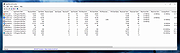 |
 |
Delta v0.1.8 Delta v0.1.8 👉 Disk space analyzer with historical snapshot comparison. Delta is a disk space analysis tool that allows you to scan your drives, save storage snapshots, and compare changes over time. It helps you quickly identify which folders and files have grown or shrunk between scans. Designed to work fully offline, Delta stores scan data locally and focuses on lightweight performance with a modern user interface. Features: • Scan drives and analyze folder and file size usage • Save disk usage snapshots for historical tracking • Compare past and current scans to detect size changes • Fully offline operation with no telemetry • Lightweight application built with Rust and Tauri • Modern interface powered by React Supported operating systems: • Windows 10, Windows 11, Linux Supported languages: English Changes: v0.1.8 05-31-26 • Bug fixes • Added sorting improvements • UI changes Note: This file has one hit on VirusTotal. We have confirmed this to be a false positive. The file is safe. This download is for the Windows 64bit setup version (very bottom of page). All other download assets are below: Other Windows: delta_0.1.8_x64_en-US.msi Linux: delta-disk-analyzer_0.1.8_amd64.deb delta-disk-analyzer-0.1.8-1.x86_64.rpm delta-disk-analyzer_0.1.8_amd64.AppImage Click here to visit the author's website. |
|
798 | Jul 11, 2026 Austin Bian 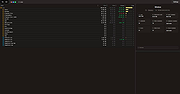 |
|
FileBricks v2.2 FileBricks v2.2 👉 Visual disk space analyzer and duplicate file finder. FileBricks is a free Windows tool for discovering what takes up space on your drives. It turns files, folders, and duplicates into colorful visual bricks, making it easier to spot large files, heavy folders, repeated copies, and common file types at a glance. Features: • Visual disk space analysis using proportional colorful bricks • Files in Folders view shows files within their folder structure • Only Files view displays individual files from largest to smallest • Only Folders view provides a graphical comparison of folder sizes • Duplicates view visually groups repeated files • Smart color coding displays files with the same extension in the same color • Scan all drives or choose a specific folder • Exclude files based on modified date • Ignore files smaller than a selected minimum size • Exclude files using wildcard filename patterns • Hover over bricks to see file or folder details and paths • Select a brick to locate its corresponding item in the tree • Tree views provide size, percentage and file-count information • Helps locate large videos, archives, installers, backups, images and other space-consuming files • Freeware for Windows Supported operating systems: • Windows 10, Windows 11 Supported languages: English Changes: v2.2 09-09-26 Improved sorting in the Duplicates section. Improved visualization of the Only Files section. Click here to visit the author's website. |
|
948 | Sep 10, 2026 TkoSoft 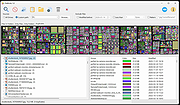 |
|
OpenNetMeter v0.14.3 OpenNetMeter v0.14.3 👉 Open-source Windows network data usage and monitoring tool. OpenNetMeter is an open-source Windows network monitoring application designed to help users track their real-time network speeds and overall data usage. The tool presents upload and download statistics, session and cumulative totals, and detailed breakdowns by process, all through an intuitive interface. The app includes additional monitoring features like a floating mini widget and historical usage logging. Features: • Real-time upload and download speed monitoring • Per-process network usage breakdown • Session and cumulative data tracking • Always-on-top mini widget window with pinning support • Up to 3-month history of data usage with date range selection • Dark mode for low-light use • No ads and lightweight • Open-source under Apache-2.0 license Supported operating systems: • Windows 10, Windows 11 (64-bit recommended) Supported languages: English Changes: v0.14.3 02-18-26 Added Added an upgrade detection dialog to better handle upgrade scenarios. Added an installer custom action to close a running app instance during uninstall. Changed Updated the desktop shortcut component GUID. Removed unused event log installer components. Fixed Fixed MSI upgrade behavior that could remove saved user files. Click here to visit the project's GitHub repository. |
|
819 | Jun 11, 2026 Ashfaaq Riphque 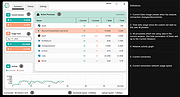 |
 |
WinDirStat v2.9.0 WinDirStat v2.9.0 👉 Disk usage analyzer and cleanup assistant for Microsoft Windows. WinDirStat is a disk usage analyzer and cleanup assistant for Microsoft Windows. It scans local drives, selected drives, individual folders, and command-line targets, then shows where storage is being used through a sortable directory tree, an extension/type breakdown, and an interactive treemap where larger files and folders take up larger areas. Features: • Scan local drives, selected drives, individual folders, and command-line targets • View disk usage with All Files, Largest Files, Duplicate Files, Search Results, File Watcher, Extension, and Treemap views • Interactive treemap navigation with zooming and logical or physical sizing • Sortable file details including size, percentages, item counts, owner, modified time, hardlinks, and hash prefixes • Search, duplicate detection, and filtering with regular expressions • Configurable hash algorithms • File watching and reporting for created, deleted, modified, and renamed events • CSV scan import/export and duplicate CSV export • Built-in actions for opening items, copying paths, selecting in Explorer, moving files, deleting files, and emptying folders or the Recycle Bin • Windows cleanup and maintenance shortcuts • User-defined cleanup actions • Dark mode, portable settings, Explorer context-menu integration, localization, configurable columns, larger toolbar icons, and high-DPI aware UI Supported operating systems: • Windows 7, Windows 8, Windows 8.1, Windows 10, Windows 11 • Windows Server 2008 R2, Windows Server 2012, Windows Server 2012 R2, Windows Server 2016, Windows Server 2019, Windows Server 2022, Windows Server 2025 Supported languages: English, Chinese (Simplified), Chinese (Traditional), Czech, Danish, Dutch, Estonian, Finnish, French, German, Hungarian, Italian, Japanese, Korean, Norwegian Bokmεl, Polish, Portuguese, Russian, Slovenian, Spanish, Swedish, Turkish, Ukrainian Changes: v2.9.0 09-26-26 Enhancements Added selection of multiple individual folders (thanks @djdomi) Added scanning support for MTP portable devices Added volume / free space stats for administrative share drive paths Added size proportion tooltips showing percentages of the total ... |
|
2,729 | Sep 29, 2026 WinDirStat Team 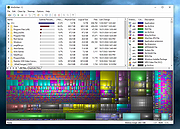 |
|
WizTree v4.33 WizTree v4.33 👉 Ultra-fast disk space analyzer that shows what files and folders are using your hard drive space. WizTree scans your hard drive and displays the files and folders using the most disk space so you can quickly locate and remove unnecessary data. Unlike many disk analyzers that slowly scan every file, WizTree reads the NTFS Master File Table (MFT) directly, allowing it to analyze an entire drive in seconds. This makes it one of the fastest disk space analysis tools available for Windows. WizTree presents results in a clear, sortable list showing folders and files by size, along with a colorful visual treemap that helps identify large files at a glance. You can quickly search for specific files, filter results, and open or delete files directly from within the interface. The program also allows exporting scan results and identifying the largest files on your system instantly. Because of its extremely fast scanning method and simple interface, WizTree is a valuable tool for quickly diagnosing disk space problems, cleaning up large files, and keeping storage organized. Features: • Extremely fast disk scanning using the NTFS Master File Table (MFT) • Visual treemap display showing relative file sizes • Sort files and folders by size, name, or other attributes • Quickly identify the largest files on a drive • Search and filter results to locate specific files • Delete files directly from the interface • Export scan results to CSV file • Supports scanning entire drives or individual folders • Portable version available Supported operating systems: • Windows 7, Windows 8, Windows 10, Windows 11 Supported languages: English, Arabic, Belarusian, Bulgarian, Catalan, Chinese Simplified, Chinese Traditional, Czech, Danish, Dutch, Estonian, Finnish, French, German, Greek, Hebrew, Hungarian, Indonesian, Italian, Japanese, Korean, Latvian, Lithuanian, Norwegian, Polish, Portuguese, Portuguese Brazilian, Romanian, Russian, Serbian, Slovak, Slovenian, Spanish, Swedish, Thai, Turkish, Ukrainian, Vietnamese Changes: v4.33 09-16-26 WizTree is now available for macOS 12 or later ... |
|
11,945 | Sep 23, 2026 antibody-software.com 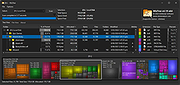 |
| Showing rows 1 to 6 of 6 | Showing Page 1 of 1 | 1 |
OlderGeeks.com Copyright (c) 2026
