|

|
Processed through Paypal No account required. |








Buy our over-priced crap to help pay the bills.



|
|
Processed through Paypal No account required. |
| Files | ||||
| File Name | Rating | Downloads | ||
 |
Aegisub v3.4.2 Aegisub v3.4.2 👉 Advanced cross-platform subtitle creation, timing, and editing software. Aegisub is a free, open-source subtitle editor designed for creating, modifying, timing, and styling subtitles for video content. It provides powerful tools for subtitle synchronization, visual typesetting, karaoke effects, and subtitle formatting while offering a built-in real-time video preview. Aegisub is widely used by subtitle creators, translators, fansub groups, and video editors who need precise control over subtitle appearance and timing. The program supports Advanced SubStation Alpha (ASS) subtitles and can import and export multiple subtitle formats. Its audio waveform display, timing tools, automation scripting support, and advanced styling features make it suitable for both beginners and professional subtitle authors. Features: • Create and edit subtitle files with precise timing controls • Advanced SubStation Alpha (ASS) subtitle support • Built-in real-time video preview window • Audio waveform and spectrogram displays for accurate synchronization • Powerful subtitle styling and typesetting tools • Karaoke timing and visual effects creation • Visual positioning and subtitle placement tools • Multiple subtitle format import and export support • Automation support through Lua and MoonScript scripting • Spell checking and text editing tools • Frame-by-frame subtitle adjustment capabilities • Video, audio, and subtitle synchronization tools • Cross-platform open-source design • Unicode and multilingual subtitle support Supported operating systems: • Windows 10/11 • macOS 10.15 and newer • Linux (Most major distributions via package manager.) Supported languages: English, Czech, German, Spanish, Finnish, French, Hungarian, Italian, Japanese, Catalan, Brazilian Portuguese, Traditional Chinese, Simplified Chinese, Russian, Bulgarian, Serbian, Greek, Turkish Changes: v3.4.2 01-12-25 Internationalization Fix more locale-dependent path issues Discard MRU entries with invalid encodings instead of crashing Linux Work around wxGTK crash when clicking “Show Original” Round instead of truncating in float audio converter to pass 32-bit tests Stuff Fix error “ERROR in finalizer: wrong number of arguments for function ... |
 |
659 | May 31, 2026 Rodrigo Braz Monteiro & contributers 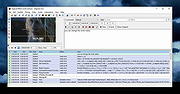 |
|
CHK v6.12 CHK v6.12 👉 Advanced portable file hashing and verification tool. CHK is an advanced file hashing and verification tool with a simple interface and a portable, no-install design. It can verify file integrity, find duplicate files, and compute checksums quickly, while also supporting full Unicode and drag-and-drop operation. Features: • Verify the integrity of downloaded or transferred files • Find and remove duplicate files • Supports a wide range of algorithms including CRC-32, MD5, SHA-256, BLAKE3, xxHash3, and more • Compute Shannon Entropy for files to help spot compressed or encrypted data • Portable design with no installation required • Full Unicode support • Drag-and-drop support • Free to use Supported operating systems: • Windows 32-bit • Windows 64-bit Supported languages: Chinese Simplified, Chinese Traditional, English, French, German, Greek, Hungarian, Italian, Japanese, Korean, Spanish Changes: v6.12 04-12-26 • Less strict rules for duplicate file searches. CHK now checks file size as well. • Improved sorting. • Bug fixes. This download is for the Windows 64bit version (very bottom of page). If you need the Windows 32bit version, download here. If you need the Language Packs, download here. The Language Packs includes the following languages: Chinese Simplified, Chinese Traditional, English, French, German, Greek, Hungarian, Italian, Japanese, Korean, Spanish Click here to visit the author's website. |
|
1,342 | Aug 03, 2026 Ilya Muravyov 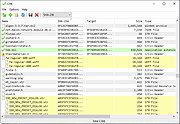 |
 |
Emacs v31.1 Emacs v31.1 👉 Powerful, extensible text editor and productivity environment. Emacs is a highly extensible and customizable text editor from the GNU Project for programming, writing, system administration, and general productivity. At its core is an interpreter for Emacs Lisp, a programming language that allows virtually every part of the editor to be customized or extended. Emacs provides editing modes for a huge range of programming and markup languages, syntax highlighting, code navigation, compilation and debugging tools, version control integration, powerful search and replacement, multiple buffers and windows, shells, file management, email and news capabilities, and an extensive package ecosystem. Its popular Org mode provides outlining, note-taking, task management, scheduling, document authoring, and publishing tools. Features: • Extensible and customizable through Emacs Lisp • Editing modes for numerous programming, scripting, markup, and human languages • Syntax highlighting, automatic indentation, code navigation, and completion • Integrated compilation and debugging tools • Built-in version control interfaces • Powerful search, replacement, and regular expression support • Multiple buffers, windows, frames, and customizable window layouts • Built-in package management for installing additional functionality • Org mode for notes, outlines, tasks, scheduling, authoring, and publishing • Integrated shell and terminal capabilities • File and directory management with Dired • Keyboard macros and extensively customizable key bindings • Support for right-to-left and bidirectional text • Extensive Unicode and international character support • Runs in graphical environments or text terminals Supported operating systems: • Windows 11, Windows 10, Windows 8/8.1, Windows 7 and earlier Windows NT-family versions • macOS • GNU/Linux, including Debian/Ubuntu, Fedora/Red Hat, Arch Linux, openSUSE and other distributions • FreeBSD, NetBSD, OpenBSD • GNU/Hurd • Haiku • Android 2.2 through Android 15.0, including free Android derivatives such as Replicant • Solaris • MS-DOS, FreeDOS Supported languages: Arabic, Azerbaijani, Bulgarian, Bengali, Catalan, Czech, Danish, German, Greek, Esperanto, Spanish, Farsi/Persian, Finnish, French, Hebrew, Croatian, Indonesian, Italian, Japanese, Korean, Kurdish, Malayalam, Norwegian Bokmεl, Dutch, Norwegian Nynorsk, Polish, Brazilian Portuguese, Romanian, Russian, Slovak, Albanian, Serbian, Tamil, Thai, Tagalog, ... |
|
756 | Aug 25, 2026 Free Software Foundation, Inc. 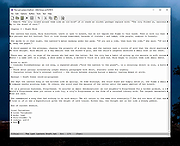 |
|
FastCopy v5.12.0 FastCopy v5.12.0 👉 High-speed file copy and backup software for Windows. FastCopy is a fast file copy and backup utility for Windows designed to maximize transfer performance by using multi-threaded read, write, and verify operations together with Overlapped I/O and Direct I/O. It supports Unicode file names, paths longer than MAX_PATH, and include or exclude filtering using UNIX-style wildcards. FastCopy is built to reduce the load on other running applications while delivering very high copy performance on modern storage devices. Features: • Fast file copy and backup software for Windows • Verification support for more reliable copying • Can record hash values for each file • Uses multi-threaded read, write, and verify processing • Uses Overlapped I/O and Direct I/O for high performance • Supports Unicode file names • Supports file paths longer than MAX_PATH (260 characters) • Supports include and exclude filters using UNIX-style wildcards • Lightweight design built with Win32 API only Supported operating systems: • Windows 7, Windows 8, Windows 8.1, Windows 10, Windows 11 • Windows Server 2012, Windows Server 2012 R2, Windows Server 2016, Windows Server 2019, Windows Server 2022, Windows Server 2025 Supported languages: • English, Japanese, Chinese Changes: v5.11.3 08-18-26 Added an option to Shell Extension to replace Explorer's standard drag & drop / paste with FastCopy. (Default: OFF) Various security enhancements. - Enabled CET Shadow Stack (/CETCOMPAT). - Enabled Control Flow Guard (/guard:cf). - Stricter DLL loading (added /DEPENDENTLOADFLAG:0x800). - (Already enabled: /GS, /NXCOMPAT (DEP), /SAFESEH (x86), /DELAYLOAD, /DYNAMICBASE, /HIGHENTROPYVA, SetDefaultDllDirectories) Note: This file has one hit on VirusTotal. We have confirmed this to be a false positive. The file is safe. Note: If you need the portable version, use the "Extract" button in the installer. Click here to visit the author's website. |
|
12,523 | Aug 21, 2026 SHIROUZU Hiroaki 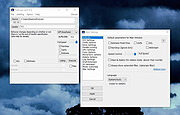 |
|
InnoExtractor v12.1.1.185 InnoExtractor v12.1.1.185 👉 Powerful utility for unpacking and exploring Inno Setup installers. InnoExtractor is an advanced application that allows you to inspect, extract, and explore the contents of installers created with Inno Setup without needing to run the installation process. It provides a clean and user-friendly interface for viewing internal files, scripts, registry entries, installation structure, and embedded resources from supported setup packages. InnoExtractor is especially useful for software archivists, developers, system administrators, and advanced users who want to analyze installer contents or recover files from installation packages. Features: • Open and inspect Inno Setup installer packages • Extract files and folders from installers without running setup • View internal installer scripts and configuration data • Explore embedded files, icons, images, and resources • Display detailed installer information and metadata • Supports password-protected installers when password is known • Search and filter installer contents • Drag-and-drop support for opening setup files • Supports Unicode installers • Export installer information and file lists • Multi-language user interface Supported operating systems: • Windows 7, Windows 8, Windows 8.1, Windows 10, Windows 11 Supported languages: Arabic, Azerbaijani, Czech, Danish, Dutch, English, French, German, Greek, Hungarian, Italian, Japanese, Korean, Polish, Portuguese (Portugal), Russian, Simplified Chinese, Spanish, Traditional Chinese, Turkish, Ukrainian Changes: v12.1.1.185 10-14-26 - Updated Danish, Italian, Russian and Ukrainian language files. - Fixed a minor bugs from previous version. Note: This file has one hit on VirusTotal. We have confirmed this to be a false positive. The file is safe. Click here to visit the author's website. |
|
745 | Oct 15, 2026 Havy Alegria 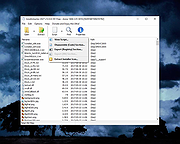 |
|
PilotEdit Lite v21.5.0 PilotEdit Lite v21.5.0 👉 Free text and hex editor designed for working with large files and advanced text processing tasks. PilotEdit Lite is a lightweight yet powerful text and source code editor built for users who need to handle large files, perform advanced search and replace operations, edit hex data, and manage coding projects efficiently. The Lite edition provides many of the core editing and file management tools found in the full version while remaining free for personal use. It is especially useful for programmers, web developers, log file analysis, and anyone working with very large text files that standard editors may struggle to open or process smoothly. Features: • Open and edit large text files • Syntax highlighting for multiple programming languages • Hex editor mode for binary file editing • Advanced multi-line search and replace • Column mode editing • Regular expression support • File compare functionality • FTP and SFTP file transfer support • Unicode and UTF-8 support • Customizable text encoding options • Line sorting and duplicate removal tools • Powerful file search across directories • Bookmark support for quick navigation • Word wrap and split window editing • Configurable keyboard shortcuts • Session and workspace management • Automatic file backup support • Portable version available Supported File Types: AHK Script, ASP, ASP.NET, AngularJS TypeScript, Apache Pig Latin Script, Assembly, AutoIt Script, BAT/CMD, C#, C/C++, COBOL, CSS, CSV, Conf, D Programming, DSV, Eiffel, Erlang, F#, Go, Groovy, HTML, Haskell, INF, INI, Inno Setup Script, J#, JSON, JSP, Java, Javascript, LESS, LISP, LaTex, Log, Lua, MATLAB, Markdown, MicroBasic Pro, PHP, Pascal, Perl, PilotEdit Script, PowerShell Script, Python, R Programming, REXX, RHTML, Ruby, SQL, Scala, TCL/TK, TSV, Text, Textile, UNIX/Linux Shell, VC++ Resource, Visual Basic, XHTML, XML Supported operating systems: • Windows 7, Windows 8, Windows 10, Windows 11, Windows Server 2008, Windows Server 2012, Windows Server 2016, Windows Server 2019, Windows Server 2022 Supported languages: Arabic, Dutch, English, Finnish, French, German, Hindi, Italian, ... |
|
9,988 | Oct 07, 2026 PilotEdit 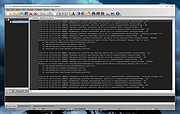 |
|
SmartTextCrypter v1.03 SmartTextCrypter v1.03 👉 A tiny portable tool for password-encrypting text before sending it through messaging apps, email or SMS. SmartTextCrypter is a free, portable Windows utility designed to encrypt text messages with a password before they are sent through services such as WhatsApp, Telegram, email or SMS. The recipient pastes the encrypted text into SmartTextCrypter and enters the same password to decrypt and read the original message. Everything is processed locally on your computer without uploading your text to a cloud service or server. The program uses the author's proprietary multi-layer encryption method consisting of password-based key generation, XOR encryption, position-dependent mixing, bit rotation and a checksum for detecting errors or incorrect passwords. It supports Unicode text, including Asian, Cyrillic and Arabic characters. SmartTextCrypter requires no installation and can be run directly from a USB drive, external drive or ordinary folder without creating registry entries. Features: • Password-based encryption and decryption of text • Send encrypted text through WhatsApp, Telegram, email, SMS and other services • Proprietary multi-layer encryption using XOR, positional mixing and bit rotation • Generates a 32-byte key from your password • Checksum detects errors and incorrect passwords • Unicode support for Asian, Cyrillic, Arabic and other characters • Completely local operation with no cloud service or server uploads • Portable and requires no installation • Can run directly from a USB drive, external drive or any folder • Does not create registry entries • Low CPU usage • Adjustable text sizes for improved readability • Free for private use Supported operating systems: • Windows XP, Windows Vista, Windows 7, Windows 8, Windows 8.1, Windows 10, Windows 11, Windows Server 2012-2025 • 32-bit and 64-bit Windows Supported languages: German, English, Italian, Chinese-Traditional, Dutch, Russian, Japanese, Korean, Spanish, Portuguese, Malay Changes: v1.03 08-26-26 • SmartTextCrypter language file update • Minor fine-tuning in SmartTextCrypter for all Windows operating systems. Click here to visit the author's website. |
|
169 | Sep 03, 2026 Nenad Hrg 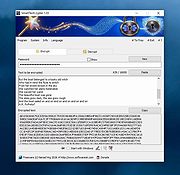 |
|
Tablacus Explorer v26.6.11 Tablacus Explorer v26.6.11 👉 Customizable tabbed file manager with extensive add-on support. Tablacus Explorer is a portable, open source tabbed file manager for Windows that supports add-ons, multiple languages, Unicode, customizable menus, keys, mouse gestures, aliases, and extra columns such as total file size and labels. It is designed for users who want a highly flexible alternative to standard Windows File Explorer. Features: • Tabbed interface • Add-on support • Completely portable with no installation required • Multiple language and Unicode support • Extra columns including total file size and label • Customizable associations, menus, keys, mouse gestures, and aliases • Open source • Available in both 32-bit and 64-bit versions Supported operating systems: • Windows XP, Windows Vista, Windows 7, Windows 8, Windows 8.1, Windows 10, Windows 11 Supported languages: English, Japanese, Spanish, Korean, German, Greek, French, Italian, Portuguese, Russian, Simplified Chinese, Traditional Chinese, Turkish Changes: v26.6.11 06-11-26 • Added ARM64 support. (Backup recommended) • Added an ARM64 version of Tablacus Explorer. • The developer does not have a Windows ARM device, so this build has not been tested by the developer. • Windows ARM users can download tearm_260611.zip, extract it over their existing installation, and run TEARM64.exe. • The developer is requesting feedback from ARM64 users about whether the build works correctly or if any problems occur. Click here to visit the author's website. |
|
7,004 | Aug 14, 2026 Gaku 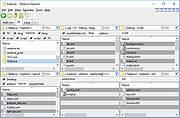 |
|
TED Notepad v6.4.1 TED Notepad v6.4.1 👉 Small, fast and powerful plain-text editor packed with advanced text-processing tools. TED Notepad is a free plain-text editor and Notepad replacement for Windows, built for users who want speed, portability and serious text manipulation without a bulky interface. It includes hundreds of tools for editing, sorting, filtering, transforming, searching and cleaning text, while staying small, quick to launch and easy to carry as a portable utility. Features: • Free, small and portable text editor with no installation required • New 64-bit version for working with very large files • Tested with huge files, including multi-gigabyte documents • 457 text-processing functions and editor features • Grep, Sort, Cut, Unique, RegEx, Shuffle, Tr and Reverse tools • Search and replace with regular expressions • Selection and search match highlighting • Search and Replace history • Line numbers, line lengths and visible spaces/tabs/newlines • Multi-level Undo and Redo • Auto-save, recovery and backup options • UTF-8 and Unicode auto-recognition • Multiple permanent clipboards and clipboard append tools • Word and line auto-completion • Portable INI file settings Supported operating systems: • Windows 11, Windows 10, Windows 8, Windows 7, Windows Vista, Windows XP, Windows Server 2008, Windows Server 2003, Windows 2000 Supported languages: English Changes: v6.4.1 06-04-26 Introducing a 64-bit version. Added selection highlighter for all occurrences of selected text. Added settings for minimum selection length, match case and highlighter color. Added search highlighter for all Search Bar matches. Added total occurrence count in the Search Bar. Added Search history and Replace history. Added positive and negative look-ahead and look-behind assertions in Regular Expressions. Added setting to include seconds when inserting date/time. Added setting to disable the "Exit without saving" hotkey. Added Session Hard to Close option. Fixed multiple Search Bar, RegEx, Grep, Filters, Sort, Columns, Status Bar and clipboard issues. Improved Unicode file detection, DPI awareness, search routines, clipboard handling and settings validation. This download is for the Windows Unicode 64bit Installer version (very bottom of page). All other download assets are ... |
|
6,246 | Jun 09, 2026 Medvedik, Juraj Simlovic 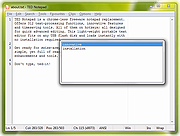 |
|
Unicodia — encyclopedia of characters v3.2.3 Unicodia — encyclopedia of characters v3.2.3 👉 A fast, searchable encyclopedia of Unicode characters with detailed technical information. Unicodia is a comprehensive Unicode character reference designed for developers, typographers, linguists, and anyone who works with extended character sets. It allows users to explore the full Unicode standard through an intuitive interface, offering instant search, categorized browsing, and in-depth character metadata. Unicodia makes it easy to locate, inspect, and copy symbols, scripts, emojis, and historical characters for use in documents, code, and design projects. Features: • Browse the complete Unicode character set by block and category • Instant search by character name, code point, or description • Detailed character metadata including properties and classifications • One-click copy of characters to the clipboard • Supports modern scripts, symbols, emojis, and historic writing systems • Clean, readable interface optimized for reference use • Fully usable offline after installation Supported operating systems: • Windows 7, Windows 8, Windows 10, Windows 11 Supported languages: English Changes: v3.2.3 06-13-26 📚 TEXT [en] #609 Grammar check done! Really need retranslation: 1) more neutral Kayah Li; 2) Khitans were defeated by KOREANS! [en] Wrote "Kyivan/Kievan" (more correct now / used by Unicode) 🐞 PROGRAM [3.1.8] In SignWriting, the style was not applied Click here to visit the author's website. |
|
2,448 | Jun 18, 2026 Mikhail Merkuryev 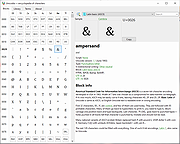 |
| Showing rows 1 to 10 of 10 | Showing Page 1 of 1 | 1 |
OlderGeeks.com Copyright (c) 2026
