|

|
Processed through Paypal No account required. |








Buy our over-priced crap to help pay the bills.



|
|
Processed through Paypal No account required. |
| Files | ||||
| File Name | Rating | Downloads | ||
 |
12-Ants v6.91 12-Ants v6.91 👉 Add a swarm of animated ants to your Windows desktop for a little harmless fun. 12-Ants is a tiny freeware desktop decoration that fills your screen with animated ants crawling across the Windows desktop. The ants can interact with your mouse pointer in several ways, including attacking it, fleeing from it, reacting only when the pointer moves, or simply strolling around on their own. You can customize the number of ants displayed, their movement speed, size, color and transparency. Despite potentially putting a sizable colony on your screen, the program is designed to consume very few system resources. It is also portable, so it can be run directly from a folder or USB drive without installation. Features: • Displays animated ants crawling around the Windows desktop • Choose from five different ant movement algorithms • Ants can attack the mouse cursor • Ants can attack the cursor only when it moves • Ants can flee from the mouse cursor • Ants can flee only when the cursor moves • Ants can simply stroll around the desktop • Adjustable number of desktop ants • Adjustable ant movement speed • Adjustable ant size • Change ant colors, including red, black and green • Optional transparency • Low system resource consumption • Portable operation with no installation required • Can be carried and run from a USB drive • Installer and portable packages are available • Supports both 32-bit and 64-bit Windows Supported operating systems: • Windows 7, Windows 8, Windows 8.1, Windows 10, Windows 11 • Windows Server 2012, Windows Server 2016, Windows Server 2019, Windows Server 2022, Windows Server 2025 • 32-bit and 64-bit Windows Supported languages: German, English, French, Traditional Chinese, Korean, Greek, Italian, Spanish (Colombia), Russian, Simplified Chinese, Arabic, Romanian, Japanese, Afrikaans, Swedish, Danish, Norwegian, Dutch, Thai, Vietnamese, Hindi, Portuguese, Spanish, Spanish (Venezuela), Finnish, Bosnian/Croatian/Serbian Changes: v6.91 04-24-26 • Verification of Desktop BUGs on next MS Windows 11 Build • Small adjustments for Windows 11 • ... |
 |
6,403 | Sep 03, 2026 Nenad Hrg  |
|
SmartContextMenu v1.9.0 SmartContextMenu v1.9.0 👉 Add a powerful context menu to almost any window in Windows. SmartContextMenu adds an extra context menu to system windows, including windows that do not have a standard system menu. Move the pointer over a window and use the default Ctrl + right-click shortcut to open the menu. You can customize its menu items and hotkeys through the system tray settings or the SmartContextMenu.xml file. Features: • Display information about a window and its process, including the window title, class, process name, ID, and file path. • Keep a window on top, send it behind other windows, hide it, roll it up, or make it borderless. • Dim other windows, adjust transparency, or make a window click-through. • Resize, reposition, align, or move a window to another monitor. • Change a window’s title or icon, and enable or disable its Minimize, Maximize, and Close buttons. • Save window screenshots, copy screenshots or window text to the clipboard, and clear the clipboard. • Minimize or suspend windows to the system tray, or minimize and close other windows. • Open a process location in File Explorer and launch programs configured in the settings. • Customize the menu and hotkeys through the system tray settings or SmartContextMenu.xml. • Use command-line options to manage windows, adjust settings, and run without the graphical interface. • Apply Aero Glass blur to windows on Windows Vista and later. Supported operating systems: • Windows XP SP3 and later, x86 and x64 Supported languages: Chinese (Simplified), Chinese (Traditional), English, French, German, Hebrew, Hungarian, Italian, Japanese, Korean, Portuguese, Russian, Serbian, Slovenian, Spanish, Tamil, Vietnamese Changes: v1.9.0 08-02-26 Added an option to call the menu for the entire window and ... |
|
1,934 | Oct 20, 2026 Alexander Illarionov  |
|
SmartSystemMenu v2.34.0 SmartSystemMenu v2.34.0 👉 Enhanced Windows system menus with powerful window management features. SmartSystemMenu is a lightweight utility that extends the standard Windows system menu of application windows with a wide range of advanced window management tools. By right-clicking the title bar or using the system menu, users gain access to additional options that go far beyond the default Move, Size, Minimize, Maximize, and Close commands. SmartSystemMenu allows you to control window behavior, transparency, priority, alignment, and more, making it especially useful for power users who want finer control over their desktop environment. Features: • Adds extended options to the standard Windows system menu • Adjust window transparency levels • Set window priority (Real-time, High, Above normal, Normal, Below normal, Idle) • Resize and reposition windows with custom dimensions • Align windows to screen edges or predefined positions • Change window always-on-top state • Save and restore window positions • Take screenshots of application windows • Copy window text to clipboard • Multi-language interface • Portable version available Supported operating systems: • Windows 7, Windows 8, Windows 8.1, Windows 10, Windows 11 Supported languages: English, Russian, Chinese, Korean, Indonesian, Vietnamese, Spanish, Japanese Changes: v2.34.0 10-10-26 Renamed "Buttons" menu group to "Title Bar" menu group. Moved "Change Icon" and "Change Title" menu items to "Title Bar" menu group. Added a new "Dark Mode" menu item to "Title Bar" menu group. More correct saving of Avalonia window settings Changed hotkeys for "Alignment" menu group by @stamminator Vietnamese translation by @vuanhvu11982 Indonesian translation by @Yoruxyv Spanish translation improvements by @Deliond Japanese translation improvements by @Rukoto Several bugfixes and code improvements Click here to visit the author's website. |
|
5,883 | Oct 20, 2026 Alexander Illarionov 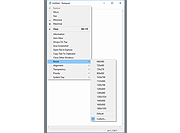 |
| Showing rows 1 to 3 of 3 | Showing Page 1 of 1 | 1 |
OlderGeeks.com Copyright (c) 2026
