|

|
Processed through Paypal No account required. |








Buy our over-priced crap to help pay the bills.



|
|
Processed through Paypal No account required. |
| Files | ||||
| File Name | Rating | Downloads | ||
 |
DeckCraft v0.8.0 DeckCraft v0.8.0 👉 Create and present slide shows with this free, open-source presentation app. DeckCraft is a presentation app for creating and delivering slide shows. It includes slide masters, themes, layouts, vector shapes, transitions, animations, and presenter view with speaker notes and rehearsal tools. Open and save PowerPoint presentation files, export slides and handouts as vector PDF, or render slides as images. DeckCraft is available as a native app for Windows, macOS, and Linux. Features: • Create slide masters, use eleven layouts, and organize presentations into sections • Choose from eight built-in themes with font and colour schemes • Use presenter view with speaker notes, slide previews, timers, rehearsal timings, and pen drawing • Draw with more than 150 vector shapes, adjustment handles, sticky connectors, curve booleans, gradient fills, and outline styling • Apply slide transitions, including Morph, and use entrance, emphasis, exit, and motion-path animations • Build presentations with by-paragraph animations • Open and save .pptx presentation files • Export vector PDF slides and handouts, or render slides as images • Automate tasks with more than 200 commands, a command-line interface, JSON control channel, and MCP server Supported operating systems: Windows 10 and Windows 11 (64-bit x64, 32-bit x86, and ARM64 builds; ARM64 is listed for Windows 11 on ARM), macOS (Intel and Apple silicon), Linux (x86_64 and ARM64; Flatpak, AppImage, Debian/Ubuntu .deb, Fedora/RHEL/openSUSE RPM Supported languages: English Changes: [v0.8.0 10-18-26] Improved slide editing, presentation compatibility, export, media handling, text editing, chart rendering, and command-line behavior. Added and updated features for slide size, picture editing, SmartArt, presenter view, animations, and transitions. Fixed assorted editing, display, navigation, and stability issues. 👉 This download is for the Windows 64-bit installer version (very bottom of page). All other download assets are below: Windows ARM64: deckcraft-0.8.0-windows-arm64.msi deckcraft-0.8.0-windows-arm64-portable.zip Windows 64-bit: deckcraft-0.8.0-windows-x64-portable.zip Windows ... |
 |
34 | Oct 26, 2026 ArtCraft 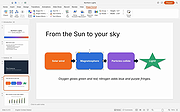 |
|
Drift v0.1.1 Drift v0.1.1 👉 A free, open-source video editor for creating polished videos without subscriptions or watermarks. Drift is a beginner-friendly desktop video editor that combines a straightforward workflow with a full collection of creative tools. Import video clips, photographs and music, then arrange everything on a multi-track timeline with tools for trimming, splitting, snapping and ripple editing. Add effects, transitions, titles, shapes, stickers and emoji without leaving the editor. Drift can also generate editable captions from speech, isolate subjects, create masks, remove green-screen backgrounds, adjust playback speed and clean up noisy audio. The preview and export systems use the same compositor, helping the completed video match what you saw while editing. Drift is completely free and open source with no account, subscription, telemetry or watermark. Optional fonts, stickers, effects and speech-recognition models can be installed through the built-in Addon Manager as needed. Features: • Multi-track timeline for video, audio, text and shapes • Trim, split, snap and ripple editing tools • Mute or hide individual timeline tracks • Full undo and redo support • GPU-powered video effects • Adjustable transitions between overlapping clips • Reusable effect and appearance templates • Customizable titles with fonts, colors, outlines, shadows and alignment • Stickers, emoji and optional content packs • Speech-to-text caption generation • Edit caption wording and timing directly on the timeline • Subject cutout and masking tools • Green-screen background removal • Playback speed adjustment and reversing • Custom speed ramps, fades and beat-based animation • Audio mixing and effect chains • Background-noise cleanup • Project bundles that include associated media • Optional downloadable fonts, effects, stickers and speech models • Export quality and bitrate controls • H.264, H.265, AV1, ProRes and additional export formats • Preview and export use the same compositor • No account, subscription, telemetry or watermark Supported operating systems: • Windows • Linux • macOS, build from source only Supported languages: English Changes: v0.1.1 07-31-26 A small fix-up release on top of the first public version. Curves in the keyframe editor are now ... |
|
346 | Aug 03, 2026 CutWire Studios 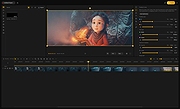 |
|
Kdenlive v26.04.3 Kdenlive v26.04.3 👉 Free and open-source non-linear video editor packed with powerful professional editing tools. Kdenlive is a free and open-source non-linear video editor from KDE designed for everything from simple video projects to complex multi-track productions. Built around the MLT Framework and FFmpeg, it can work directly with almost any audio and video format supported by FFmpeg without requiring clips to be converted first. Kdenlive combines flexible timeline editing, effects, transitions, titles, subtitles, color and audio analysis tools, proxy editing, multicam support, keyframing, automatic backups and extensive interface customization. Features: • Unlimited video and audio tracks with individual hiding, muting, resizing, collapsing and custom track names • Direct editing of almost any audio or video format supported by FFmpeg without first converting or re-encoding clips • Industry-standard 3-point editing with clip In/Out points and insert or overwrite editing modes • Flexible non-linear timeline for arranging, trimming and combining video and audio clips • Customizable interface with movable and resizable panels to fit different editing workflows • Save different workspace layouts for logging, editing, color grading and audio editing • Customizable keyboard shortcuts for creating a personalized workflow or adapting from another editor • Built-in 2D Title Editor for titles, callouts, scrolling credits and other text • Title formatting includes installed system fonts, character and line spacing, colors, alignment and positioning • Typewriter title effect with character-by-character, word-by-word or line-by-line text display • Glaxnimate integration for creating and working with SVG vector animations • Dozens of video and audio effects supplied through MLT, avfilter, frei0r and LADSPA • Video effects include color correction, blur, sharpening, artistic effects and transformations • Audio effects and adjustment tools for improving and modifying sound • Keyframe support for changing most effect parameters over time • Linear, discrete and smooth-curve keyframe types • Multi-camera editing with simultaneous viewing of multiple camera angles or other footage • Quickly switch between multicam sources while adding selected ... |
|
5,386 | Aug 20, 2026 Kdenlive Team 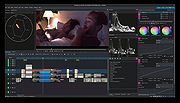 |
| Showing rows 1 to 3 of 3 | Showing Page 1 of 1 | 1 |
OlderGeeks.com Copyright (c) 2026
