|

|
Processed through Paypal No account required. |








Buy our over-priced crap to help pay the bills.



|
|
Processed through Paypal No account required. |
| Files | ||||
| File Name | Rating | Downloads | ||
 |
Chrono Tracker v3.6.12 Chrono Tracker v3.6.12 A free time tracking application for Windows desktop. It allows you to keep track of multiple projects and categorize how much time you spent working on each of them. Features unlimited number of projects organized into a hierarchical structure totals calculated across time and projects invoicing support - project rates & "invoiced" marker reliable database foundation and data backups seamless updates runs on Microsoft Windows XP (SP3) and up free for both personal & commercial use Click here to visit the author's website. |
 |
4,732 | Nov 02, 2021 Quasima Software 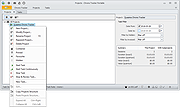 |
|
HomeBank v5.10.2 HomeBank v5.10.2 👉 Personal finance software for managing accounts, budgets, and expenses. HomeBank is a free and open-source personal accounting software designed to help users manage their finances with ease. It allows you to track income and expenses, manage multiple bank accounts, categorize transactions, and analyze your financial habits through detailed reports and charts. With a clean interface and powerful filtering tools, HomeBank makes it simple to stay on top of your budget and financial goals. HomeBank supports importing data from various formats such as CSV, QIF, and OFX, making it easy to migrate from other financial tools. It also offers automatic transaction categorization, scheduled transactions, and advanced reporting features to provide clear insights into your spending patterns. Features: • Manage multiple accounts including bank, cash, and credit cards • Track income and expenses with customizable categories • Import data from CSV, QIF, and OFX formats • Powerful filtering and search tools for transactions • Detailed reports and charts for financial analysis • Budget tracking and spending insights • Scheduled transactions and reminders • Automatic transaction categorization • Clean, user-friendly interface Supported operating systems: • Windows 7, Windows 8, Windows 10, Windows 11 • Linux Supported languages: English, French, German, Spanish, Italian, Dutch, Russian, Chinese, and others Changes: v5.10.2 06-14-26 * bugfix: #2156412 safety approve option mixup * bugfix: #2156372 currency modification date is not persisted due to extra space in code * bugfix: #2155966 main window different colours for 0.00 account balances * bugfix: #2155959 cannot inherit a locked reconciled transaction * bugfix: #2155844 quick search no longer works in account window (ledger) This download is for the Windows version (very bottom of page). Linux Debian/Ubuntu: sudo add-apt-repository ppa:mdoyen/homebank sudo apt-get update sudo apt-get install homebank Other Linux distributions: Debian: apt-get install homebank Fedora: yum install homebank OpenSUSE: yast -i homebank or zypper in homebank Arch Linux: pacman -S homebank Gentoo: emerge homebank Click here to visit the author's website. |
|
11,991 | Jul 28, 2026 Maxime Doyen 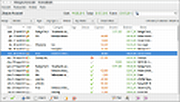 |
|
JEquity v2025.0.3.398 JEquity v2025.0.3.398 👉 Open-source portfolio and stock tracking software with a clean JavaFX desktop interface. JEquity is an open-source financial portfolio management application designed to help users organize, monitor, and track equity investments from a desktop environment. Built in Java with a modern JavaFX interface, JEquity allows you to manage stock holdings, ETFs, retirement funds, taxable accounts, and grouped investments while keeping portfolio data organized in a simple and efficient layout. The application supports portfolio grouping, historical tracking, financial summaries, valuation updates, account categorization, and detailed stock ownership records. JEquity is intended for users who want a lightweight desktop-based investment tracker without relying on cloud-based financial services. JEquity includes tools for organizing investments by account type, ownership, category, and tax status. Users can maintain multiple financial records, monitor valuations, generate reports, and review historical financial data through an easy-to-navigate tabbed interface. Features: • Tracks stocks, ETFs, and equity investments • Organizes investments by account and ownership • Supports retirement, taxable, and tax-deferred account tracking • Financial portfolio summary calculations • Historical investment tracking tools • Report generation support • Group management for organizing portfolios • JavaFX-based graphical user interface • Lightweight desktop application • Cross-platform Java support • Open-source Eclipse Public License v2.0 software • Multiple tabbed financial management views • Search and filtering capabilities • Manual stock valuation and share tracking • Local desktop portfolio management without cloud dependency Supported operating systems: • Windows 10, Windows 11 • macOS Monterey or higher • Linux distributions with Java support • BSD systems with Java support Supported languages: • English Changes: v2025.0.3.398 12-17-25 With a new self-signed open-source certificate. Note: This file has one hit on VirusTotal. We have confirmed this to be a false positive. The file is safe. This download is for the Windows version (very bottom of page). All other download assets are below: macOS: JEquity_macos-aarch64_2025.0.3.398.dmg JEquity_macos-amd64_2025.0.3.398.dmg Linux: JEquity_linux-amd64_2025.0.3.398.sh Click here to visit the author's website. |
|
6,283 | Jun 03, 2026 Beowurks 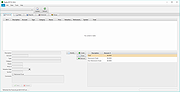 |
|
Portmaster Free v2.2.1 Portmaster Free v2.2.1 👉 Take complete control of your computer's network traffic and protect your privacy. Portmaster Free is a powerful open-source application firewall and privacy manager that lets you see, understand, and control every network connection made by your computer. Instead of simply allowing or blocking Internet access, Portmaster provides detailed visibility into which applications are communicating, where they are connecting, and what protocols they are using. Designed with privacy in mind, Portmaster automatically blocks many trackers, advertisements, malware hosts, and unwanted telemetry across your entire system rather than just within your web browser. It also secures DNS requests, provides extensive per-application and global network controls, and gives advanced users the flexibility to create highly customized filtering rules. Unlike traditional firewalls that focus mainly on inbound threats, Portmaster concentrates on outbound traffic, helping you identify applications that quietly phone home, collect telemetry, or communicate with unexpected servers. Whether you're a privacy enthusiast, security researcher, or simply want more insight into your computer's network activity, Portmaster offers one of the most comprehensive free solutions available. The free edition includes all core privacy and firewall functionality. Premium Safing features such as SPN (Safing Privacy Network), investigative tools, and priority support are optional and not required to use Portmaster's primary firewall and privacy capabilities. Features: • Monitor every incoming and outgoing network connection • Interactive application firewall with per-app network permissions • System-wide blocking of ads, trackers, and malware domains • Secure DNS requests using encrypted DNS-over-TLS • Create global and application-specific firewall rules • Block individual domains, IP addresses, countries, or connection types • Restrict peer-to-peer traffic to selected applications • View detailed connection history and network statistics • Control Internet access with simple allow and block rules • Automatic filter list updates for improved protection • Open-source software with publicly available source code • Automatic background updates for intelligence data and components Supported operating systems: • Windows 10 (64-bit), ... |
|
3,444 | Aug 04, 2026 Safing ICS Technologies GmbH 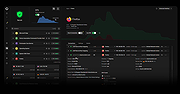 |
 |
TakeStock v2.0 R78 TakeStock v2.0 R78 👉 Completely free personal investment management software for Windows. TakeStock 2 is a free, full-featured personal investment management program that helps you track stocks, ETFs, mutual funds, dividends, capital gain distributions, margin equity and cash flow. It can display charts, retrieve historical prices, show company information, provide delayed price quotes, alert you when target buy or sell prices are reached and help identify short and long term gains for tax reporting. Features: • Track stocks, ETFs and mutual funds • Monitor dividends, capital gain distributions, cash flow and margin loans • View price charts and historical prices • Retrieve company information and delayed quotes • Set target buy and sell price alerts • Identify short and long term gains • Create folders and multiple portfolios • View held and sold positions • Export portfolio information to CSV • Standard and portable installation options • Keeps financial data stored locally on your computer • Supports multiple international home markets including Argentina, Australia, Brazil, Canada, France, Germany, India and the United States • 100% free with no advertising, nag screens or registration Supported operating systems: • 64-bit Windows 7, Windows 8, Windows 10, Windows 11 Supported languages: English Changes: v2.0 R78 09-10-26 Bug fixes: Issue #299, Reported 2026.06.10 by Ravi Bhavnani Clicking the Find button in the Find Positions window displays the message “The portfolio does not exist.” after presenting the search results. Issue #302, Reported 2026.07.06 by Maxwell Moon Historical prices for the symbol SPHIX cannot be retrieved. Issue #306, Reported 2026.08.18 by NB The Held tab of the Find Positions window includes sold positions, and the Sold tab is always empty. Issue #307, Reported 2026.08.26 by Vijay Idnani The AMFI (Association of Mutual Funds in India) symbol finder no longer works and the application ... |
|
6,819 | Sep 14, 2026 Ravi Bhavnani 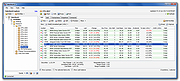 |
|
uBlock Origin Lite v2026.628.2035 uBlock Origin Lite v2026.628.2035 👉 Lightweight Manifest V3 content blocker that blocks ads, trackers, and other unwanted web content. uBlock Origin Lite is a lightweight, Manifest V3-based content blocker designed to efficiently block ads, trackers, cryptominers, and other unwanted web content while using minimal CPU and memory. Unlike the original uBlock Origin, uBlock Origin Lite relies on the browser's declarative filtering engine, allowing filtering to occur without a continuously running background process. This approach improves efficiency while remaining compatible with modern browser extension requirements. Users can select different filtering modes and enable additional filter lists through the extension's options page to increase protection. uBlock Origin Lite includes the standard uBlock Origin filter set by default, including EasyList, EasyPrivacy, Peter Lowe's Ad and Tracking Server List, and uBlock's own built-in filters. It is ideal for Chromium-based browsers that require Manifest V3-compatible extensions while also supporting Firefox and Safari versions built for the new extension architecture. Features: • Blocks advertisements, trackers, cryptominers, and malicious domains • Built on the Manifest V3 extension platform • Uses the browser's declarative filtering engine for low resource usage • No permanent background process required • Includes uBlock Origin default filter lists • Supports additional optional filter lists • Multiple filtering modes for different levels of protection • Fast startup with minimal CPU and memory consumption • Open source under the GPL-3.0 license • Available for Chromium-based browsers, Firefox, Microsoft Edge, and Safari Supported operating systems: • Windows 10, Windows 11 • macOS 13.7 or higher • Linux (via supported Chromium-based browsers or Firefox) • ChromeOS • iOS 18.6 or higher (Safari) • iPadOS 18.6 or higher (Safari) Supported languages: English Changes: v2026.628.2035 06-28-26 Updated filter lists. This download is for the Firefox version (very bottom of page). If you need the Google Chrome version, download here. If you need the Microsoft Edge version, download here. If you need the Apple Safari version, download here. Click here to visit the author's website. |
|
505 | Jul 05, 2026 Raymond Hill 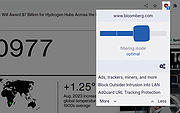 |
|
uBlock Origin v1.72.0 uBlock Origin v1.72.0 👉 Efficiently block ads, trackers, malware, and other unwanted web content. uBlock Origin is a free, open-source, wide-spectrum content blocker designed to improve privacy, security, and browsing performance while using minimal CPU and memory. Rather than focusing only on advertisements, it blocks trackers, malicious domains, cryptocurrency miners, popups, anti-adblock scripts, and many other forms of unwanted web content. It supports multiple filter lists out of the box, while also allowing advanced users to create custom filtering rules and import additional lists. uBlock Origin is known for its efficiency, making it one of the lightest and fastest content blockers available. Note: Google Chrome has removed support for Manifest V2 extensions. The full version of uBlock Origin is best supported on Firefox. Chromium-based browsers need uBlock Origin Lite. Features: • Blocks ads, trackers, malware sites, popups, cryptocurrency miners, and other unwanted content • Lightweight design with low CPU and memory usage • Includes EasyList, EasyPrivacy, Peter Lowe's Blocklist, Online Malicious URL Blocklist, and uBlock Origin filter lists by default • Supports additional community filter lists and custom filters • Dynamic filtering for advanced users • Cosmetic filtering to hide unwanted page elements • Supports hosts files • Import and export custom settings and filter lists • Per-site blocking controls • Free and open source (GPLv3) Supported operating systems: • Windows 10, Windows 11 • macOS • Linux • Firefox for Android Supported languages: English, Arabic, Bulgarian, Catalan, Chinese (Simplified), Chinese (Traditional), Croatian, Czech, Danish, Dutch, Estonian, Finnish, French, German, Greek, Hebrew, Hindi, Hungarian, Indonesian, Italian, Japanese, Korean, Lithuanian, Norwegian Bokmεl, Persian, Polish, Portuguese, Portuguese (Brazil), Romanian, Russian, Serbian, Slovak, Slovenian, Spanish, Swedish, Thai, Turkish, Ukrainian, Vietnamese, Welsh, and others. Changes: v1.72.0 06-28-26 Fix broken rendering of final URL in strict-block page. Fix potential exception in set-attribute scriptlet. Improve parsing and interpretation of consecutive $$ in network filters. Improve googlesyndication_adsbygoogle shim. Add edit-object-on-getter and edit-object-on-setter scriptlets. Improve JSONPath support, including regex selectors, RFC9535 conformance, double-quoted names, and ... |
|
492 | Jul 05, 2026 Raymond Hill  |
|
Universal Blood Pressure Manager v1.13.0 Universal Blood Pressure Manager v1.13.0 👉 Manage, track, and analyze blood pressure readings with a simple open-source logging tool. Universal Blood Pressure Manager is an open-source application designed to help users record and monitor their blood pressure readings. It provides a straightforward interface where users can log systolic and diastolic values, pulse rate, and additional notes for each measurement. Universal Blood Pressure Manager stores entries locally and allows users to keep a long-term history of their blood pressure readings. This makes it easier to track trends over time and share useful information with healthcare providers when needed. The program focuses on privacy, simplicity, and reliability while remaining lightweight and easy to use. Features: • Record systolic and diastolic blood pressure measurements • Log pulse rate and optional notes for each entry • Maintain a long-term history of blood pressure readings • Simple and easy-to-use interface for quick data entry • Local storage of data for privacy • Open-source project allowing community review and contributions Supported operating systems: • Windows 10, Windows 11 • Linux • macOS Supported languages: English Changes: v1.13.0 08-03-25 • Added the option to show the latest measurement in the title bar • Improved the database migration process • Updated translations • Minor improvements and fixes This download is for the Windows installer version (very bottom of page). All other download assets are below: Other Windows: ubpm_qt5-1.13.0-x86_64.exe(Try this version if the Qt6 version does not run properly on your system.) macOS: ubpm_qt6-1.13.0-x86_64+aarch64.dmg ubpm_qt5-1.13.0-x86_64+aarch64.dmg (Try this version if the Qt6 version does not run properly on your system.) Linux: ubpm_qt6-1.13.0-x86_64.AppImage ubpm_qt6-1.13.0-aarch64.AppImage ubpm_qt5-1.13.0-x86_64.AppImage ubpm_qt5-1.13.0-aarch64.AppImage (Try this version if the Qt6 version does not run properly on your system.) Click here to visit the author's website. |
|
700 | Mar 06, 2026 Thomas Lowe 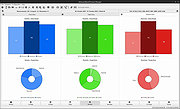 |
| Showing rows 1 to 8 of 8 | Showing Page 1 of 1 | 1 |
OlderGeeks.com Copyright (c) 2026
